
1. Introduction
Welcome to your new Homy Casa 31.5" Home Office Foldable Desk. This manual provides essential information for the assembly, operation, and maintenance of your desk. Designed with a compact and foldable structure, this desk is an ideal space-saving solution for small apartments, dorms, living rooms, and bedrooms, offering a practical and versatile workstation.

Image: The Homy Casa 31.5" Foldable Desk in its open, functional state, ready for use as a workstation.
2. Safety Information
- Maximum Weight Capacity: Do not exceed the maximum weight capacity of 120 pounds (54.4 kg) on the desktop. Overloading may cause damage or injury.
- Secure Connections: Ensure all components are securely fastened and the desk is stable before placing items on it or using it.
- Placement: Place the desk on a flat, stable surface to prevent wobbling or tipping.
- Environmental Conditions: Keep the desk away from open flames, excessive moisture, and direct sunlight to prevent damage to materials.
- Children: Supervise children around the desk, especially during folding and unfolding, to prevent pinching or injury.
3. Package Contents
Please check the package contents against the list below. If any items are missing or damaged, please contact Homy Casa customer support.
- Desk Frame (pre-assembled with folding mechanism)
- Desktop Panel
- Assembly Guide (this manual)
- Installation Tool (Wrench/Screwdriver combination)
4. Setup and Assembly
Your Homy Casa Foldable Desk is designed for minimal assembly. The main frame is pre-assembled, requiring only the unfolding and securing of the desktop.
- Unpack: Carefully remove all components from the packaging.
- Position the Frame: Place the folded desk frame on a flat, stable surface.
- Unfold Legs: Gently pull the legs outwards until they are fully extended and locked into place.
- Secure Desktop: The desktop panel is attached to the frame. Ensure the desktop is fully extended and the small black widgets underneath the desktop are engaged with the frame to prevent shaking. These widgets help stabilize the desktop.
- Final Check: Verify that the desk is stable and all parts are securely in position before use.

Image: Visual guide demonstrating the four steps to unfold the desk for use.
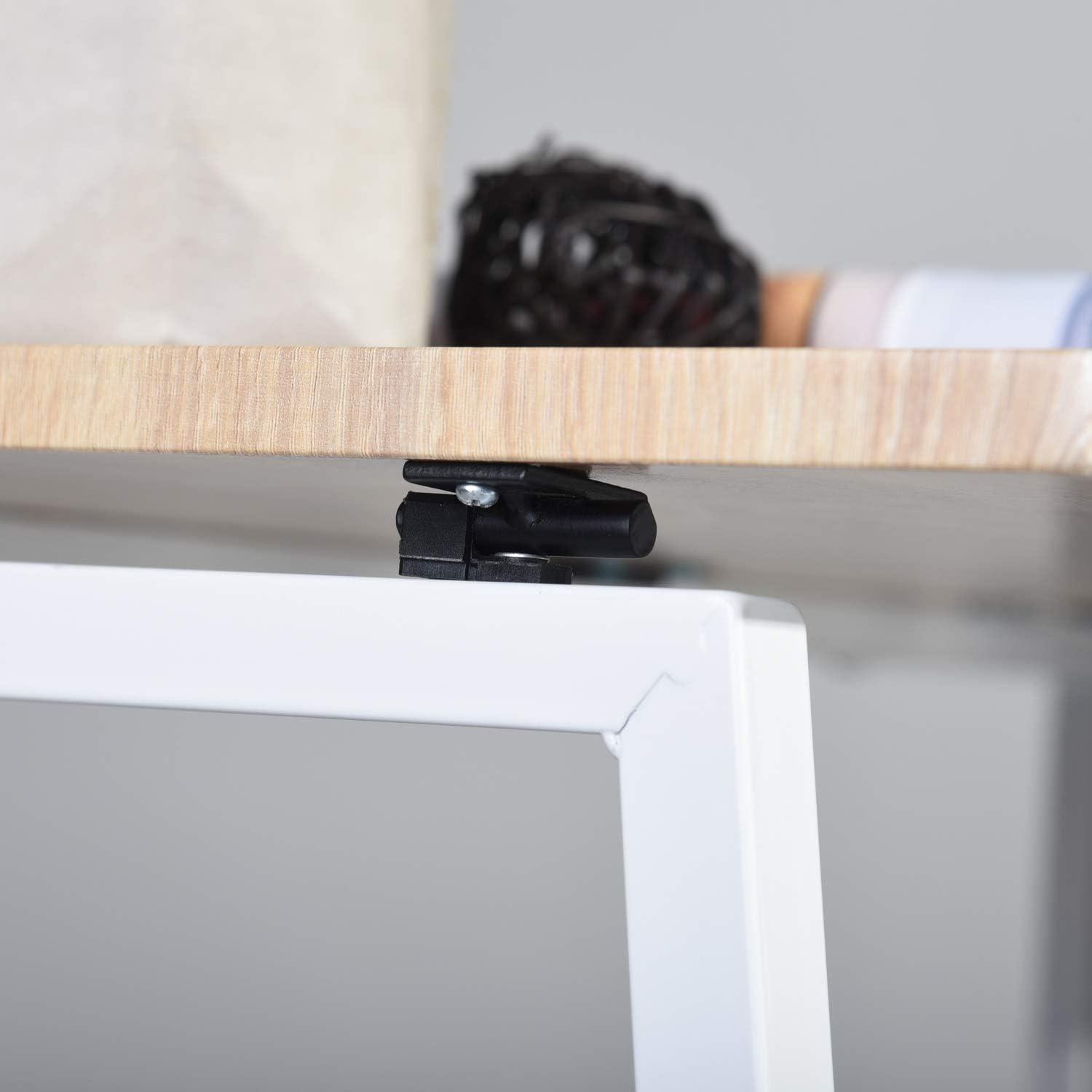
Image: Detail of the stabilizing widget located beneath the desktop.
5. Operating Instructions (Folding & Unfolding)
The Homy Casa Foldable Desk is designed for easy portability and storage. Follow these steps to fold or unfold your desk:
To Unfold the Desk:
- Place the folded desk on a flat surface.
- Gently pull the desk legs outwards until they are fully extended and the frame forms a stable base.
- Ensure the desktop panel is fully extended and the stabilizing widgets underneath are engaged with the frame.
To Fold the Desk:
- Clear all items from the desktop.
- Disengage the stabilizing widgets underneath the desktop by gently pushing them away from the frame.
- Carefully push the desk legs inwards until they fold flat against the desktop. The desk will become compact, approximately 3.7 inches thick.
- Store the folded desk in a convenient location, such as under a bed, behind a door, or in a closet.

Image: The desk's versatility in various small living environments.
6. Maintenance and Care
Proper care will ensure the longevity and appearance of your Homy Casa Foldable Desk.
- Cleaning: Wipe the desk surface with a damp cloth to remove dust and spills. Immediately follow with a dry cloth to prevent moisture damage.
- Avoid Harsh Chemicals: Do not use abrasive cleaners, strong detergents, or solvents, as these can damage the finish of the engineered wood and metal.
- Regular Inspection: Periodically check all screws and connections to ensure they remain tight. Tighten any loose fasteners with the provided installation tool.
- Protection: Use coasters for drinks and placemats for hot items to protect the desktop surface.
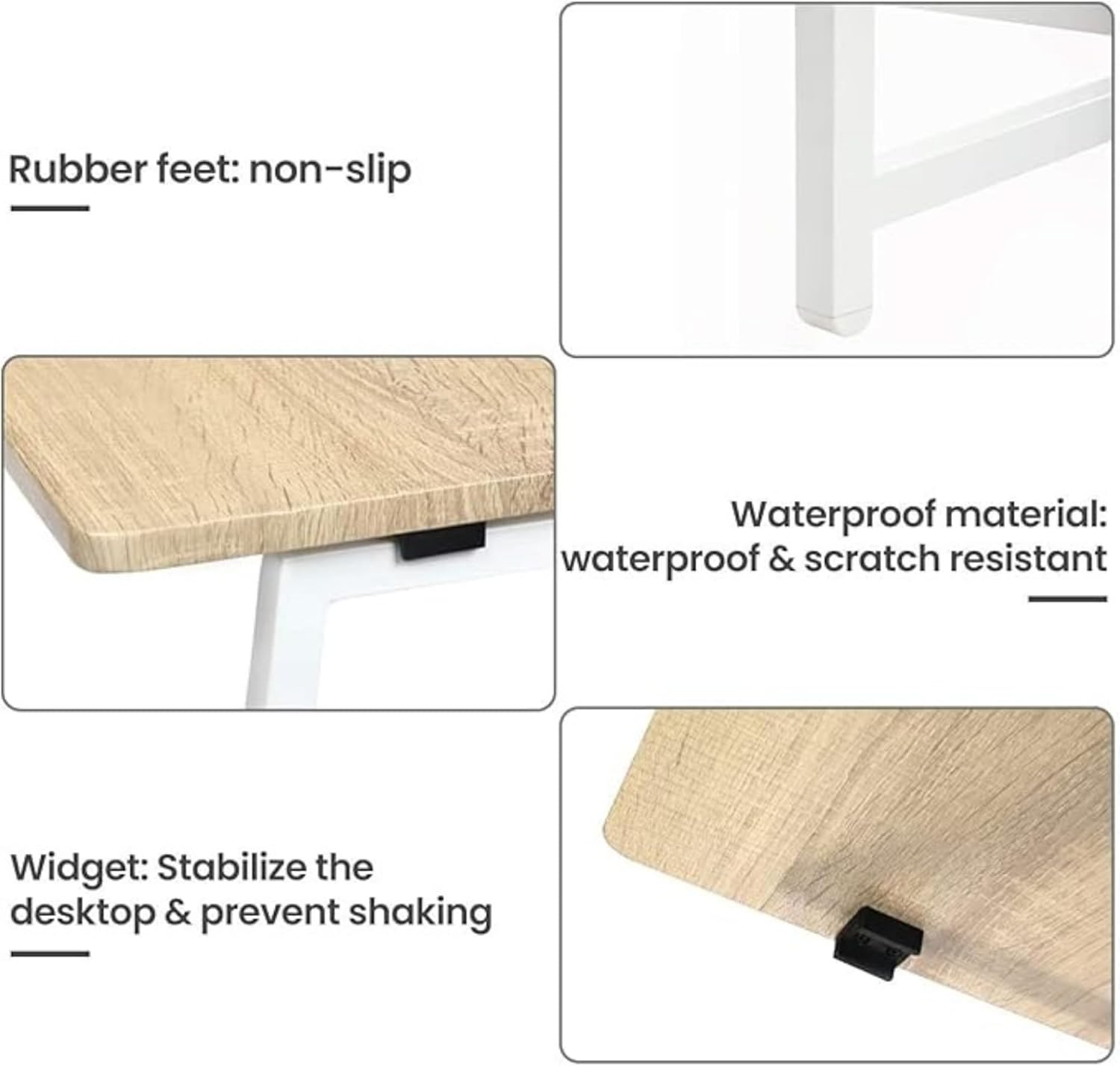
Image: Features like waterproof material and non-slip feet contribute to easy maintenance.
7. Troubleshooting
If you encounter any issues with your Homy Casa Foldable Desk, refer to the common solutions below:
- Desk Wobbles:
- Ensure the desk is placed on a flat, even surface.
- Check that all leg joints are fully extended and locked.
- Verify that the stabilizing widgets underneath the desktop are properly engaged. - Difficulty Folding/Unfolding:
- Ensure no objects are obstructing the folding mechanism.
- Make sure the stabilizing widgets are disengaged before attempting to fold. - Scratches on Surface:
- While the desktop is scratch-resistant, heavy or sharp objects can still cause damage. Use protective mats for items that may scratch the surface.
8. Specifications
| Feature | Detail |
|---|---|
| Brand | Homy Casa |
| Model | Folding table |
| Dimensions (Unfolded) | 15.7"D x 31.1"W x 29.5"H (40cm D x 79cm W x 75cm H) |
| Dimensions (Folded) | Approx. 31.5"W x 12.8"H x 3.7"D (80cm W x 32.5cm H x 9.4cm D) |
| Weight | 15 Pounds (6.8 kg) |
| Maximum Weight Capacity | 120 Pounds (54.4 kg) |
| Top Material | Engineered Wood |
| Base Material | Metal |
| Color | Oak (for this variant) |
| Assembly Required | Yes (minimal) |

Image: Detailed dimensions of the desk in both unfolded and folded states.
9. Warranty and Support
Homy Casa stands behind the quality of its products. For information regarding warranty coverage, returns, or technical support, please refer to the purchase documentation or visit the official Homy Casa website. You can also contact customer service through the platform where you purchased the product.
For further assistance, please visit the Homy Casa Store on Amazon.


