
Keurig K155
Keurig K155 Office Pro Single Cup Commercial Coffee Maker User Manual
Model: K155
Introduction
This manual provides essential instructions for the safe and efficient operation, maintenance, and troubleshooting of your Keurig K155 Office Pro Single Cup Commercial Coffee Maker. Please read this manual thoroughly before using the appliance.
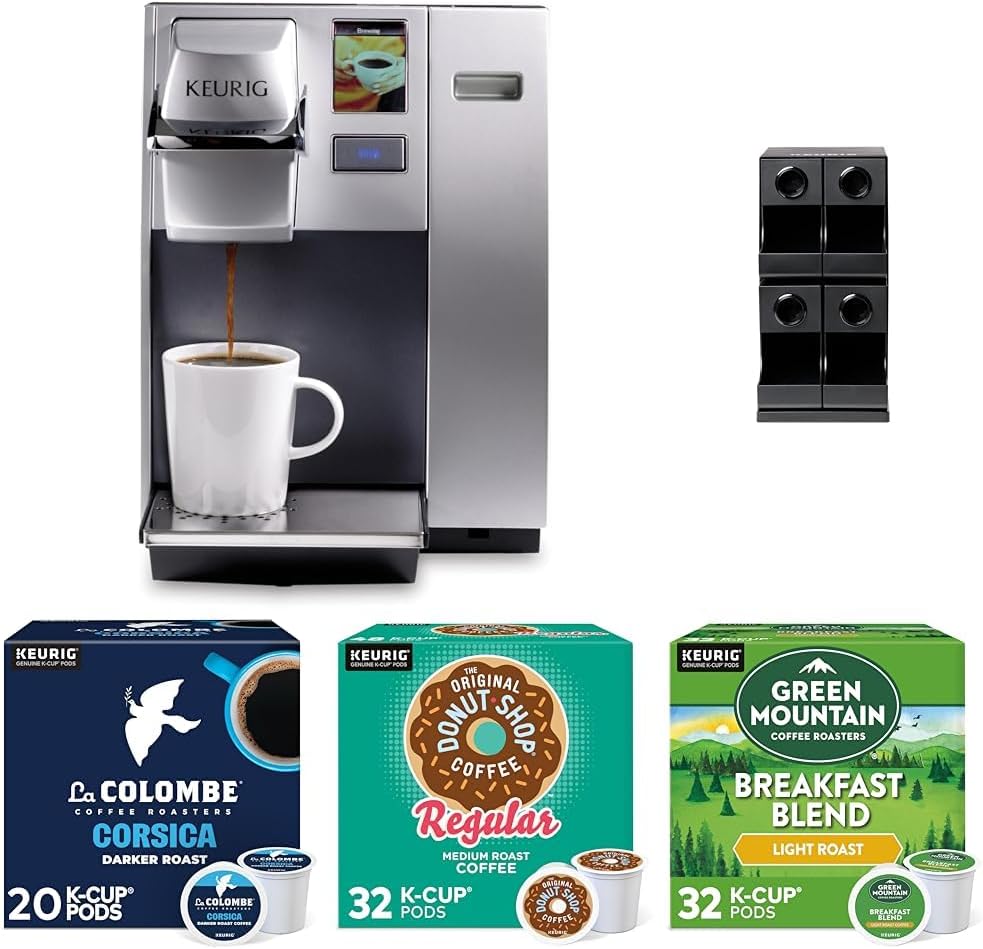
Image: The Keurig K155 Office Pro Single Cup Commercial Coffee Maker, shown with a cup being brewed, alongside boxes of La Colombe Corsica, The Original Donut Shop Regular, and Green Mountain Breakfast Blend K-Cup pods, and a modular K-Cup merchandiser.
Setup and First Use
Follow these steps to set up your Keurig K155 coffee maker for the first time.
- Unpacking: Carefully remove all packaging materials from the coffee maker and accessories. Ensure all components are present.
- Placement: Place the coffee maker on a stable, level surface. Ensure there is adequate clearance around the unit for ventilation.
- Water Reservoir: Fill the water reservoir with fresh, filtered water up to the MAX fill line. Do not overfill.
- Power Connection: Plug the coffee maker into a grounded electrical outlet.
- Initial Rinse Brew:
- Place a large mug on the drip tray.
- Do not insert a K-Cup pod.
- Select the largest brew size and initiate a brew cycle. This will rinse the internal components.
- Discard the hot water. Repeat this process once more.
- Adjusting Settings: Use the full-color touchscreen interface to adjust settings such as brew temperature and programmable auto On/Off.
Operating Instructions
Brewing with your Keurig K155 is simple and efficient.
- Power On: Ensure the coffee maker is plugged in and powered on.
- Fill Water Reservoir: Check that the water reservoir has sufficient water for your desired brew. Refill if necessary.
- Insert K-Cup Pod: Lift the handle and insert a K-Cup pod into the K-Cup holder. Close the handle firmly.
- Place Mug: Place a mug on the drip tray. Ensure the mug is large enough to hold the selected brew size.
- Select Brew Size: On the touchscreen interface, select your desired brew size.
- Start Brewing: Press the brew button on the touchscreen. The coffee maker will begin brewing.
- Enjoy: Once brewing is complete, carefully remove your mug. The used K-Cup pod can be removed and discarded.
Using the Modular Merchandiser
The 4ct modular merchandiser provides user-friendly access to K-Cup pods with its gravity dispense bin design and generous hand clearance.
- Assembly: Assemble the modular merchandiser according to the separate instructions provided with the merchandiser unit.
- Loading Pods: Load K-Cup pods into the top of each bin. The gravity dispense design will feed pods to the bottom for easy access.
- Placement: Position the merchandiser conveniently near the coffee maker for easy selection of K-Cup pods.
Care and Maintenance
Regular cleaning and maintenance will ensure the longevity and optimal performance of your Keurig K155 coffee maker.
- Daily Cleaning:
- Wipe down the exterior with a damp, soft cloth.
- Remove and empty the drip tray. Wash it with warm, soapy water and rinse thoroughly.
- Clean the K-Cup pod holder by removing it and rinsing under warm water.
- Water Reservoir Cleaning: Periodically clean the water reservoir with warm, soapy water. Rinse thoroughly to remove any soap residue.
- Descaling: Descale your coffee maker every 3-6 months, or more frequently if you have hard water. Use a Keurig descaling solution or a mixture of white vinegar and water (1:1 ratio). Follow the descaling instructions provided by Keurig.
- Storage: If storing the coffee maker for an extended period, empty the water reservoir and ensure the unit is clean and dry.
Troubleshooting
Refer to this section for common issues and their solutions.
| Problem | Possible Cause | Solution |
|---|---|---|
| Coffee not brewing. | No water in reservoir; K-Cup pod not properly seated; unit not powered on. | Fill water reservoir; ensure K-Cup pod is firmly inserted; check power connection. |
| Weak coffee. | Brew size too large for K-Cup pod; K-Cup pod expired. | Select a smaller brew size; use a fresh K-Cup pod. |
| "Add Water" indicator on, but reservoir is full. | Water sensor issue; air bubble in pump. | Remove and reinsert reservoir; perform a cleansing brew without a K-Cup pod. |
| Coffee grounds in cup. | K-Cup pod punctured incorrectly; K-Cup holder needs cleaning. | Ensure K-Cup pod is inserted correctly; clean the K-Cup holder and exit needle. |
Specifications
Key technical specifications for the Keurig K155 Office Pro Single Cup Commercial Coffee Maker.
- Model Number: K155
- Brand: Keurig
- Color: Black
- Special Feature: Programmable
- Coffee Maker Type: Drip Coffee Machine
- Material: Plastic, Stainless Steel
- Specific Uses: Office, Commercial Use
- Included Components: Filter
- Operation Mode: Fully Automatic
- ASIN: B0DPXFJN2S
- First Available: December 9, 2024
Warranty Information
Keurig products typically come with a limited one-year warranty from the date of purchase. This warranty covers defects in materials or workmanship under normal use. For specific warranty terms and conditions, please refer to the warranty card included with your product or visit the official Keurig website.
Note: The warranty may be voided if the appliance is not used according to the instructions in this manual or if unauthorized repairs are attempted.
Customer Support
For further assistance, technical support, or to order replacement parts, please contact Keurig Customer Service.
- Online Support: Visit the official Keurig website for FAQs, troubleshooting guides, and contact forms. www.keurig.com/support
- Phone Support: Refer to your product packaging or the Keurig website for the most current customer service phone number.
Ask a question about this manual
Ask about setup, troubleshooting, compatibility, parts, safety, or missing instructions. Manuals+ will review the question and use this page’s manual context to help answer it.