
W WINBRIDGE WB006
WinBridge Portable Voice Amplifier with Bluetooth Lavalier Microphone WB006 User Manual
Model: WB006 | Brand: W WINBRIDGE
1. Introduction
The WinBridge Portable Voice Amplifier with Bluetooth Lavalier Microphone (Model WB006) is designed to provide clear and powerful sound amplification for various speaking engagements. This system includes a 15W speaker and a U10 wireless lavalier microphone, offering a reliable wireless range of up to 15 meters (49 feet). It is ideal for teachers, presenters, tour guides, and anyone needing to project their voice effectively in small to medium-sized venues.

Figure 1.1: WinBridge WB006 Portable Voice Amplifier and U10 Wireless Lavalier Microphone.
2. Product Components
The WinBridge WB006 system typically includes the following components:
- Portable Voice Amplifier (Speaker Unit): The main unit responsible for sound output.
- U10 Wireless Lavalier Microphone: A compact, clip-on microphone for hands-free operation.
- Charging Cable(s): For recharging both the speaker and microphone units.
- User Manual: This instruction guide.
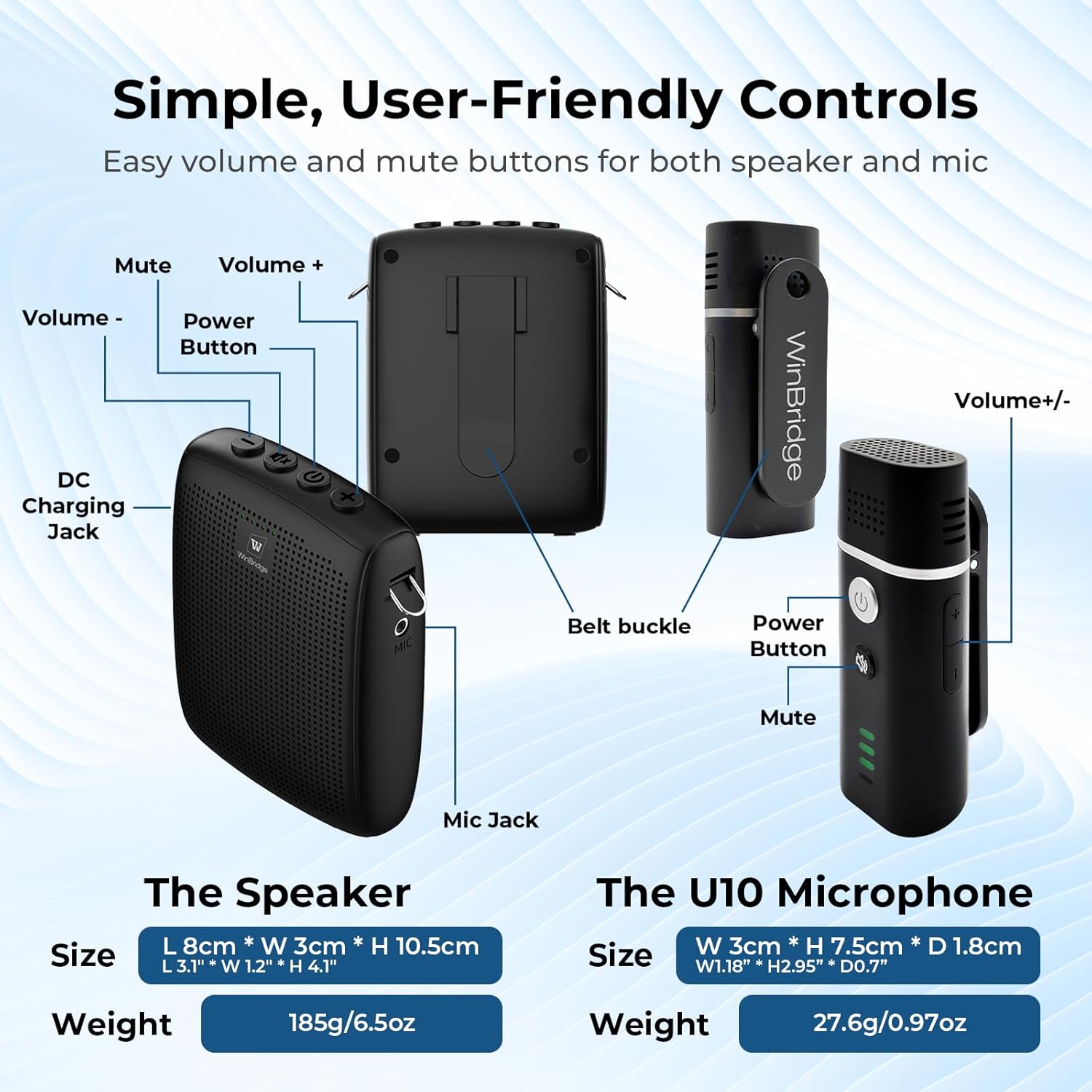
Figure 2.1: Overview of the speaker and microphone units with labeled controls and dimensions.
3. Setup and Initial Use
3.1 Charging the Devices
Before first use, ensure both the voice amplifier and the lavalier microphone are fully charged.
- Connect the provided charging cable to the DC Charging Jack on the speaker unit and to a suitable USB power adapter.
- Connect the charging cable to the charging port on the U10 wireless lavalier microphone.
- Charging indicators will typically show charging status and turn off or change color when fully charged.

Figure 3.1: Battery capacities and estimated runtimes for the speaker and microphone.
3.2 Automatic Pairing
The WinBridge WB006 system is designed for quick and easy setup.
- Turn on both the speaker unit and the U10 wireless lavalier microphone using their respective power buttons.
- The devices will automatically connect to each other within a few seconds without requiring manual pairing.

Figure 3.2: Quick and easy setup with automatic microphone connection.
3.3 Wearing the Devices
The speaker and microphone can be worn in various comfortable ways to suit your needs.
- Microphone: The U10 lavalier microphone can be held in hand, clipped onto a collar, or clipped onto a strap for discreet and comfortable use.
- Speaker: The speaker unit can be placed on a table, or worn using its belt buckle or strap.
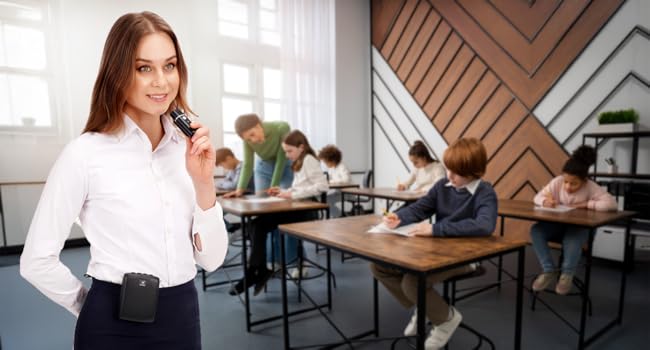
Figure 3.3: Multiple ways to wear the microphone and speaker for comfort and convenience.
Important Note: To ensure optimal sound quality and prevent sound delay or feedback, the speaker and wireless lavalier microphone should not be placed too close to each other during operation. Maintain a reasonable distance.
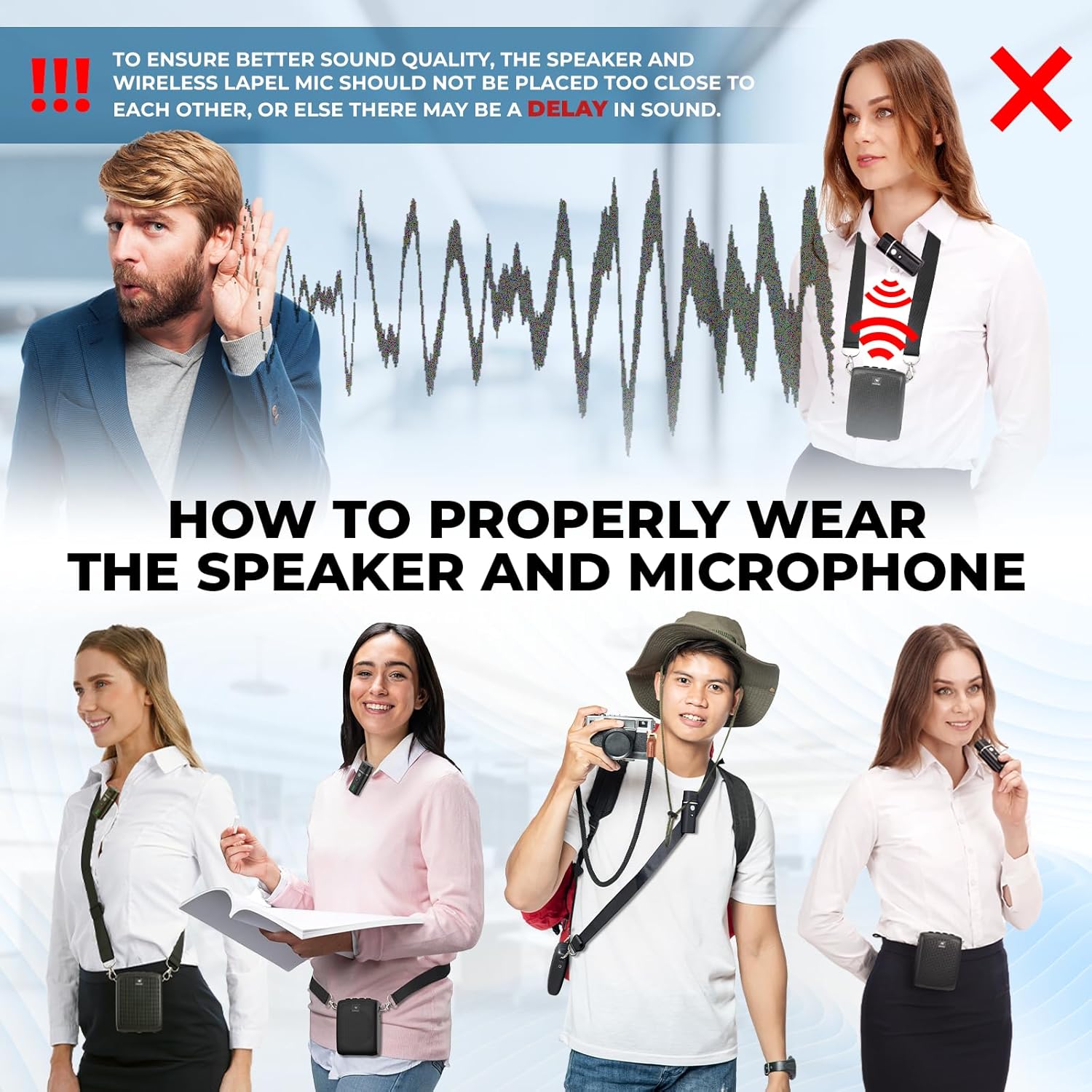
Figure 3.4: Illustration of incorrect speaker and microphone proximity causing sound delay.
4. Operating Instructions
4.1 Power On/Off
- To power on, press and hold the Power Button on both the speaker and microphone until the indicator lights illuminate.
- To power off, press and hold the Power Button on both devices until the indicator lights turn off.
4.2 Volume Control
- Speaker Volume: Use the Volume + and Volume - buttons on the speaker unit to adjust the overall amplification level.
- Microphone Volume: The U10 microphone features volume control buttons (+/-) with three adjustable levels for fine-tuning input sensitivity.
4.3 Mute Function
Both the speaker and the U10 microphone are equipped with a Mute button for instant control.
- Press the Mute button on either the speaker or the microphone to temporarily silence the audio output.
- Press the Mute button again to resume audio.

Figure 4.1: Instant mute control on the microphone.
4.4 Bluetooth Connectivity (Speaker)
The speaker unit can connect to other devices via Bluetooth for audio playback.
- Ensure the speaker is powered on.
- Activate Bluetooth on your external device (e.g., smartphone, tablet, laptop).
- Search for "WB006" or similar in your device's Bluetooth settings and select to pair.
- Once connected, audio from your device will play through the speaker.
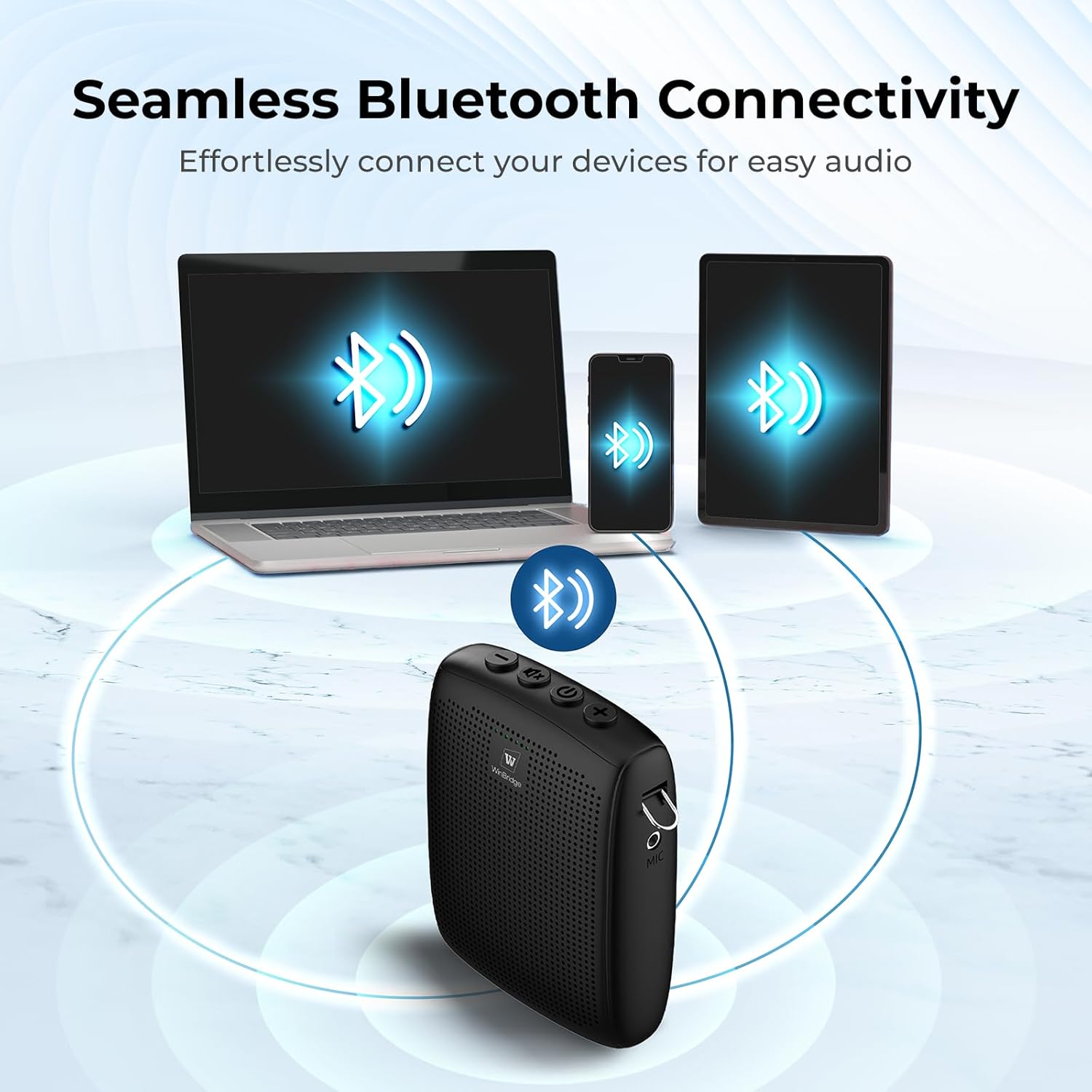
Figure 4.2: Seamless Bluetooth connectivity for audio playback.
5. Maintenance
- Cleaning: Wipe the devices with a soft, dry cloth. Do not use abrasive cleaners or solvents.
- Storage: Store the amplifier and microphone in a cool, dry place away from direct sunlight and extreme temperatures.
- Battery Care: To prolong battery life, avoid fully discharging the batteries frequently. If storing for extended periods, charge the devices to about 50% every few months.
6. Troubleshooting
| Problem | Possible Cause | Solution |
|---|---|---|
| No sound from speaker. |
|
|
| Sound delay or feedback. |
|
|
| Bluetooth connection issues. |
|
|
7. Specifications
| Feature | Detail |
|---|---|
| Model Number | WB006 |
| Brand | W WINBRIDGE |
| Speaker Output Power | 15W |
| Wireless Range | Up to 15 meters (49 feet) |
| Speaker Battery Capacity | 2600mAh |
| Speaker Runtime | 7-9 hours |
| Microphone Battery Capacity | 400mAh |
| Microphone Runtime | 15+ hours |
| Product Dimensions (Speaker) | 3.1 x 2 x 4.1 inches (L 8cm * W 3cm * H 10.5cm) |
| Item Weight (Speaker) | 12.6 ounces (185g/6.5oz) |
| Product Dimensions (Microphone) | W 3cm * H 7.5cm * D 1.8cm (W1.18" * H2.95" * D0.7") |
| Item Weight (Microphone) | 27.6g/0.97oz |
| Connectivity | Bluetooth |
| Manufacturer | WinBridge |
8. Customer Support
For any questions, technical assistance, or support regarding your WinBridge Portable Voice Amplifier, please refer to the contact information provided with your product packaging or visit the official WinBridge website.
Ask a question about this manual
Ask about setup, troubleshooting, compatibility, parts, safety, or missing instructions. Manuals+ will review the question and use this page’s manual context to help answer it.