
BROWEY PN-C150
BROWEY Portable Power Station
Model: PN-C150 User Manual
1. Introduction
The BROWEY Portable Power Station PN-C150 is a versatile and compact power solution designed for various applications, including outdoor adventures, home emergencies, and off-grid living. It features multiple charging options and output ports to keep your devices powered wherever you are. This manual provides essential information for safe and efficient use of your power station.
2. Safety Instructions
- Do not expose the power station to water, rain, or moisture. It is not waterproof.
- Avoid operating the device in temperatures outside the recommended range of -10°C to 45°C (14°F to 113°F).
- Do not disassemble, repair, or modify the unit. Refer to qualified service personnel for any repairs.
- Keep the device away from heat sources, open flames, and flammable materials.
- Ensure proper ventilation during use to prevent overheating. Do not block the input fan.
- The hand-crank is designed for emergency use only and provides limited power.
- This power station is designed for charging and powering small electronic devices. Do not attempt to power high-wattage appliances like hot plates or large cooking utensils, as this may cause overload (peak 300W).
3. Product Overview
The BROWEY PN-C150 is engineered for durability and portability, featuring a sturdy casing with shock-resistant silicone pads. It includes a high-intensity LED light and multiple output ports for diverse charging needs.
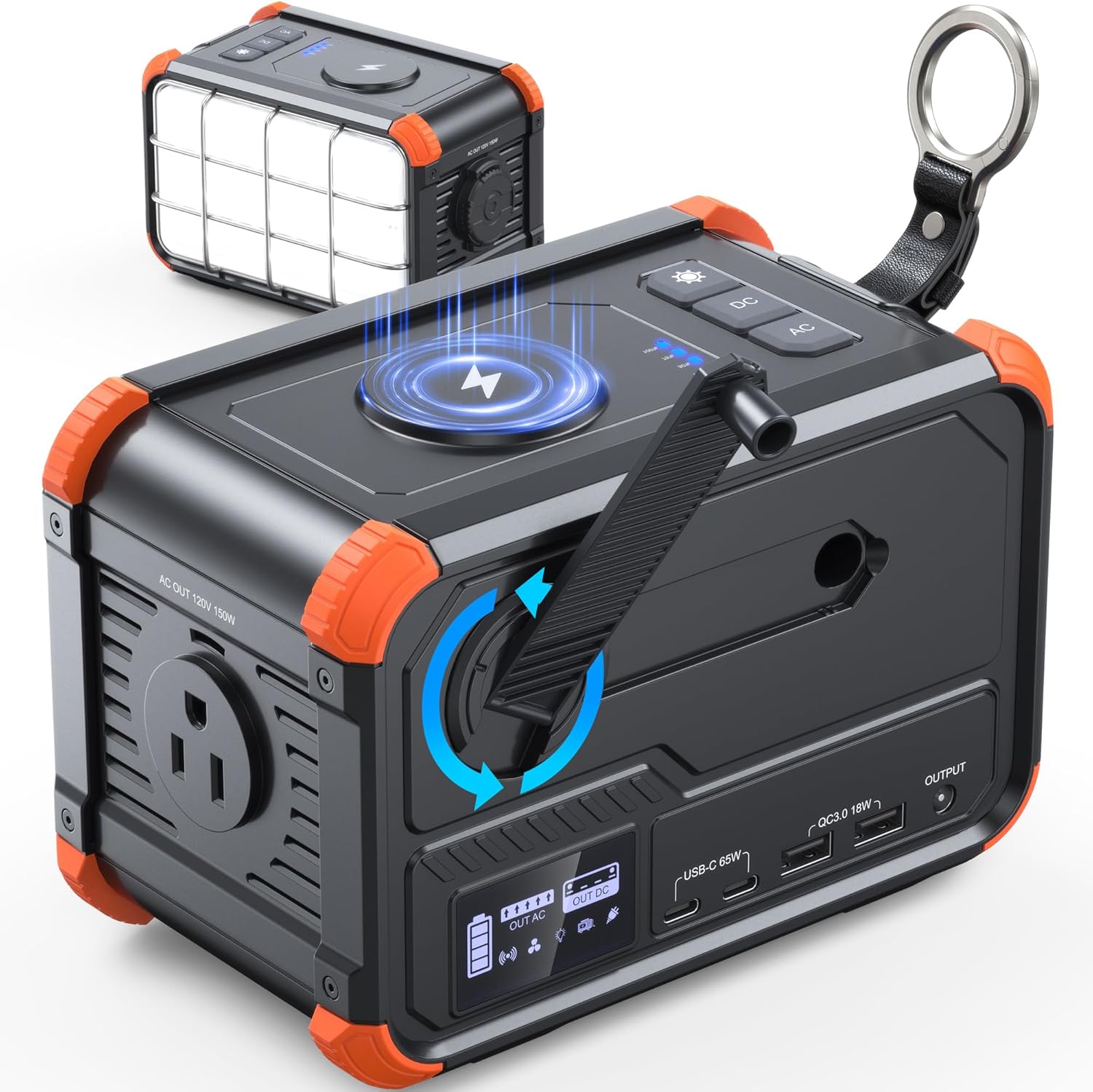
Figure 3.1: BROWEY Portable Power Station PN-C150, showcasing its compact design and various features.

Figure 3.2: The power station demonstrating its capability to power various devices like a fan, CPAP machine, grinder, phone, drone, and laptop, indicating approximate usage times or charges.

Figure 3.3: The power station connected to multiple devices, highlighting its diverse output options including AC, USB-C, USB-A, and wireless charging.
4. Charging the Power Station
The PN-C150 offers flexible charging methods to ensure you're always prepared:
- Wall Outlet: Use the provided adapter and USB-C to USB-C charging cable. A full charge takes approximately 3 hours with a PD60W adapter.
- Solar Panel: Connect a compatible solar panel (over 100W) via the USB-C input. Charging time is approximately 3 hours under optimal sunlight.
- Hand-Crank: For emergency situations, the integrated hand-crank can provide limited power. One minute of cranking at 2 RPM can provide 5 minutes of emergency lighting. This method is primarily for the emergency light and not for charging the main battery or external devices.
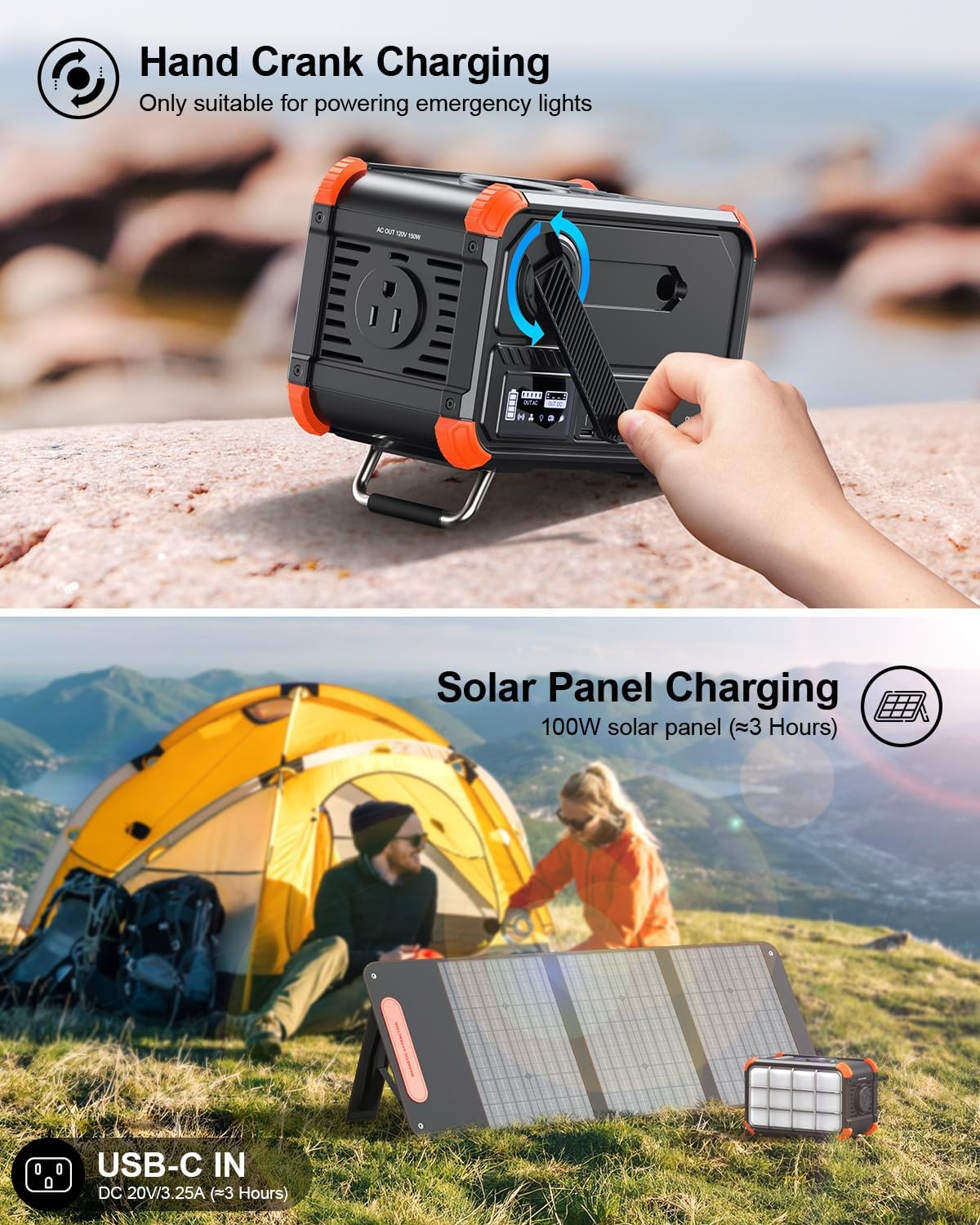
Figure 4.1: Illustration of the hand-crank charging mechanism and solar panel charging capability.
5. Operating the Power Station
The PN-C150 is equipped with 8 output ports for various devices:
- AC Outlet (120V/150W): Suitable for small appliances like CPAP machines, mini-fridges, laptops, and portable projectors. The peak power is 300W.
- USB-C Ports (x2, 60W each): Ideal for phones, tablets, and drones.
- USB-A Ports (x2, 18W each): For general USB-powered devices.
- Wireless Charging Pad (15W): Conveniently charge compatible smartphones by placing them on the top surface.
- DC Output (5.5mm, 12-16.8V/5A): For specific DC-powered devices.
To activate AC or DC output, press the corresponding AC/DC button. The digital display will show the active output mode and battery status.
6. Lighting Features
The power station features a robust LED light with multiple modes:
- High-Intensity LED Light: Provides bright illumination with 3 adjustable brightness levels.
- SOS Mode: Activates a flashing SOS signal for emergency situations.
- Explosion-Proof Structure: Built for durability and reliability in challenging conditions.

Figure 6.1: The power station's integrated LED light, demonstrating its brightness levels and SOS mode for emergencies.
7. Maintenance
- Store the power station in a cool, dry place away from direct sunlight and extreme temperatures.
- Charge the unit fully every 3-6 months if not in regular use to maintain battery health.
- Clean the exterior with a soft, dry cloth. Do not use abrasive cleaners or solvents.
- Avoid dropping the device, although it features shock-resistant pads, excessive impact can cause damage.
8. Troubleshooting
- Device not turning on: Ensure the battery is charged. If completely depleted, connect to a wall charger for a few minutes before attempting to power on.
- Output ports not working: Press the corresponding AC/DC button to activate the output. Check if the device you are trying to power exceeds the power station's wattage limits (150W continuous, 300W peak).
- Slow charging: Ensure you are using the provided adapter or a compatible PD60W adapter/100W solar panel. Charging speed may vary based on input source and environmental conditions.
- Overload shutdown: If the power station shuts down unexpectedly, it may be due to an overload. Disconnect the high-power device and restart the power station.
9. Specifications
| Feature | Specification |
|---|---|
| Battery Type | Lithium-ion Battery |
| Battery Capacity | 10.4 Ah, 14.8V / 153.92Wh |
| Product Size | 7"L x 4.69"W x 4.56"H (178mm x 119mm x 116mm) |
| Product Weight | 3.7 lbs (1.68 kg) |
| AC Output | 120V/1.25A (Rated Power 150W, Peak 300W) |
| USB-C Output | 5V/3A, 9V/3A, 12V/3A, 15V/3A, 20V/3.25A (65W Max) |
| USB-A Output | 5V/3A, 9V/2A, 12V/1.5A (18W Max) |
| Wireless Output | 5W, 7.5W, 10W, 15W |
| Hand Crank Generator | DC 5V/0.4A (>7200r/h) |
| Camping Light | 4W, 500lm |
| Working Temperature | -10°C to 45°C |
| Cycle Life | ≥1000 Times |
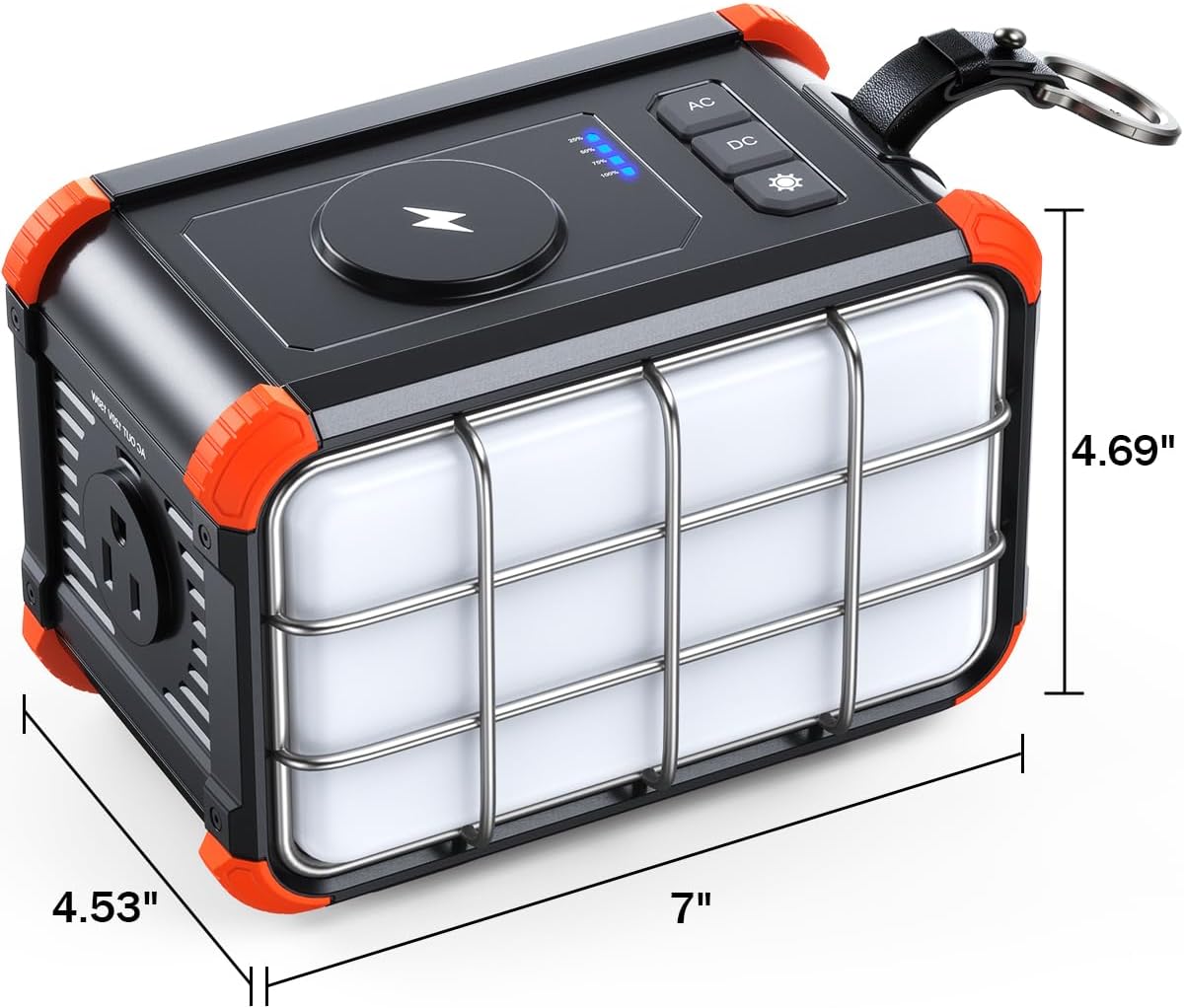
Figure 9.1: Detailed dimensions of the BROWEY Portable Power Station PN-C150.
10. Warranty and Support
The BROWEY Portable Power Station PN-C150 comes with a 2-year warranty from the date of purchase. This warranty covers defects in materials and workmanship under normal use.
For technical support, warranty claims, or any inquiries, please contact BROWEY customer service through the following channels:
- Email: Refer to your product packaging or the official BROWEY website for contact information.
- Website: Visit the BROWEY Store on Amazon for FAQs and support resources.
Please have your purchase receipt and product model number (PN-C150) ready when contacting support.