Introduction
This manual provides detailed instructions for the Atzeste P03 Stylus Pen. Please read this manual carefully before using the product to ensure proper operation and to maximize its features. The Atzeste P03 Stylus Pen is designed for use with compatible iPad models from 2018 to 2024, offering features such as palm rejection, tilt sensitivity, and fast charging.

Image: The Atzeste P03 Stylus Pen, shown alongside its packaging and two replacement tips.
Package Contents
Verify that all items are present in your package:
- 1 x Atzeste P03 Stylus Pen
- 1 x Type-C Charging Cable
- 4 x Replacement Tips
- 1 x User Manual

Image: A visual representation of the package contents, including the stylus pen, charging cable, replacement tips, and user manual.
Compatibility
The Atzeste P03 Stylus Pen is compatible exclusively with specific iPad models released between 2018 and 2024. Please confirm your iPad model number before use. This stylus is not compatible with other devices or older iPad models.
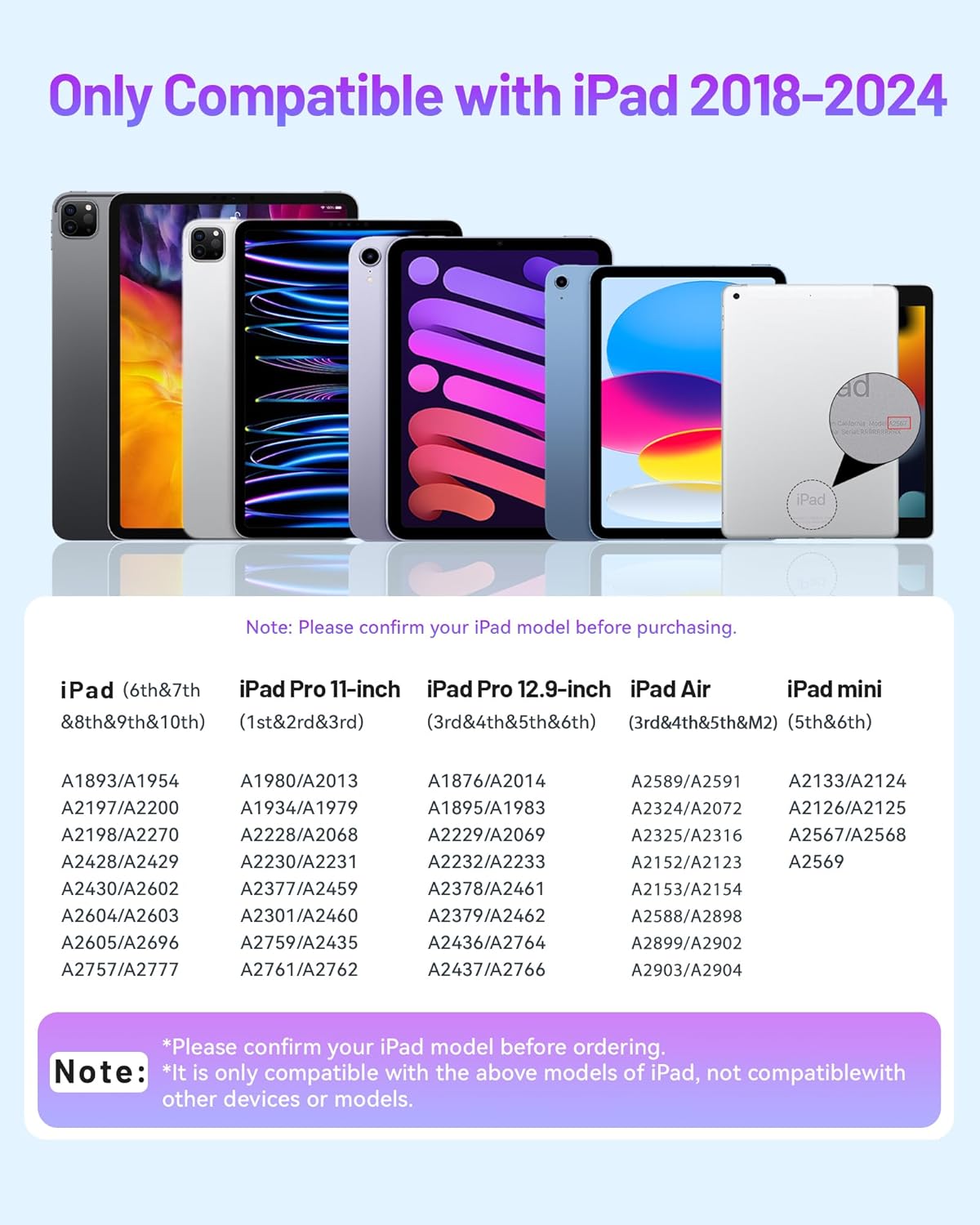
Image: A chart detailing compatible iPad models and their corresponding model numbers (e.g., iPad 6th-10th Gen, iPad Pro 11-inch 1st-3rd Gen, iPad Pro 12.9-inch 3rd-6th Gen, iPad Air 3rd-5th Gen, iPad mini 5th-6th Gen).
Compatible iPad Models:
- iPad (6th, 7th, 8th, 9th, 10th Generation)
- iPad Pro 11-inch (1st, 2nd, 3rd Generation)
- iPad Pro 12.9-inch (3rd, 4th, 5th, 6th Generation)
- iPad Air (3rd, 4th, 5th Generation, M2)
- iPad mini (5th, 6th Generation)
Setup
Charging the Stylus Pen
Before first use, fully charge the stylus pen. The Atzeste P03 Stylus Pen supports fast charging.
- Connect the provided Type-C charging cable to the charging port on the stylus pen.
- Connect the other end of the cable to a USB power adapter (not included) or a computer's USB port.
- The LED indicators will illuminate to show charging status.
- A full charge typically takes approximately 15 minutes and provides up to 11 hours of working time.

Image: The stylus pen connected to a laptop via a USB-C cable, illustrating the fast charging capability and indicating 15 minutes for a full charge and 11 hours of working time.
Powering On and Off
The Atzeste P03 Stylus Pen does not require Bluetooth pairing. It can be turned on and used directly.
- To power on the stylus, simply press the top button once. The LED indicators will light up.
- To power off the stylus, press and hold the top button for a few seconds until the LED indicators turn off.
- The stylus will automatically shut down after 5 minutes of inactivity to conserve battery.

Image: A diagram highlighting the power button at the top of the stylus and indicating a single press to turn it on, with no Bluetooth required.
Operating Instructions
Direct Use and Initial Connection
The Atzeste P03 Stylus Pen is designed for immediate use with compatible iPads without the need for Bluetooth pairing. Simply turn it on and begin writing or drawing.

Image: A visual guide showing how to turn on the stylus by pressing the top button and steps to resolve connection issues by turning off Bluetooth and forgetting any previously paired Apple Pencils.
Palm Rejection
The stylus features palm rejection technology, allowing you to rest your hand naturally on the iPad screen while writing or drawing without creating unintended marks. This enhances comfort and precision during use.

Image: A hand resting on an iPad screen while using the stylus, illustrating the palm rejection feature.
Tilt Sensitivity
The Atzeste P03 Stylus Pen supports tilt sensitivity, allowing you to vary line thickness and shading by tilting the pen, similar to a traditional pencil. This feature is dependent on the application being used.
Magnetic Adsorption
The stylus features a magnetic design, allowing it to attach to the side of compatible iPad models for convenient storage and portability. This helps prevent the pen from rolling away or getting lost.
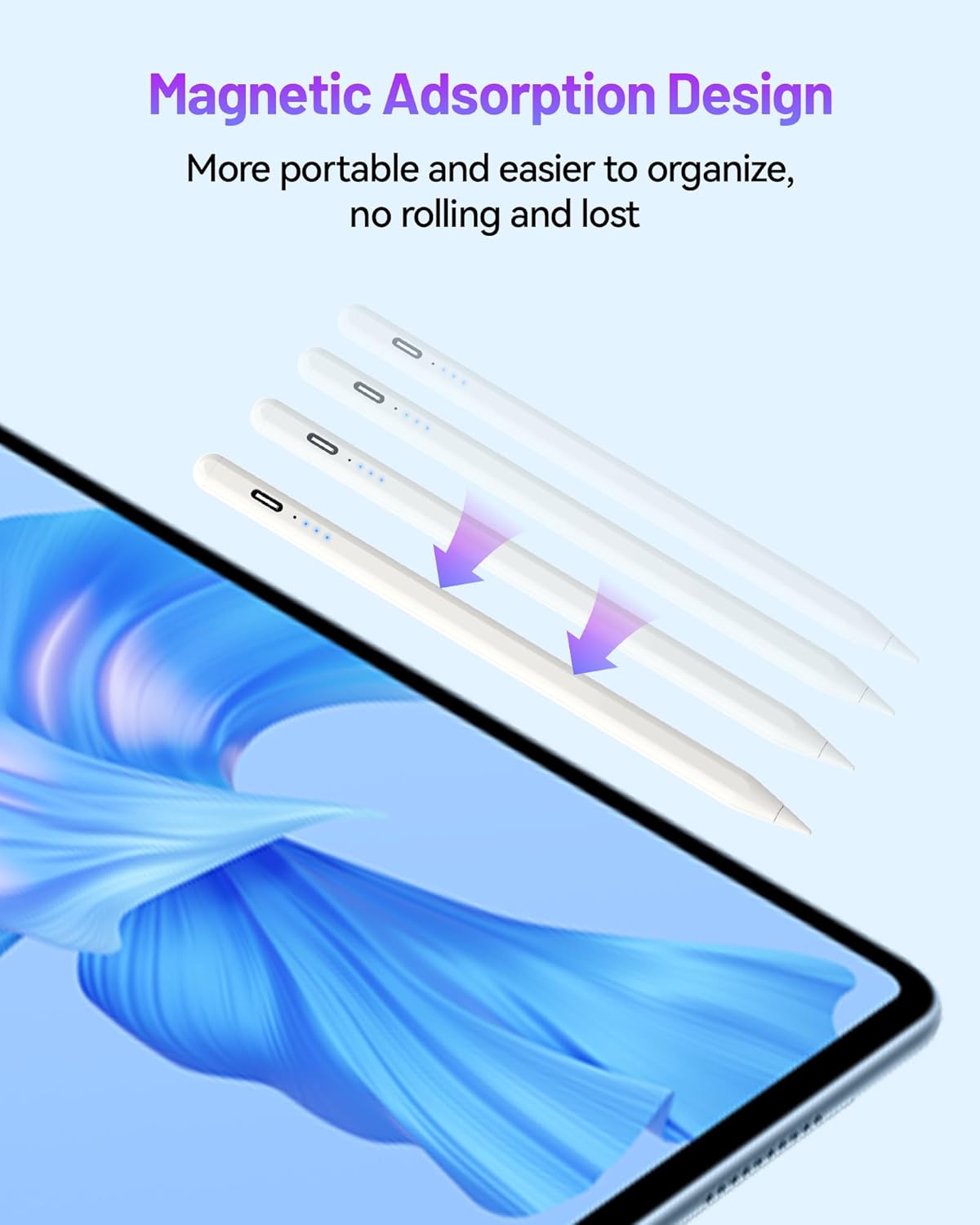
Image: The stylus pen shown magnetically attaching to the side of an iPad, demonstrating its magnetic adsorption design.
Power Display
The stylus is equipped with LED indicators that display the current battery level, allowing you to monitor the charge status at a glance.
- Four lights on: 75%-100% power
- Three lights on: 50%-74% power
- Two lights on: 25%-49% power
- One light on: Less than 24% power (requires charging)

Image: A close-up view of the stylus pen's LED indicators, illustrating how the number of lit lights corresponds to the remaining battery percentage.
Maintenance
Replacing Tips
The stylus tips are replaceable. If a tip becomes worn or damaged, follow these steps:
- Gently twist the old tip counter-clockwise to remove it.
- Align a new tip with the stylus and twist it clockwise until it is securely fastened. Do not overtighten.
General Care
- Keep the stylus clean by wiping it with a soft, dry cloth.
- Avoid exposing the stylus to extreme temperatures, moisture, or direct sunlight.
- Do not disassemble the stylus, as this may void the warranty and cause damage.
Troubleshooting
Stylus Not Responding
- Check Battery: Ensure the stylus is sufficiently charged. Recharge if the power display indicates low battery.
- Power Cycle: Turn the stylus off and then on again.
- iPad Compatibility: Verify that your iPad model is listed as compatible.
- Bluetooth Interference: If you have previously used an Apple Pencil or another stylus that connects via Bluetooth, ensure Bluetooth is turned off on your iPad. Go to iPad Settings > Bluetooth and toggle Bluetooth off. Also, if an Apple Pencil is listed under Bluetooth devices, tap the 'i' icon next to it and select 'Forget This Device'.
- Restart iPad: Restart your iPad and try again.
Charging Issues
- Check Cable: Ensure the Type-C charging cable is securely connected to both the stylus and the power source. Try a different Type-C cable if available.
- Power Source: Try a different USB power adapter or USB port.
Specifications
| Brand | atzeste |
| Model | ST033W |
| Compatible Devices | iPad (2018-2024 models) |
| Batteries Included | Yes |
| Batteries Required | Yes |
| Item Dimensions | 18.8 x 5.1 x 1.7 cm |
| Item Weight | 40 g |
Warranty and Support
Specific warranty information for the Atzeste P03 Stylus Pen is not provided in this manual. For warranty details, technical support, or customer service inquiries, please refer to the product packaging or contact Atzeste customer support directly through their official website or the retailer where the product was purchased.