
ZMYUXME 6870C-0805A, 6871L-5926A, 6871L-5898A
ZMYUXME T-con Board Instruction Manual
Model: 6870C-0805A, 6871L-5926A, 6871L-5898A
1. Introduction
This manual provides essential information for the installation, operation, and maintenance of your ZMYUXME T-con Board. This board is a replacement component designed to restore picture clarity and color accuracy in compatible 55-inch and 65-inch televisions, including models like 55PFL5602/F7. Please read this manual thoroughly before attempting any installation.
2. Safety Information
Warning: Working with electronic components, especially inside a television, can be dangerous and may result in electric shock or damage to the device if not performed correctly. It is highly recommended that installation be performed by a qualified technician.
- Always disconnect the television from the power source before beginning any work.
- Discharge any residual power from capacitors before handling internal components.
- Wear anti-static gloves and use an anti-static mat to prevent electrostatic discharge (ESD) damage to sensitive electronic components.
- Handle the T-con board by its edges to avoid touching components or connectors.
- Ensure proper ventilation during installation.
3. Compatibility and Identification
This T-con board is compatible with various 55-inch and 65-inch TV models. To ensure compatibility, it is crucial to verify that the part numbers on your existing T-con board match one of the following:
- 6870C-0805A
- 6871L-5926A
- 6871L-5898A
Also, confirm the physical dimensions and connector types match your original board. The product is specifically designed for 65-inch TVs, as indicated by the "65-inch" variant, but also supports 55-inch models if the part numbers align.
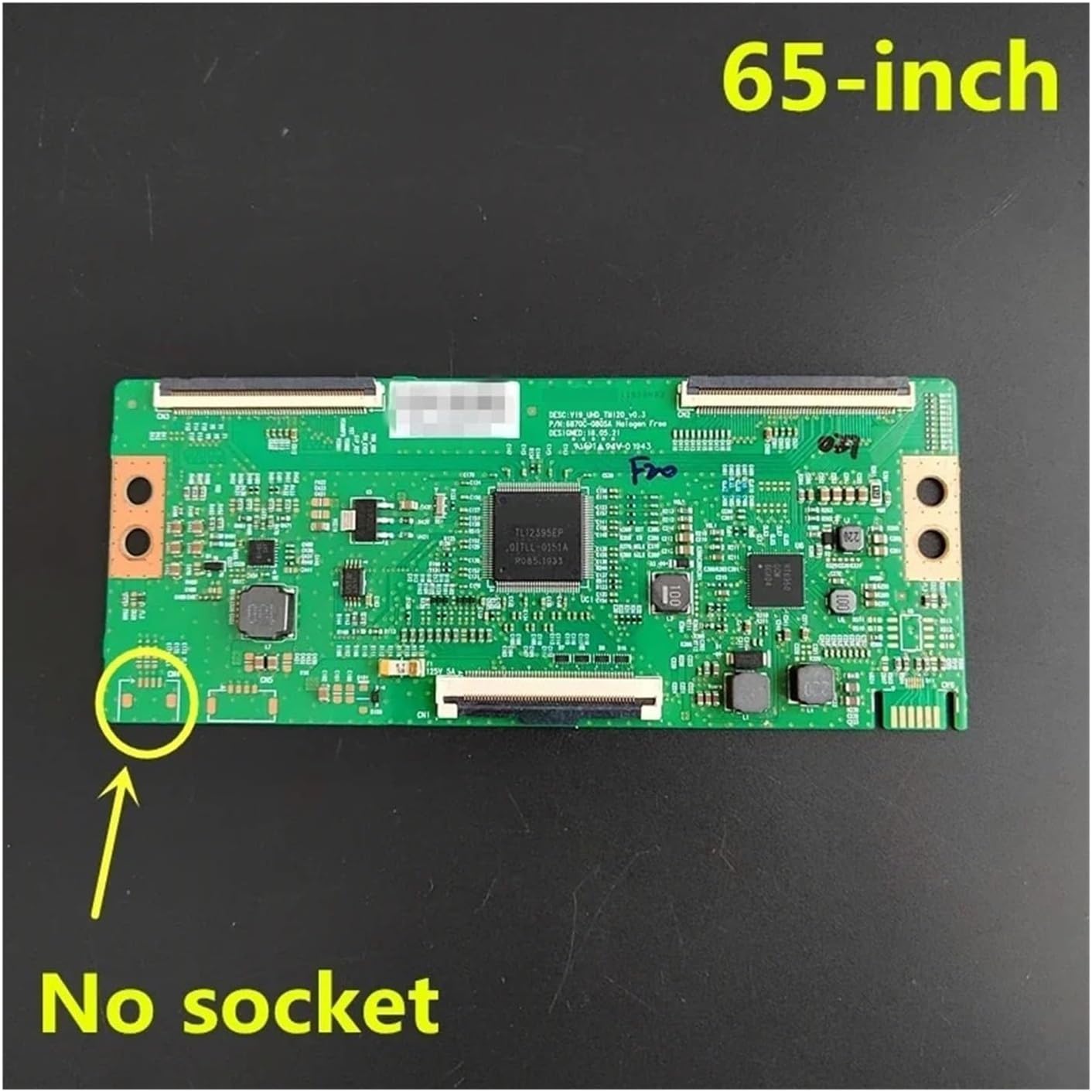
Figure 3.1: Top view of the 65-inch T-con board, highlighting the "No socket" area, which is important for compatibility checks.

Figure 3.2: Detailed view of the T-con board, showing the main integrated circuit and the printed part number '5926AJ' for identification.
4. Setup and Installation
Note: Professional installation is strongly recommended.
- Preparation: Disconnect the TV from all power sources. Place the TV face down on a soft, clean surface to protect the screen.
- Access the T-con Board: Carefully remove the back cover of the television. The T-con board is typically located at the top center of the TV panel, often under a metal shield.
- Disconnect Cables: Gently disconnect the ribbon cables (LVDS cables) connecting the T-con board to the main board and the display panel. Be careful not to damage the delicate connectors.
- Remove Old Board: Unscrew any retaining screws holding the old T-con board in place and carefully remove it.
- Install New Board: Position the new ZMYUXME T-con board in the same location. Secure it with the screws.
- Connect Cables: Reconnect the ribbon cables, ensuring they are fully seated and locked into their respective connectors. Ensure proper orientation.
- Test: Before reattaching the back cover, temporarily connect the TV to power and test its functionality. Check for a clear picture and correct colors.
- Final Assembly: If the test is successful, disconnect power again and reattach the TV's back cover.
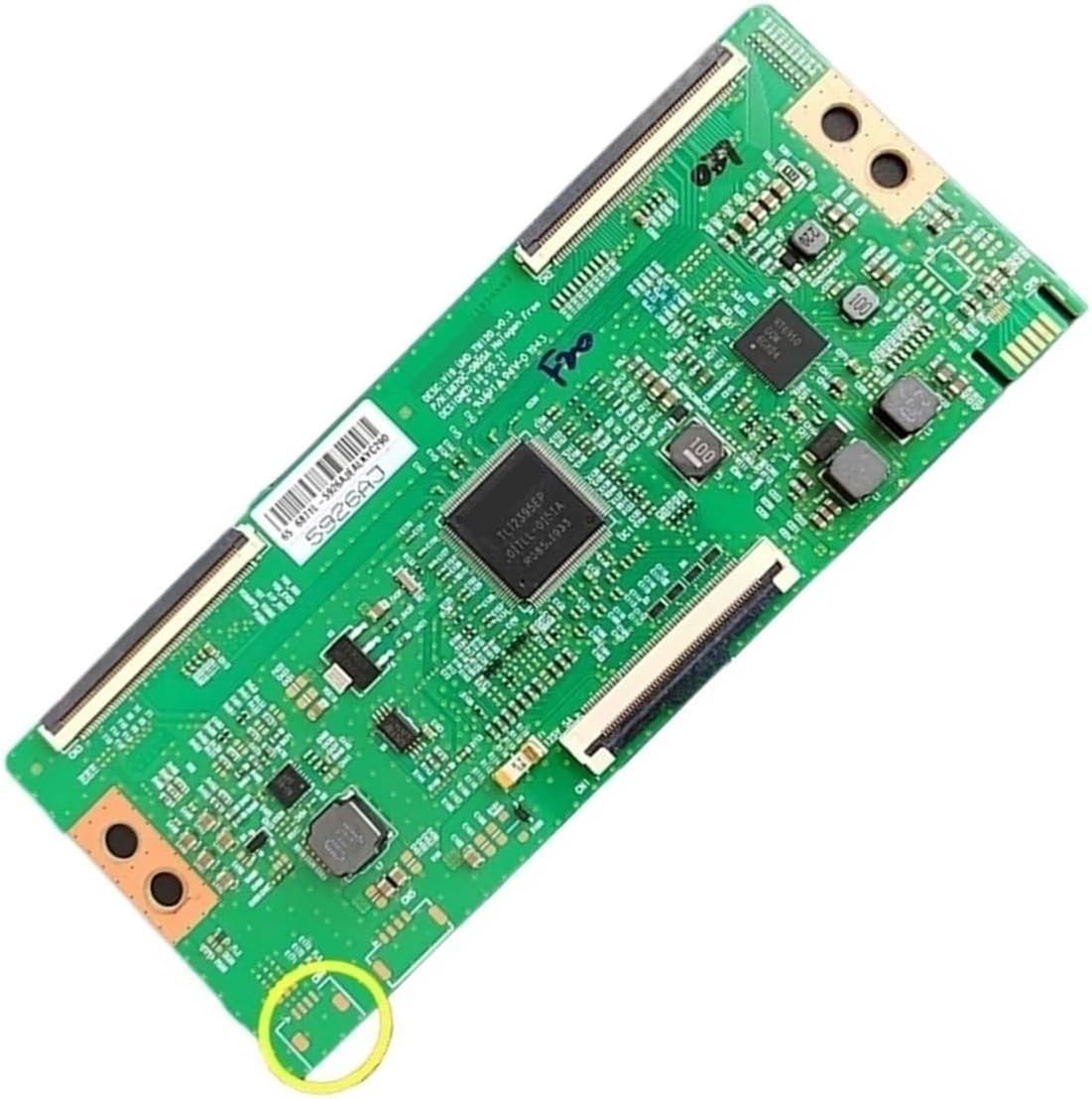
Figure 4.1: Overview of the T-con board, showing its layout and connection points. Note the highlighted area for specific model variations.
5. Operation
The T-con board operates automatically once installed correctly within the television. Its primary function is to process video signals from the main board and convert them into a format that the LCD panel can display, controlling the timing and voltage for each pixel. No user interaction is required for its operation.
6. Maintenance
The T-con board is a sealed electronic component and requires no routine maintenance. To ensure its longevity:
- Keep the television in a clean, dust-free environment.
- Avoid exposing the television to extreme temperatures or humidity.
- Ensure adequate ventilation around the television to prevent overheating.
7. Troubleshooting
If you experience issues after installing the T-con board, consider the following:
| Problem | Possible Cause | Solution |
|---|---|---|
| No picture / Black screen | Loose or improperly connected ribbon cables; Faulty T-con board (unlikely if new); Faulty main board or panel. | Ensure all ribbon cables are securely connected. Double-check the T-con board installation. Consult a technician if the issue persists. |
| Distorted picture / Lines on screen / Incorrect colors | Loose or damaged ribbon cables; Incompatible T-con board; Faulty T-con board. | Verify cable connections. Confirm the T-con board part numbers match your original. If issues persist, the panel itself might be faulty. |
| TV not turning on | This is usually not a T-con board issue. | Check power supply, main board, or power board. |
If troubleshooting steps do not resolve the issue, it is recommended to seek assistance from a professional television repair technician.
8. Specifications
- Model Numbers: 6870C-0805A, 6871L-5926A, 6871L-5898A
- Compatibility: 55-inch and 65-inch TVs, including 55PFL5602/F7 (verify part numbers)
- Package Dimensions: 1.18 x 0.79 x 0.39 inches
- Item Weight: 1.76 ounces
- Manufacturer: zmy655
- Assembly Required: No (component replacement)
- Number of Pieces: 1
9. Warranty and Support
For warranty information and technical support, please refer to the seller's policy on the platform where the product was purchased. Typically, electronic components come with a limited warranty against manufacturing defects. For any installation or compatibility questions, it is recommended to contact the seller directly or consult a professional technician.
Seller: ZIenSHOP
Return Policy: 30 days (refund/replacement)
10. Product Images

Figure 10.1: Detailed view of the T-con board's central processing unit and surrounding circuitry.

Figure 10.2: Alternative detailed view of the T-con board, highlighting connector interfaces and component arrangement.
Ask a question about this manual
Ask about setup, troubleshooting, compatibility, parts, safety, or missing instructions. Manuals+ will review the question and use this page’s manual context to help answer it.