
CUIPPWRJ FOXEER FT384
Thermal Imaging Camera FT384 User Manual
Model: FOXEER FT384
Introduction
The FOXEER FT384 Thermal Imaging Camera is a compact and lightweight device designed for exceptional thermal imaging capabilities, particularly in low-light and night vision applications. Weighing only 38g and featuring a 9mm lens, it is highly versatile and easy to integrate into various setups. This manual provides essential information for the proper setup, operation, and maintenance of your FT384 camera.
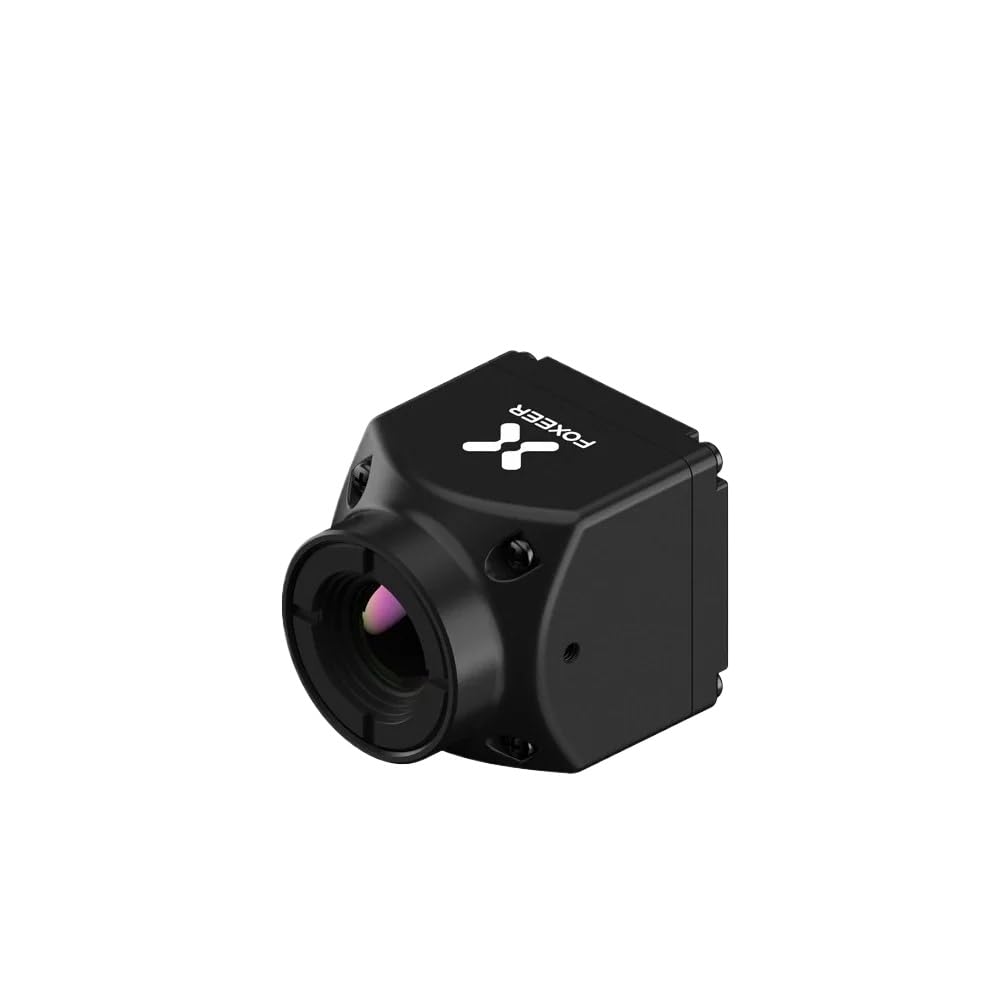
Figure 1: FOXEER FT384 Thermal Imaging Camera. This image shows the compact, black thermal imaging camera with its lens visible on the front. The FOXEER logo is visible on the top surface.
Setup
Before operating your FOXEER FT384 camera, please follow these setup instructions carefully:
- Unpacking: Carefully remove the camera and all accessories from the packaging. Verify that all components listed in the packing list are present.
- Power Connection: Connect the camera to a compatible power source using the provided cable. Ensure the voltage and current specifications match the camera's requirements to prevent damage.
- Video Output Connection: Connect the CVBS output of the camera to your display device (monitor, DVR, etc.) using an appropriate video cable. Ensure a secure connection for stable video transmission.
- Mounting (Optional): If integrating into a system, securely mount the camera using appropriate fixtures. Ensure the mounting location provides a clear field of view and protects the camera from excessive vibration or impact.
Operating Instructions
The FOXEER FT384 is designed for straightforward operation. Follow these steps to begin using your thermal imaging camera:
- Power On: Once connected, apply power to the camera. The camera will typically power on automatically and begin transmitting video.
- Display Verification: Check your connected display device to ensure it is receiving the video signal from the camera. Adjust display settings if necessary for optimal viewing.
- Environmental Considerations: For best thermal imaging results, ensure there are no obstructions between the camera's lens and the target area. Avoid pointing the camera directly at strong heat sources or reflective surfaces that could interfere with readings.
- Focus (if applicable): While the 9mm lens provides a fixed focus suitable for many applications, if your specific model or setup allows for focus adjustment, refer to your system's documentation for fine-tuning.
The camera provides a continuous thermal video feed, making it suitable for real-time observation in various scenarios such as outdoor activities, security surveillance, and wildlife observation.
Maintenance
Proper maintenance ensures the longevity and optimal performance of your FOXEER FT384 thermal imaging camera:
- Lens Cleaning: Gently clean the lens with a soft, lint-free cloth specifically designed for optical surfaces. Do not use abrasive materials or harsh chemicals. If necessary, use a small amount of lens cleaning solution.
- Body Cleaning: Wipe the camera body with a dry or slightly damp soft cloth. Avoid getting moisture into any ports or openings.
- Storage: When not in use, store the camera in a cool, dry place, away from direct sunlight, extreme temperatures, and high humidity. Use the original packaging or a protective case if available.
- Environmental Protection: While designed to withstand challenging environments, avoid exposing the camera to excessive dust, dirt, water, or corrosive substances.
Troubleshooting
If you encounter issues with your FOXEER FT384 camera, refer to the following common problems and solutions:
| Problem | Possible Cause | Solution |
|---|---|---|
| No video output |
|
|
| Poor image quality |
|
|
| Camera not powering on |
|
|
If the problem persists after attempting these solutions, please contact customer support.
Specifications
| Feature | Detail |
|---|---|
| Model | FOXEER FT384 |
| Item Model Number | CUIPPWRJ123 |
| Weight | 38g (camera only), 14.1 ounces (packaged) |
| Lens | 9mm |
| Output | CVBS Analog Video |
| Dimensions (Package) | 1.18 x 0.79 x 0.39 inches |
| Country of Origin | China |
| Manufacturer | CUIPPWRJ |
Warranty and Support
For warranty information and technical support, please refer to the official CUIPPWRJ website or contact their customer service directly. Keep your purchase receipt as proof of purchase for warranty claims.
- Customer Service: Refer to the contact information provided with your product packaging or on the manufacturer's official website.
- Online Resources: Check the manufacturer's website for updated manuals, FAQs, and software/firmware updates.