
1. Introduction
The Nerf Loadout Arctic Zerostriker Blaster offers a customizable experience for enhanced Nerf battles. This blaster is part of the Loadout series, designed for versatility and performance.
It features an internal clip capable of holding 6 darts and comes with four interchangeable accessories: a scope, stock, barrel, and folding bipod. These accessories can be used with the Arctic Zerostriker or other blasters in the Loadout series, allowing for personalized configurations. The blaster's design is inspired by Arctic ice and snow, adding a unique aesthetic to your play.
The bolt mechanism is ambidextrous, accommodating both left and right-handed users. Included with the blaster are 24 Nerf N1 Darts, engineered for extreme accuracy, speed, and distance.

Image 1: The Nerf Loadout Arctic Zerostriker Blaster, shown with its packaging, highlighting the blaster's design and included accessories.
2. Safety Information
WARNING:
- Do not aim at eyes or face.
- Eye protection is recommended for players and people within range (goggles sold separately).
- Use only official Nerf darts. Other darts may not meet safety standards.
- Do not modify darts or the blaster.
CAUTION:
- Contains small parts. Choking hazard. Not for children under 3 years.
- Keep away from pets.
3. Package Contents
Verify that all items are present in your package:
- Nerf Loadout Arctic Zerostriker Blaster
- Scope
- Folding Bipod
- Dart Storage Stock
- Barrel
- Bolt
- 24 Nerf N1 Darts
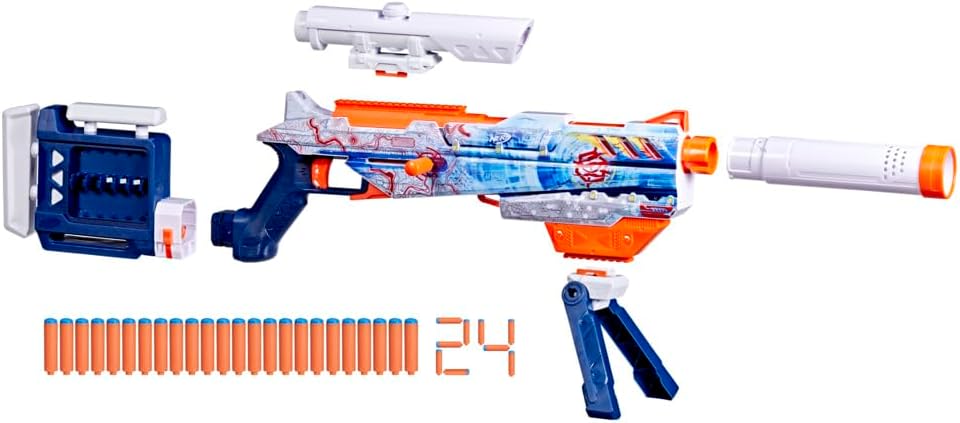
Image 2: An exploded view of the Nerf Loadout Arctic Zerostriker Blaster, showing all its individual components and accessories.
4. Setup
Follow these steps to assemble your blaster:
- Attach the Barrel: Align the barrel with the front of the blaster and push firmly until it clicks into place.
- Attach the Stock: Slide the dart storage stock onto the rear attachment point of the blaster until it is secure.
- Install the Scope: Slide the scope onto the tactical rail located on top of the blaster.
- Attach the Folding Bipod: Secure the folding bipod to the designated attachment point on the underside of the blaster.
- Insert the Bolt: Insert the bolt into the side of the blaster. It can be placed on either the left or right side for ambidextrous use.
- Load Darts: Load the 24 N1 Darts into the internal 6-dart clip and the dart storage stock.
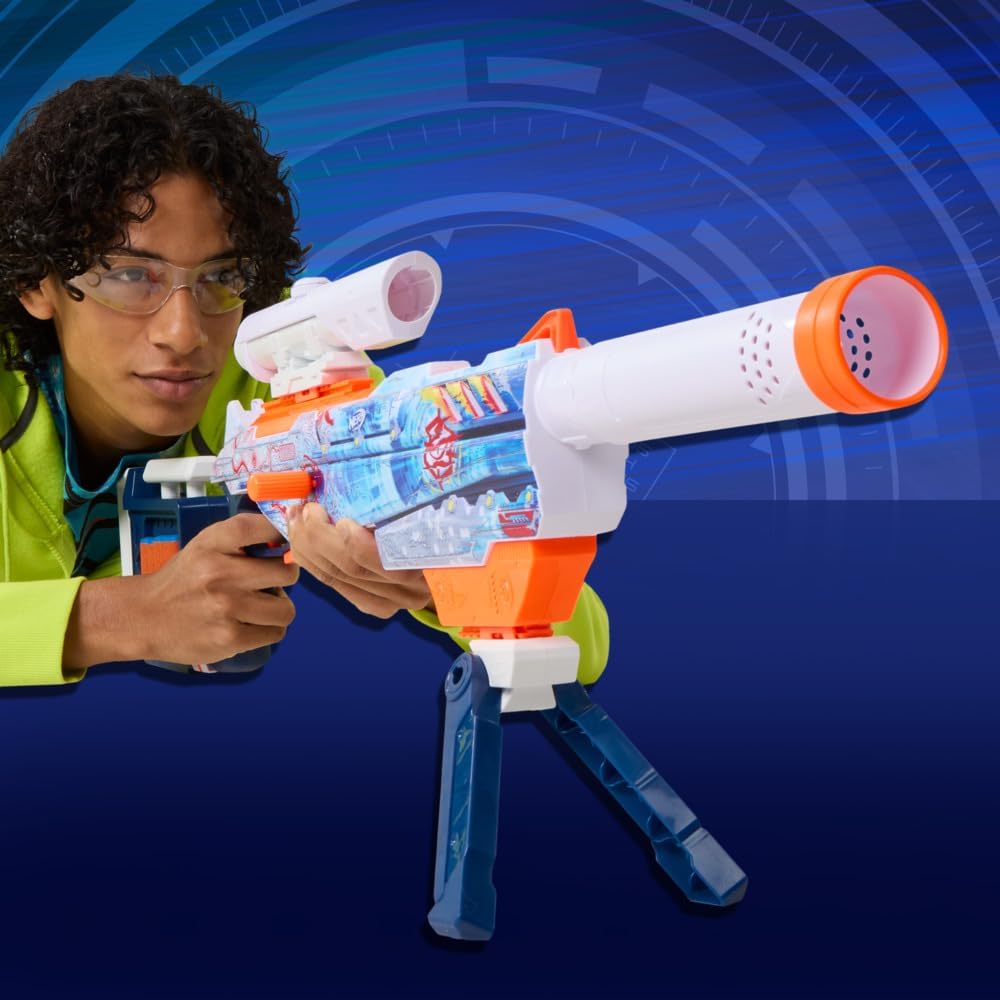
Image 3: Diagrams illustrating the step-by-step assembly of the Nerf Loadout Arctic Zerostriker Blaster, including attaching accessories.
5. Operating Instructions
Once assembled, your Nerf Loadout Arctic Zerostriker Blaster is ready for action.
5.1 Loading Darts
The blaster features an internal clip. To load darts:
- Open the loading door on the side of the blaster.
- Insert up to 6 N1 Darts into the internal clip.
- Close the loading door securely.
Additional darts can be stored in the dart storage stock.

Image 4: A close-up view of a hand operating the bolt action mechanism on the Nerf Loadout Arctic Zerostriker Blaster.
5.2 Priming and Firing
- Prime the Blaster: Pull the bolt handle all the way back and then push it forward until it locks into place. This action prepares the blaster to fire.
- Aim: Use the attached scope and bipod for stability and precision aiming.
- Fire: Pull the trigger to launch a dart.

Image 5: A child aiming the Nerf Loadout Arctic Zerostriker Blaster, demonstrating the use of the bipod for stable targeting.

Image 6: A child actively firing the Nerf Loadout Arctic Zerostriker Blaster, showing the blaster in action.
6. Maintenance
To ensure the longevity and optimal performance of your Nerf blaster:
- Cleaning: Wipe the blaster with a dry cloth to remove dust and debris. Do not use water or harsh chemicals.
- Dart Care: Keep darts clean and dry. Avoid bending or damaging darts, as this can affect performance and cause jams.
- Storage: Store the blaster and darts in a cool, dry place away from direct sunlight.
7. Troubleshooting
If you encounter issues with your blaster, try the following:
- Dart Jams: If a dart gets stuck, ensure the blaster is not primed. Carefully open the loading door and remove any jammed darts. Do not force the bolt or trigger.
- Darts Not Firing: Check if the blaster is properly primed. Ensure darts are fully inserted into the internal clip. Verify that darts are not damaged or worn.
- Accessories Loose: Re-attach any loose accessories by pushing them firmly into their respective attachment points until they click or feel secure.
8. Specifications
| Feature | Detail |
|---|---|
| Model Number | G17634N0 |
| Main Material | Plastic |
| Batteries Required | No |
| Batteries Included | No |
| Recommended Age | 8 years and up |
| Product Dimensions | 6.7 x 61 x 28.6 cm |
| Product Weight | 1.3 kg |
9. Warranty and Support
For warranty information or product support, please refer to the contact details provided on the product packaging or visit the official Hasbro Nerf website. Keep your purchase receipt as proof of purchase.