
1. Introduction
The Planet Health Tempo Thermometer is a reliable and efficient digital device designed for accurate body temperature monitoring. This manual provides essential information on how to set up, operate, maintain, and troubleshoot your thermometer to ensure optimal performance and longevity. Its durable design and quick 60-second response time make it suitable for regular health checks.
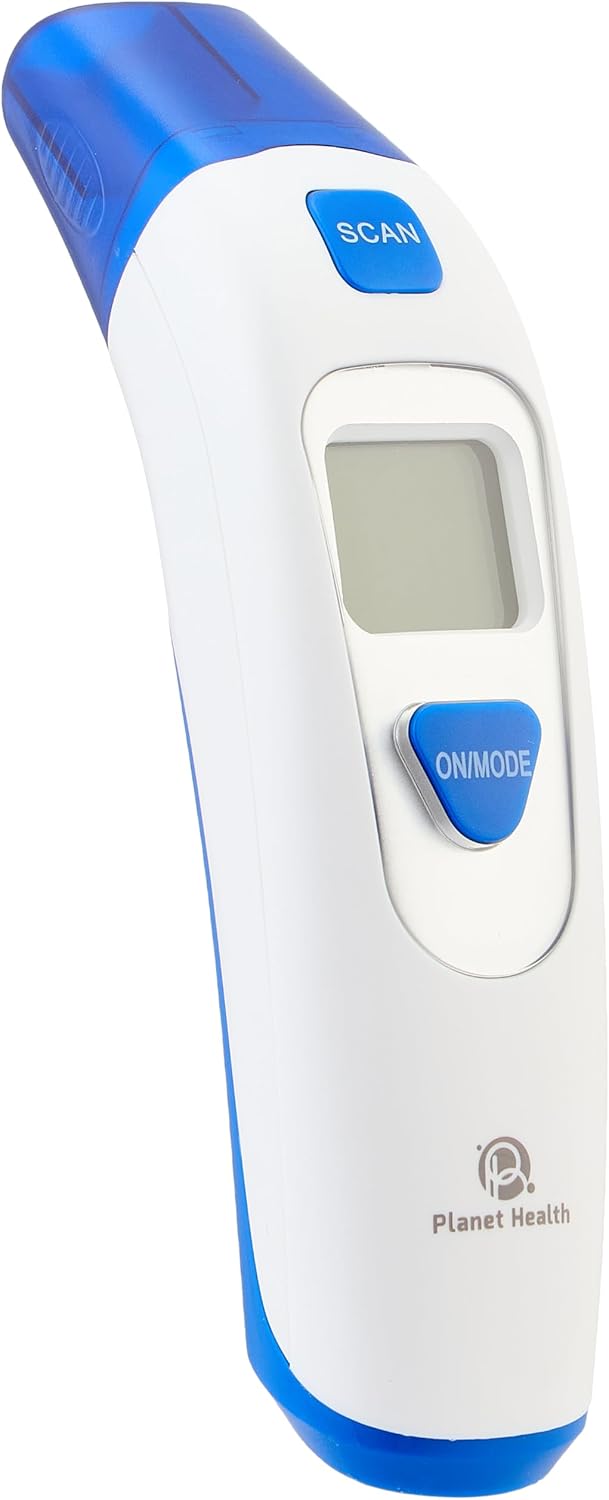
Figure 1: Front-angled view of the Planet Health Tempo Thermometer, showing the display and control buttons.
2. Important Safety Information
- Read all instructions carefully before using the thermometer.
- Keep the device out of reach of children.
- Do not use the thermometer for purposes other than measuring body temperature.
- Avoid dropping the thermometer or subjecting it to strong impacts.
- Do not expose the thermometer to direct sunlight, extreme temperatures, or high humidity.
- Consult a medical professional for any health concerns. This device is for monitoring purposes only and does not replace professional medical advice.
3. Product Components
The Planet Health Tempo Thermometer consists of the following main parts:
- Display Screen: Shows temperature readings and indicators.
- ON/MODE Button: Powers the device on/off and switches measurement modes.
- SCAN Button: Initiates temperature measurement.
- Sensor Tip: The part that comes into contact with the measurement area.
- Battery Compartment: Located at the back for battery insertion.
- Protective Storage Case: For hygienic storage.

Figure 2: Close-up view of the thermometer's digital display, ON/MODE button, and SCAN button.
4. Setup and First Use
4.1. Battery Installation
The thermometer requires batteries for operation. Follow these steps to install or replace batteries:
- Locate the battery compartment cover on the back of the thermometer.
- Gently slide or unclip the cover to open it.
- Insert the required batteries (e.g., AAA batteries, as indicated on the device or packaging) according to the polarity (+/-) markings inside the compartment.
- Close the battery compartment cover securely.

Figure 3: Rear view of the thermometer, indicating the location of the battery compartment and product label.
4.2. Powering On and Mode Selection
- Press the ON/MODE button to power on the thermometer. The display will show a brief self-test.
- If your thermometer supports multiple modes (e.g., body temperature, surface temperature), press the ON/MODE button repeatedly to cycle through the available modes until the desired mode is selected.
5. Operating Instructions
5.1. Taking a Temperature Reading
To ensure accurate readings, follow these steps:
- Ensure the thermometer is clean and in the correct measurement mode.
- Position the sensor tip appropriately for the chosen measurement method (e.g., oral, axillary). The reinforced tip ensures precise contact.
- Press the SCAN button to begin the measurement.
- Hold the thermometer steady. The device will typically provide a reading within 60 seconds.
- An audible alarm will sound when the measurement is complete, and the temperature will be displayed on the screen.
- Record the reading if necessary, then power off the device by pressing and holding the ON/MODE button, or it may auto-switch off after a period of inactivity.
5.2. Memory Function
This thermometer features a memory function that stores previous readings. To access stored readings:
- With the thermometer powered on, briefly press the ON/MODE button (or a dedicated memory button if available) to cycle through the stored measurements.
- The device can store up to 20 readings, allowing for tracking of temperature trends.
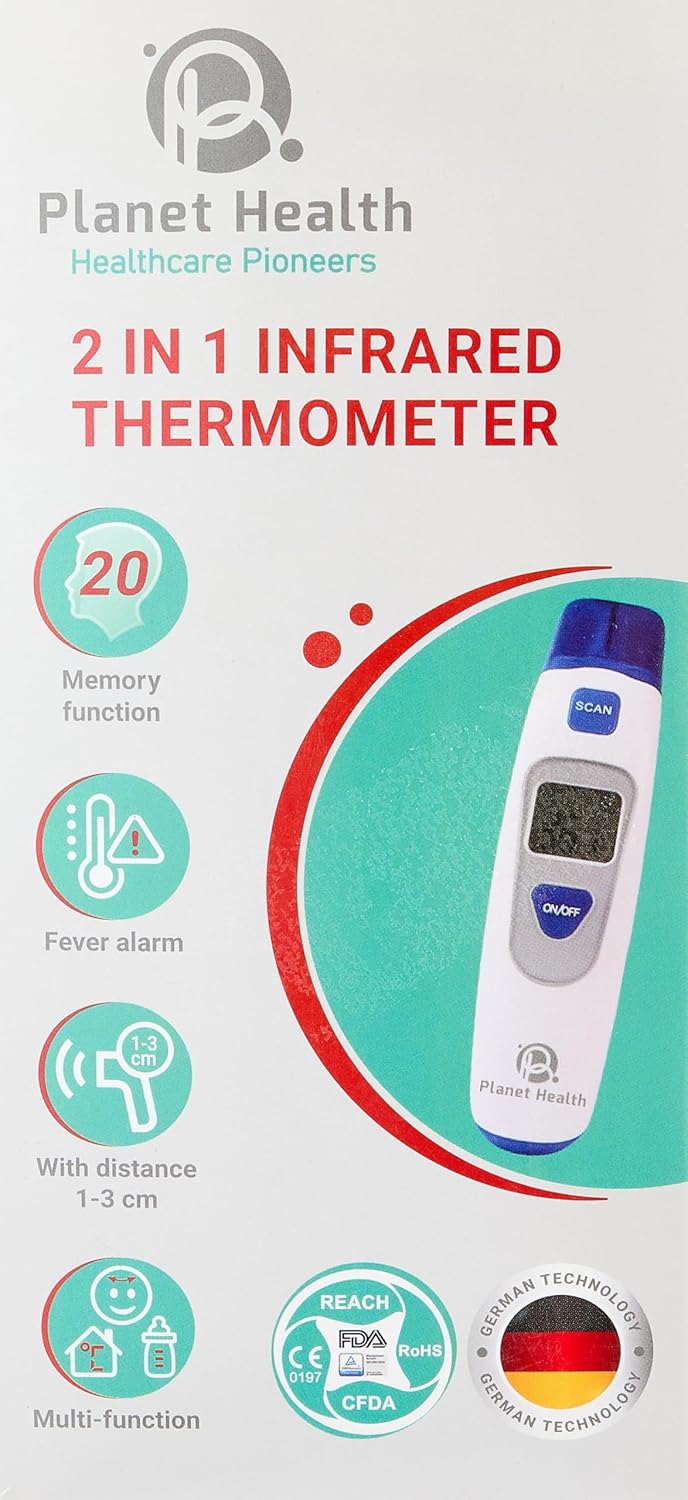
Figure 4: Product packaging illustrating key features including the 20-reading memory function and fever alarm.
6. Care and Maintenance
6.1. Cleaning the Thermometer
- After each use, especially if used orally or axillary, clean the sensor tip with an alcohol swab or a cloth dampened with antiseptic solution.
- Wipe the body of the thermometer with a soft, dry cloth.
- Do not immerse the thermometer in water or any cleaning solution.
- Do not use abrasive cleaning agents or thinners.
6.2. Storage
- Store the thermometer in its protective storage case when not in use to shield it from contaminants and damage.
- Keep the device in a cool, dry place, away from direct sunlight and extreme temperatures.
- Remove batteries if the thermometer will not be used for an extended period to prevent leakage.
7. Troubleshooting
| Problem | Possible Cause | Solution |
|---|---|---|
| Thermometer does not turn on. | Dead or incorrectly installed batteries. | Replace batteries with new ones, ensuring correct polarity. |
| Inaccurate readings. | Improper placement of sensor tip; dirty sensor; environmental factors. | Ensure correct placement. Clean sensor tip. Allow thermometer to acclimatize to room temperature. |
| Display shows "Lo" or "Hi". | Temperature is outside the measurable range. | Ensure the measurement is taken within the specified operating temperature range. |
8. Specifications
| Feature | Detail |
|---|---|
| Model Number | 6224002097156 |
| Brand | Planet Health |
| Display Type | Digital |
| Response Time | 60 seconds |
| Power Source | Battery Powered |
| Upper Temperature Rating | 104 Degrees Fahrenheit |
| Material | Plastic |
| Color | White |
| Reusability | Reusable |
| Key Features | Fast reading, Durable, Precise, Measurement completion alarm, Protective storage case, Memory function (up to 20 readings), Fever alarm, Dual mode, Color backlight display, High accuracy, Auto switch off. |

Figure 5: Product packaging detailing advanced features such as fast reading, dual mode, and high accuracy.
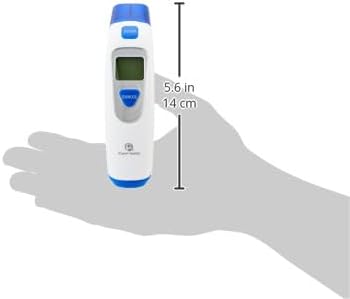
Figure 6: The thermometer held in a hand, illustrating its compact size and dimensions (5.6 inches / 14 cm).
9. Warranty Information
The Planet Health Tempo Thermometer comes with a standard manufacturer's warranty. Please refer to the product packaging or contact Planet Health customer support for specific warranty terms and conditions. An optional 2-Year Extended Warranty by Salama Care may be available for purchase separately.
10. Customer Support
For further assistance, technical support, or inquiries regarding your Planet Health Tempo Thermometer, please contact Planet Health customer service through their official website or the contact information provided on the product packaging.
Manufacturer: Planet Health
Country of Origin: Egypt