1. Introduction
Thank you for choosing the KXIY 12V/24V Intelligent Pulse Battery Charger and Maintainer. This device is designed to efficiently charge, maintain, and repair various types of 12V and 24V lead-acid batteries, including AGM, SLA, and Gel batteries. Utilizing advanced pulse width modulation (PWM) technology, it ensures optimal battery performance and extended lifespan. Please read this manual thoroughly before operation to ensure safe and effective use.
2. Safety Information
WARNING: Failure to follow these safety instructions may result in electric shock, fire, or serious injury.
- Always connect the charger to a grounded outlet.
- Ensure proper ventilation during charging to prevent gas accumulation.
- Do not charge frozen batteries. Allow them to thaw before charging.
- Avoid sparks or flames near the battery during charging.
- Wear eye protection and gloves when working with batteries.
- Keep out of reach of children.
- Disconnect the AC power before connecting or disconnecting battery clamps.
- This charger is designed for lead-acid, AGM, SLA, and Gel batteries only. Do not use with other battery types.

Image 2.1: Intelligent Protection Features. This image illustrates the multiple protection mechanisms integrated into the KXIY battery charger, including short circuit, overcurrent, overheating, fire, low voltage, overvoltage, reverse connection, and electric shock protection. These features ensure safe operation and protect both the user and the battery.
3. Product Overview
The KXIY Intelligent Pulse Battery Charger features a robust design with an intuitive LED display and various control buttons.

Image 3.1: Front View of KXIY Battery Charger. This image displays the main unit of the KXIY 12V/24V Intelligent Pulse Battery Charger, showing its LED display, control buttons, power cord, and battery clamps. The display indicates charging status and battery voltage.
Key Components:
- LED Display Screen: Shows charging voltage, current, battery level, and charging mode.
- Mode Selection Button: To switch between 12V and 24V charging, and different charging modes (e.g., Charging, Repair, Maintain, Activation, Detection).
- Battery Clamps: Red (+) and Black (-) for connecting to the battery terminals.
- AC Power Cord: For connecting to a standard wall outlet.
- Cooling Fan: Located at the rear for heat dissipation.
Compatibility:
This charger is suitable for a wide range of 12V and 24V lead-acid batteries (6Ah-300Ah), including those found in cars, motorcycles, boats, lawnmowers, and other vehicles.

Image 3.2: Versatile Applications. This image demonstrates the broad compatibility of the KXIY battery charger, showing its use with various vehicles such as cars, motorboats, motorcycles, boats, electric cars, and lawnmowers, as well as for lead-acid batteries in general.
4. Setup
- Prepare the Battery: Ensure the battery terminals are clean and free of corrosion. If necessary, clean them with a wire brush.
- Connect Battery Clamps:
- Connect the RED (+) clamp to the positive (+) battery terminal.
- Connect the BLACK (-) clamp to the negative (-) battery terminal.
- Connect to Power: Plug the AC power cord into a standard 110V AC wall outlet. The charger will power on and display the current battery voltage.
- Select Mode: The charger automatically detects 12V or 24V batteries. Use the mode selection button to choose the desired charging mode (e.g., standard charge, pulse repair).
5. Operating Instructions
5.1. Standard Charging
After connecting the battery and power, the charger will automatically begin the charging process. The LED display will show the charging voltage, current, and battery level. The charger uses a multi-stage charging process to optimize battery health.

Image 5.1: Smart Charging Technology. This image highlights the "SMART CHARGING" feature of the KXIY charger, emphasizing constant voltage and constant current intelligent auxiliary charging. It also depicts scenarios like long idle time, low voltage, and battery aging where the charger can restore performance.
- Automatic Detection: The charger automatically detects the battery voltage (12V or 24V) and type.
- High Efficiency: With a 99% conversion rate, it charges batteries quickly and efficiently.
- Full Charge Indication: The display will indicate when the battery is fully charged. The charger will then switch to maintenance mode.

Image 5.2: Quick Charging and Maintenance. This image illustrates the charger's high-speed quick charge capability with a 99% conversion rate, claiming to be 30% faster than standard 12V chargers. It also shows the charger functioning as a battery maintainer and providing stronger engine starts.
5.2. Pulse Repair / Desulfation
The pulse repair function is designed to restore performance to older, sulfated, or stratified batteries.
- Connect the charger to the battery as described in the Setup section.
- Press the mode selection button until "Repair" or a similar indicator appears on the display.
- Allow the charger to complete the repair cycle. This process can take several hours depending on the battery condition.
- After the repair cycle, the charger may automatically switch to a charging or maintenance mode.
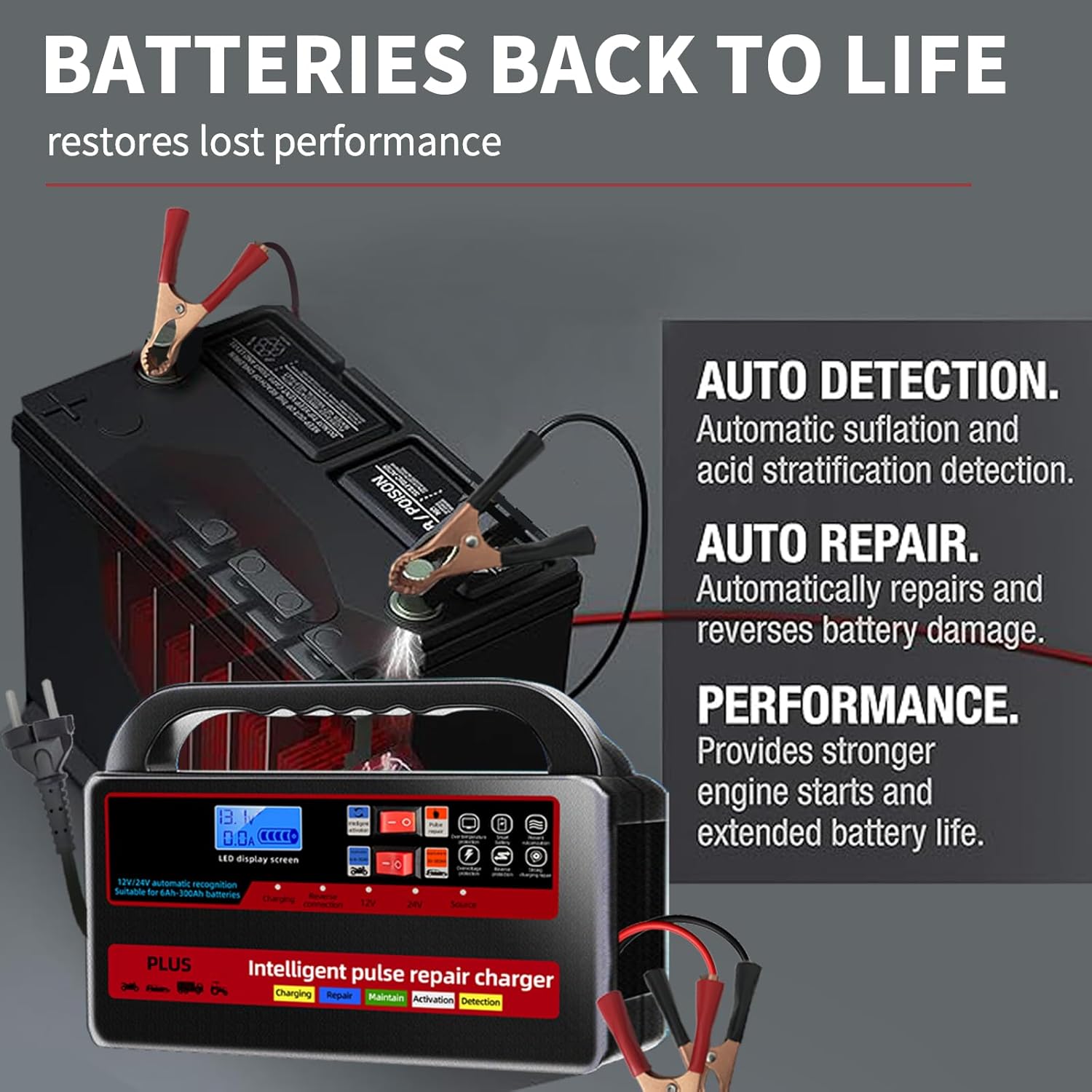
Image 5.3: Battery Restoration Features. This image highlights the charger's ability to bring "BATTERIES BACK TO LIFE" by restoring lost performance. It details features like auto detection for sulfation and acid stratification, auto repair to reverse battery damage, and improved performance for stronger engine starts and extended battery life.
6. Maintenance
- Cleaning: Disconnect the charger from power and the battery before cleaning. Wipe the exterior with a soft, dry cloth. Do not use harsh chemicals or abrasives.
- Storage: Store the charger in a cool, dry place when not in use. Keep it away from direct sunlight and moisture.
- Cable Inspection: Regularly inspect the power cord and battery clamps for any signs of damage. Do not use the charger if any part is damaged.
7. Troubleshooting
| Problem | Possible Cause | Solution |
|---|---|---|
| Charger does not turn on. | No power from outlet; loose connection; damaged power cord. | Check outlet with another device; ensure power cord is securely plugged in; inspect cord for damage. |
| Charger not charging battery. | Incorrect battery connection; battery is severely discharged or damaged; wrong mode selected. | Verify positive and negative connections; attempt pulse repair mode for deeply discharged batteries (if applicable); ensure correct voltage mode (12V/24V) is selected. |
| Error message on display. | Reverse polarity connection; short circuit; overheating. | Disconnect immediately and check connections; allow charger to cool down if overheating. Refer to safety features for specific error codes if available. |
| Battery not holding charge after charging. | Battery is old or damaged; internal battery fault. | Attempt pulse repair mode; if issue persists, the battery may need replacement. |
8. Specifications
- Brand: KXIY
- Model: 12V/24V Intelligent Pulse Battery Charger
- Input Voltage: 110 Volts AC
- Output Voltage: 24 Volts DC (automatically adjusts for 12V/24V batteries)
- Compatible Battery Types: Lead-Acid, AGM, SLA, Gel (6Ah-300Ah)
- Product Dimensions: 24D x 19.6W x 6H Centimetres
- ASIN: B0DPQK6992
9. Warranty and Support
For warranty information or technical support, please refer to the product packaging or contact your retailer. Keep your purchase receipt as proof of purchase.