
Mericonia XZJ-40RB
Mericonia Small L-Shaped Computer Desk with Power Outlets (Model XZJ-40RB)
User Instruction Manual
Introduction
Thank you for choosing the Mericonia Small L-Shaped Computer Desk with Power Outlets, Model XZJ-40RB. This desk is designed to maximize space in small rooms or apartments, providing a functional and organized workspace. It features built-in power outlets, USB ports, and reversible storage shelves for enhanced convenience and flexibility.
This manual provides essential information for the proper assembly, operation, and maintenance of your new desk. Please read it thoroughly before beginning assembly and retain it for future reference.

Image 1: Overview of the Mericonia L-Shaped Computer Desk with its integrated power strip and storage bag.
Setup and Assembly
The Mericonia L-Shaped Computer Desk is designed for straightforward assembly. All necessary tools and clear instructions are included to facilitate setup, typically within an hour for most users.
Important Assembly Notes:
- Always assemble the desk on a stable, level surface to ensure proper alignment and stability.
- Verify all parts are present before beginning assembly by comparing them with the included parts list.
- Do not fully tighten screws until all components are loosely assembled. This allows for adjustments and ensures proper fit.
- If any parts are missing or damaged, please contact Mericonia customer support for assistance.
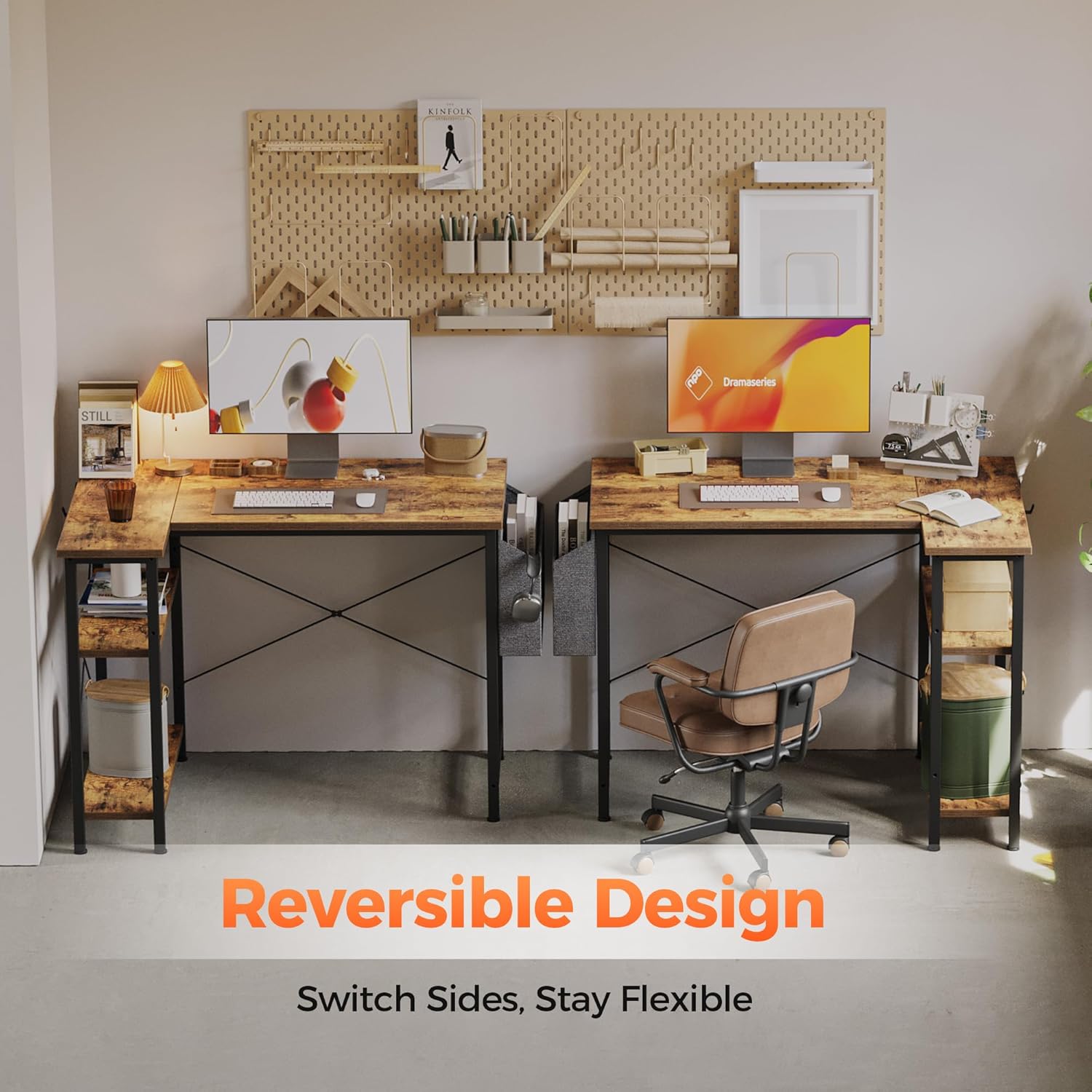
Image 2: Illustration of the desk's reversible design, demonstrating how the storage section can be configured on either side.
The desk features a reversible design, allowing you to configure the storage shelves on either the left or right side to best suit your space and preferences. Follow the specific instructions in the included assembly guide for detailed steps on how to achieve your desired configuration.
Operating Instructions
Integrated Power Outlets and USB Ports:
Your Mericonia desk includes a built-in power strip with two standard AC outlets (125V/12A) and two USB ports (5V/2A). This feature allows you to conveniently charge and power your electronic devices directly from your workspace, reducing cable clutter.
- Connect the desk's power cord (6.56 ft) to a grounded wall outlet.
- Plug your devices into the AC outlets or USB ports as needed.
- Ensure devices are compatible with the provided voltage and amperage.

Image 3: Detail of the integrated power outlets and USB ports, demonstrating their use for charging devices.
Reversible Storage Shelves:
The desk's L-shaped design incorporates two reversible storage shelves. These shelves can be positioned on either the left or right side during assembly to best suit your room layout and storage needs. They provide convenient space for books, computer towers, or other office essentials.
Storage Bag and Adjustable Feet:
- A fabric storage bag is included and can be attached to the side of the desk for additional organization, ideal for headphones, documents, or small items.
- The desk is equipped with adjustable feet that allow for minor height adjustments to ensure stability on uneven floors. Rotate the feet clockwise or counter-clockwise to raise or lower each corner until the desk is level.

Image 4: Features of the desk, including the side storage bag and adjustable leveling feet.
Maintenance
Proper care will ensure the longevity and appearance of your Mericonia desk.
Desktop Care:
- The desktop surface is water-resistant, scratch-resistant, and easy to clean.
- For daily cleaning, wipe the surface with a soft, damp cloth.
- Avoid using abrasive cleaners, harsh chemicals, or solvents, as these can damage the finish.
- Promptly wipe up any spills to prevent potential damage.
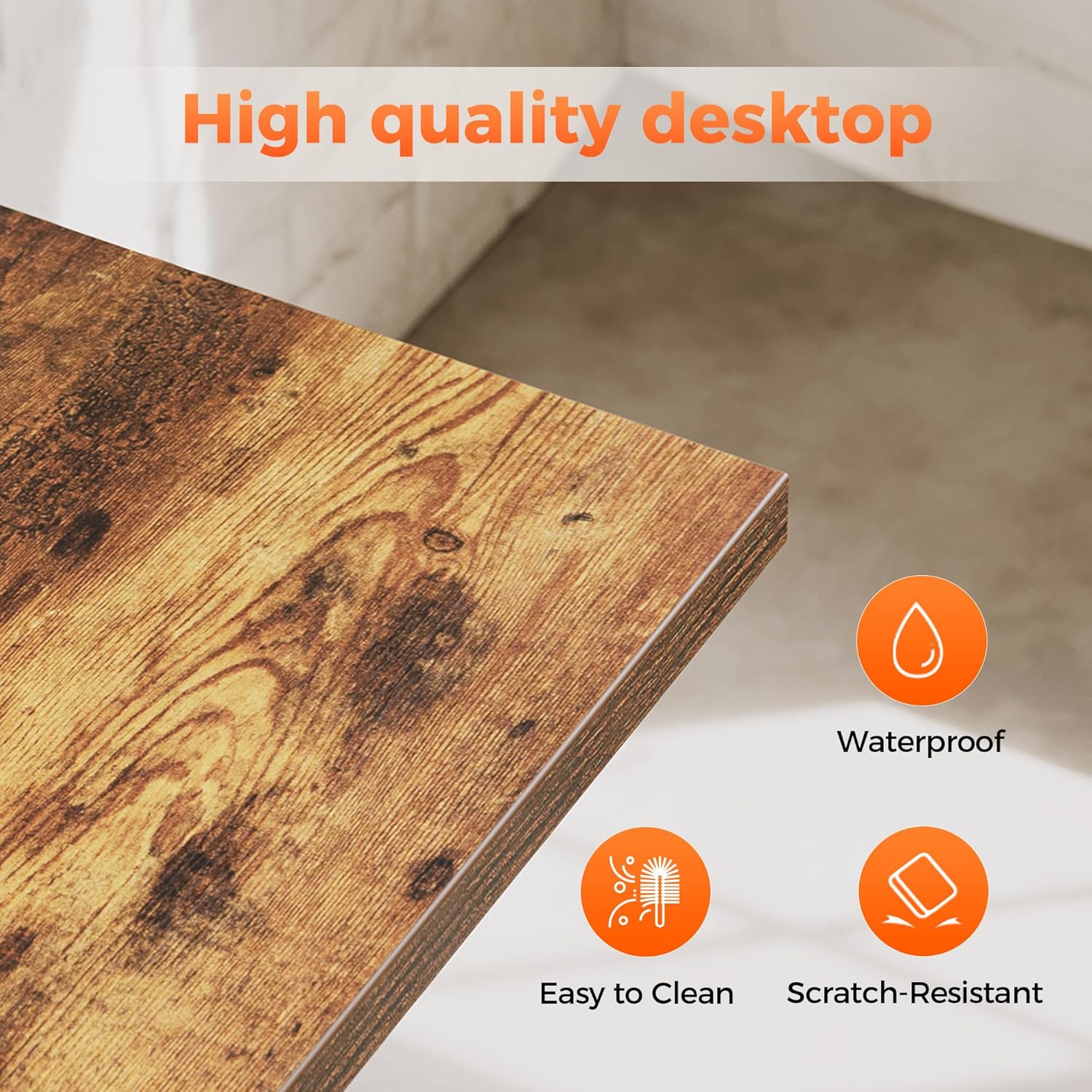
Image 5: Detail of the high-quality desktop, emphasizing its durability and ease of maintenance.
Frame Care:
- The steel frame is powder-coated for durability.
- Clean the frame with a soft, dry cloth.
- Inspect all screws and connections periodically and tighten if necessary to maintain stability.
Troubleshooting
Desk Instability:
- Issue: The desk wobbles or is uneven.
- Solution: Ensure all assembly screws are securely tightened. Adjust the leveling feet on the bottom of the desk legs to compensate for uneven floor surfaces.
Power Outlets Not Functioning:
- Issue: Devices are not charging or receiving power from the built-in outlets.
- Solution: Verify that the desk's main power cord is securely plugged into a functional wall outlet. Check if the wall outlet itself is receiving power. Ensure devices are properly plugged into the desk's outlets.
Missing or Damaged Parts:
- Issue: Components are missing from the package or arrived damaged.
- Solution: Before assembly, carefully check all contents against the parts list in your assembly guide. If any parts are missing or damaged, contact Mericonia customer support immediately for replacements.
Overloading:
- Issue: Desk shows signs of strain or bowing.
- Solution: This desk is designed for typical home office use (laptop, monitor, accessories) and supports up to 100 lbs (45 kg). Do not overload the desk with excessive weight or heavy equipment. Distribute weight evenly across the desktop.
Specifications
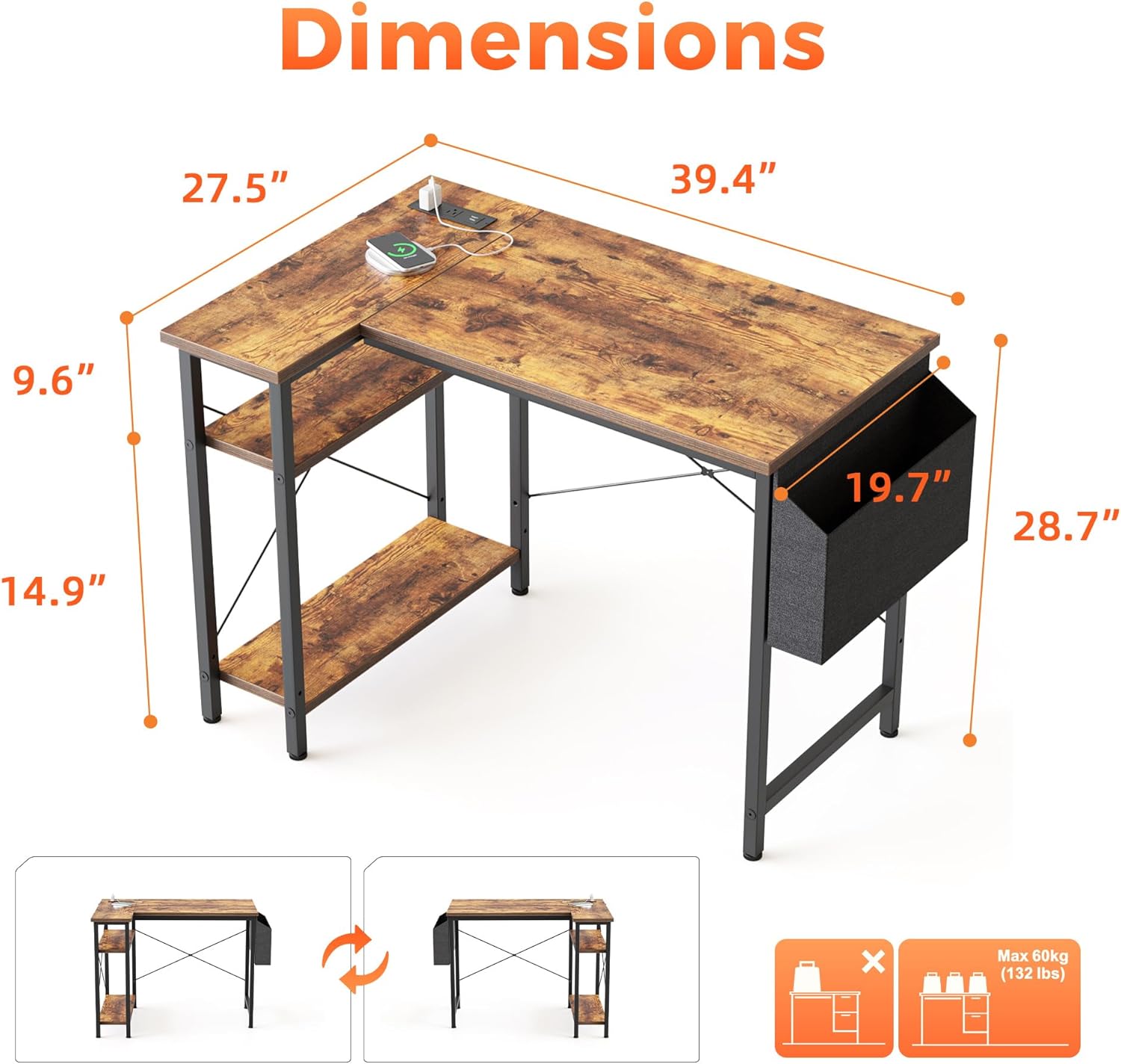
Image 6: Detailed dimensions of the Mericonia L-Shaped Computer Desk.
| Feature | Detail |
|---|---|
| Brand | Mericonia |
| Model Number | XZJ-40RB |
| Model Name | Small L Shaped Computer Desk |
| Product Dimensions (D x W x H) | 27.5"D x 39.4"W x 28.7"H |
| Size | 40 inch |
| Color | Socket, Rustic Brown |
| Style | Modern |
| Base Material | Metal |
| Top Material Type | Engineered Wood |
| Finish Type | Powder Coated |
| Special Feature | Built-In USB Outlet |
| Item Weight | 26 Pounds |
| Included Components | Built-in USB Port |
| Required Assembly | Yes |
| Storage Options | 2 reversible shelves |
Warranty and Support
Limited Warranty:
The Mericonia Small L-Shaped Computer Desk (Model XZJ-40RB) comes with a limited warranty. Please refer to the warranty card included in your product packaging for specific terms, conditions, and duration of coverage.
Customer Support:
Mericonia is committed to providing professional customer support. If you have any questions regarding assembly, operation, maintenance, or require assistance with missing or damaged parts, please do not hesitate to contact our dedicated support team.
For support, please visit the official Mericonia store or contact us through the platform where you purchased the product. Our team is ready to help and ensures professional follow-up until your concerns are resolved.
Online Store: Mericonia Store on Amazon
Ask a question about this manual
Ask about setup, troubleshooting, compatibility, parts, safety, or missing instructions. Manuals+ will review the question and use this page’s manual context to help answer it.