
WELL WENG B0DPQ66X7V
WELL WENG 42-inch Bamboo Dual Monitor Stand with Storage Instruction Manual
Introduction
This instruction manual provides detailed guidance for the assembly, operation, and maintenance of your WELL WENG 42-inch Bamboo Dual Monitor Stand with Storage. Designed to elevate your monitors to an ergonomic height and organize your workspace, this stand features durable bamboo construction and convenient sliding storage compartments.
Safety Information
- Ensure all components are present and undamaged before assembly.
- Assemble on a flat, stable surface to prevent tipping.
- Do not exceed the maximum load capacity of 220 pounds (100 kg).
- Keep small parts away from children to avoid choking hazards.
- Avoid placing hot items directly on the bamboo surface to prevent damage.
- Regularly check all screws and connections to ensure they remain tight.
Package Contents
Please verify that all the following components are included in your package:
- Main Monitor Stand Unit (1)
- Support Legs (4)
- Sliding Storage Doors (2)
- Anti-slip Pads (4)
- Assembly Hardware (screws, screwdriver)

Image: All components included in the WELL WENG monitor stand package.
Setup and Assembly
Follow these steps to assemble your WELL WENG Bamboo Dual Monitor Stand:
- Step 1: Attach the Support Legs
Carefully place the main monitor stand unit upside down on a soft, clean surface to prevent scratches. Align each of the four support legs with the pre-drilled holes on the underside of the stand. Secure them firmly using the provided screws and screwdriver.
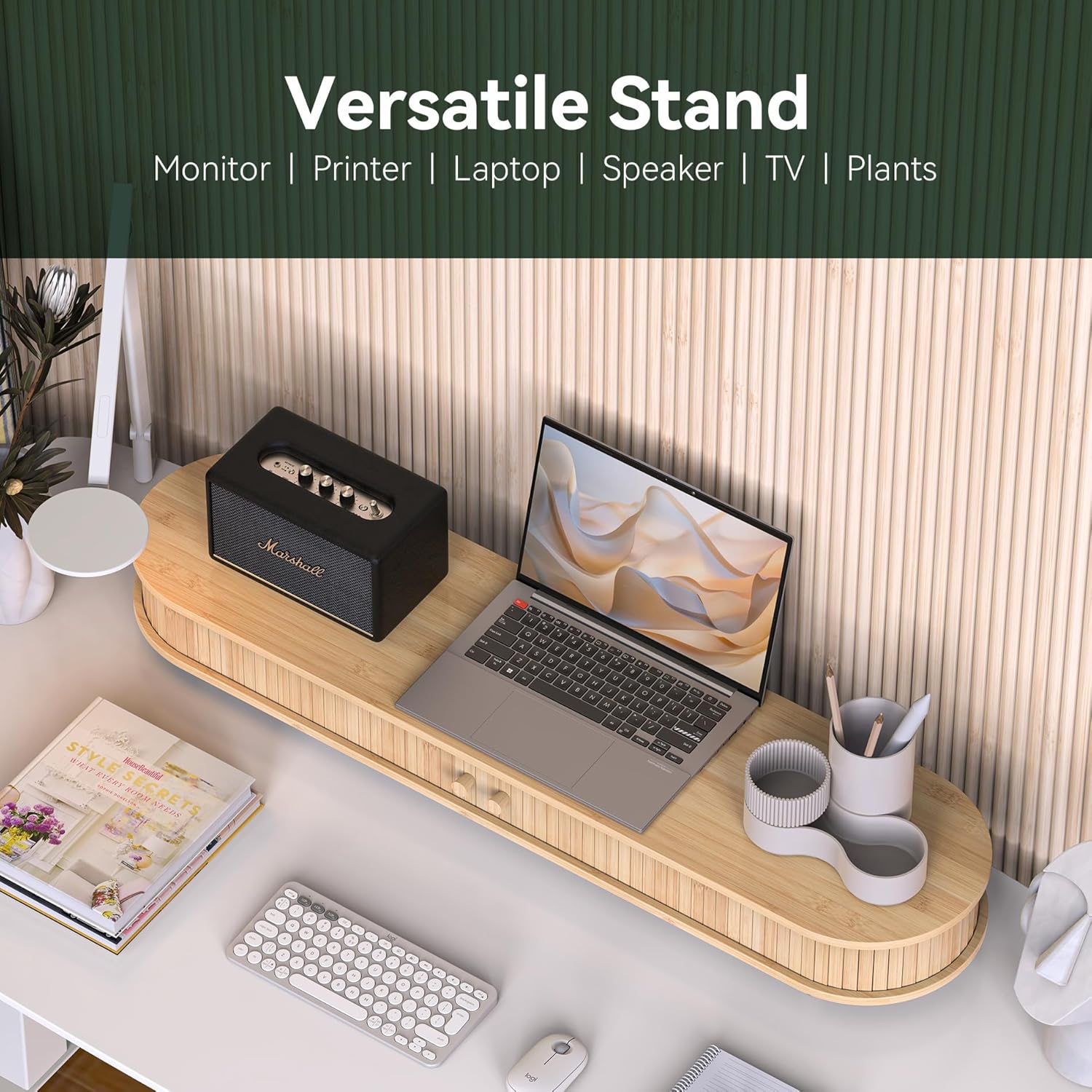
Image: Illustration showing how to attach the four support legs to the main unit.
- Step 2: Apply Anti-slip Pads
Peel the backing from the anti-slip pads and attach one to the bottom of each leg. This will provide stability and protect your desk surface.
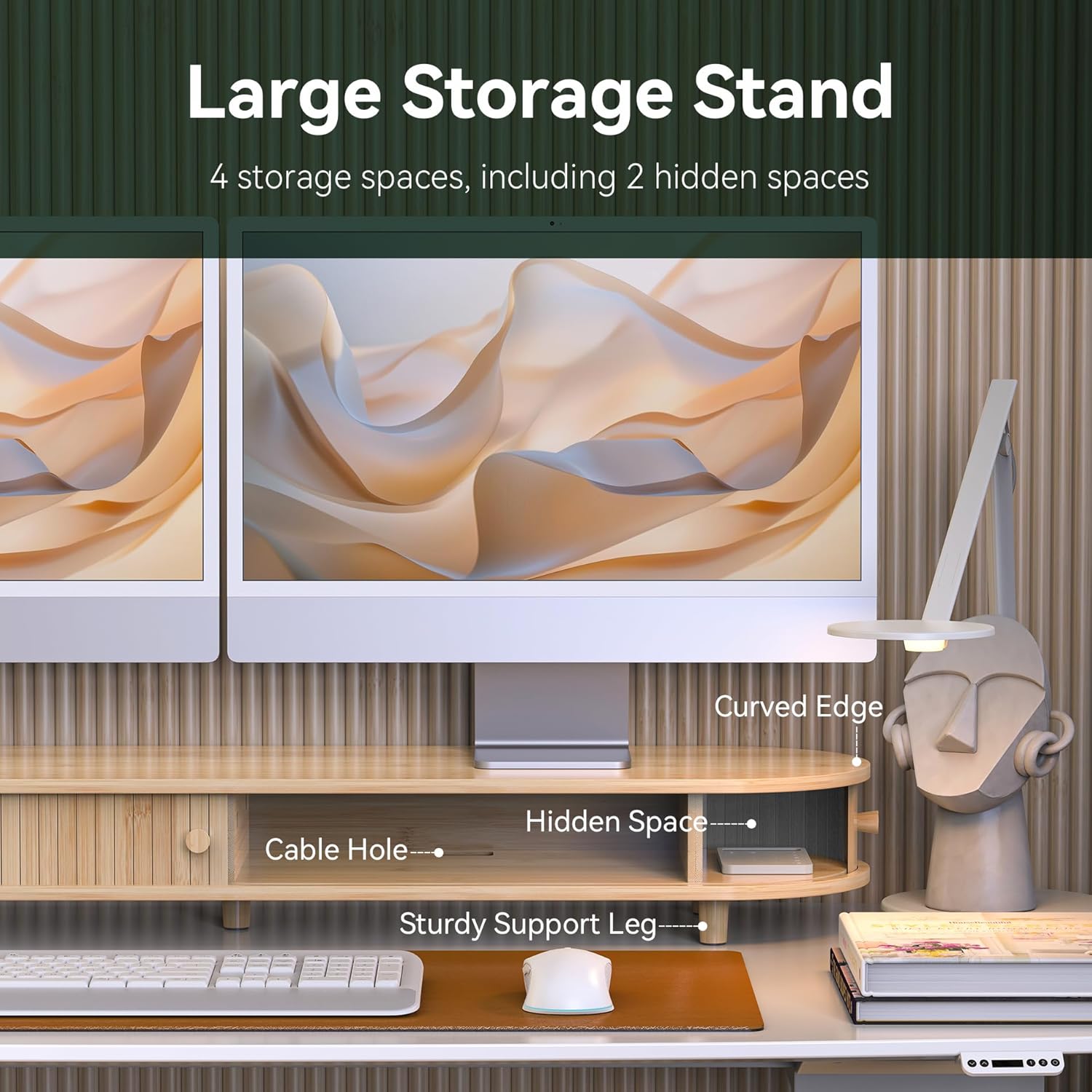
Image: Close-up of applying anti-slip pads to the base of the support legs.
- Step 3: Insert Sliding Storage Doors
Turn the assembled stand upright. Gently slide the two storage doors into their respective tracks on the front of the stand. Ensure they move smoothly.
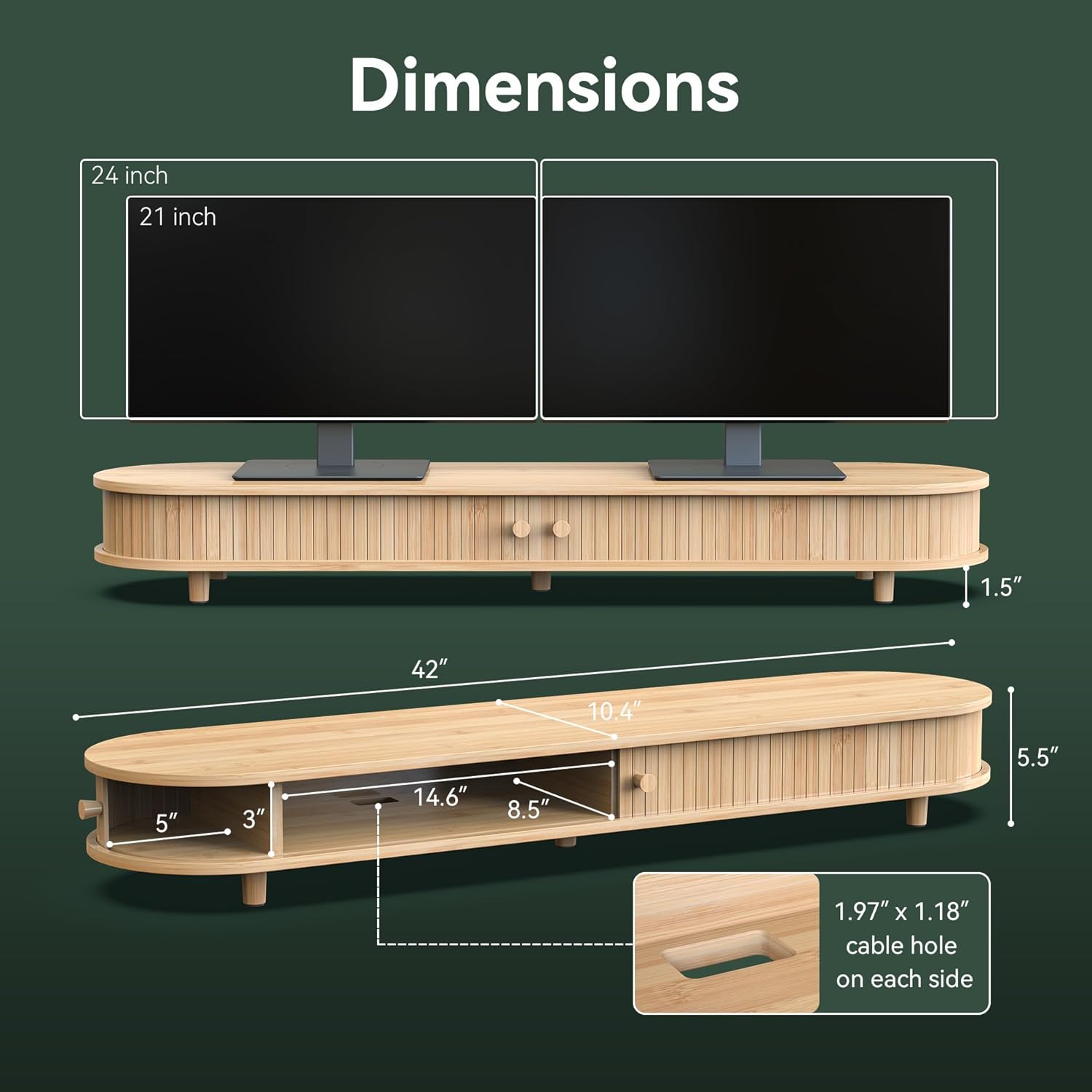
Image: The monitor stand with its sliding doors partially open, showcasing the storage compartments.
- Step 4: Position on Desk
Place the assembled monitor stand on your desired desk surface. Ensure it is stable and level before placing any equipment on it.
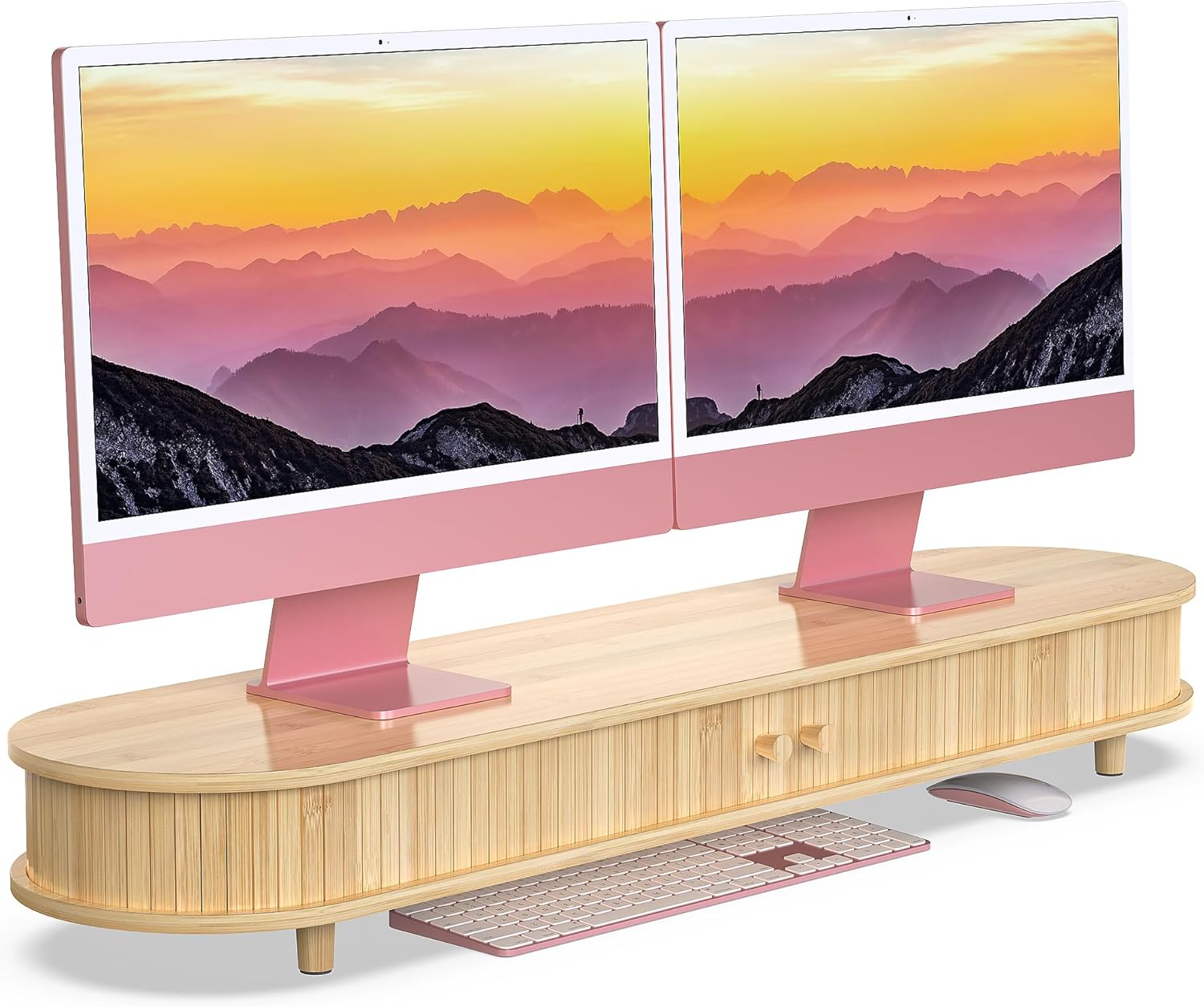
Image: The WELL WENG monitor stand fully assembled and placed on a desk, supporting two monitors.
Assembly Video
Video: A quick demonstration of the Fenge-Sliding Door Monitor Stand, highlighting its assembly and features. Note: This video is for a similar product and may not reflect exact assembly steps for the WELL WENG model.
Operating Instructions
The WELL WENG monitor stand is designed for ease of use and organization:
- Ergonomic Height: Place your monitors directly on the stand's surface to achieve an optimal viewing height, reducing neck and eye strain.
- Sliding Storage: Utilize the two sliding doors to access the hidden compartments. These are ideal for storing office supplies, notebooks, or personal items, keeping your desk clutter-free.
- Cable Management: The stand features integrated cable holes on each side (1.97" x 1.18") to route and organize your monitor and peripheral cables, maintaining a neat workspace.
- Versatile Use: Beyond monitors, the stand can support laptops, printers, speakers, or other desk accessories.

Image: The monitor stand in use, demonstrating its storage compartments and cable management features.
Maintenance
To ensure the longevity and appearance of your bamboo monitor stand:
- Cleaning: Wipe the surface with a soft, damp cloth. Avoid abrasive cleaners or harsh chemicals that can damage the bamboo finish.
- Drying: Dry immediately with a clean, dry cloth to prevent water stains or warping.
- Protection: Use coasters or pads under hot items or drinks to protect the surface.
- Avoid Direct Sunlight: Prolonged exposure to direct sunlight can cause the bamboo to fade or dry out.
Troubleshooting
| Problem | Possible Cause | Solution |
|---|---|---|
| Stand is wobbly. | Legs not tightened sufficiently; uneven surface. | Ensure all leg screws are tightened. Place the stand on a flat, level surface. Adjust anti-slip pads if necessary. |
| Sliding doors stick or do not move smoothly. | Debris in tracks; misalignment. | Clean the tracks of any dust or debris. Ensure doors are correctly seated in their grooves. |
| Missing parts upon arrival. | Packaging error or transit damage. | Contact WELL WENG customer support with your purchase details for assistance. |
Specifications
- Brand: WELL WENG
- Model: B0DPQ66X7V
- Material: Bamboo
- Color: Natural Bamboo
- Product Dimensions (L x W x H): 42 x 10 x 5.5 inches (106.7 x 25.4 x 14 cm)
- Item Weight: 12.82 pounds (5.81 kg)
- Load Capacity: 220 Pounds (100 kg)
- Special Feature: Sliding Door, Cable Management
- Assembly Required: Yes

Image: Diagram illustrating the precise dimensions of the WELL WENG 42-inch Bamboo Dual Monitor Stand.
Warranty and Support
For warranty information, product support, or to report any issues, please contact WELL WENG customer service through the retailer's platform or visit the official WELL WENG store page. Please have your purchase details and model number (B0DPQ66X7V) ready for faster service.
WELL WENG Store: Visit the WELL WENG Store on Amazon
Ask a question about this manual
Ask about setup, troubleshooting, compatibility, parts, safety, or missing instructions. Manuals+ will review the question and use this page’s manual context to help answer it.