
snomh L2S4
Solar Power Bank 27000mAh User Manual
Model: L2S4
Brand: snomh
Important Safety Information
Please read all safety instructions carefully before using this product. Failure to follow these instructions may result in electric shock, fire, or injury.
- Do not expose the power bank to extreme temperatures (above 60°C/140°F or below -10°C/14°F), direct sunlight for prolonged periods, or high humidity.
- Do not disassemble, open, or attempt to repair the power bank yourself. Refer all servicing to qualified personnel.
- Keep the power bank away from water and other liquids. While it is IP67 waterproof, prolonged submersion or exposure to strong jets of water should be avoided.
- Do not drop, puncture, or apply excessive force to the power bank.
- Keep out of reach of children.
- Dispose of the power bank according to local regulations. Do not dispose of it in household waste.
- The power bank includes advanced protection technology against overcharging, overcurrent, overheating, and short circuiting. However, always monitor charging processes.
Product Overview
Key Features
- Massive 27000mAh Capacity: Provides multiple charges for smartphones and tablets, suitable for extended outdoor use.
- High-Efficiency 7W Solar Panels: Four foldable solar panels offer enhanced solar charging speed, ideal for emergency power in sunlight.
- Integrated Charging Cables: Features built-in Type-C, iOS, and Micro USB output cables, plus a USB-A input cable, eliminating the need for extra cables.
- Versatile Charging Options: Offers 5 output options (iOS, Type C, Type C to C, USB-A, Micro) and 4 input options (solar panel, Type C, Micro, USB-A).
- Multi-Mode LED Flashlight: Equipped with two bright LED flashlights with Standard, Strong, SOS, and Strobe modes for various lighting needs.
- Durable and Portable Design: Foldable, compact, and built with high-quality materials for durability, including dust-proof, IP67 waterproof, and shock-resistant features.
Components and Ports

Figure 1: The Solar Power Bank in its unfolded state, showing the four solar panels, and in its folded, compact state, highlighting the integrated cables and LED flashlights.

Figure 2: Illustration of the power bank charging multiple devices concurrently using its integrated cables and additional ports.

Figure 3: Various input methods for charging the power bank, including USB-A built-in cable, solar panel charging, Micro USB port, and Type-C port.
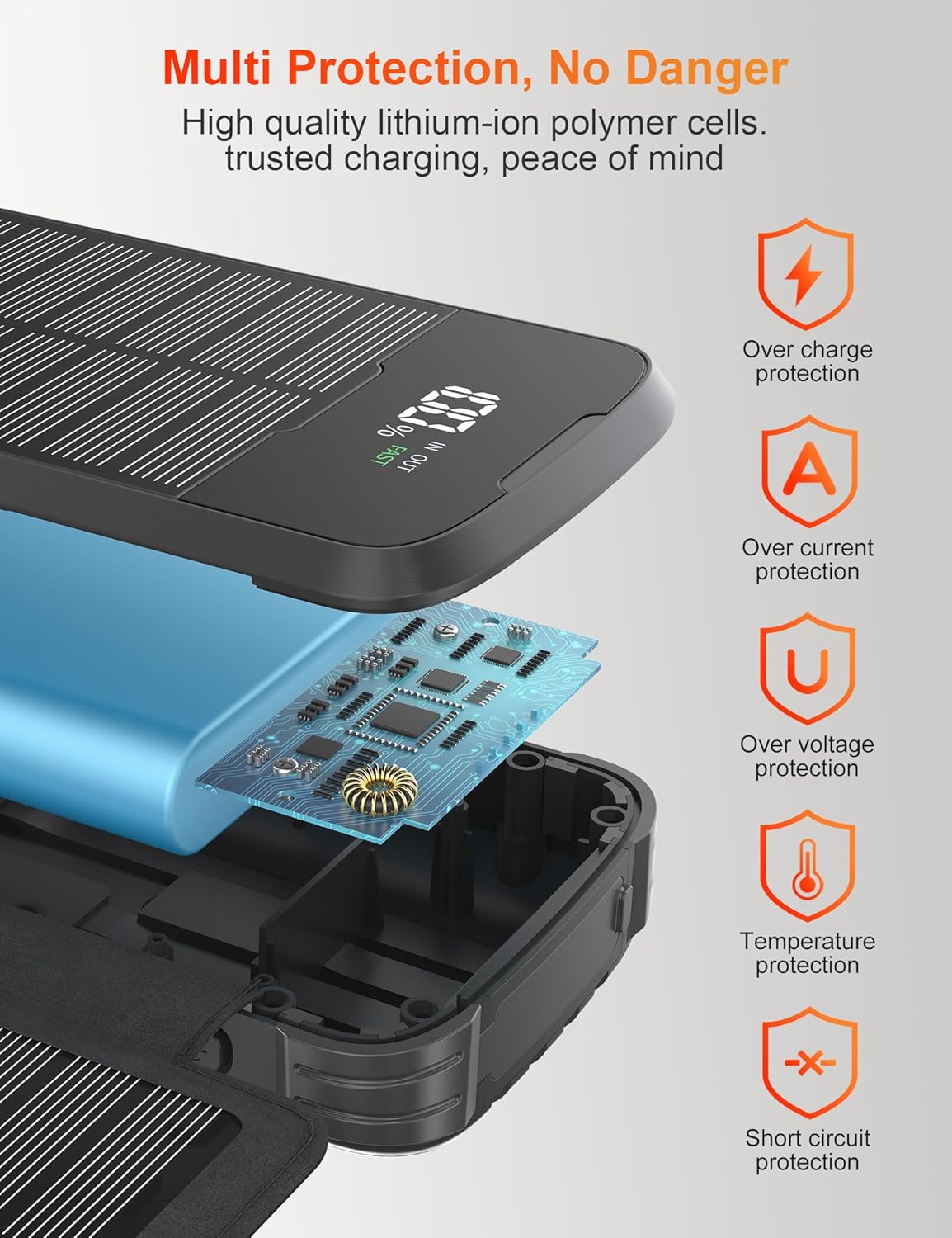
Figure 4: Diagram illustrating the multi-protection features of the power bank, including overcharge, overcurrent, overvoltage, temperature, and short circuit protection.

Figure 5: Depiction of the four modes of the dual bright LED flashlights: Standard, Strong, SOS, and Strobe, suitable for various outdoor activities.

Figure 6: Visual representation of the power bank's robust design, highlighting its dust-proof, IP67 waterproof, and shock-resistant capabilities for outdoor use.
Setup
Initial Charging
Before first use, it is highly recommended to fully charge the power bank via a wall adapter using one of the available input ports (Type-C, Micro USB, or the built-in USB-A cable). This ensures the internal battery is fully activated and calibrated for optimal performance.
- Connect a compatible USB wall adapter (not included) to the power bank using either the built-in USB-A input cable, a Type-C cable, or a Micro USB cable.
- The digital display will show the charging progress. Allow the power bank to charge until it reaches 100%.
Operating Instructions
Charging Your Devices
The power bank offers multiple ways to charge your electronic devices.
- Using Built-in Cables:
- Pull out the integrated iOS, Type-C, or Micro USB output cable.
- Connect the appropriate cable to your device's charging port.
- The power bank will automatically begin charging your device.
- Using USB-A Output Port:
- Connect your device's charging cable to the USB-A output port on the power bank.
- Connect the other end of your cable to your device.
- You can charge multiple devices simultaneously using a combination of the built-in cables and the USB-A output port.
Solar Charging Function
The solar panels are designed for emergency power and supplementary charging, not as a primary charging method due to the inherent limitations of solar conversion speed.
- Unfold the four solar panels completely.
- Place the power bank in direct sunlight. Ensure the panels are facing the sun for maximum efficiency.
- The solar charging indicator on the display will illuminate, indicating that solar charging is active.
- For outdoor activities, you can hang the power bank on your backpack using the drawstring hole to charge while on the move.
Using the LED Flashlight
The power bank features two bright LED flashlights with multiple modes.
- To Turn On/Off: Press and hold the power button for approximately 3 seconds.
- To Cycle Modes: Once the flashlight is on, short press the power button to cycle through the modes:
- Standard Brightness
- Strong Brightness
- SOS Mode (Morse code for distress)
- Strobe Mode (rapid flashing)
- To turn off the flashlight from any mode, press and hold the power button again for 3 seconds.
Maintenance
- Cleaning: Use a soft, dry cloth to clean the surface of the power bank. Do not use harsh chemicals or abrasive cleaners. Ensure solar panels are clean for optimal performance.
- Storage: Store the power bank in a cool, dry place away from direct sunlight and extreme temperatures. If storing for extended periods, charge the power bank to about 50-70% every 3 months to preserve battery life.
- Battery Care: Avoid completely draining the battery frequently, as this can reduce its lifespan. Recharge the power bank when the charge level is low.
Troubleshooting
| Problem | Possible Cause | Solution |
|---|---|---|
| Power bank not charging devices. |
|
|
| Solar charging is slow or not working. |
|
|
| LED flashlight not turning on. |
|
|
Specifications
- Model Number: L2S4
- Battery Capacity: 27000mAh
- Battery Type: Lithium Polymer
- Solar Panel Power: 7W (4 high-efficiency foldable panels)
- Input Options:
- Built-in USB-A Cable
- Type-C Port
- Micro USB Port
- Solar Panel
- Output Options:
- Built-in iOS Cable
- Built-in Type-C Cable
- Built-in Micro USB Cable
- USB-A Port
- LED Flashlight Modes: Standard, Strong, SOS, Strobe
- Dimensions: 19.1 x 12.7 x 5.1 cm (folded)
- Weight: 710 g
- Special Features: Travel-friendly, Short Circuit Protection, Overload Protection, LED Flashlight, Foldable Solar Panels, IP67 Waterproof, ABS Plastic, PC construction, suitable for Camping and Hiking.
- Manufacturer: DongGuan Xionel Electronic Technology Co., Ltd
Warranty and Support
For specific warranty details and terms, please refer to the documentation provided at the time of purchase or contact your retailer. If you encounter any issues or require technical assistance, please contact the seller or manufacturer directly through their official support channels.
Ask a question about this manual
Ask about setup, troubleshooting, compatibility, parts, safety, or missing instructions. Manuals+ will review the question and use this page’s manual context to help answer it.