
1. Product Overview
Experience wireless freedom and exceptional sound quality with the LX-09 Wireless Single Earphone. Designed with a sleek, ergonomic ear hook style, it offers a secure and comfortable fit for all-day wear. The rechargeable Type-C battery ensures uninterrupted audio enjoyment, while intelligent noise cancellation technology delivers crystal-clear audio, even in noisy environments. This HIFI headset is perfect for music, calls, or any audio activity on the go.
Key Features:
- Versatile Design: Sleek and ergonomic in-ear earhook style for a secure and comfortable fit during active use or daily wear.
- Noise Cancellation: Intelligent noise cancellation technology effectively blocks out ambient sounds for an immersive audio experience.
- Wireless Connectivity: Utilizes Bluetooth for a hassle-free wireless connection to your devices without tangled cords.
- Long Battery Life: Built-in rechargeable battery provides up to 6 hours of continuous playback on a single charge.
- Compact and Portable: Lightweight and compact design allows for easy carrying and storage when not in use.

Image: The LX-09 Wireless Single Earphone, showcasing its ergonomic ear hook design and compact form factor.

Image: Multiple views of the LX-09 earphone, highlighting its sleek black finish and the integrated speaker components.

Image: A graphic illustrating key features of the LX-09 earphone, including Bluetooth 5.4, double horn speakers, comfort, suitability for driving, office use, running, riding, light weight, fast charge, hands-free, IP56 waterproof rating, and HiFi sound quality.
2. What's in the Box
Please check the package contents upon unboxing to ensure all items are present:
- LX-09 Wireless Single Earphone
- Type-C Charging Cable
3. Setup Guide
3.1 Charging the Earphone
Before first use, fully charge the earphone. Use the provided Type-C charging cable.
- Connect the Type-C end of the charging cable to the charging port on the LX-09 earphone.
- Connect the USB-A end of the charging cable to a compatible USB power adapter (not included) or a computer's USB port.
- The indicator light on the earphone will illuminate during charging and turn off or change color when fully charged. A full charge takes approximately 1.5 hours.

Image: The LX-09 earphone connected to a Type-C charging cable, illustrating the fast charging capability.
3.2 Bluetooth Pairing
To connect your LX-09 earphone to a device, follow these steps:
- Ensure the earphone is charged and powered off.
- Press and hold the multi-function button on the earphone until the indicator light flashes red and blue alternately, indicating it is in pairing mode.
- On your device (smartphone, tablet, etc.), enable Bluetooth and search for available devices.
- Select "LX-09" from the list of found devices.
- Once connected, the indicator light on the earphone will stop flashing and may turn solid blue or off, depending on the model.
- The earphone will automatically attempt to reconnect to the last paired device when powered on.

Image: A visual representation of the LX-09 earphone's internal Bluetooth 5.4 chip, emphasizing stable and anti-jamming wireless connectivity.
4. Operating Instructions
4.1 Power On/Off
- Power On: Press and hold the multi-function button for approximately 3 seconds until the indicator light flashes blue.
- Power Off: Press and hold the multi-function button for approximately 5 seconds until the indicator light flashes red and then turns off.
4.2 Music Playback (Touch Control)
The LX-09 earphone features touch controls for convenient music management.
- Play/Pause: Single tap the touch control area.
- Next Track: Double tap the touch control area.
- Previous Track: Triple tap the touch control area.
4.3 Call Management (Touch Control)
Manage your calls with simple touch gestures.
- Answer/End Call: Single tap the touch control area during an incoming call or active call.
- Reject Call: Press and hold the touch control area for 2 seconds during an incoming call.
4.4 Noise Cancellation
The LX-09 features intelligent noise cancellation for an enhanced audio experience.
- Activate/Deactivate Noise Cancellation: Refer to your device's Bluetooth settings or specific app controls, as this feature is often managed at the source device level for optimal performance.

Image: The LX-09 earphone shown worn on an ear, demonstrating its "ear-hanging" and "non-inductive wearing experience" design for comfort and secure fit.

Image: A close-up of the LX-09 earphone worn, highlighting its lightweight integrated liquid silicone and ergonomic design for comfortable wear and freedom of movement.
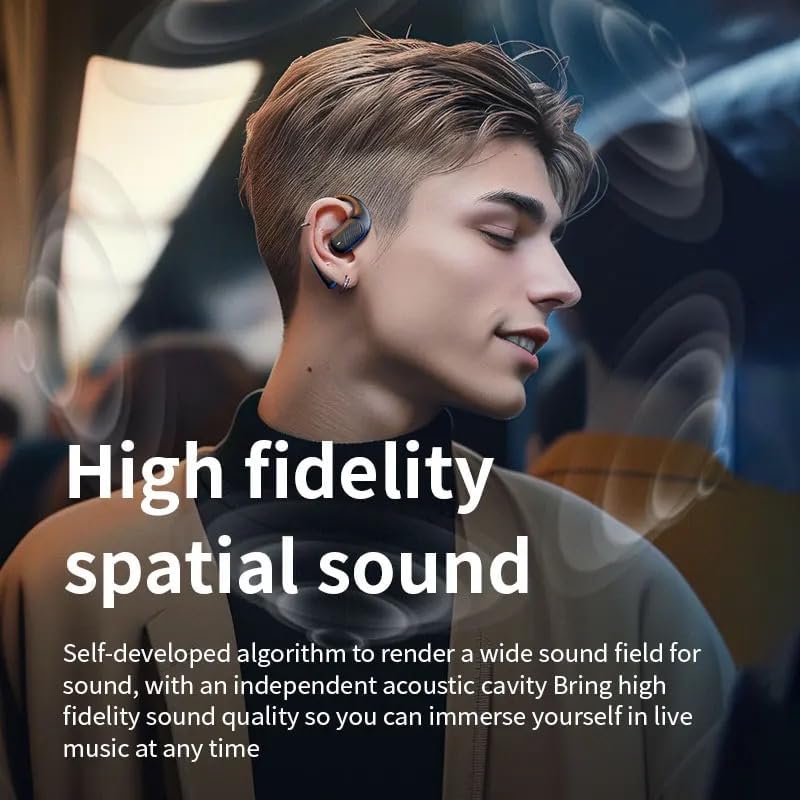
Image: A person wearing the LX-09 earphone, with visual effects indicating high fidelity spatial sound and an immersive audio experience.
5. Maintenance
Proper maintenance ensures the longevity and optimal performance of your LX-09 earphone.
- Cleaning: Gently wipe the earphone with a soft, dry, lint-free cloth. Do not use abrasive cleaners, alcohol, or chemical solvents.
- Storage: When not in use, store the earphone in a cool, dry place, away from direct sunlight and extreme temperatures.
- Battery Care: To preserve battery life, avoid fully discharging the earphone frequently. Charge it regularly, even if not in use for extended periods.
- Water Resistance: The earphone is rated Water Resistant (IP56). This means it can withstand splashes and light rain, but it is not designed for submersion in water. Avoid exposing it to heavy rain or direct water jets.
6. Troubleshooting
If you encounter issues with your LX-09 earphone, refer to the following common solutions:
- No Power:
- Ensure the earphone is fully charged.
- Verify the charging cable and power source are working correctly.
- Cannot Pair with Device:
- Make sure the earphone is in pairing mode (indicator light flashing red and blue).
- Ensure Bluetooth is enabled on your device and it is within range (typically 10 meters).
- Forget "LX-09" from your device's Bluetooth list and attempt to pair again.
- Restart both the earphone and your device.
- No Sound or Low Volume:
- Check the volume levels on both the earphone and your connected device.
- Ensure the earphone is properly connected to your device.
- Try playing audio from a different application or source.
- Intermittent Connection:
- Move closer to your connected device to reduce interference.
- Avoid obstacles between the earphone and your device.
- Ensure no other strong wireless signals are causing interference.
7. Specifications
| Feature | Detail |
|---|---|
| Model Name | LX-09 |
| Brand | Generic |
| Connectivity Technology | Wireless, Bluetooth, Type-C |
| Wireless Communication Technology | Bluetooth 5.3 (as per image, product spec says Bluetooth) |
| Noise Control | Active Noise Cancellation |
| Headphones Jack | Type-C |
| Included Components | Earphone, Type-C Charging Cable |
| Material | Plastic |
| Recommended Uses | Music, Calling |
| Compatible Devices | Smartphones, Tablets |
| Control Type | Touch Control |
| Water Resistance Level | Water Resistant (IP56) |
| Ear Placement | In Ear |
| Form Factor | Single Earpiece |
| Item Weight | 1.6 ounces |
| Manufacturer | Pintotronics |
8. Warranty and Support
For warranty information and customer support, please refer to the retailer or manufacturer's official website where the product was purchased. Keep your proof of purchase for any warranty claims.
Manufacturer: Pintotronics


