
Introduction
Welcome to your Xmenha JM21 True Wireless Earbuds. These earbuds feature Bluetooth 5.4 connectivity, a smart touchscreen charging case, and IPX7 waterproofing, designed for a superior audio experience. Please read this manual carefully to ensure proper use and optimal performance.
Package Contents
The following items are included in your Xmenha JM21 True Wireless Earbuds package:
- 1 x Pair of True Wireless Earbuds
- 1 x Smart Touchscreen Charging Case
- 1 x USB Charging Cable
- 1 x User Manual
Setup
1. Initial Charging
Before first use, fully charge the earbuds and the charging case. Connect the provided USB cable to the charging port on the case and a power source.

Image: The charging case with a USB cable connected, indicating the charging process.
The charging case display will show the battery level. A full charge takes approximately 1 hour. The earbuds provide up to 6 hours of playtime, and the charging case extends this to a combined total of 60 hours.

Image: The charging case screen showing battery percentages and estimated usage times for single endurance, combined range, and standby time.
2. Pairing with Your Device
- Open the lid of the charging case. The earbuds will automatically power on and enter pairing mode.
- On your mobile device (smartphone, tablet, etc.), go to the Bluetooth settings.
- Search for available devices and select "JM21" (or similar) from the list.
- Once connected, you will hear a confirmation tone, and the earbuds will be ready for use.
The earbuds utilize Bluetooth 5.4 for a fast, stable, and low-latency connection.
Operating Instructions
Earbud Touch Controls
The earbuds feature sensitive touch controls for various functions:
- Play/Pause Music: Single tap on either earbud.
- Next Track: Double tap on the right earbud.
- Previous Track: Double tap on the left earbud.
- Answer/End Call: Single tap on either earbud.
- Reject Call: Press and hold either earbud for 2 seconds.
- Activate Voice Assistant: Triple tap on either earbud.
- Volume Adjustment: Use the touchscreen case or your connected device.
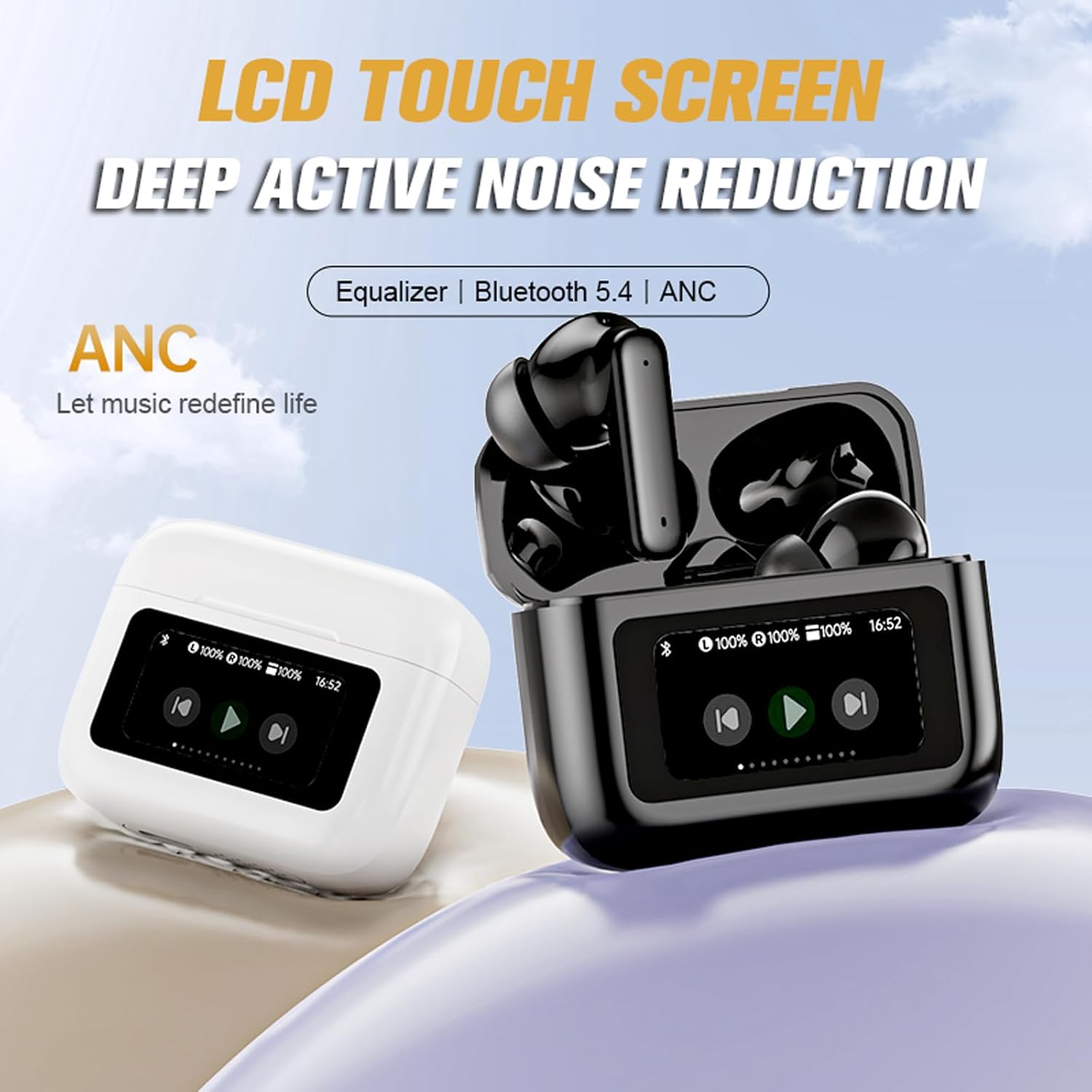
Image: A hand demonstrating the touch control on an earbud, highlighting the ease of fingertip operation for music and call management.
Smart Touchscreen Charging Case Functions
The innovative touchscreen on the charging case allows for direct control without needing your phone:
- Volume Control: Adjust playback volume directly from the case screen.
- EQ Modes: Select from various equalizer presets (e.g., Studio, Vocals, Jazz) to customize your audio experience.
- Battery Level: View the current battery status of both earbuds and the case.
- Time Display: Check the current time.
- Alarm Settings: Set alarms directly from the case.
- Remote Camera Control: Connect the case via Bluetooth to your phone to use it as a remote shutter for taking photos.

Image: The touchscreen charging case displaying options for volume adjustment and a camera icon, illustrating its remote control capabilities for photography.

Image: The touchscreen charging case displaying various equalizer modes such as 'Studio', 'Vocals', 'Clubs', and 'Jazz', allowing users to adjust audio style.
Audio Quality and Noise Cancellation
The earbuds are equipped with 13mm graphene diaphragm drivers for high-fidelity stereo sound, offering clear and powerful audio. CVC8.0 noise cancellation technology with dual HD microphones ensures clear calls even in noisy environments. The earbuds also feature Deep Active Noise Reduction (ANC) for an immersive listening experience.
Comfort and Fit
Designed for extended wear, the earbuds offer a secure and comfortable fit, making them suitable for various activities.

Image: A woman wearing the Xmenha JM21 earbuds, illustrating their comfortable and secure fit, described as 'Zero Gravity Cloud Comfort'.
Maintenance
To ensure the longevity and optimal performance of your Xmenha JM21 earbuds, follow these maintenance guidelines:
- Cleaning: Regularly wipe the earbuds and charging case with a soft, dry, lint-free cloth. Avoid using abrasive materials or harsh chemicals.
- Water Resistance: The earbuds are IPX7 waterproof, meaning they can withstand immersion in water up to 1 meter for 30 minutes. However, the charging case is not waterproof. Do not expose the charging case to liquids. Always ensure earbuds are dry before placing them back in the charging case.
- Storage: Store the earbuds in their charging case when not in use to protect them from dust and damage. Keep them in a cool, dry place away from extreme temperatures.
- Charging: Use only the provided USB cable or a certified equivalent for charging.
Troubleshooting
If you encounter any issues with your earbuds, please refer to the following common solutions:
- Earbuds not pairing: Ensure both earbuds are charged. Place them back in the case, close the lid, then open it again to re-initiate pairing mode. Check your device's Bluetooth settings to ensure Bluetooth is enabled and try reconnecting.
- No sound from one earbud: Try resetting the earbuds by placing them in the case and then taking them out. Ensure both earbuds are charged.
- Charging issues: Verify the USB cable is securely connected to both the case and the power source. Ensure the charging contacts on the earbuds and inside the case are clean and free of debris.
- Touch controls unresponsive: Ensure your fingers are clean and dry. A light, firm touch is usually sufficient.
- Poor sound quality: Ensure the earbuds are properly seated in your ears. Try adjusting the EQ settings via the charging case.
If the problem persists, please contact customer support.
Specifications
| Feature | Specification |
|---|---|
| Model Number | JM21 |
| Bluetooth Version | 5.4 |
| Transmission Distance | Approximately 10 meters (33 feet) |
| Earbud Play Time | Up to 6 hours |
| Total Play Time (with Case) | Up to 60 hours |
| Earbud Charging Time | Approximately 1 hour |
| Water Resistance | IPX7 (Earbuds only) |
| Speaker Size | 13mm |
| Noise Cancellation | CVC8.0 (for calls), Deep Active Noise Reduction (ANC) |
| Impedance | 10 Ohms |
| Control Type | Touch, Volume Control (via case) |
| Material | Plastic |
| Weight | 3.8 Ounces (total product) |
Warranty and Support
Your Xmenha JM21 True Wireless Earbuds come with a standard manufacturer's warranty. For specific warranty details, please refer to the documentation provided at the time of purchase or contact your retailer.
If you encounter any issues, receive a defective product, or have questions regarding the use or functionality of your earbuds, please do not hesitate to contact Xmenha customer support. Our team is ready to assist you.
Contact information can typically be found on the product packaging, the official Xmenha website, or through your purchase platform.