
ObigaVc T23
ObigaVc AI Translation Earbuds T23 User Manual
Model: T23
Introduction
Welcome to the ObigaVc AI Translation Earbuds T23. These earbuds are designed to provide seamless real-time language translation, high-quality audio for music, and clear communication for calls. This manual will guide you through the setup, operation, and maintenance of your new device to ensure an optimal user experience.
Package Contents
Please verify that all items are present in your package:
- One (1) pair of ObigaVc AI Translation Earbuds
- One (1) Charging Case
- One (1) Type-C Charging Cable
- One (1) English User Manual (this document)
Product Overview
The ObigaVc T23 earbuds offer a versatile 3-in-1 design, combining real-time translation, music playback, and calling functionalities. They support 142 languages and accents, powered by advanced AI for immediate and smooth translation.

Image: ObigaVc AI Translation Earbuds T23 in their charging case.

Image: The T23 earbuds highlighting real-time translation, touch controls, active noise reduction, wireless connectivity, and superior battery life.
Setup Guide
1. App Installation
The ObigaVc T23 earbuds require a dedicated application for translation functionality. Please scan the QR codes below or use the provided link to download the "Translation App" on your iOS or Android device.

Image: Operating guidelines showing QR codes for app download and setup steps.
For iOS devices, download the app from: https://apps.apple.com/cn/app/id6464308933
2. Bluetooth Pairing
- Ensure your earbuds are charged and removed from the charging case to activate pairing mode.
- On your smartphone, navigate to your Bluetooth settings.
- Turn on Bluetooth.
- Search for available devices and select "T23" to connect.
- Once connected, open the "Translation App" and follow the in-app instructions to link the earbuds.
Operating Modes
The ObigaVc T23 earbuds offer three distinct translation modes to suit various communication scenarios:

Image: Illustration of Touch Mode, Speaker Mode, and Free-Speech Mode.
- Touch Mode:
Each person wears one earbud. To speak, touch your earbud. The other person will hear the translation in their earbud. This mode is ideal for one-on-one conversations.
- Speaker Mode:
One user wears both earbuds, and the smartphone acts as a speaker for the translation. Alternatively, the smartphone can be used for brief interactions like asking for directions or ordering food, with translations displayed on the screen and spoken through the phone's speaker.
- Free-Speech Mode:
Each person wears one earbud for continuous, unobstructed communication. This mode is suitable for in-depth one-on-one conversations where a natural flow is desired.
To select a mode, open the "Translation App" and choose the desired option from the interface.
Active Noise Reduction
The ObigaVc T23 earbuds incorporate active noise reduction technology to ensure clear translation sound and an immersive audio experience, even in noisy environments. This feature helps to filter out ambient distractions, allowing for focused listening and communication.

Image: Diagram illustrating the effect of active noise reduction, showing sound waves before and after reduction.
Basic Controls
The earbuds feature touch controls for managing audio playback and calls:
- Single Tap: Play/Pause music, Answer/End call.
- Double Tap (Left Earbud): Previous track.
- Double Tap (Right Earbud): Next track.
- Long Press: Activate voice assistant (if supported by your device), Reject call.
- During Translation: Refer to the "Translation App" for specific touch interactions related to translation functions.
Charging
The ObigaVc T23 earbuds and charging case are equipped with long-lasting batteries.
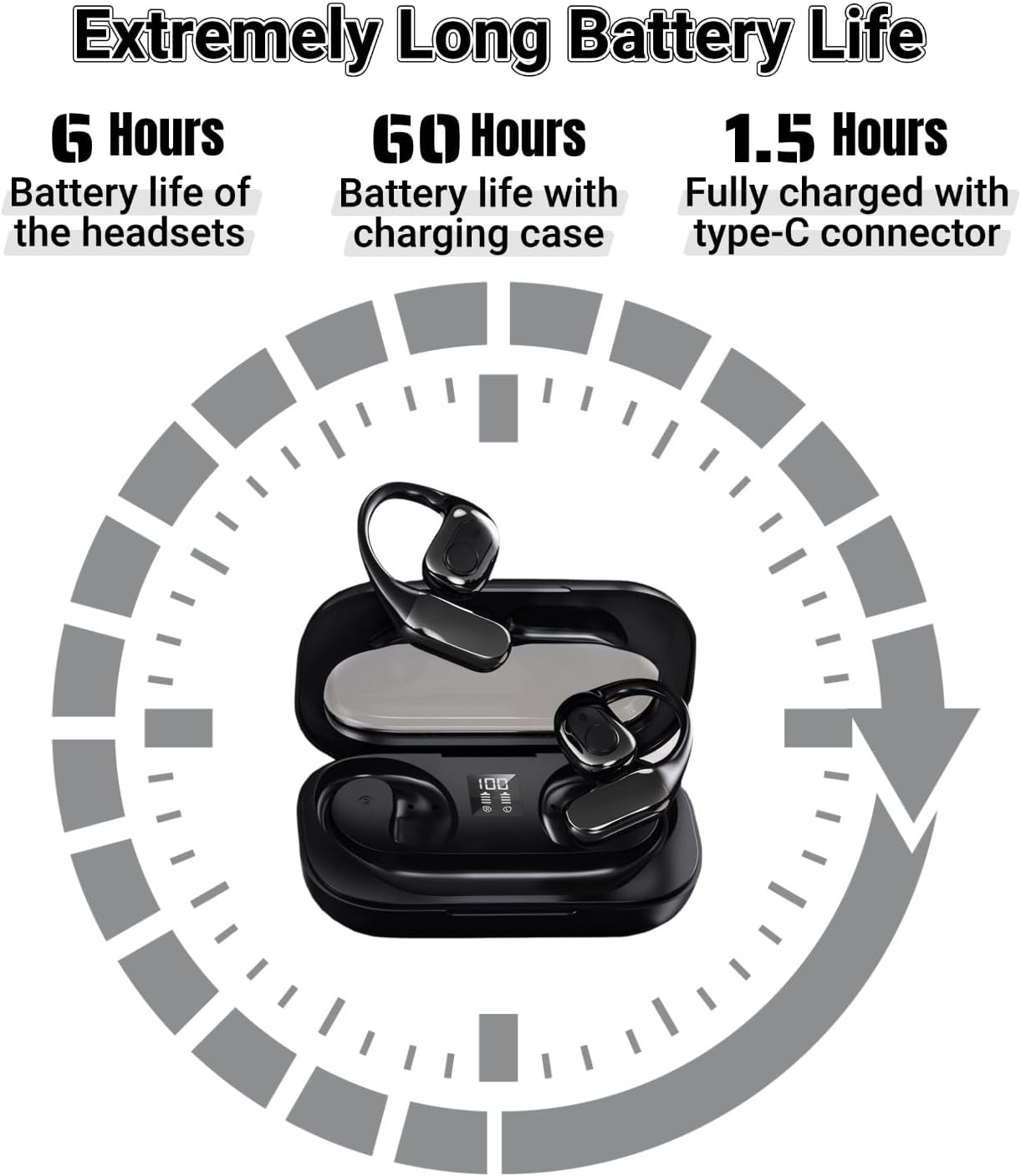
Image: Battery life details: 6 hours for earbuds, 60 hours with charging case, 1.5 hours for full charge via Type-C.
- Earbud Charging: Place the earbuds into the charging case. They will automatically begin charging.
- Case Charging: Connect the charging case to a power source using the provided Type-C charging cable. The LED indicator on the case will show the charging status.
- A full charge for the earbuds provides approximately 6 hours of use.
- The charging case provides up to 60 hours of additional battery life for the earbuds.
- The charging case takes approximately 1.5 hours to fully charge.
Maintenance
To ensure the longevity and optimal performance of your ObigaVc T23 earbuds, please follow these maintenance guidelines:
- Cleaning: Use a soft, dry, lint-free cloth to clean the earbuds and charging case. Do not use abrasive cleaners, alcohol, or chemical solvents.
- Storage: When not in use, store the earbuds in their charging case to protect them from dust and damage.
- Water Resistance: The earbuds are not waterproof. Avoid exposure to water, moisture, or extreme temperatures.
- Battery Care: To preserve battery life, avoid fully discharging the earbuds and charging case frequently. Charge them regularly, even if not in constant use.
Troubleshooting
If you encounter issues with your ObigaVc T23 earbuds, please refer to the following common solutions:
| Problem | Solution |
|---|---|
| Earbuds not pairing with phone. |
|
| Translation not working in the app. |
|
| Poor audio quality or noise. |
|
| Earbuds not charging. |
|
Specifications
- Model: T23
- Connectivity: Bluetooth 5.4
- Supported Languages: 142 languages or accents
- Translation Accuracy: Up to 98%
- Translation Latency: Approximately 0.5 seconds
- Earbud Battery Life: Up to 6 hours (single charge)
- Total Battery Life (with case): Up to 60 hours
- Charging Time (Case): Approximately 1.5 hours
- Control Method: App, Touch
- Included Components: Earbuds, Charging Case, Type-C Charging Cable, User Manual
- Dimensions (Package): 5.16 x 3.27 x 1.34 inches
- Weight (Item): 5 ounces
- Batteries: 1 Lithium Polymer battery (included)

Image: Depiction of the Bluetooth 5.4 chip, emphasizing fast and accurate translation.

Image: Visual representation of the 142 supported languages and accents, with 98% accuracy and 0.5s low latency.
Warranty and Support
ObigaVc products are designed for reliability and performance. For warranty information, technical support, or customer service inquiries, please refer to the contact details provided on the official ObigaVc website or your purchase documentation. Please retain your proof of purchase for warranty claims.
Manufacturer: ObigaVc
Ask a question about this manual
Ask about setup, troubleshooting, compatibility, parts, safety, or missing instructions. Manuals+ will review the question and use this page’s manual context to help answer it.