1. Introduction
This user manual provides detailed instructions for the safe and effective operation, installation, and maintenance of your Generic Solar-Powered Bicycle Headlight. Please read this manual thoroughly before using the product and retain it for future reference.
2. Safety Information
- Always ensure the headlight is securely mounted before riding.
- Do not look directly into the light beam to avoid temporary vision impairment.
- Keep the device away from extreme temperatures and direct sunlight for prolonged periods when not in use.
- Do not attempt to disassemble or modify the product, as this will void the warranty and may cause damage or injury.
- Ensure the USB charging port cover is properly sealed to maintain water resistance.
3. Package Contents
Please check the package for the following items:
- Generic Solar-Powered Bicycle Headlight (Black)
- USB Charging Cable
- Mounting Strap/Bracket
4. Product Overview
The Generic Solar-Powered Bicycle Headlight is designed to enhance cycling safety with its powerful illumination and integrated horn. It features multiple lighting modes and convenient charging options.
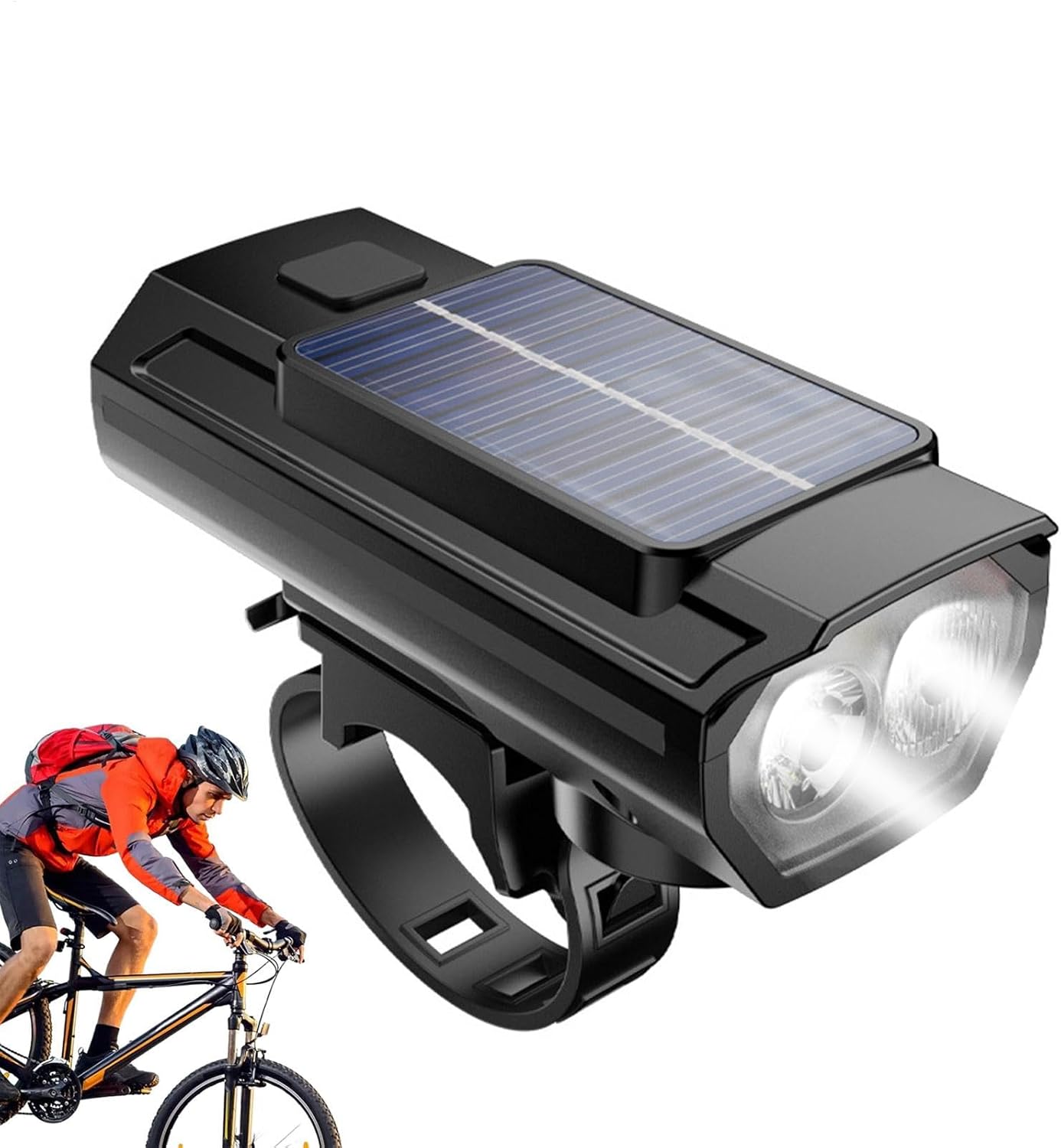
Image 4.1: Front view of the Generic Solar-Powered Bicycle Headlight, showcasing its dual lights and solar panel.
Key components include the main light emitters, a solar charging panel on top, a power/mode button, a horn button, and a USB charging port with a protective cover.
5. Setup
5.1 Mounting the Headlight
- Attach the mounting strap/bracket to your bicycle's handlebar. Ensure it is positioned centrally for optimal light distribution.
- Securely fasten the headlight to the mounted strap/bracket. The adjustable rubber straps allow for compatibility with various handlebar sizes.
- Adjust the angle of the headlight so that the beam illuminates the path ahead without blinding oncoming traffic.

Image 5.1: A bicycle with the headlight mounted, demonstrating its illumination on a dark road.
5.2 Charging the Headlight
The headlight can be charged via USB or its integrated solar panel.
- USB Charging: Open the protective rubber cover of the USB charging port. Connect the provided USB cable to the headlight and a standard USB power source (e.g., computer, wall adapter). The indicator light will show charging status. The device features automatic shut-off when fully charged.
- Solar Charging: Place the headlight with the solar panel facing direct sunlight. Solar charging is a supplementary method and may take longer than USB charging.

Image 5.2: The bicycle headlight being charged via its USB port.
6. Operating Instructions
6.1 Powering On/Off and Changing Light Modes
- To turn on the headlight, press and hold the power button located on the top of the unit.
- To cycle through the 3 lighting modes (High Brightness, Low Brightness, Flashing), short press the power button.
- To turn off the headlight, press and hold the power button again.
6.2 Using the Horn
The integrated horn provides a 120 dB sound to alert pedestrians and vehicles.
- Press the separate horn button to activate the horn.
- To change between the 5 available horn sounds, press and hold the horn button for a few seconds until the sound changes. Release and press again to select the desired sound.

Image 6.1: A finger pressing the horn button, indicating operation of the device's sound feature.
7. Maintenance
- Cleaning: Wipe the headlight with a soft, damp cloth. Do not use abrasive cleaners or solvents.
- Water Resistance: The headlight features a rubberized protective cover for the USB interface to prevent rainwater ingress. Ensure this cover is always securely closed when not charging.
- Battery Care: For optimal battery life, avoid fully discharging the battery frequently. Charge the device regularly, especially if it has not been used for an extended period.
8. Troubleshooting
- Light not turning on: Ensure the battery is charged. Connect to a USB power source to charge.
- Light is dim: The battery may be low. Recharge the device.
- Horn not working: Check if the horn button is functioning correctly. Ensure the device has sufficient power.
- If problems persist, contact customer support.
9. Specifications
| Feature | Specification |
|---|---|
| Model Number | WUQO3QQC62NVHGE53S |
| Dimensions (L x W x H) | 9.4 x 3.8 x 4 cm (approx. 3.7 x 1.49 x 1.57 inches) |
| Weight | 136 g |
| Material | ABS + Electronic Components |
| Lighting Modes | 3 (High, Low, Flashing) |
| Horn Volume | 120 dB |
| Horn Sounds | 5 selectable modes |
| Charging | USB Rechargeable, Solar Powered |
| Water Resistance | Rainwater resistant (rubberized interface) |

Image 9.1: A diagram illustrating the physical dimensions of the headlight.
10. Warranty and Support
For warranty information or technical support, please refer to the retailer's policy or contact the seller directly. Keep your purchase receipt as proof of purchase.