
PEUKC B0DPN4HBLN
PEUKC Display Storage Cabinet User Manual
Model: B0DPN4HBLN
Introduction
Thank you for choosing the PEUKC Display Storage Cabinet. This manual provides essential information for the safe and proper assembly, operation, and maintenance of your new cabinet. Please read it thoroughly before beginning assembly and keep it for future reference.
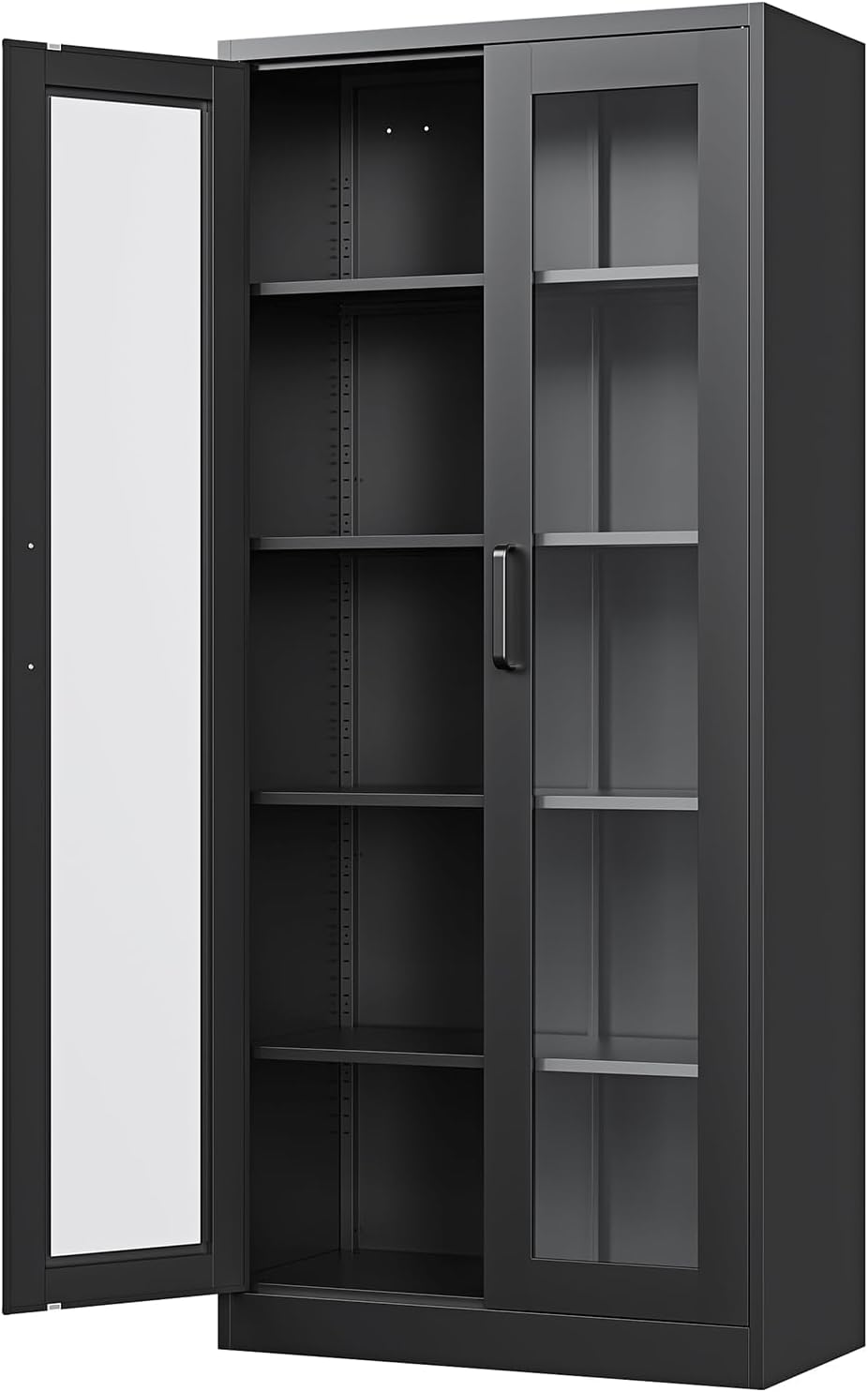
Figure 1: PEUKC Display Storage Cabinet (Black, 67''H - 2 Doors No Lock)
Important Safety Information
For your safety and to prevent damage to the product, please adhere to the following guidelines:
- Anti-Tipping Hardware: Always secure the cabinet to the wall using the provided anti-tipping hardware to prevent tipping and potential injuries, especially if there are children or pets in the household.
- Assembly: Assembly should ideally be performed by two people for easier and safer handling of components.
- Weight Capacity: Do not exceed the maximum weight capacity of 120 pounds per shelf. Distribute weight evenly.
- Glass Handling: Handle tempered glass doors with care during assembly and use to prevent breakage.
- Placement: Place the cabinet on a flat, stable, and level surface.
Product Features
The PEUKC Display Storage Cabinet is designed with functionality and durability in mind:
- Adjustable Shelves: Equipped with 4 adjustable shelves, offering flexibility for storing and displaying various items such as artifacts, books, and drinkware.
- Tempered Glass Doors: Features two high-definition tempered glass doors, providing clear visibility of contents and enhanced durability compared to standard glass.
- All-Steel Durable Material: Constructed with a reinforced heavy-duty steel luxury welded frame (up to 8mm thick), ensuring each shelf can support up to 120 pounds. The surface is powder-coated for resistance against scratches and corrosion.
- Simple and Safe Design: The lock-free mechanism allows for easy access, while the robust construction ensures reliable protection for your displayed items.

Figure 2: Adjustable Shelf Mechanism

Figure 3: Tempered Glass Durability
Setup and Assembly
Your PEUKC Display Storage Cabinet requires assembly. Please follow the detailed instructions provided in the separate "Installation Instruction" document included with your package. An installation tool is also provided.
- Unpacking: Carefully unpack all components and verify against the parts list in the instruction manual.
- Tools: Ensure you have the provided installation tool and any other necessary household tools (e.g., screwdriver).
- Team Assembly: It is highly recommended that two people assemble the cabinet to ensure stability and ease of handling, especially when attaching the glass doors.
- Anti-Tipping Device: Install the anti-tipping hardware as instructed to secure the cabinet to the wall. This is a critical safety step.
Operating Instructions
Using your display cabinet is straightforward:
- Adjusting Shelves: The cabinet features adjustable shelves. To reposition a shelf, carefully remove any items, lift the shelf, and reinsert it into the desired slots on the side supports. Ensure the shelf is level and securely seated before placing items on it.
- Opening/Closing Doors: The tempered glass doors operate smoothly. Use the handles to open and close the doors. The magnetic closure ensures the doors remain securely shut.
- Loading Items: When placing items on shelves, distribute weight evenly to maintain stability. Avoid placing excessively heavy items on a single point.
Care and Maintenance
Proper care will ensure the longevity and appearance of your PEUKC Display Storage Cabinet:
- Cleaning Metal Surfaces: Wipe metal surfaces with a soft, damp cloth. For stubborn marks, a mild, non-abrasive cleaner can be used, followed by drying with a clean cloth. Avoid harsh chemicals or abrasive materials that could damage the powder-coated finish.
- Cleaning Glass Doors: Use a standard glass cleaner and a soft, lint-free cloth to clean the tempered glass doors. Spray cleaner onto the cloth, not directly onto the glass, to prevent drips onto metal parts.
- Regular Checks: Periodically check all screws and connections to ensure they remain tight. Re-tighten if necessary.
- Avoid Overloading: Do not overload shelves beyond their stated weight capacity.
- Sunlight Exposure: While the tempered glass is durable, prolonged direct sunlight exposure may affect items stored inside.
Troubleshooting
If you encounter any issues with your cabinet, refer to the following common solutions:
| Problem | Possible Cause | Solution |
|---|---|---|
| Cabinet feels unstable or wobbly. | Uneven floor; loose connections; anti-tipping device not installed. | Ensure cabinet is on a level surface. Adjust adjustable feet if present. Tighten all assembly screws. Install the anti-tipping hardware securely to a wall stud. |
| Doors do not close properly. | Misaligned hinges; obstruction; magnetic closure issue. | Check hinge alignment and adjust if necessary. Ensure no items are blocking the door path. Verify the magnetic closure is intact and functioning. |
| Shelf sags or appears weak. | Overloaded shelf; improper installation. | Reduce the weight on the shelf, ensuring it does not exceed 120 pounds. Re-install the shelf, making sure it is fully seated in all four support clips. |
If the problem persists or you encounter an issue not listed here, please contact PEUKC customer service for assistance.
Product Specifications
| Attribute | Detail |
|---|---|
| Brand | PEUKC |
| Model Number | B0DPN4HBLN |
| Color | Black |
| Product Dimensions | 13.56"D x 27.56"W x 67"H |
| Item Weight | 88 Pounds |
| Material | Metal (Frame), Tempered Glass (Doors) |
| Number of Shelves | 4 (Adjustable) |
| Finish Type | Powder Coated |
| Mounting Type | Floor Mount (Freestanding) |
| Assembly Required | Yes |
| Included Components | 1 x Metal Storage Cabinet; 1 x Installation Instruction; 1 x Installation Tool |

Figure 4: Product Dimensions
Warranty and Support
PEUKC is committed to providing high-quality products. While specific warranty details are not provided in this manual, please retain your proof of purchase for any potential warranty claims.
For technical assistance, missing parts, or any questions regarding your PEUKC Display Storage Cabinet, please contact PEUKC customer service. You can often find contact information on the packaging or through the retailer where you purchased the product.
Additional protection plans may be available for purchase through your retailer to extend coverage beyond the standard manufacturer's warranty.
Ask a question about this manual
Ask about setup, troubleshooting, compatibility, parts, safety, or missing instructions. Manuals+ will review the question and use this page’s manual context to help answer it.