
1. Product Overview
The ZMYUXME TP.MS3553.PB801 is a versatile three-in-one LED TV motherboard designed for compatibility with Hair LED TVs. This board integrates essential functions, providing a cost-effective solution for repairing or upgrading your television. It is available in multiple specifications, primarily distinguished by their transformer types and power outputs.
Key features include:
- Integrated design for simplified TV repair.
- Compatibility with various Hair LED TV models.
- Durable construction for reliable performance.
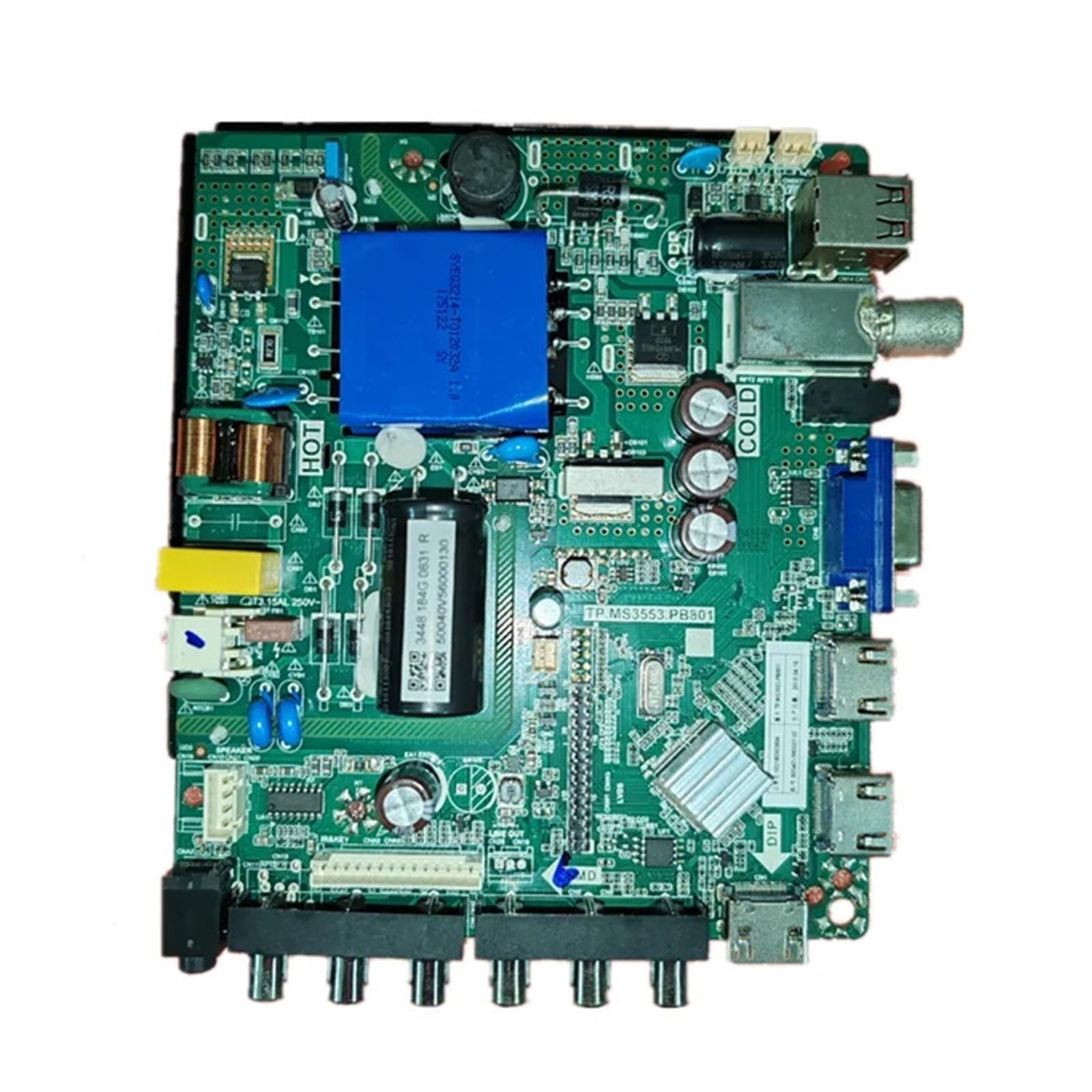
Figure 1: General view of the ZMYUXME TP.MS3553.PB801 LED TV Motherboard.
2. Technical Specifications
Below are the general specifications for the TP.MS3553.PB801 motherboard:
| Specification | Detail |
|---|---|
| Model Name | TP.MS3553.PB801 (also referred to as zmy655) |
| Brand | ZMYUXME |
| Compatible TV Brand | Hair LED TV |
| Item Weight | 1.76 ounces (approximately 50 grams) |
| Package Dimensions | 1.18 x 0.79 x 0.39 inches (3 x 2 x 1 cm) |
| ASIN | B0DPN3RV1M |
Note: Specific power outputs and panel compatibility vary by motherboard variant. Always verify the part number on your existing board.
3. Installation Guide
3.1 Safety Precautions
- Disconnect Power: Always unplug the TV from the power outlet before beginning any installation or repair work.
- Anti-Static Measures: Wear an anti-static wrist strap or frequently touch a grounded metal object to discharge static electricity, which can damage sensitive electronic components.
- Handle with Care: Avoid touching the surface of integrated circuits and other sensitive components directly. Hold the board by its edges.
- Proper Tools: Use appropriate tools for disassembly and assembly to prevent damage to screws or components.
3.2 Identifying Your Motherboard Variant
The TP.MS3553.PB801 motherboard comes in different configurations, primarily identified by the transformer type and a unique part number on a sticker. It is crucial to match the replacement board to your original board's specifications.
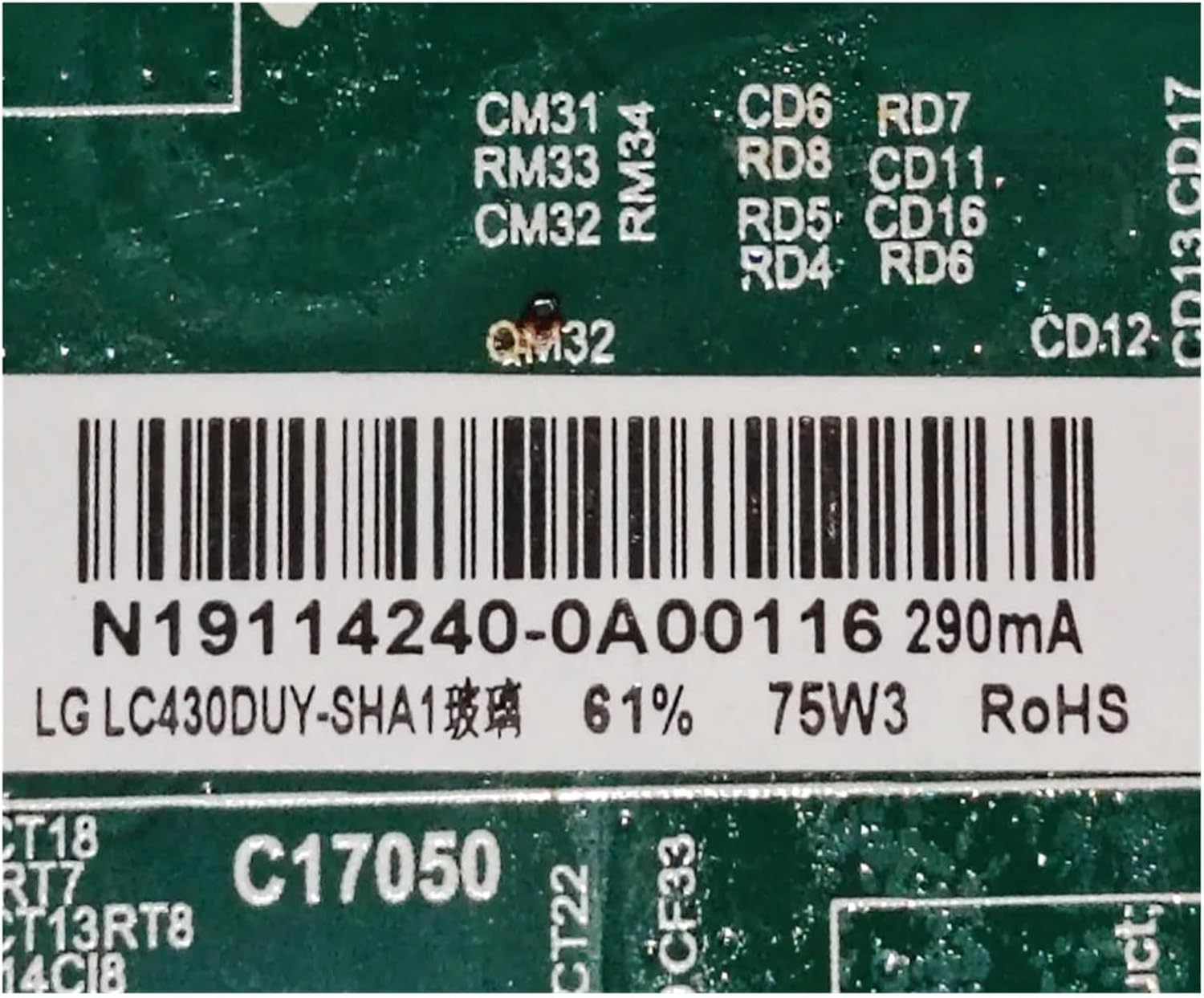
Figure 2: Label for White Transformer variant (N19114240-0A00116), 75W 290mA.

Figure 3: Label for Blue Transformer variant (H18041097-0A00831), 65W 340mA.

Figure 4: Label for Green Transformer variant (N19114011-0A00882), 65W 500mA.
3.3 Installation Steps
Follow these general steps for replacing the motherboard. Specific TV models may have slight variations.
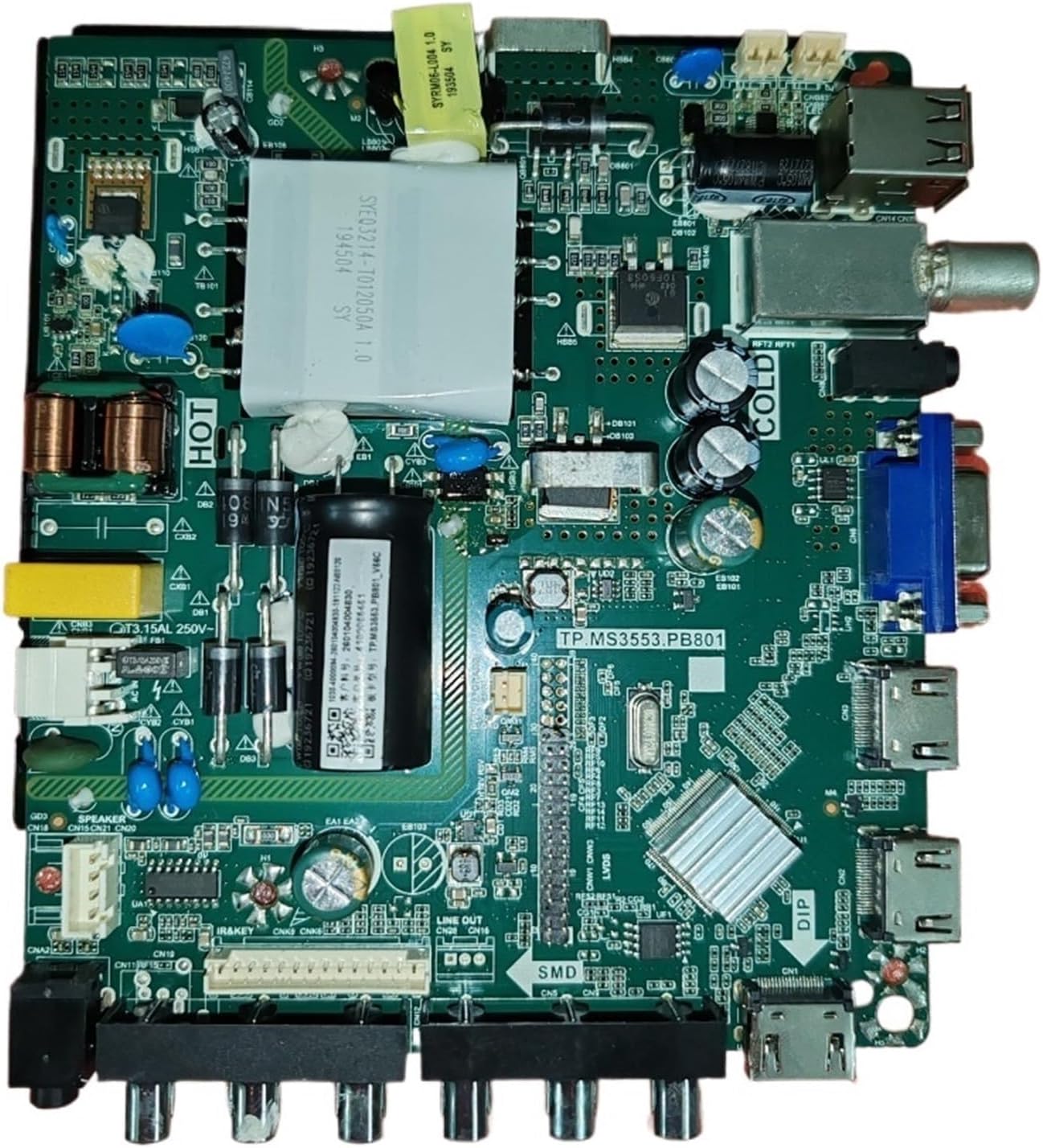
Figure 5: Overview of the motherboard showing various connection points.
- Prepare the TV: Lay the TV screen-down on a soft, clean surface to prevent scratches. Remove the back cover of the TV.
- Disconnect Cables: Carefully disconnect all cables connected to the old motherboard, including power, LVDS (panel cable), speakers, and input/output ports. Note their positions or take photos for reference.
- Remove Old Board: Unscrew the fasteners holding the old motherboard in place and gently lift it out.
- Install New Board: Position the new TP.MS3553.PB801 motherboard in the TV chassis, ensuring all mounting holes align. Secure it with the screws removed earlier.
- Reconnect Cables: Reconnect all cables to their corresponding ports on the new motherboard. Ensure the LVDS cable is correctly seated and locked. Double-check all connections.
- Test (Optional): Before fully reassembling, you may perform a preliminary power-on test to ensure basic functionality.
- Reassemble: Carefully replace the TV's back cover and secure it with screws.
4. Operation
Once the motherboard is successfully installed, the TV should function as expected. The operation of the TV itself remains unchanged, as the motherboard is an internal component. After installation, perform the following checks:
- Power On: Plug in the TV and press the power button. Verify that the TV powers on and displays an image.
- Display Check: Ensure the display is clear, without flickering, lines, or color distortion.
- Audio Check: Test the audio output from the TV's speakers or connected audio devices.
- Input/Output Ports: Test all relevant input ports (HDMI, USB, AV, etc.) with external devices to confirm functionality.
- Remote Control: Verify that the TV responds correctly to the remote control.
5. Maintenance and Care
To ensure the longevity and optimal performance of your motherboard, consider the following maintenance tips:
- Dust Removal: Periodically clean the interior of your TV to prevent dust buildup on the motherboard, which can lead to overheating. Use compressed air or a soft brush.
- Avoid Liquids: Keep liquids away from the TV to prevent accidental spills that could damage the electronic components.
- Proper Ventilation: Ensure the TV has adequate ventilation to dissipate heat generated by the motherboard and other components.
- Stable Power Supply: Use a surge protector to protect the TV and its internal components from power fluctuations.
6. Troubleshooting Common Issues
If you encounter issues after installing the motherboard, refer to the following troubleshooting guide:
| Problem | Possible Cause | Solution |
|---|---|---|
| TV does not power on | Loose power cable, faulty power supply, incorrect board installation. | Check power cable connection. Verify power outlet. Re-check all motherboard connections. |
| No picture, but TV powers on | LVDS cable not properly connected, incorrect panel settings, faulty panel. | Ensure LVDS cable is securely connected. Verify panel compatibility. |
| No sound | Speaker cables disconnected, audio settings incorrect, faulty speakers. | Check speaker cable connections. Adjust TV audio settings. |
| Input ports not working | Loose cable connection, incorrect input selection, faulty external device. | Ensure cables are securely connected. Select correct input source on TV. Test with another device. |
| TV freezes or restarts unexpectedly | Overheating, software issue, unstable power. | Ensure proper ventilation. Check for firmware updates (if applicable). Use a surge protector. |
7. Warranty and Customer Support
For warranty information or technical assistance, please refer to the purchase documentation or contact ZMYUXME customer support through the retailer where the product was purchased. Provide your product model number (TP.MS3553.PB801) and any relevant part numbers (e.g., N19114240-0A00116) when seeking support.