
1. Introduction
This manual provides essential information for the safe and efficient operation of your Barphygo U1000 Solar Generator. The U1000 is a portable power station featuring a 1075Wh LiFePO4 battery, 1000W output, and includes a 200W foldable solar panel for renewable charging. It is designed to provide reliable power for outdoor activities, home emergency backup, and various residential applications.
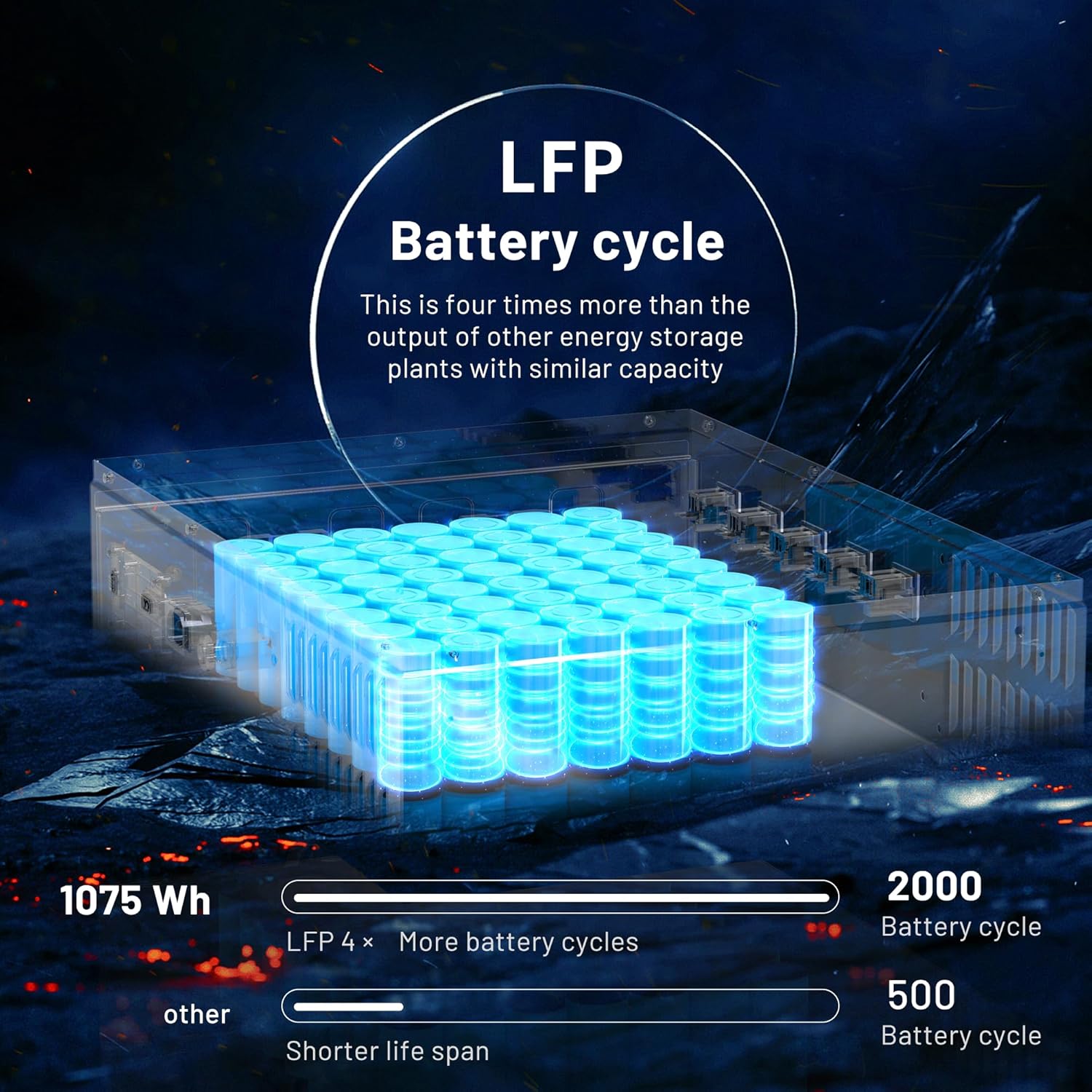
Key features include an Uninterruptible Power Supply (UPS) function for continuous power, a durable LiFePO4 battery with over 2000 charge cycles, and multiple charging options including AC, car, and solar.
2. Safety Information
Please read all safety instructions carefully before operating the device.
- Do not disassemble, repair, or modify the unit. Incorrect reassembly may cause fire or electric shock.
- Do not place the unit near fire or expose it to heat.
- Do not store or use the unit in direct sunlight or high temperatures.
- Do not use or store the unit in a bathroom or in an area exposed to water or humidity.
- Use only the original charger and accessories provided.
- Ensure proper ventilation during use and charging. Do not cover the unit.
- Keep out of reach of children and pets.
- In case of fire, use a dry powder fire extinguisher. Water may cause electric shock.
- Do not insert foreign objects into the ports.
3. What's in the Package
The Barphygo U1000 Solar Generator package includes the following components:
- 1 x Barphygo U1000 Portable Power Station (1000W)
- 1 x 200W Foldable Solar Panel
- 1 x AC Charger
- 1 x User Manual
Note: The power station and solar panel are shipped in two separate packages.

4. Product Overview and Components
Familiarize yourself with the various ports, switches, and indicators on your Barphygo U1000 power station.

Key Components:
- Display LCD: Shows battery level, input/output wattage, and other status indicators.
- Power Switch: Turns the unit on/off.
- AC Switch: Activates/deactivates the AC outlets.
- DC Switch: Activates/deactivates the DC outputs.
- AC Input (100-120V AC, 50/60Hz, 10A MAX): For charging via wall outlet.
- Solar Charge Input (12-60V 800W max): For charging via solar panels.
- 5 x AC 1000W Outlets (max): For powering AC devices.
- USB-A/USB-C DC Output: Includes 1x USB 5V 2.4A, 1x QC 3.0 18W max, and 1x USB-C PD 100W max ports.
- 2 x 5525 DC Output (DC 12V 10A): For powering DC devices.
- 1 x Cigarette DC Output (DC 12V 10A): For car accessories.
- Fast/Slow Charge Switch: Adjusts charging speed.
5. Setup
Before first use, ensure the unit is fully charged. Unpack all components and inspect for any damage.
- Initial Charge: Connect the power station to a wall outlet using the provided AC charger. Allow it to charge completely until the display indicates 100%.
- Solar Panel Setup: Unfold the 200W solar panel and position it in direct sunlight. Connect the solar panel to the 'Solar Charge Input' port on the power station.
- Placement: Place the power station on a stable, flat surface in a well-ventilated area, away from direct sunlight, heat sources, and moisture.
6. Charging Methods
Your Barphygo U1000 offers multiple flexible charging options:

6.1. AC Wall Charging
- Connect the provided AC charger to the 'AC Input' port on the power station.
- Plug the AC charger into a standard wall outlet.
- Charging time: Approximately 1.5 hours for a full charge.
6.2. Solar Panel Charging
- Unfold the 200W solar panel and place it in direct sunlight, ensuring no shadows obstruct the panels.
- Connect the solar panel to the 'Solar Charge Input' port (12-60V 800W max) on the power station.
- The integrated MPPT charging system optimizes solar input.
- Charging time: Approximately 6-7 hours with the 200W solar panel under optimal sunlight conditions.

6.3. Car Charging
- Use a compatible car charger (not included) to connect the power station to your vehicle's 12V cigarette lighter outlet.
- Charging time: Approximately 9-10 hours.
7. Operating Instructions
7.1. Turning On/Off
- Press and hold the 'Power Switch' button for a few seconds to turn the unit on or off.
- The LCD display will illuminate, showing battery status and other information.
7.2. Using AC Outlets
- After turning on the unit, press the 'AC Switch' button to activate the AC outlets.
- Plug your AC devices into the 1000W AC outlets.
- Ensure the total power consumption of your devices does not exceed 1000W.
7.3. Using DC/USB Outlets
- Press the 'DC Switch' button to activate the DC and USB outputs.
- Connect your USB-powered devices to the USB-A or USB-C ports.
- Connect 12V DC devices to the 5525 DC outputs or the cigarette DC output.
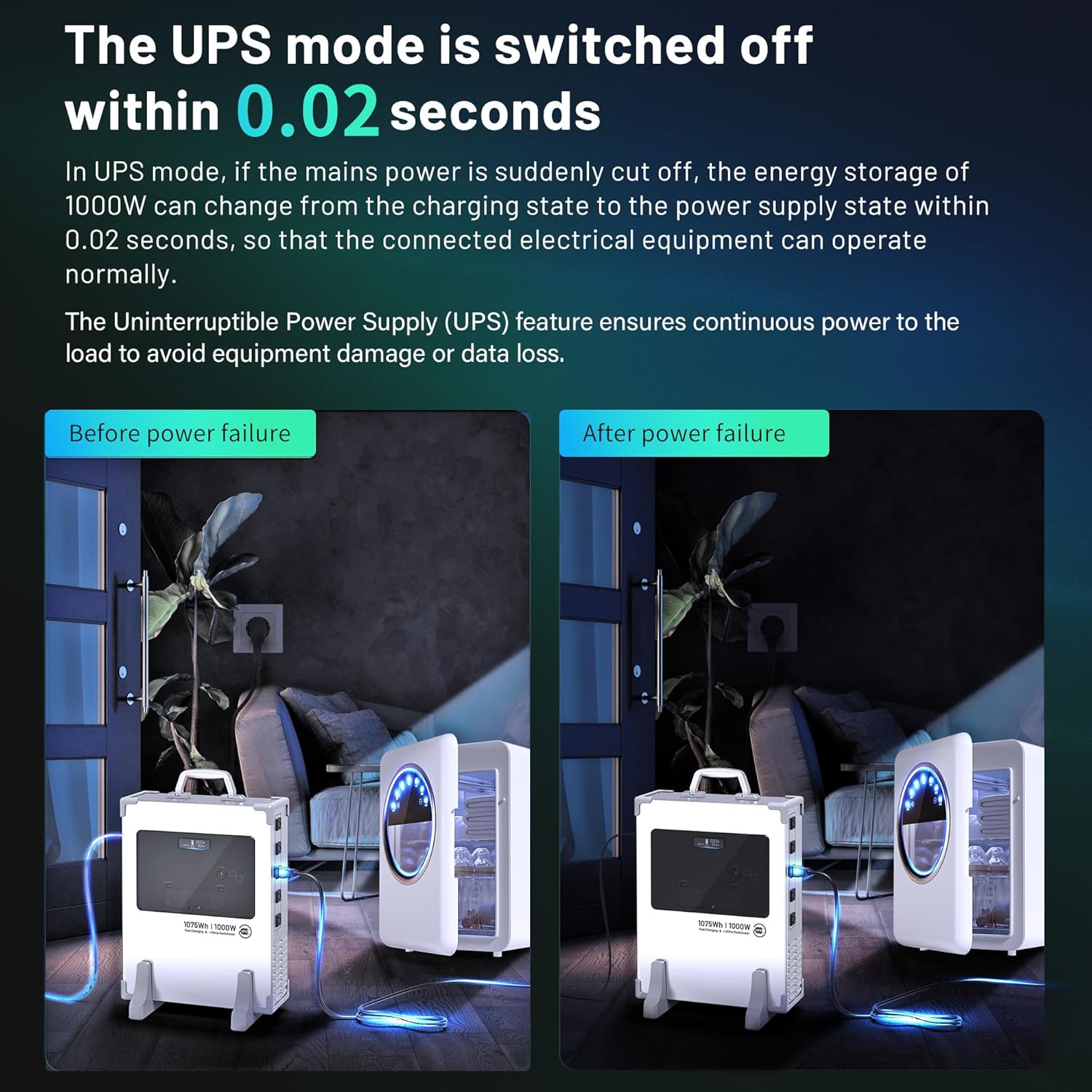
7.4. Uninterruptible Power Supply (UPS) Function
The UPS feature ensures continuous power to connected devices during a power outage.
- Connect the power station to a wall outlet via the AC input.
- Connect your critical devices (e.g., workstations, networking devices) to the AC outlets of the power station.
- When the utility power is cut off, the U1000 will automatically switch to battery power within 0.02 seconds, providing an uninterrupted power supply.
8. Battery System and Protection
The Barphygo U1000 utilizes advanced LiFePO4 (LFP) battery technology for enhanced safety and longevity.
8.1. LiFePO4 (LFP) Battery
- The 1075Wh LFP battery offers over 2000 charge cycles, providing a lifespan of approximately 10 years with regular use.
- LFP batteries are known for their stability, safety, and long-term performance.
8.2. Battery Management System (BMS)
The built-in BMS ensures safe and efficient operation through multiple protection features:
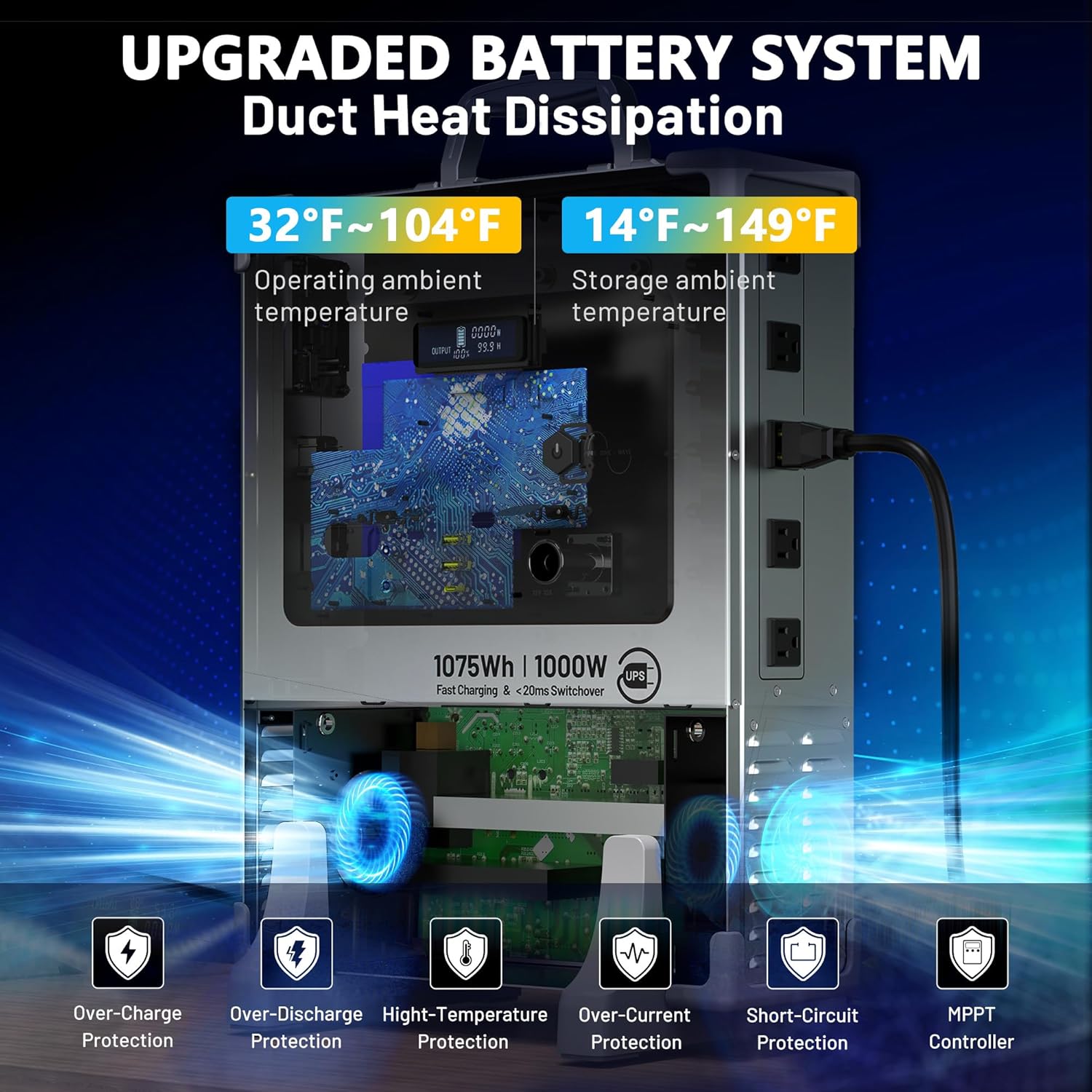
- Over-Charge Protection: Prevents battery damage from excessive charging.
- Over-Discharge Protection: Protects the battery from being drained too low.
- High-Temperature Protection: Monitors and regulates internal temperature to prevent overheating.
- Over-Current Protection: Safeguards against excessive current flow.
- Short-Circuit Protection: Automatically shuts down in case of a short circuit.
- MPPT Controller: Maximizes efficiency during solar charging.
9. Specifications
| Feature | Specification |
|---|---|
| Brand | Barphygo |
| Model Number | PYS-UPS-1000W |
| Battery Type | LiFePO4 (LFP) |
| Battery Capacity | 1075Wh |
| AC Output Power | 1000W (Rated) |
| AC Output Voltage | 120 Volts |
| Total AC Outlets | 5 |
| DC Output | 2 x 12V/10A (5525), 1 x 12V/10A (Cigarette) |
| USB Output | 1 x 5V/2.4A USB-A, 1 x QC 18W USB-A, 1 x PD 100W USB-C |
| AC Input | 100-120V AC, 50/60Hz, 10A Max |
| Solar Input | 12-60V DC, 800W Max (MPPT) |
| UPS Function | Yes, <20ms Switchover |
| Included Solar Panel | 200W Foldable Solar Panel |
| Product Dimensions | 14.72"L x 5.35"W x 18.94"H |
| Item Weight | 43 Pounds |
| Operating Temperature | 32°F ~ 104°F (0°C ~ 40°C) |
| Storage Temperature | 14°F ~ 149°F (-10°C ~ 65°C) |

10. Maintenance
- Cleaning: Use a dry, soft cloth to wipe the exterior of the unit. Do not use abrasive cleaners or solvents.
- Storage: If storing for an extended period, charge the unit to approximately 50-80% every 3-6 months to prolong battery life. Store in a cool, dry place within the recommended storage temperature range.
- Ventilation: Ensure the ventilation openings are clear of dust and debris to prevent overheating.
- Battery Care: Avoid fully discharging the battery frequently, as this can reduce its overall lifespan.
11. Troubleshooting
If you encounter issues with your Barphygo U1000, refer to the following common problems and solutions:
- Unit Not Turning On:
- Ensure the battery is charged. Connect to an AC outlet to charge.
- Press and hold the power button firmly for a few seconds.
- AC Outlets Not Working:
- Ensure the 'AC Switch' is turned on.
- Check if the total power consumption of connected devices exceeds 1000W. Disconnect some devices.
- Verify the device is properly plugged into the outlet.
- Solar Charging Not Working:
- Ensure the solar panel is in direct sunlight and not shaded.
- Check the connection between the solar panel and the power station's 'Solar Charge Input' port.
- Verify the solar panel is clean and free of debris.
- Overload Warning on LCD:
- This indicates that the connected devices are drawing more power than the unit can supply. Disconnect some devices immediately.
- Unit Overheating:
- Ensure the unit has adequate ventilation and is not covered.
- Move the unit to a cooler environment.
- Reduce the load on the power station.
If problems persist, please contact customer support.
12. Warranty and Support
For warranty information and customer support, please refer to the warranty card included in your package or visit the official Barphygo website. Keep your purchase receipt as proof of purchase.
Manufacturer: PYS High-Tech Co., Ltd.