
Introduction
Welcome to the user manual for your AceFox 3-in-1 Rechargeable EMF Meter. This device is designed to accurately measure electromagnetic field (EF), radio frequency (RF), and magnetic field (MF) radiation, providing real-time data for environmental monitoring. It is suitable for various applications, including home and office inspections, and specialized uses like ghost hunting.
Product Overview
The AceFox EMF Detector is a compact and portable device featuring a large, backlit LCD screen for clear display of readings.
Package Contents
- EMF Meter
- Carrying Case
- USB Charging Cable
- User Manual (this document)
Device Components

Image: Detailed diagram of the EMF detector, highlighting the induction probe, display screen, function keys, charging indicator light, and Type-C charging port, along with dimensions (204mm height, 63mm width, 32mm depth).
- Induction Probe: Detects electromagnetic fields.
- Display Screen: Large VA Reverse Display Color LCD for clear readings.
- Function Keys: Buttons for power, selection, average/max, hold, and RF mode.
- Charging Indicator Light: Indicates charging status.
- Type-C Charging Port: For recharging the internal battery.
Display Features
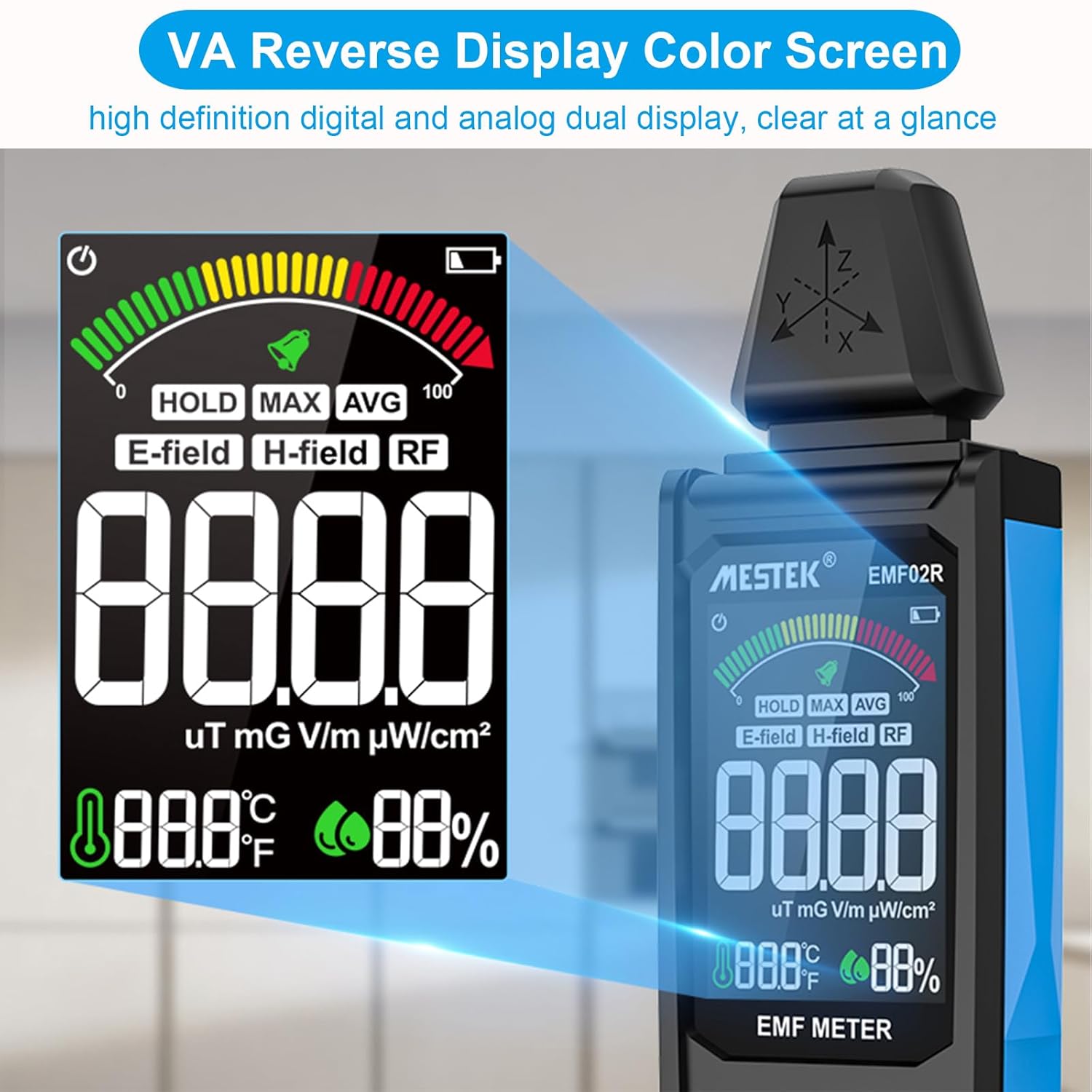
Image: Close-up view of the EMF detector's VA Reverse Display Color Screen, showing digital and analog dual display, including HOLD, MAX, AVG modes, E-field, H-field, RF indicators, and units like uT, mG, V/m, pW/cm².
The device features a high-definition VA Reverse Display Color Screen, offering both digital and analog dual display for clear and comprehensive data presentation. It shows real-time readings for E-field, H-field, and RF, along with temperature and battery percentage.
Setup
Your AceFox EMF Detector comes with a built-in 1000mAh rechargeable battery.
Initial Charging
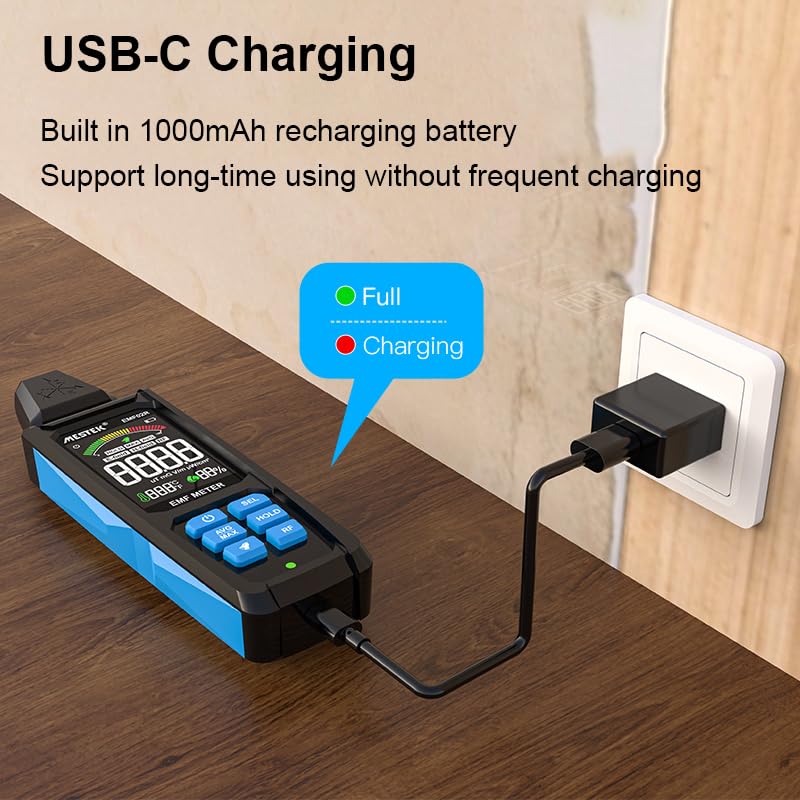
Image: The EMF detector being charged via its USB-C port, with a green light indicating "Full" and a red light indicating "Charging".
Before first use, ensure the device is fully charged using the provided USB-C charging cable. Connect the cable to the device's Type-C charging port and a compatible USB power adapter (not included). The charging indicator light will show the charging status.
Operating Instructions
Power On/Off
Press the power button (usually marked with a power symbol) to turn the device on or off.
Measurement Modes
The device measures three types of electromagnetic radiation:
Electric Field (E-field) Measurement
Short press the SEL key to display "E-field" on the screen. This mode measures the electric field radiation value from electrical equipment.
Magnetic Field (H-field) Measurement
Short press the SEL key again to display "H-field" on the screen. This mode measures the electromagnetic radiation values in units of mG (milliGauss) or uT (micro Tesla).
Radio Frequency (RF) Measurement
Short press the RF button to enter high-frequency signal radiation measurement mode. The screen will display "RF". This mode can measure base stations between 30MHz and 8GHz.
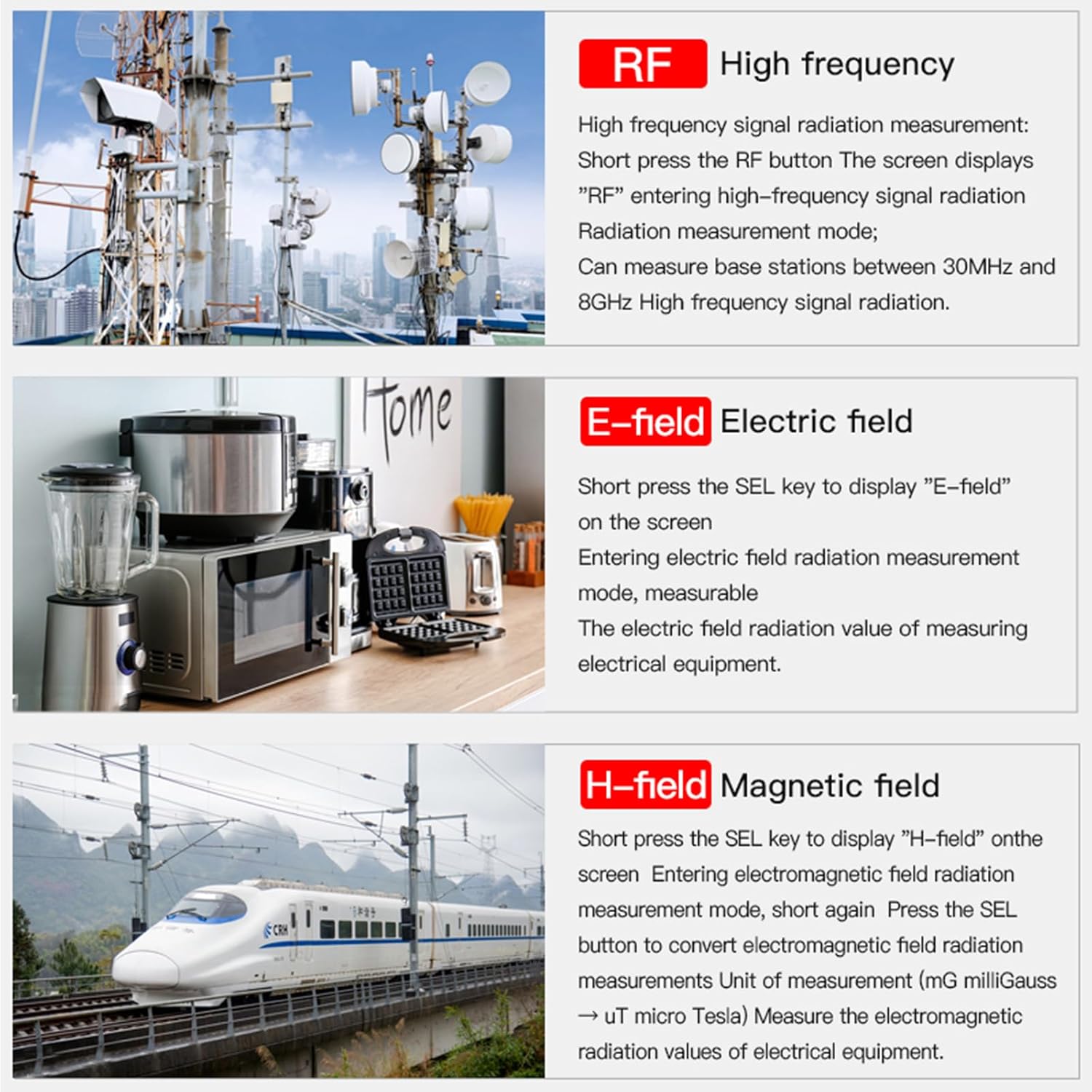
Image: Visual examples of common sources for RF (cell towers), E-field (kitchen appliances), and H-field (trains/power lines), illustrating where each type of field might be detected.
Data Logging Functions
Data Hold
Press the HOLD button to freeze the current reading on the display. Press again to release.
Max/Min/Average Modes
Press the AVG MAX button to cycle through maximum, minimum, and average readings. This allows for analysis of peak and sustained radiation levels.
Interpreting Readings

Image: Illustrates common household radiation sources (computer, television, microwave oven) and their approximate radiation index values (e.g., computer ~0.46uT, microwave ~973V/m).
The device provides real-time readings. When the electromagnetic radiation simulation bar on the screen reaches the yellow area, the instrument will alarm, indicating excessive radiation. It is recommended to take protective measures or move away from the radiation source in such cases.

Image: Depicts pregnant women, babies, and elderly individuals, with accompanying text explaining the potential health impacts of long-term radiation exposure on these sensitive groups.
Maintenance
- Keep the device clean and dry. Use a soft, dry cloth for cleaning.
- Avoid exposing the device to extreme temperatures, humidity, or direct sunlight.
- Store the device in its provided carrying case when not in use to protect it from dust and physical damage.
- The built-in battery is designed for long-term use. If battery replacement is ever needed, consult professional service.
Troubleshooting
| Problem | Possible Cause | Solution |
|---|---|---|
| Device does not power on | Low battery or discharged battery. | Charge the device using the USB-C cable. |
| Inaccurate readings | Interference from other electronic devices; device not held correctly. | Move away from other strong electromagnetic sources. Ensure the induction probe is facing the source correctly. |
| Screen is dim or unreadable | Low battery; backlight off. | Recharge the device. Check user manual for backlight activation if applicable. |
Specifications
- Model: 02A04-5804
- Brand: AceFox
- Measurement Range:
- EMF: 0.01 µT to 200.0 µT (0.1 mG to 2000 mG)
- RF Strength: 0.003 V/m to 6.000 V/m
- Power Density: 0.0001 µW/m² to 9.999 W/m²
- Battery: 1000mAh Lithium Ion (rechargeable, included)
- Charging Port: USB Type-C
- Display: Large Backlit LCD (VA Reverse Display Color Screen)
- Dimensions: 8 x 2.5 x 1.3 inches (204 x 63 x 32 mm)
- Weight: 7.68 ounces (approx. 218g)
- Features: Data Hold, Max/Min/Average Modes, Audible/Visual Alerts
Safety Information
- This device is for measurement purposes only and should not be used as a substitute for professional health or safety advice.
- Do not attempt to open or modify the device.
- Keep out of reach of children.
- Dispose of the device and its battery according to local regulations.
Warranty and Support
For warranty information and customer support, please refer to the contact details provided on the product packaging or visit the official AceFox website.