
1. Introduction
The GUTA GT20 Tire Pressure Monitoring System (TPMS) is designed to provide real-time monitoring of tire pressure and temperature for various vehicles, including RVs, motorhomes, trailers, large trucks, and semi-trucks. This system enhances driving safety and efficiency by alerting the user to potential tire issues. The GT20 features a large color LCD display, flow-thru sensors for easy maintenance, and a signal booster for extended range.

Figure 1.1: GUTA GT20 TPMS components including the monitor, 12 flow-thru sensors, and a signal booster.
2. Setup
2.1. What's in the Box
- Monitor
- User Guide
- Service Pack (includes tools and accessories)
- 12 Flow-Thru Sensors (for this specific model)
- Signal Booster
2.2. Sensor Installation
The GT20 features flow-thru sensors designed for metal valve stems, allowing tire inflation without sensor removal. Sensors are pre-labeled and factory-paired with the monitor for immediate use upon installation.
- Screw the anti-theft hex nut onto the tire valve stem.
- Screw the sensor clockwise onto the tire valve stem until it is hand-tight.
- Use the provided wrench to tighten the hex nut counter-clockwise onto the sensor to secure it and activate the anti-theft feature.

Figure 2.1: Detailed steps for installing the flow-thru sensors, including the anti-theft hex nut.
Ensure sensors are installed on the correct tires as indicated by their labels (e.g., front left, rear right) to match the display layout.
2.3. Monitor Setup and Placement
Place the monitor in a location that provides clear visibility to the driver and allows for optimal signal reception. The monitor features a large color LCD screen with adjustable backlight settings for visibility in various lighting conditions.

Figure 2.2: The GUTA TPMS monitor installed on a vehicle dashboard for real-time monitoring.
2.4. Signal Booster Installation
For longer vehicles such as RVs, trailers, or semi-trucks (total length exceeding 40 feet), a signal booster is included to extend the sensor signal transmission distance and enhance signal stability. Install the signal booster in a central location between the monitor and the furthest sensors, ensuring it has a clear line of sight to both if possible.

Figure 2.3: Illustration of seamless wireless transmission with the signal booster for extended range.
3. Operating Instructions
3.1. Real-Time Monitoring
Once installed and powered on, the GUTA GT20 TPMS monitor will display real-time tire pressure (0-188 PSI) and temperature readings for all connected tires. The large color LCD screen provides clear data at a glance.

Figure 3.1: The large LCD color screen display showing current tire pressure and temperature.
3.2. Advanced Alert System
The system is equipped with 6 alert types to proactively notify you of potential tire issues:
- Low Pressure Alarms: Alerts when tire pressure drops below a set threshold.
- Fast Tire Leak Alarms: Detects rapid pressure loss.
- High Temperature Alarms: Warns of excessively high tire temperatures.
- High Pressure Alarms: Notifies if tire pressure exceeds a safe upper limit.
- Sensor Disconnected Alarms: Indicates a sensor is no longer communicating with the monitor.
- Sensor Low Battery Alarms: Alerts when a sensor's battery is low and requires replacement.

Figure 3.2: The 6 alarm modes designed to guard driving safety.
3.3. Customizable Settings
Users can customize various settings on the monitor:
- Tire Pressure Unit: Switch between PSI and BAR.
- Tire Temperature Unit: Switch between Celsius (℃) and Fahrenheit (℉).
- Alarm Thresholds: After installation, the system automatically sets the current tire pressure as the reference point. Alarm thresholds can be adjusted within a range of +25% to -15% of this reference pressure. Refer to the detailed user guide for specific steps on adjusting these settings.
3.4. Power Management
The monitor features a built-in rechargeable lithium battery that provides up to 15 hours of operation on a full charge under high-intensity use. To conserve battery life, the monitor automatically enters a power-saving mode if no motion or vibration is detected for 15 minutes.
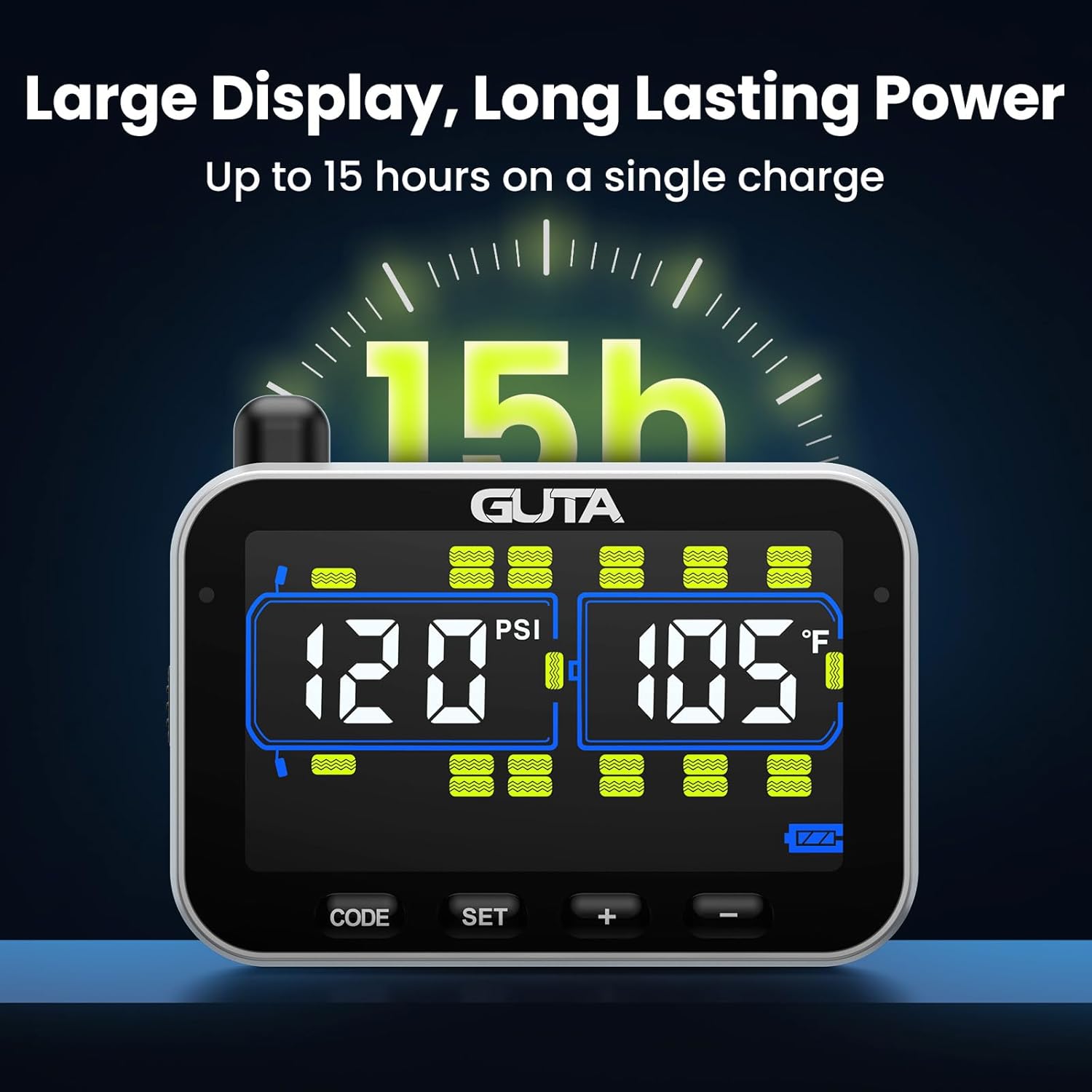
Figure 3.3: The monitor's long-lasting power, providing up to 15 hours of use.
4. Maintenance
4.1. Sensor Battery Replacement
The flow-thru sensors use user-replaceable CR2032 batteries. When a "Sensor Low Battery" alarm is triggered, replace the battery promptly to ensure continuous monitoring.
- Unscrew the sensor from the valve stem.
- Carefully open the sensor casing to access the battery compartment.
- Remove the old CR2032 battery and insert a new one, ensuring correct polarity.
- Close the sensor casing securely and re-install the sensor on the valve stem as per Section 2.2.
Figure 4.1: The flow-thru sensor design allows for easy replacement of the CR2032 battery.
4.2. General Care
The sensors are designed to be waterproof and dust-proof, functioning well in various weather conditions. Periodically clean the monitor and sensors with a soft, dry cloth. Avoid using abrasive cleaners or solvents.
5. Troubleshooting
| Problem | Possible Cause | Solution |
|---|---|---|
| No tire data displayed / Sensor disconnected alarm | Sensor not installed correctly, sensor battery low/dead, signal interference, vehicle too long for signal without booster. | Re-install sensor, replace sensor battery (CR2032), ensure signal booster is installed and powered for long vehicles, check for obstructions. |
| Inaccurate pressure/temperature readings | Sensor not fully seated, sensor malfunction, extreme environmental conditions. | Ensure sensor is tightly screwed on. If problem persists, contact customer service for sensor replacement. |
| Monitor not turning on | Monitor battery depleted, charging cable issue. | Charge the monitor fully. Check charging cable and power source. |
| False alarms | Alarm thresholds set too close to normal operating pressure/temperature, sudden changes in ambient temperature. | Adjust alarm thresholds (refer to Section 3.3). Monitor tire conditions for actual issues. |
If you encounter issues that cannot be resolved using the table above, please contact GUTA customer service for assistance.
6. Specifications
- Brand: GUTA
- Model: GT20
- Manufacturer: Shenzhen Huatai Electronics Co.,Ltd
- Item Weight: 1.76 pounds
- Product Dimensions: 6.5 x 2.4 x 7.9 inches
- Pressure Monitoring Range: 0-188 PSI
- Sensor Type: Flow-Thru External Sensors
- Sensor Battery: CR2032 (User-replaceable)
- Monitor Display: Large Color LCD Screen
- Monitor Battery Life: Up to 15 hours (rechargeable lithium battery)
- Alert Modes: 6 types (Low Pressure, Fast Leak, High Temperature, High Pressure, Sensor Disconnected, Sensor Low Battery)
- Compatibility: Suitable for Cars, SUVs, MPVs, RVs, Campers, Trailers, 5th Wheels, Trucks (with appropriate sensor count)
7. Warranty & Support
7.1. Customer Service
GUTA is committed to providing excellent customer support. If you encounter any issues, have questions about installation, operation, or maintenance, or require technical assistance, please contact our professional customer service team. Contact information can typically be found in the included Service Pack or on the official GUTA website.
You can also visit the official GUTA store for more information and support resources: GUTA Official Store
7.2. Warranty Information
Specific warranty terms and conditions are provided with your product documentation. Please refer to the warranty card or the full user manual included in the packaging for details regarding coverage, duration, and claims process.