
1. Product Description
The GUTA GT20 Tire Pressure Monitoring System (TPMS) is designed to provide real-time monitoring of tire pressure and temperature for a wide range of vehicles, including RVs, motorhomes, trailers, large trucks, and semi-trucks. This system enhances driving safety and efficiency by alerting the user to potential tire issues before they become critical. It features a large color LCD display, flow-thru sensors for easy maintenance, a signal booster for extended range, and multiple alert modes.
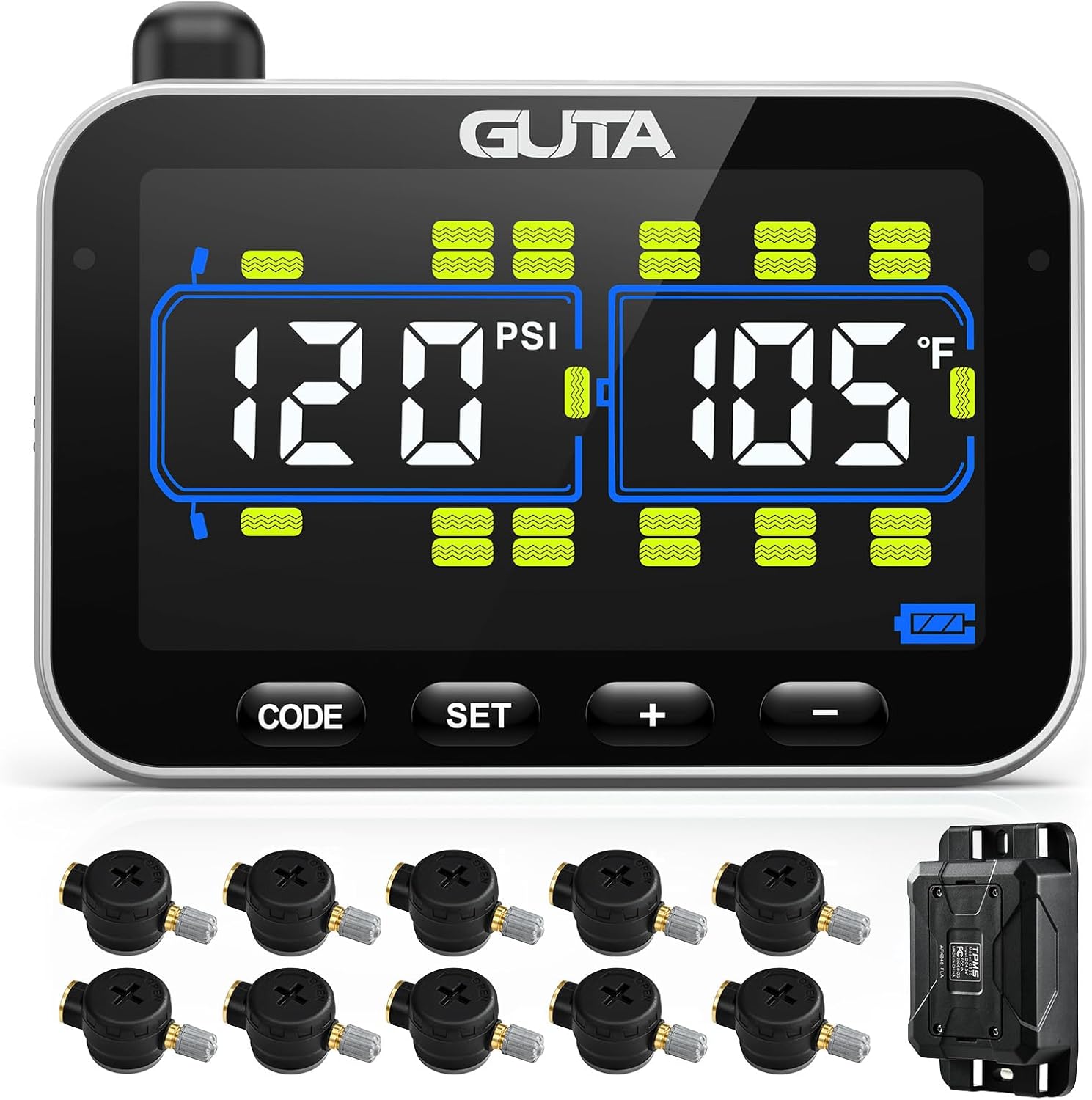
Figure 1: GUTA GT20 TPMS components including the display, 10 flow-thru sensors, and signal booster.
The system is highly versatile, supporting up to 24 tires and offering a pressure range of 0-188 PSI. Its robust design ensures reliable performance in various weather conditions, making it an essential tool for long-distance travel and commercial transport.

Figure 2: The GUTA GT20 TPMS is compatible with a wide range of vehicles including cars, SUVs, RVs, campers, trailers, and trucks.
2. What's in the Box
- Monitor (Display Unit)
- User Guide
- Service Pack (includes sensors and signal booster as per purchased variant)
3. Key Features
- Real-Time Monitoring: Continuously displays tire pressure (0-188 PSI) and temperature on a large color LCD screen.
- Long-Distance Sensing: Features a signal booster for reliable monitoring up to 80 feet, ideal for long vehicles.
- Advanced Alert System: Six distinct alert types for rapid deflation, extreme pressure/temperature variations, and sensor/monitor power status.
- Expandable System: Supports up to 24 tires, suitable for various configurations from 4 to 12 sensors.
- Flow-Thru Sensors: Allows tire inflation without removing sensors, simplifying maintenance.
- User-Replaceable Batteries: Sensors use CR2032 batteries for easy replacement.
- Durable Design: Waterproof and dust-proof sensors with an anti-theft design.
- Customizable Settings: Easily switch between PSI/BAR for pressure and ℃/℉ for temperature.
- Power-Saving Mode: Monitor enters power-saving mode after 15 minutes of no motion/vibration.

Figure 3: The large LCD color screen display offers excellent visibility with adjustable brightness.

Figure 4: The system provides six types of alerts for comprehensive safety monitoring.
4. Installation
4.1 Sensor Installation
The flow-thru sensors are designed for easy installation on metal valve stems. They are pre-labeled and factory-paired with the monitor for immediate use.
- Screw the anti-theft hex nut onto the tire valve stem.
- Screw the sensor clockwise onto the tire valve stem.
- Use the provided wrench to tighten the hex nut counter-clockwise onto the sensor to secure it and activate the anti-theft feature.

Figure 5: Detailed steps for installing the flow-thru sensors on tire valve stems.
4.2 Signal Booster Installation (Recommended for longer trailers)
For vehicles with a total length exceeding 40 feet, a signal booster is recommended to ensure stable and reliable signal transmission from the sensors to the display unit.
- Mount the signal booster in a central location between the display and the furthest sensors, ensuring it has a clear line of sight or minimal obstructions.
- Connect the signal booster to a stable power source (e.g., 12V DC).
- Verify the booster is powered on and functioning correctly, typically indicated by an LED light.

Figure 6: Illustration of the wireless transmission system including the display, repeater (signal booster), and flow-thru sensors.
5. Operating Instructions
5.1 Powering On/Off
- To power on the display, press and hold the power button until the screen illuminates.
- To power off, press and hold the power button until the screen turns off.
- The monitor features a built-in rechargeable lithium battery that lasts up to 15 hours on a full charge.
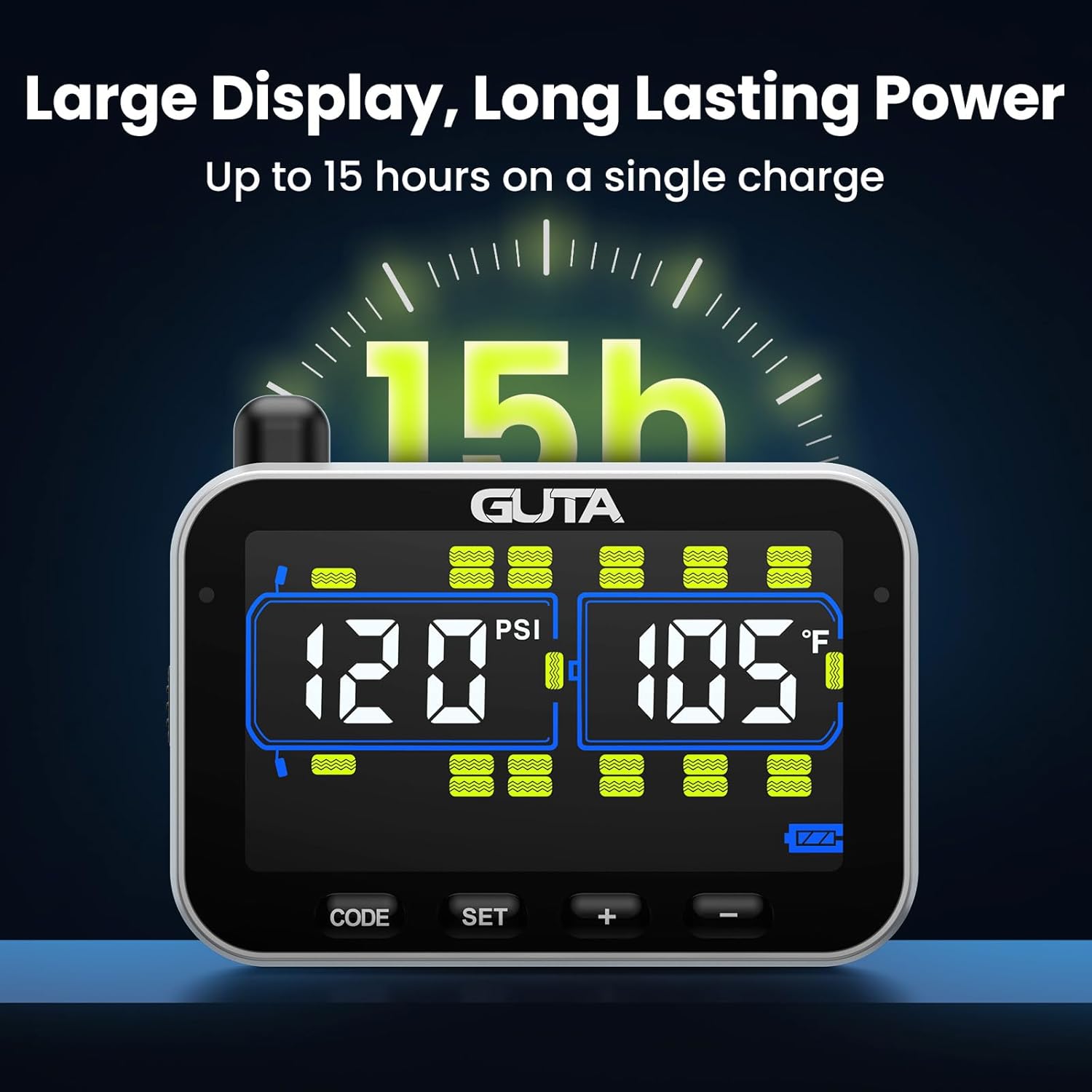
Figure 7: The display unit offers long-lasting power for extended use.
5.2 Monitoring Tire Data
Once powered on and sensors are installed, the display will automatically show real-time tire pressure and temperature readings. The large color LCD screen provides clear visibility in various lighting conditions.

Figure 8: Real-time monitoring of tire pressure and temperature from the driver's perspective.
5.3 Customizing Settings
The system allows for customization of units and alarm thresholds:
- Pressure Unit: Switch between PSI and BAR.
- Temperature Unit: Switch between Celsius (℃) and Fahrenheit (℉).
- Alarm Thresholds: After installation, the system automatically sets the current tire pressure as the reference point. You can adjust alarm thresholds within a range of +25% to -15% of this reference pressure. Refer to the detailed user guide for specific steps on adjusting these settings using the display buttons.
6. Maintenance
6.1 Sensor Battery Replacement
The sensors use user-replaceable CR2032 batteries. When a sensor low battery alert is triggered, replace the battery promptly to ensure continuous monitoring.
- Carefully unscrew the sensor cap.
- Remove the old CR2032 battery.
- Insert a new CR2032 battery with the positive (+) side facing up.
- Securely screw the sensor cap back on.
6.2 Cleaning
Wipe the display unit and sensors with a soft, dry cloth. Avoid using abrasive cleaners or solvents that could damage the components.
7. Troubleshooting
This section addresses common questions and issues you might encounter with your GUTA GT20 TPMS.
7.1 Why do you need TPMS?
A TPMS monitors tire pressure and temperature in real-time, eliminating the need for manual checks. It provides timely alerts for tire abnormalities during travel, helping to prevent dangerous situations and potential damage.
7.2 Why do you need a repeater (signal booster)?
A repeater extends the sensor signal transmission distance and enhances signal stability, especially crucial for longer vehicles like RVs and trailers where direct signal transmission might be weak or interrupted.
7.3 Can TPMS prevent puncture accidents?
The TPMS monitors air pressure and temperature over time. It cannot prevent punctures caused by sharp objects or pre-existing tire damage. Its primary function is to alert you to changes in tire conditions, allowing you to address issues before they lead to a complete tire failure.
7.4 No Sensor Reading / Signal Loss
- Ensure sensors are securely installed and batteries are functional.
- Check if the signal booster (if used) is properly powered and positioned.
- Verify that the display unit is within range and not obstructed by large metal objects.
- Re-pair sensors if necessary (refer to the detailed user guide for pairing instructions).
7.5 Inaccurate Readings
- Ensure sensors are correctly installed on the designated tire positions.
- Verify that the tire pressure unit (PSI/BAR) and temperature unit (℃/℉) settings on the display match your preference.
- Allow a few minutes for readings to stabilize after installation or significant temperature changes.
8. Technical Specifications
| Feature | Specification |
|---|---|
| Model | GT20 |
| Pressure Range | 0-188 PSI |
| Display Type | Color LCD |
| Monitor Battery Life | Up to 15 hours (rechargeable) |
| Sensor Battery Type | CR2032 (user-replaceable) |
| Transmission Distance | Up to 80 feet (with signal booster) |
| Item Weight | 1.63 pounds |
| Product Dimensions | 6.9 x 2.4 x 7.5 inches |
| Manufacturer | Shenzhen Huatai Electronics Co.,Ltd |
9. Safety Guidelines
- Always ensure sensors are securely tightened to prevent air leaks and accidental detachment.
- Do not attempt to disassemble or modify the display unit or sensors, as this may void the warranty and pose safety risks.
- Keep the display unit away from extreme temperatures and direct sunlight for prolonged periods to prevent damage.
- While the TPMS provides valuable information, it is not a substitute for regular manual tire inspections and maintenance.
- If an alarm is triggered, safely pull over and inspect your tires immediately.
10. Customer Support
For any issues, questions, or assistance with your GUTA GT20 TPMS, please contact our professional customer service team. Refer to the contact information provided in your product packaging or visit the official GUTA website for support details.