
1. Introduction
This user manual provides essential information for the safe and effective installation, operation, and maintenance of your ZTHY SUN-INTE-172 replacement battery for robot vacuum cleaners. Please read this manual thoroughly before use and retain it for future reference.
2. Safety Information
Observe the following safety precautions to prevent damage to the battery or your robot vacuum, and to ensure personal safety:
- Power Off: Always power off the robot vacuum completely before attempting any battery replacement or maintenance.
- Dry Location: Use and store the battery in a dry location.
- Avoid Disassembly: Do not attempt to disassemble, modify, or repair the battery. This can lead to hazards and voids the warranty.
- Temperature: Avoid exposing the battery to extreme temperatures (below 5℃ or above 35℃ for charging, and generally avoid high heat or direct sunlight).
- Impact: Do not knock or drop the battery.
- Water Contact: Batteries are prohibited from being used in water or coming into contact with liquids.
- Charging: Use only the original charger provided with your robot vacuum. Ensure charging voltage and current meet battery requirements.
- Over-Charge/Over-Discharge: Avoid over-charging or completely draining the battery. Charge promptly when the vacuum indicates low battery and unplug when fully charged.
- Terminals: Do not allow metal objects to contact the battery terminals.

Image: The ZTHY replacement battery features multiple safety protections including over-charge, over-heating, over-voltage, short-circuit, over-power, and over-current protection.
3. Product Overview
The ZTHY SUN-INTE-172 is a high-capacity Li-ion replacement battery designed for various robot vacuum cleaner models. It provides reliable power and is engineered with multiple safety features.
Key Features:
- Battery Type: Li-ion
- Voltage: 14.4V
- Capacity: 2600mAh
- Connector: 3-prong connector
- Safety: Built-in safeguards against over-charge, over-discharge, over-voltage, over-current, and over-heating.

Image: The ZTHY SUN-INTE-172 replacement battery, showing its compact design and label with specifications.
Compatible Models:
This battery is compatible with a wide range of robot vacuum cleaners, including but not limited to:
- Lubluelu: SL60D, SL60 Plus, SL61, SL68, SL-61
- iHome Autovac: iHRV10Y-BLK, iHRV11-BLK, iHRV12-BLK
- Ecovacs Deebot: N79S, N79W, N79, N79SE, DN621, DN622, DN622.11, DN622.31, CEN360, CEN361, CEN546, DH43, DH45, 605, 661, 665, 710, 711, 711s, 715, DO3G, DO3G.11, DS3G, DS5G
- Ionvac SmartClean: 2000 Robovac (7687, 7688), V4 (7997)
- Coredy: R300, R500, R500+, R550, R580, R600, R650, R750-1600Pa, R3500, R3500S
- Proscenic: 850T, 850P
- Deenkee: DK600, DK600 MAX, DK700
- Pure Clean: PUCRC850, PUCRC660, PUCRC675
- Goovi: D380, F007C, D382
- Ultenic: D5, D5S Pro
- iMartine: D900C, C800
- Amarey: A800, A900
- Tesvor: V6, V300, X500, X580, X580R, X583, X586, X500 Pro
- BAGOTTE: BG600, BG700, BG750
- Honiture: G20, G20 PRO
- Yeedi: K650, K600, K680, K700, K730
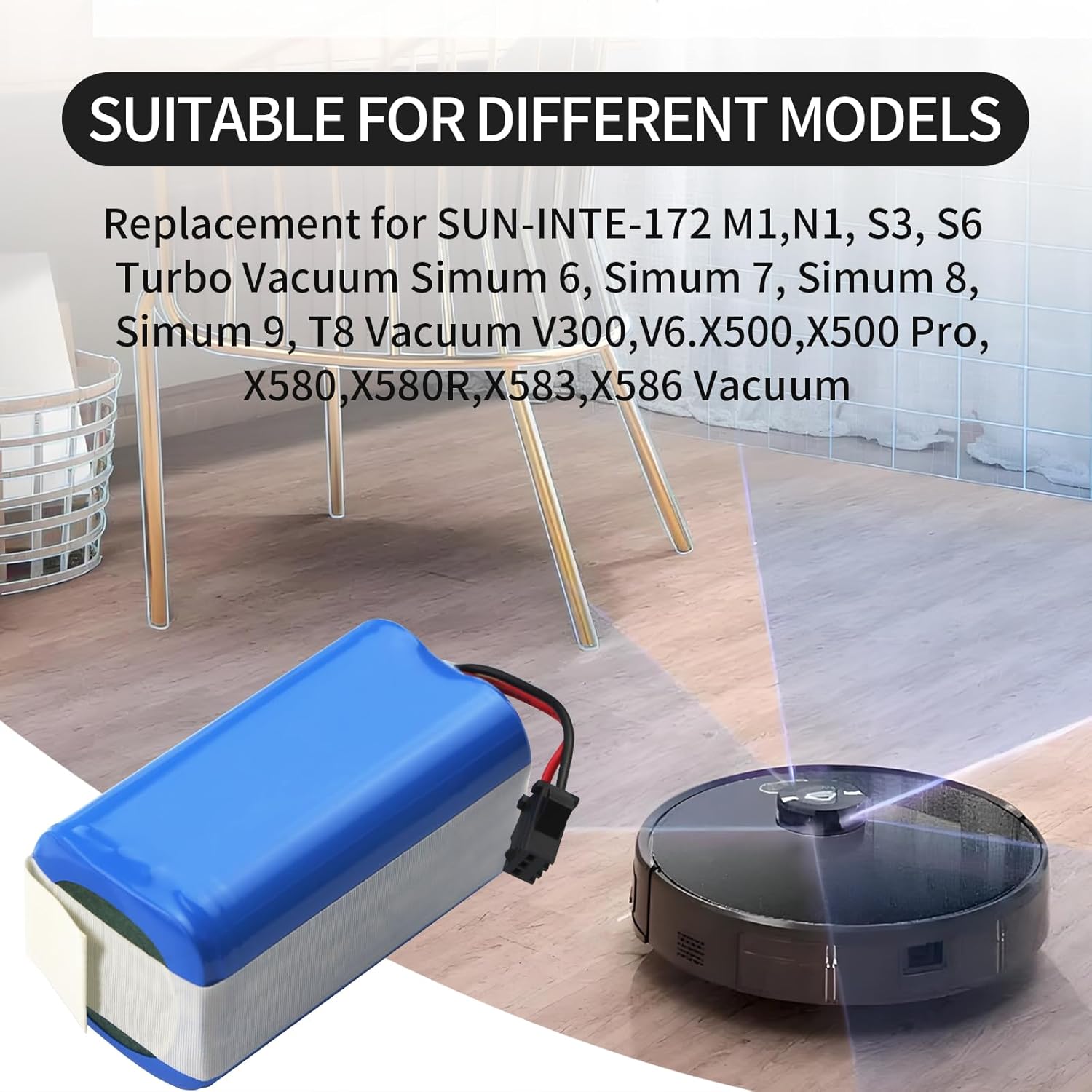
Image: The ZTHY replacement battery shown alongside various robot vacuum models it is compatible with.
4. Installation
Follow these steps to safely replace the battery in your robot vacuum cleaner. Always ensure the robot is powered off before beginning.
- Power Off: Completely power off your robot vacuum cleaner.
- Access Battery Compartment: Turn the robot vacuum upside down. Locate the battery compartment cover, usually secured by screws.
- Unscrew Cover: Use a Phillips screwdriver (often included with the battery) to unscrew the securing screws on the battery compartment cover. Remove the cover.
- Disconnect Old Battery: Gently grip the old battery's connector and pull it out from the port. Then, carefully remove the old battery from its slot.
- Connect New Battery: Take the new ZTHY SUN-INTE-172 battery. Align its 3-prong connector with the port in the robot vacuum. Insert the connector precisely until you hear a click, indicating it is securely locked.
- Position Battery: Place the new battery into the compartment, ensuring the wires are organized to prevent pinching or bending.
- Reattach Cover: Align the battery compartment cover with the card slot and fasten it securely with the screws.

Image: A detailed view of the 3-prong connector, emphasizing the importance of matching it with your robot vacuum's port.
Installation Video Guides:
Video: Installation guide for ZTHY Replacement Battery compatible with Ionvac SmartClean 2000 robot vacuums. This video demonstrates the step-by-step process of replacing the battery.
Video: Installation guide for ZTHY Battery Replacement for Lubluelu SL60D, SL60 Plus, and SL61 robot vacuums. This video illustrates the battery replacement procedure for specific Lubluelu models.
5. Operation
Once installed, the ZTHY replacement battery operates identically to the original battery. Ensure your robot vacuum is fully charged before its first use after battery replacement. Monitor the robot vacuum's battery indicator and charge as needed.
6. Maintenance
Proper battery maintenance extends its lifespan and ensures optimal performance:
- Regular Charging: Charge the battery periodically, even when the vacuum cleaner is not in active use, to prevent performance degradation from excessive self-discharge.
- Deep Charge and Discharge: Every 2-3 months, perform a deep charge-discharge cycle. Fully charge the battery, then use the vacuum until the battery is low (but not completely drained). This helps boost battery activity.
- Cleaning: Keep the battery and charger interface clean. Regularly remove dust and debris to ensure good contact and prevent charging issues or overheating.
- Storage: If storing the robot vacuum for an extended period, fully charge the battery first. Store it in a dry, cool environment, away from humidity or corrosive gases.
7. Troubleshooting
If you encounter issues with your ZTHY replacement battery, consider the following:
- Battery Not Charging:
- Ensure the battery connector is securely plugged into the robot vacuum's port.
- Verify the charging dock or power adapter is correctly connected and receiving power.
- Check for any debris or obstruction on the charging contacts of both the robot and the charging dock.
- Short Run Time:
- Ensure the battery has been fully charged.
- Perform a deep charge-discharge cycle as described in the Maintenance section.
- Check if the robot vacuum's brushes or wheels are obstructed, causing increased power consumption.
- Robot Not Powering On:
- Confirm the battery is correctly installed and fully charged.
- Ensure the robot vacuum's power switch is in the 'ON' position.
If problems persist after following these steps, please contact ZTHY customer support for further assistance.
8. Specifications
| Specification | Value |
|---|---|
| Brand | ZTHY |
| Model Number | SUN-INTE-172 |
| Battery Type | Lithium Ion (Li-ion) |
| Battery Voltage | 14.4 Volts |
| Battery Capacity | 2600 Milliamp Hours (mAh) |
| Reusability | Rechargeable |
| Battery Weight | 50 Grams |
| Manufacturer | Dongguan jiataiyuan electronics Co., Ltd |

Image: The ZTHY replacement battery highlighting its 2600mAh high capacity.
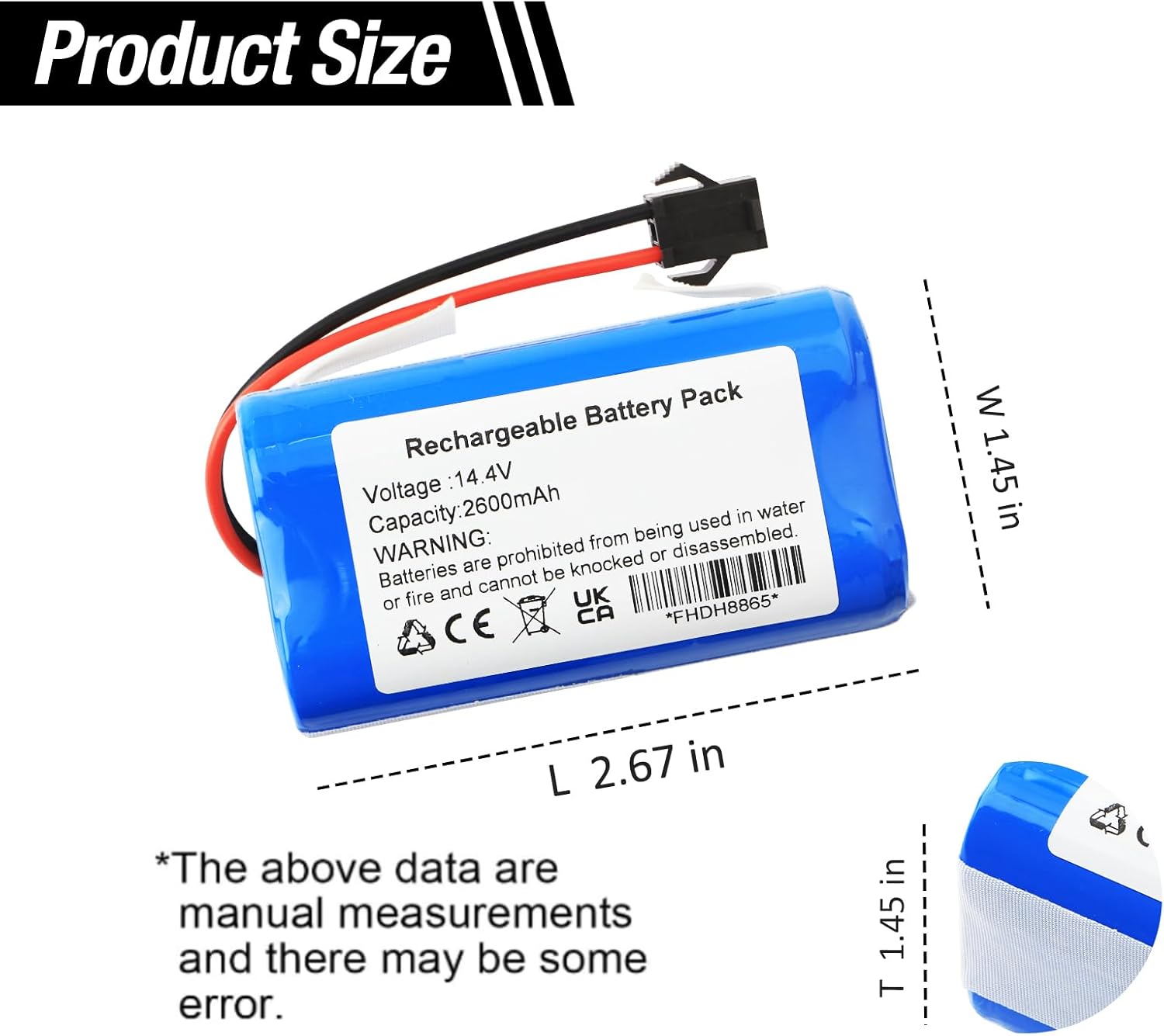
Image: The ZTHY replacement battery with its dimensions (Length 2.67 in, Width 1.45 in, Thickness 1.45 in) for size verification.
9. Warranty and Support
The ZTHY SUN-INTE-172 replacement battery comes with a 6-month warranty from the date of purchase. This warranty covers manufacturing defects and ensures the battery meets specified performance standards under normal use.
For warranty claims, technical support, or any questions regarding your battery, please contact ZTHY customer service through the retailer where you purchased the product or visit the official ZTHY store online. Please have your purchase details and product model number (SUN-INTE-172) ready when contacting support.
You can find more information about ZTHY products and support at the ZTHY Store.