1. Introduction
The SCHNEIDER 5 to 50 Watt Soldering Station is designed for precision soldering tasks, suitable for both professional and hobbyist applications. This manual provides essential information for the safe and effective operation, setup, and maintenance of your soldering station.
2. Product Overview and Components
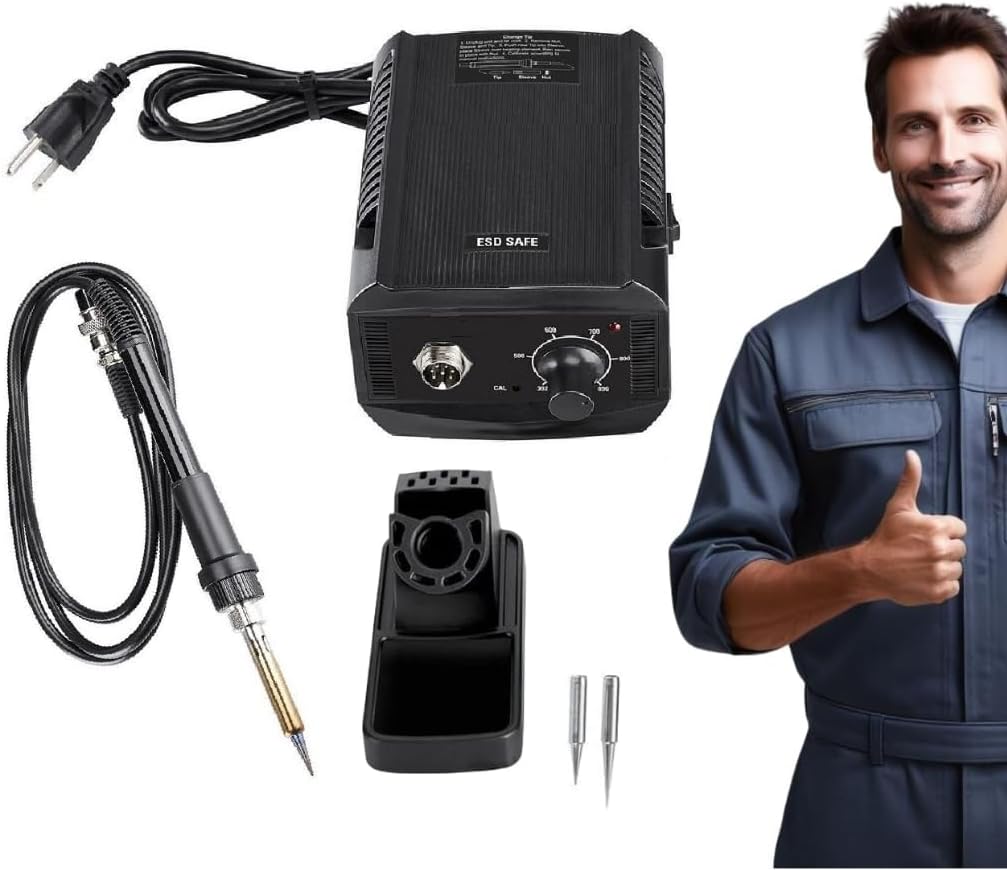
Figure 1: Complete SCHNEIDER 5 to 50 Watt Soldering Station package, showing the main unit, soldering iron, soldering iron stand with sponge, and three interchangeable tips.
Key Features:
- Variable Temperature Control: Adjust temperature from 392°F to 896°F (200°C to 480°C) for diverse projects.
- Temperature Stability: Ensures consistent heat output for precise soldering.
- Ergonomic Design: Lightweight, pencil-style iron with cushioned grip for reduced hand fatigue.
- Durable Construction: Built for reliable performance and longevity.
- Versatile Tip Selection: Includes 3 interchangeable tips for various applications.
Included Components:
- SCHNEIDER 5 to 50 Watt Soldering Station Main Unit
- Soldering Iron (pencil-style)
- Soldering Iron Stand with Sponge
- 3 Interchangeable Tips (solid iron plated with nickel, chromium, and tin)
3. Setup Instructions
- Unpack Components: Carefully remove all items from the packaging. Verify that all included components are present.
- Place the Station: Position the soldering station on a stable, heat-resistant, and non-flammable surface. Ensure adequate ventilation.
- Assemble Soldering Iron Stand: Place the soldering iron stand in a convenient location near the station. Ensure the cleaning sponge is properly moistened before use.
- Connect Soldering Iron: Plug the soldering iron's connector securely into the designated port on the front of the soldering station.
- Select a Tip: Choose the appropriate soldering tip for your task and securely attach it to the soldering iron. Ensure it is fully seated.
- Power Connection: Plug the station's power cord into a standard 120V AC electrical outlet.
4. Operating Instructions
- Power On: Turn the power switch on the soldering station to the "ON" position. The power indicator light will illuminate.
- Set Temperature: Rotate the temperature control knob to select the desired temperature. The station offers a range from 392°F (200°C) to 896°F (480°C). Allow a few minutes for the iron to reach the set temperature.
- Tinning the Tip: Before first use, or after cleaning, "tin" the soldering iron tip by applying a small amount of solder to the heated tip. This helps prevent oxidation and ensures efficient heat transfer.
- Soldering Process:
- Clean the tip on the wet sponge before each use.
- Apply the heated tip to the components or wires to be soldered, ensuring both are heated simultaneously.
- Apply solder to the heated joint, not directly to the iron tip. Allow the solder to flow and create a strong connection.
- Remove the solder, then remove the iron. Allow the joint to cool naturally without disturbance.
- Power Off: After use, turn the temperature control knob to its lowest setting, then turn the power switch to the "OFF" position. Unplug the station from the power outlet.
- Cool Down: Allow the soldering iron to cool completely in its stand before storing.
Important: Always work in a well-ventilated area. Avoid touching the hot tip or heating element. Use appropriate safety gear, including safety glasses.
5. Maintenance
- Tip Cleaning: Regularly clean the soldering iron tip using the wet sponge provided. For stubborn oxidation, use a tip cleaner or brass wool.
- Tip Tinning: Always tin the tip with a small amount of solder before and after each use, and before storing, to prevent oxidation and prolong tip life.
- Tip Replacement: If a tip becomes excessively worn or damaged, replace it with a new, compatible tip. Ensure the station is off and cool before changing tips.
- General Cleaning: Keep the soldering station and iron clean and free of dust and debris. Use a soft, dry cloth for cleaning. Do not use abrasive cleaners or solvents.
- Storage: Store the soldering station and its components in a dry, safe place away from direct sunlight and extreme temperatures.
6. Troubleshooting
| Problem | Possible Cause | Solution |
|---|---|---|
| Soldering iron not heating up. |
|
|
| Solder not melting or flowing well. |
|
|
| Tip becomes black and doesn't hold solder. |
|
|
7. Specifications
| Specification | Value |
|---|---|
| Model Number | 57364-Schneider |
| Power Output | 5 to 50 Watts |
| Input Voltage | 120 Volts (AC) |
| Temperature Range | 392°F to 896°F (200°C to 480°C) |
| Temperature Stability | ±5°F (±2.8°C) |
| Item Weight | 6.05 pounds (approx. 2.74 kg) |
| Included Components | Soldering Station, Soldering Iron, Soldering Iron Stand with Sponge, 3 Interchangeable Tips |
| Power Source | AC |
| Manufacturer | HFT |
| ASIN | B0DPKX65YW |
8. Warranty and Support
For warranty information or technical support, please refer to the documentation provided with your purchase or contact the manufacturer directly. Keep your purchase receipt as proof of purchase.


