
Important Safety Information
Please read all instructions carefully before assembly and use. Retain this manual for future reference.
- Always assemble the desk according to the provided instructions.
- Ensure the desk is properly anchored to the wall or floor to prevent tip-overs, especially if placing heavy items on it.
- Do not exceed the weight limit of the desk to maintain its stability and safety.
- Keep small parts and packaging materials away from children to prevent choking hazards.
- Use only the recommended tools for assembly.
Package Contents
Before beginning assembly, verify that all components listed below are present and undamaged. If any parts are missing or damaged, please contact customer support.
- Desktop Panel
- Monitor Stand Components
- Drawer Panels (for 4 drawers)
- File Cabinet Components
- Side Panels and Support Structures
- Assembly Hardware (screws, dowels, cam locks, drawer glides, handles)
- Instruction Manual

Figure 1: All components of the desk laid out for inspection.
Assembly Instructions
The 4 EVER WINNER CD001 Computer Desk is designed for straightforward assembly. Please follow the detailed step-by-step instructions provided in the included assembly guide. It is recommended to have a screwdriver available, as some pre-drilled holes may require additional penetration. Assembly is typically completed by one person.
Recommended Tools:
- Screwdriver (a larger one than the included tool may be more comfortable)
- Awl (optional, for pre-drilled holes)
Important: Lay out all parts and hardware before starting. Refer to the assembly diagrams carefully. If you encounter any difficulties, do not force parts. Contact customer support for assistance.

Figure 2: Assembled desk ready for use.
Operating Instructions
Your 4 EVER WINNER CD001 Computer Desk is designed for optimal functionality and organization in small spaces.
Using the Monitor Stand:
The elevated display rack provides an ergonomic viewing angle, helping to reduce eye fatigue and neck pain. Place your monitor or laptop on the stand for improved posture. The stand also offers additional storage space for small items.
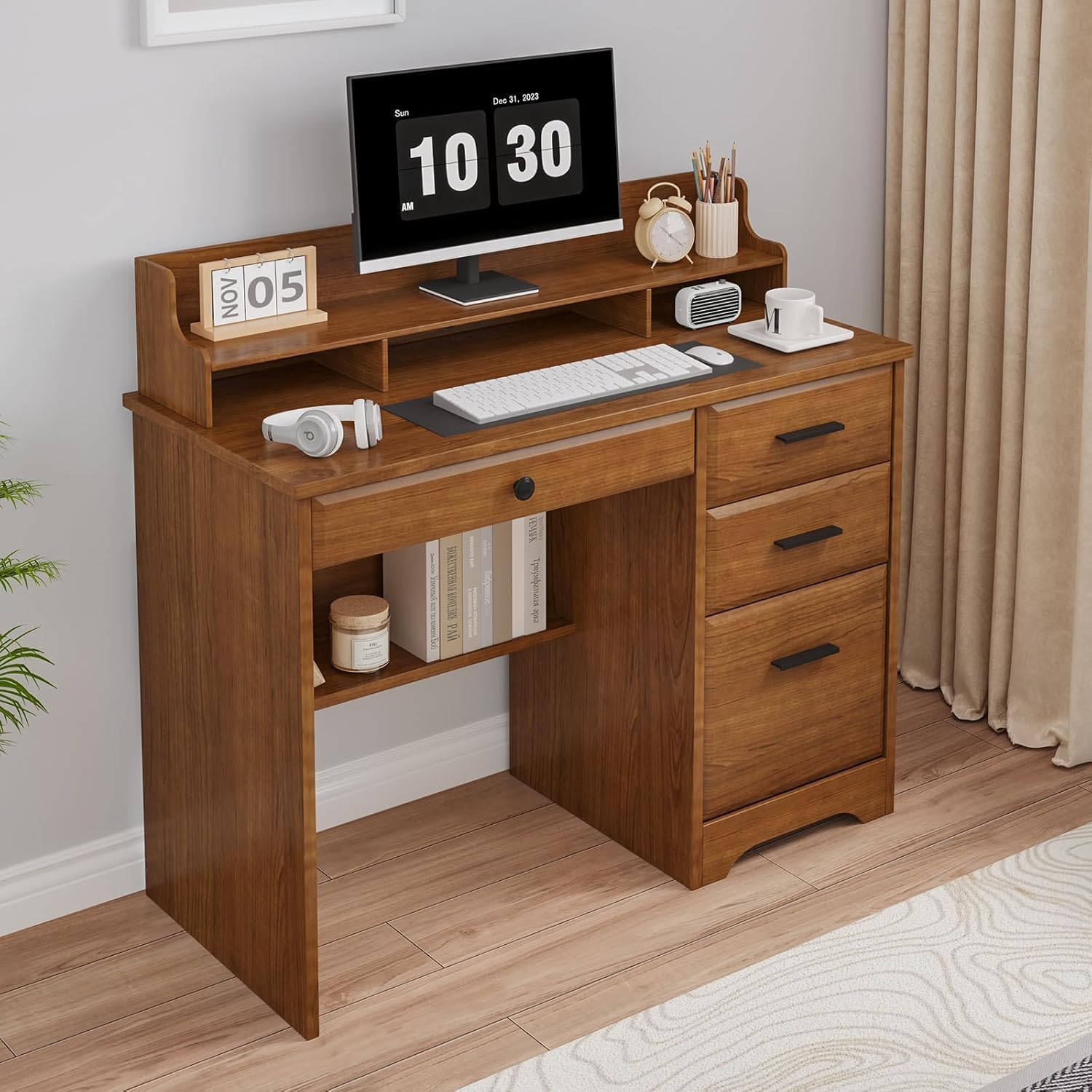
Figure 3: Monitor stand in use with a computer setup.
Utilizing Storage Drawers:
The desk features multiple drawers, including a file drawer designed to store A4-sized files. Use the other drawers for office supplies, personal items, or other essentials to keep your workspace tidy.

Figure 4: Spacious desktop and open drawer for storage.
Under-Shelf Storage:
An additional storage rack beneath the main desktop provides space for books, binders, or other items, contributing to the desk's overall organizational capacity.

Figure 5: Under-shelf storage for books and other items.
Maintenance
To ensure the longevity and appearance of your desk, follow these simple maintenance guidelines:
- Cleaning: Wipe the desk surfaces with a damp cloth, then immediately dry with a clean, dry cloth. Avoid abrasive cleaners or harsh chemicals that may damage the wood finish.
- Spills: Promptly clean up any spills to prevent staining or damage to the wood.
- Hardware: Periodically check all screws and fasteners to ensure they are tight. Retighten if necessary to maintain stability.
- Sunlight: Avoid prolonged exposure to direct sunlight to prevent fading or discoloration of the wood finish.
Troubleshooting
If you encounter any issues with your desk, please refer to the following common problems and solutions:
| Problem | Possible Cause | Solution |
|---|---|---|
| Desk is wobbly or unstable. | Loose fasteners or uneven floor. | Ensure all screws and cam locks are tightened. Adjust the desk's position on an even surface or use shims if necessary. |
| Drawers do not slide smoothly. | Improperly installed drawer glides or obstruction. | Check that drawer glides are correctly aligned and installed according to the assembly instructions. Remove any obstructions from the tracks. |
| Missing parts or damaged components upon arrival. | Shipping damage or packaging error. | Do not proceed with assembly. Contact 4 EVER WINNER customer support immediately for replacement parts. |
| Difficulty with assembly steps. | Misinterpretation of instructions or unclear diagrams. | Review the assembly manual carefully, paying close attention to diagrams. If still stuck, contact customer support for clarification. |
Specifications
| Feature | Detail |
|---|---|
| Brand | 4 EVER WINNER |
| Model Number | CD001 |
| Product Dimensions (D x W x H) | 17.7"D x 43.3"W x 30.1"H |
| Color | Brown |
| Material Type | Engineered Wood |
| Number of Drawers | 4 |
| Drawer Type | File Drawer (one) |
| Special Feature | Elevated Monitor Stand |
| Item Weight | 65 Pounds |
| Required Assembly | Yes |
| Recommended People for Assembly | 1 |
| Product Care Instructions | Wipe with Damp Cloth, Wipe with Dry Cloth |
Figure 6: Product dimensions.
Warranty and Support
This 4 EVER WINNER CD001 Computer Desk comes with a Limited Warranty. For specific details regarding warranty coverage, terms, and conditions, please refer to the warranty card included with your product or contact 4 EVER WINNER customer service.
Customer Support:
For any questions, missing parts, assembly assistance, or warranty claims, please contact our customer support team:
- Website: Visit the 4 EVER WINNER Store on Amazon
- Email: support@4everwinner.com (Example email, please refer to actual product documentation for correct contact information)
- Phone: 1-800-XXX-XXXX (Example phone, please refer to actual product documentation for correct contact information)
Please have your model number (CD001) and purchase information ready when contacting support.
Product Videos
Small Desk with Drawers Overview
This video provides a general overview of the 4 EVER WINNER Computer Desk, highlighting its compact size and integrated drawers. It demonstrates the desk's suitability for small spaces and its functional design for organization.
4 EVER WINNER White Desk with Drawers Features
This video showcases the features of the 4 EVER WINNER Desk, specifically focusing on the white variant. It illustrates the functionality of the drawers, the monitor stand, and the overall aesthetic, providing a visual guide to its practical applications.