Introduction
The GOQELK Sound Machine and Alarm Clock (Model: HE-B005) is a versatile device designed to enhance sleep, relaxation, and daily routines. It combines a sound machine with 32 non-looping natural sounds, an alarm clock with dimmable display, a customizable RGB night light, and a Bluetooth speaker. This device is controllable via a dedicated mobile application, offering convenience and a wide range of features for users of all ages, including babies, kids, and adults.

Image: The GOQELK Sound Machine and Alarm Clock, showing its compact design and integration with a smartphone application for control.
Safety Information
Please read and understand the following safety guidelines before using the device:
- Do not use this product without adult supervision.
- This product is not a toy.
- Risk of electric shock - do not immerse in water or expose to liquids.
- Use only the provided charger.
- Avoid extended use at high volumes to prevent noise-induced hearing loss.
Package Contents
Ensure all items are present in the package:
- GOQELK Sound Machine & Alarm Clock (Model: HE-B005)
- Type-C Charging Cable
- User Manual (this document)
Setup
1. Charging the Device
Before first use, fully charge the device. Connect the provided Type-C charging cable to the device's charging port and the other end to a compatible USB power adapter (not included). The 800mAh rechargeable battery offers up to 8+ hours of continuous use after 1-2 hours of charging.
2. App Installation
For full functionality and smart control, download the dedicated mobile application. Search for "White Whisper" in your device's app store or scan the QR codes below:

Image: App download instructions with QR codes for iOS and Android app stores.
Download Links:
Apple App Store
Android Download (Pgyer)
3. Bluetooth Pairing
After installing the app, enable Bluetooth on your smartphone. Open the "White Whisper" app. The device should automatically appear for pairing. Follow the on-screen prompts in the app to complete the connection. Once paired, you can control sound, volume, color, and light settings via the app.
Operating Instructions
Device Controls Overview

Image: Detailed view of the device's top panel with button indicators for various functions.
The device features intuitive buttons on its top panel for direct control, in addition to app control.
- Power Button: Press and hold to turn on/off. Short press to toggle functions.
- Volume Buttons (+/-): Adjust sound volume.
- Sound Selection Button: Cycle through available sounds.
- Light Button: Control night light settings.
- Alarm Button: Set and manage alarms.
- Timer Button: Set sleep timers.
1. Sound Selection
The device offers 32 non-looping natural sounds, including white noise, brown noise, pink noise, rain, streams, birdsong, drizzle, breeze, waves, and trains. You can select sounds directly from the device or through the app.

Image: Visual representation of the 32 soothing sounds categorized into ambient/environmental sound, ambient sound, lullabies, and nature sounds.

Image: A comprehensive list of the 32 selected white noise soundtracks, categorized into Sleep Music, Natural Sounds, Ambient Sound, and Object Sound.
2. Alarm Clock Function
The device functions as an alarm clock with 32 gentle wake-up sounds that gradually increase in volume. The clock display is dimmable (from off to 100%) to prevent light disturbance. The snooze function provides a 9-minute delay.
- Setting Alarm: Use the Alarm button on the device or the app to set your desired wake-up time and sound.
- Snooze: Press any button (except power) when the alarm sounds to activate snooze.
- Disabling Alarm: Press the Power button or disable via the app.
The memory function remembers your previous alarm settings, so you don't need to adjust them each time.

Image: The device on a bedside table, highlighting its memory function for alarm settings and simulated sunrise environment feature.
3. Timer Function
An auto-off timer can be set for 30, 60, 90, 120, or 240 minutes to conserve energy and ensure a full night's sleep. Activate this feature using the Timer button on the device or through the app.
4. RGB Night Light Control
The device features a 5050 infinity phantom LED light with 8 unique light modes, RGB breathing function, and adjustable 3000K color temperature. It can be used as a nightlight for creating a serene atmosphere.
- Adjusting Light: Use the Light button on the device or the app to cycle through light modes and colors.
- Brightness: Adjust brightness via the app.

Image: The device displaying its various lighting colors and adjustable color temperature, suitable for a nightlight.
5. Bluetooth Speaker Mode
The sound machine doubles as a Bluetooth speaker, allowing you to stream music, podcasts, or audiobooks from your phone or tablet. Connect via Bluetooth as described in the Setup section. It features 5W drivers for powerful, balanced sound.

Image: The device illustrating its capability as a Bluetooth stereo speaker, suitable for various audio playback.
6. App Control
The "White Whisper" app provides comprehensive control over all device functions, including sound selection, volume, light settings, timers, and alarms. The app also displays real-time battery status.
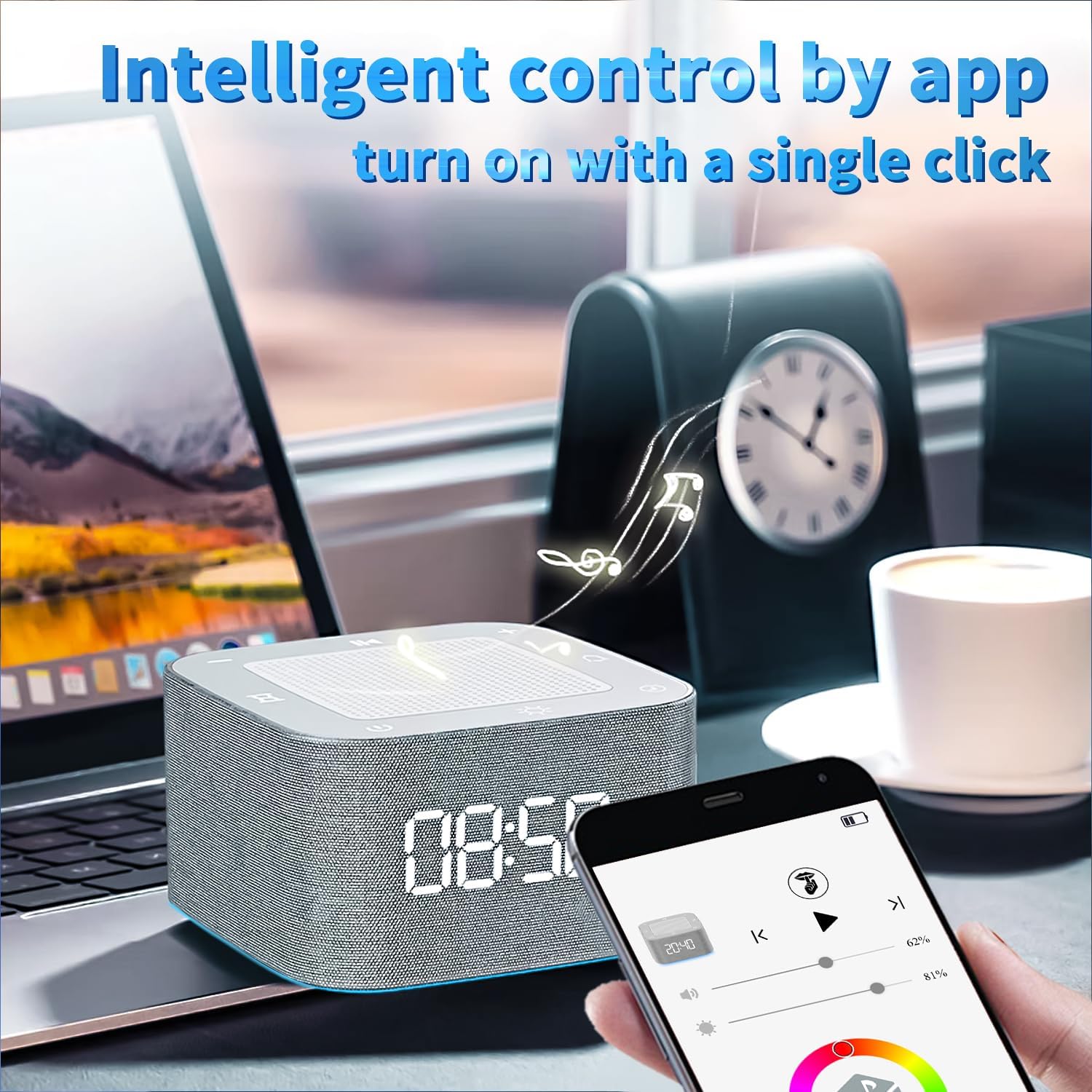
Image: A smartphone screen showing the intuitive app interface for intelligent control of the sound machine.
Child Lock Function
The app includes a child lock setting to prevent accidental touches, making it ideal for use in children's rooms.

Image: A baby in a crib with the sound machine nearby, illustrating the child lock feature for parental assistance.
Maintenance
Cleaning
To clean the device, gently wipe the exterior with a soft, dry cloth. Do not use abrasive cleaners, solvents, or immerse the device in water. Ensure the device is powered off and unplugged before cleaning.
Battery Care
To prolong battery life, avoid fully discharging the battery frequently. Charge the device regularly, especially if it will not be used for an extended period. Store in a cool, dry place.
Troubleshooting
| Problem | Possible Cause | Solution |
|---|---|---|
| Device does not turn on. | Low battery; Power button not pressed correctly. | Charge the device fully. Press and hold the Power button for a few seconds. |
| No sound or low volume. | Volume too low; Mute activated; Incorrect sound selected. | Increase volume using device buttons or app. Check if mute is active in the app. Select a different sound. |
| Bluetooth not connecting. | Bluetooth not enabled on phone; Device not in pairing mode; Interference. | Ensure Bluetooth is on your phone. Restart both device and phone. Try pairing again. Move closer to the device. |
| Alarm not sounding. | Alarm not set; Volume too low; Device powered off. | Verify alarm settings in the app. Increase device volume. Ensure device is powered on. |
| App not controlling device. | Bluetooth disconnected; App outdated; Device firmware outdated. | Check Bluetooth connection. Restart app and device. Check app store for updates. |
Specifications
| Feature | Detail |
|---|---|
| Model Name | WHITE NOISE GENERATOR |
| Item Model Number | HE-B005 |
| Product Dimensions | 3.15 x 3.15 x 1.85 inches |
| Item Weight | 10.93 ounces |
| Material | Acrylonitrile Butadiene Styrene (ABS) |
| Power Source | Battery Powered |
| Battery | 800mAh rechargeable (1 A battery included) |
| Charging Time | 1-2 hours |
| Operating Time | 8+ hours (continuous use) |
| Sound Options | 32 non-looping natural sounds (white, brown, pink noise, nature, etc.) |
| Light Features | 5050 infinity phantom LED, 8 light modes, RGB breathing, 3000K color temperature |
| Speaker Output | 5W drivers |
| App Control | "White Whisper" App |

Image: The compact dimensions of the device and its portability, fitting easily into a bag.
Warranty and Support
This product comes with a standard manufacturer's warranty. For specific warranty terms and conditions, please refer to the documentation included with your purchase or contact GOQELK customer support.
For technical support, troubleshooting assistance, or any inquiries regarding your GOQELK Sound Machine, please contact the manufacturer directly through their official website or the contact information provided with your product packaging.