1. Introduction
This manual provides essential information for the installation and proper handling of your Arbilato replacement screen for the Samsung Galaxy M54 5G. This assembly includes the LCD screen, touch display digitizer, and frame, designed to restore full display and touch functionality, including the fingerprint sensor, to your device.
Compatibility: This replacement screen is specifically compatible with Samsung Galaxy M54 5G models SM-M546B and SM-M546B/DS. Please verify your device's model number before proceeding with installation.
2. Package Contents
Upon opening your package, please ensure all the following items are present:
- 1x Arbilato Replacement Screen with Frame for Samsung Galaxy M54 5G
- 1x Set of Repair Tools
- 1x Waterproof Sticker
3. Important Precautions and Safety Information
Please read and understand these precautions before attempting any installation. Improper installation can cause damage to your device or the replacement part.
- Professional Installation Recommended: Correct installation requires specialized skills and techniques. It is highly recommended to seek assistance from a professional technician to perform the replacement. Damage caused during the replacement process due to improper installation is not covered by warranty.
- Battery Disconnection: Always unplug the battery connector and remove the battery from your device before beginning the screen replacement to prevent short circuits and potential damage.
- Adhesive Removal: Before installing the new LCD screen, ensure all old adhesive residue is completely removed from the device frame. Residual glue can interfere with the proper seating and adhesion of the new screen.
- Frame Condition: Inspect your phone's frame for any bends, warps, or damage. If the frame is not in its original, flat state, it must be repaired or replaced before installing the new screen. A bent frame can cause uneven pressure on the new screen, leading to cracks or display malfunctions.
- Static Electricity: Take precautions against static electricity, which can damage electronic components. Use an anti-static wrist strap or work on an anti-static mat.
- Handle with Care: The screen assembly is fragile. Handle it gently, especially the flex cables, to avoid damage.
4. Installation Guide
This section outlines the general steps for replacing your screen. For detailed visual instructions, it is strongly advised to consult video tutorials.
4.1 Preparation
- Power Off Device: Ensure your Samsung Galaxy M54 5G is completely powered off.
- Gather Tools: Prepare the provided repair tools and any additional tools you may need (e.g., heat gun/hair dryer, suction cup, spudger).
- Review Video Tutorials: Search for "Samsung M54 5G LCD With Frame replacement" on video platforms like YouTube to watch comprehensive installation guides. Familiarize yourself with the entire process before starting.
4.2 Disassembly and Screen Removal
- Carefully heat the edges of the old screen to soften the adhesive.
- Use a suction cup and prying tools to gently separate the old screen from the phone frame.
- Disconnect the flex cables connecting the old screen to the motherboard.
- Disconnect and remove the battery to prevent electrical damage.
- Thoroughly clean any remaining adhesive from the phone frame. Ensure the frame is straight and free of debris.
4.3 New Screen Installation
- Test the New Screen: Before fully adhering the new screen, connect its flex cables to the motherboard and reconnect the battery. Power on the device to test display, touch, and fingerprint functions. If any issues arise, disconnect and recheck connections.
- Apply Adhesive: Once tested and confirmed working, power off the device and disconnect the battery. Apply the new waterproof adhesive sticker or a suitable adhesive around the frame.
- Install Screen: Carefully align and press the new screen assembly into the phone frame. Ensure it sits flush without gaps.
- Reconnect Components: Reconnect all flex cables and the battery.
- Secure: Apply gentle, even pressure around the edges of the screen for a few hours (e.g., using clamps or rubber bands) to allow the adhesive to cure.
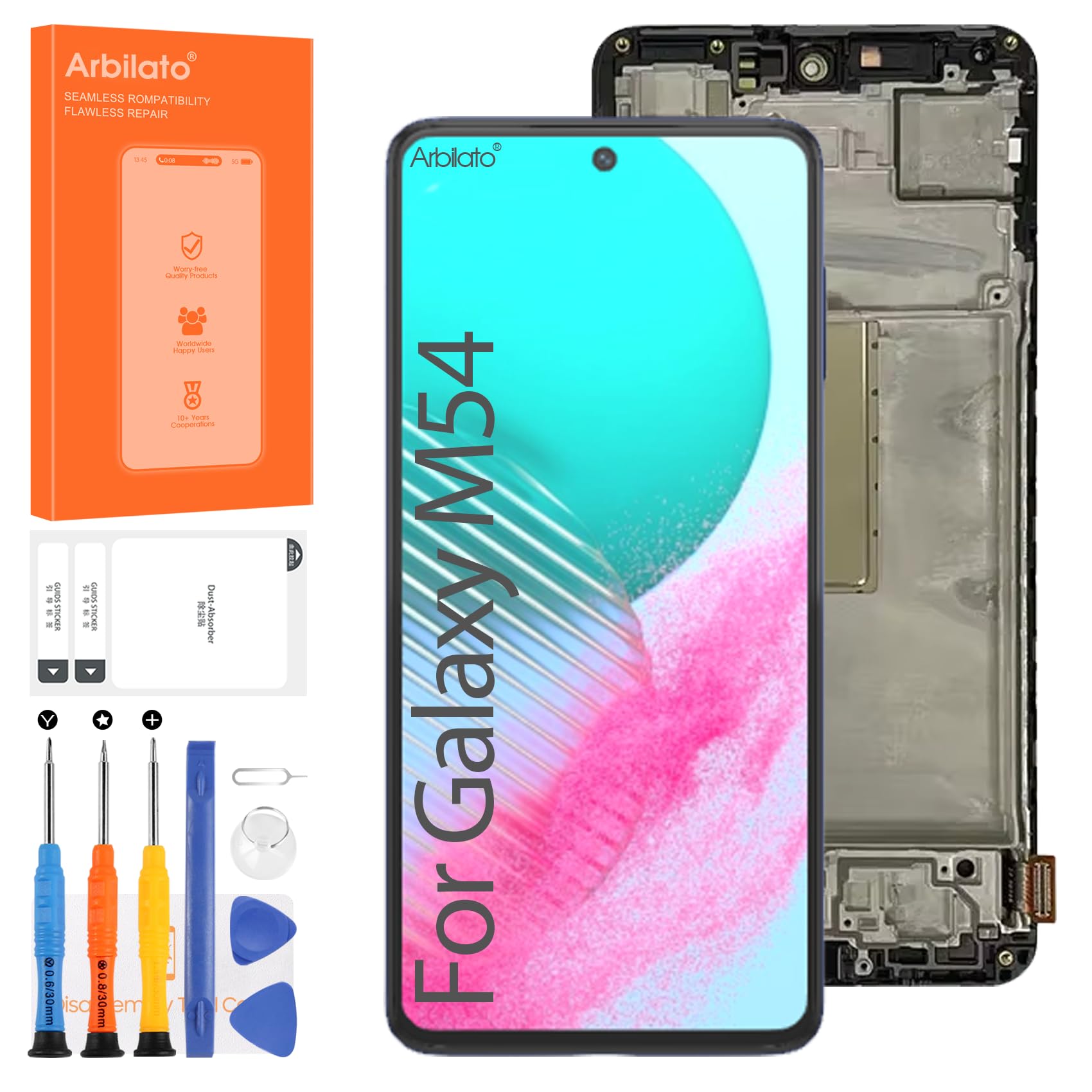
Image: The Arbilato replacement screen assembly for Samsung Galaxy M54 5G, including the frame, ready for installation.
5. Operation
After successful installation, your Samsung Galaxy M54 5G's display and touch functions will be restored. The integrated fingerprint function will operate as before, provided the original fingerprint sensor component was correctly transferred and connected, or if the replacement screen includes a compatible fingerprint sensor area.
6. Troubleshooting
If you encounter any issues after installing the replacement screen, consider the following:
- No Display/Partial Display: Check all flex cable connections to ensure they are securely seated. Disconnect and reconnect them.
- Touch Not Responding: Verify the touch digitizer flex cable is properly connected. Ensure no debris is between the screen and the frame.
- Fingerprint Sensor Issues: Confirm the fingerprint sensor flex cable is correctly connected and that the sensor itself was not damaged during transfer or installation.
- Screen Flickering/Lines: This could indicate a loose connection or a damaged flex cable. Recheck connections carefully.
- Uneven Screen Fit: Ensure all old adhesive is removed and the phone frame is not bent. Applying even pressure during curing can help.
If problems persist after reviewing these points, please contact our customer support for further assistance.
7. Specifications
| Feature | Detail |
|---|---|
| Compatible Models | Samsung Galaxy M54 5G (SM-M546B, SM-M546B/DS) |
| Screen Size | 6.7 inches |
| Resolution | 1080 x 2400 pixels |
| Type | LCD Touch Display Digitizer Assembly with Frame |
| Color | Black with Frame |
| Special Features | Fingerprint Function Support |
8. Warranty and Support
Arbilato is committed to providing quality products. If you encounter any issues with your replacement screen after purchase or during installation, please contact our customer support team immediately. We are dedicated to providing a suitable and effective solution to any problems you may experience.
Please have your purchase details and device model number ready when contacting support to facilitate a quicker resolution.