
1. Introduction
This manual provides detailed instructions for the safe and effective use of your MEROUS 4D Zero Gravity SL-Track Massage Chair Recliner, Model YJ-V9Z. This advanced massage chair is designed to offer a comprehensive full-body massage experience with features such as 4D massage rollers, an extended SL-track, zero-gravity recline, voice control, Bluetooth connectivity, and targeted airbag and foot roller massage.

Image 1.1: The MEROUS 4D Zero Gravity SL-Track Massage Chair Recliner.
2. Safety Information
Please read all safety warnings and instructions carefully before operating the massage chair. Retain this manual for future reference.
- WARNING: Do not exceed the maximum weight capacity of 350 lbs (158 kg).
- Always use the reclining mechanism with caution to prevent injury. Ensure no body parts or objects are in the path of moving components.
- Keep the area around the chair clear of obstacles when reclining or operating.
- This appliance is not intended for use by persons with reduced physical, sensory, or mental capabilities, or lack of experience and knowledge, unless they have been given supervision or instruction concerning use of the appliance by a person responsible for their safety.
- Do not use the chair if you have any medical conditions that may be aggravated by massage, such as heart conditions, pregnancy, or severe osteoporosis. Consult a physician before use.
- Unplug the chair from the power outlet when not in use or before cleaning.
- Do not operate the chair with wet hands or in a damp environment.
3. Setup and Installation
Your MEROUS massage chair is largely pre-assembled for convenience. Follow these steps for final setup and placement.
- Unpacking: Carefully remove the chair from its packaging. Ensure all components are present.
- Placement: Position the chair on a flat, stable surface. Ensure sufficient clearance around the chair for reclining and footrest extension. The minimum doorway size required for entry is approximately 30.7 inches (78 cm).
- Footrest Assembly: Attach the footrest component if it is separate. Refer to the included quick start guide for specific attachment instructions.
- Power Connection: Connect the power cord to the chair and then to a grounded electrical outlet.
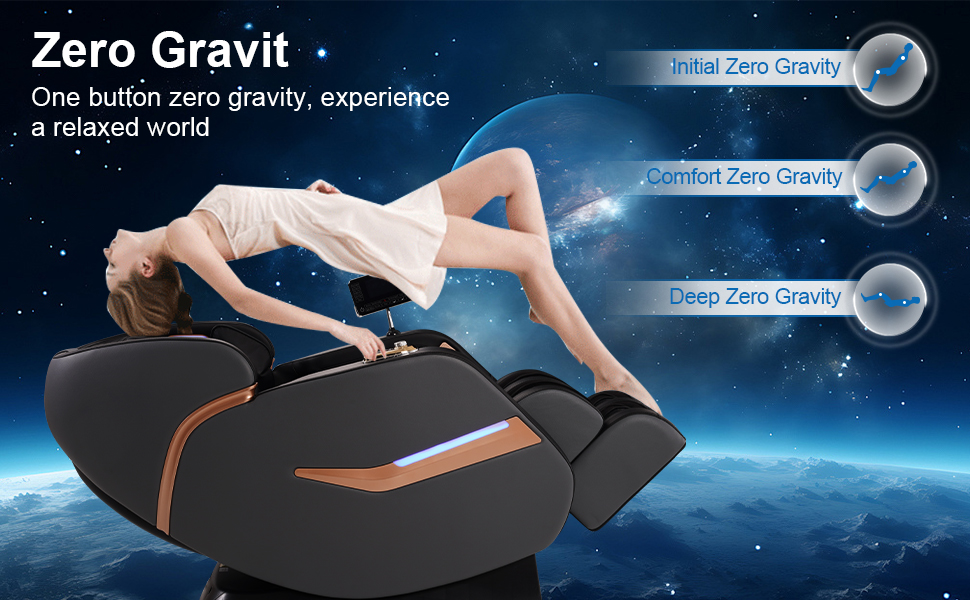
Image 3.1: Setup considerations including doorway size and pre-assembly.
The chair features rear wheels for easy mobility. To move the chair, gently tilt it backward and roll it to the desired location.
4. Operating Instructions
Your massage chair offers multiple ways to control its functions and a variety of massage programs.
4.1 Control Methods
The chair can be controlled using three primary methods:
- LCD Control Screen: A detailed touchscreen remote provides access to all massage programs and settings.
- Armrest Shortcut Keys: Convenient buttons located on the armrest for quick access to frequently used functions.
- Voice Control: Hands-free operation for key functions.
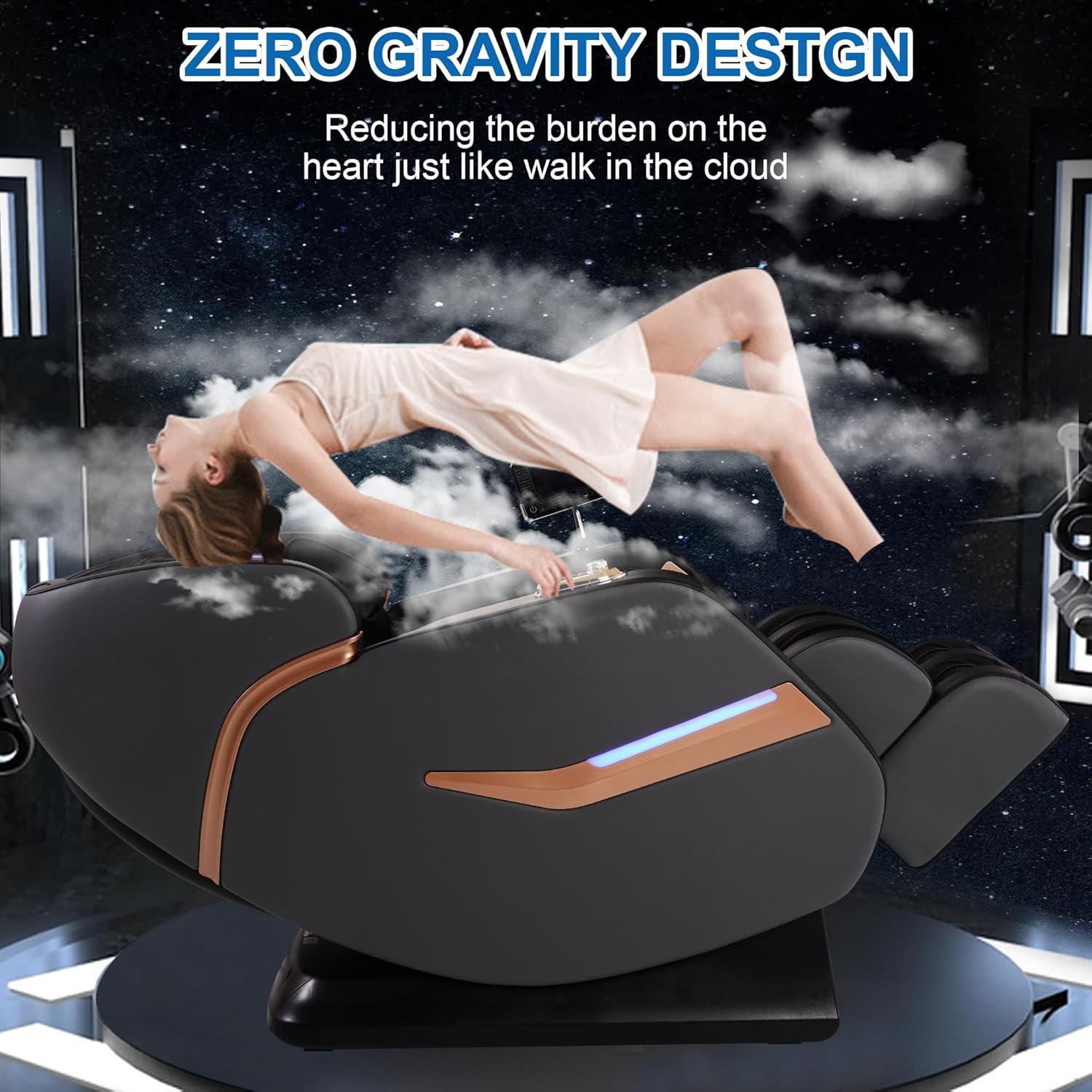
Image 4.1: Three operation methods: LCD screen, armrest keys, and voice control.
4.2 Voice Control Function
To activate voice control, say "Hello Nana." The chair will then respond to commands such as:
- "Mode switch"
- "Zero gravity on"
- "Heating on"
- "Back on"
A list of available voice commands is typically located on the back of the LCD touch screen.
4.3 4D Massage Mechanism and SL-Track
The chair features an advanced 4D flexible deep fascia massage mechanism that mimics human hands. The massage rollers move along an extended SL-track, providing comprehensive coverage from the neck to the hips.
- 4D Massage: Adjusts massage width (1.2-8.5 inches), depth (up to 4.8 inches), and intensity (3 levels).
- SL-Track: The 54.6-inch (138.7 cm) SL-track ensures the massage rollers follow the natural curve of your spine, providing targeted relief for the neck, shoulders, back, hips, and thighs.
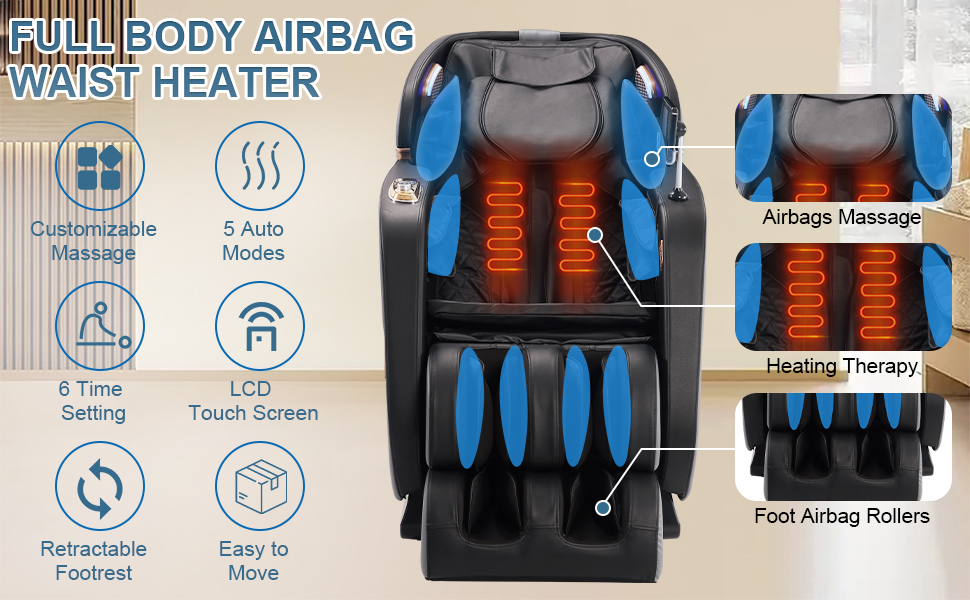
Image 4.2: Details of the 4D mechanical massage hands.
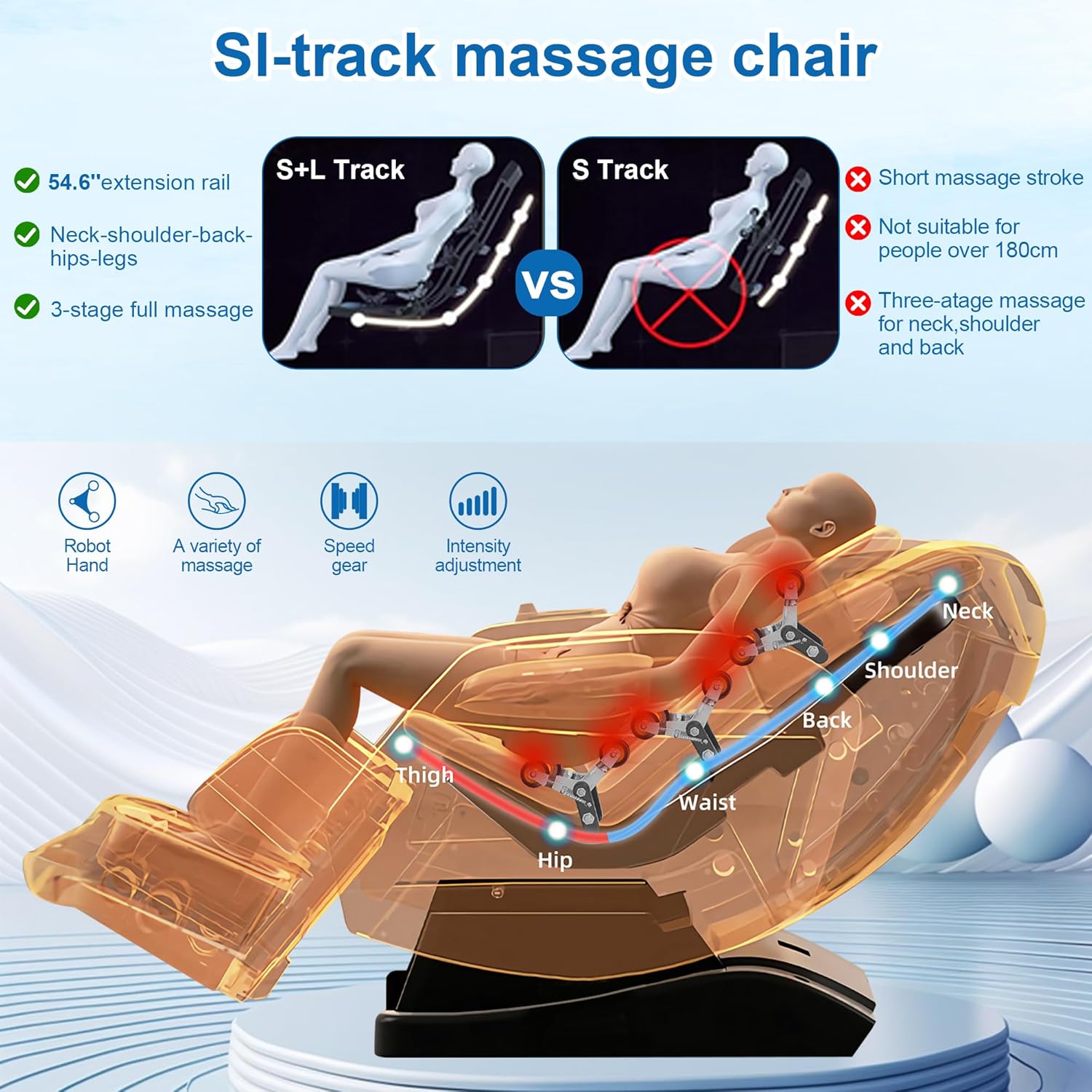
Image 4.3: SL-track massage path covering neck, shoulders, back, hips, and legs.
4.4 Automatic Body Scanning
Upon activation, the chair performs an automatic body scan to detect your body shape and size. This allows the massage rollers to adjust their position and intensity to provide a personalized and accurate massage experience.
4.5 Massage Programs and Techniques
The chair offers 5 auto modes and 5 massage techniques, including Shiatsu, Kneading, Tapping, Knocking, and a combination of Tapping & Kneading. You can also adjust the massage intensity to 3 levels.
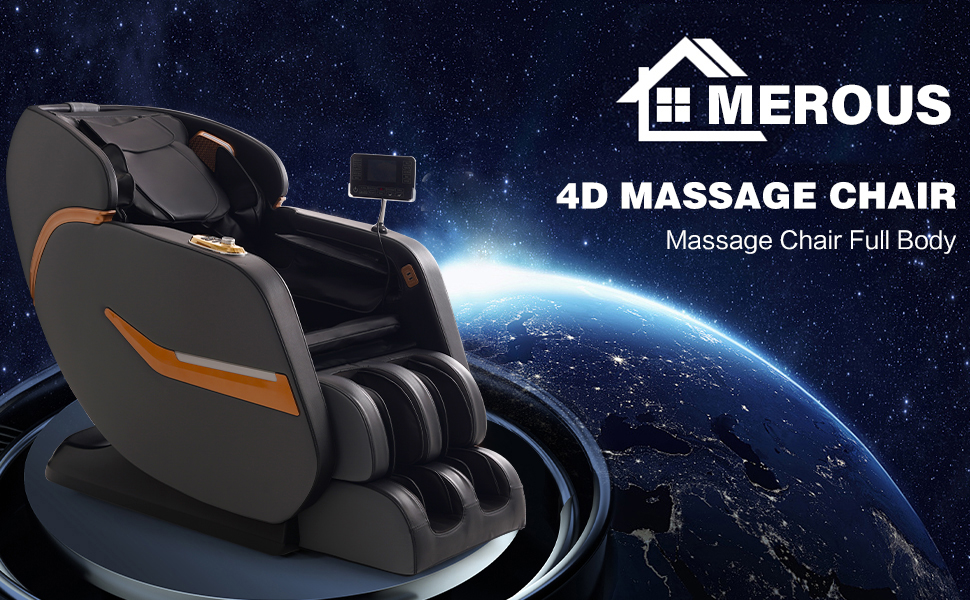
Image 4.4: Overview of full body airbag massage, waist heating, and foot rollers.
4.6 Zero Gravity Function
The zero-gravity feature reclines the chair to an angle where your knees are elevated above your chest. This position reduces spinal compression, decreases pressure on the heart, and improves blood circulation, enhancing the massage experience.
- Multistage Zero-Gravity: The chair offers multiple inclination angles for the zero-gravity position.
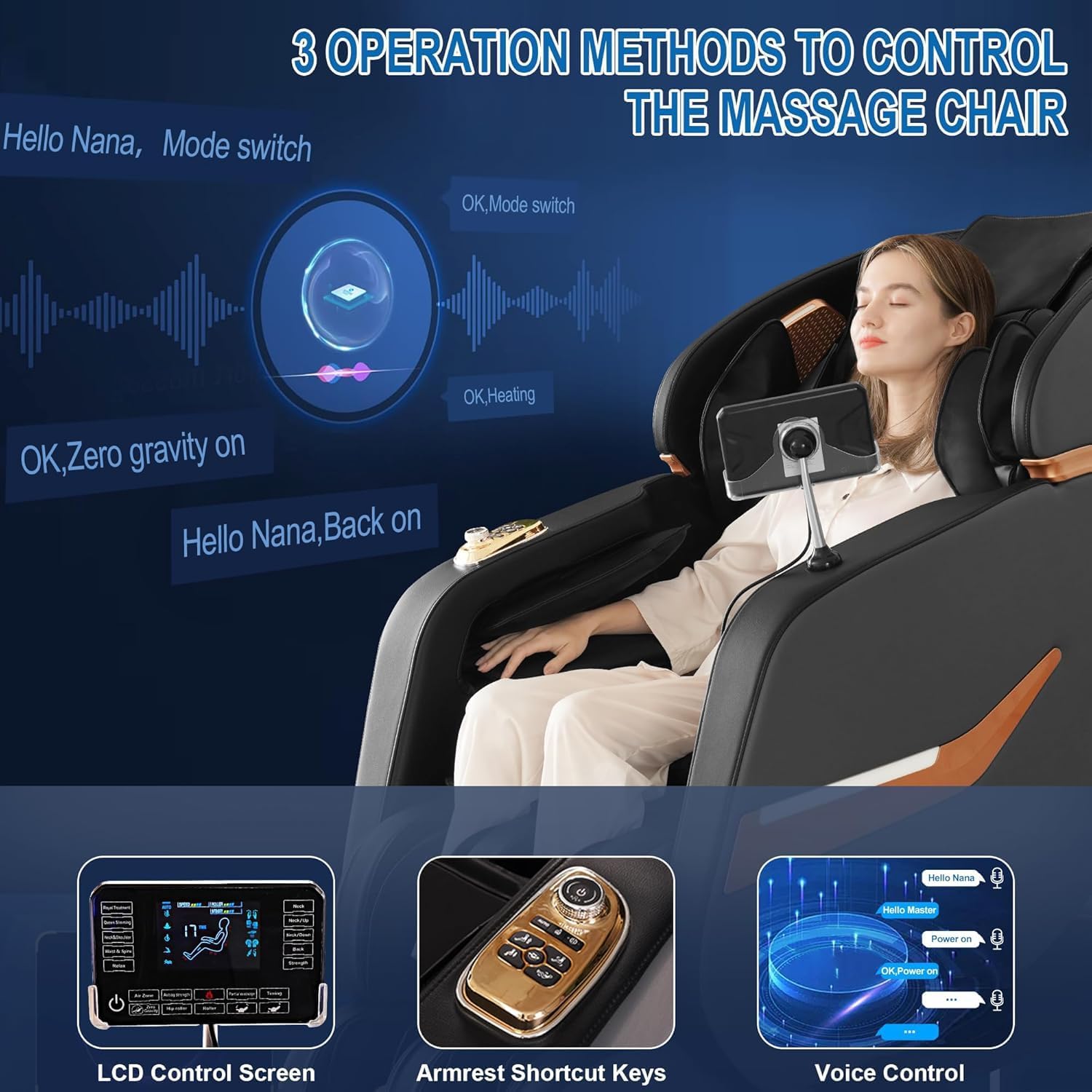
Image 4.5: Zero Gravity design for reduced burden on the heart.
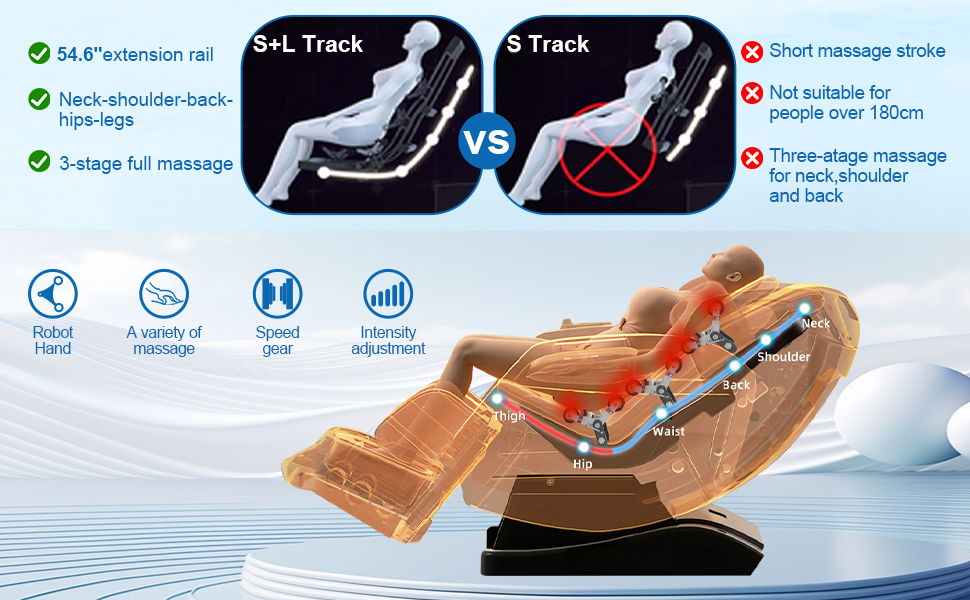
Image 4.6: Different levels of zero gravity recline.
4.7 Airbag Massage and Waist Heating
The chair incorporates 32 airbags strategically placed throughout the body to provide compression massage. The waist area features heating elements to further relax muscles and improve comfort.
4.8 Foot Rollers and Stretching
Full-roller kneading on the feet stimulates acupoints, while enveloping airbag pressure on the legs helps relieve soreness. The chair also offers a stretching function, inclining the backrest to stretch your upper body and release fatigue.
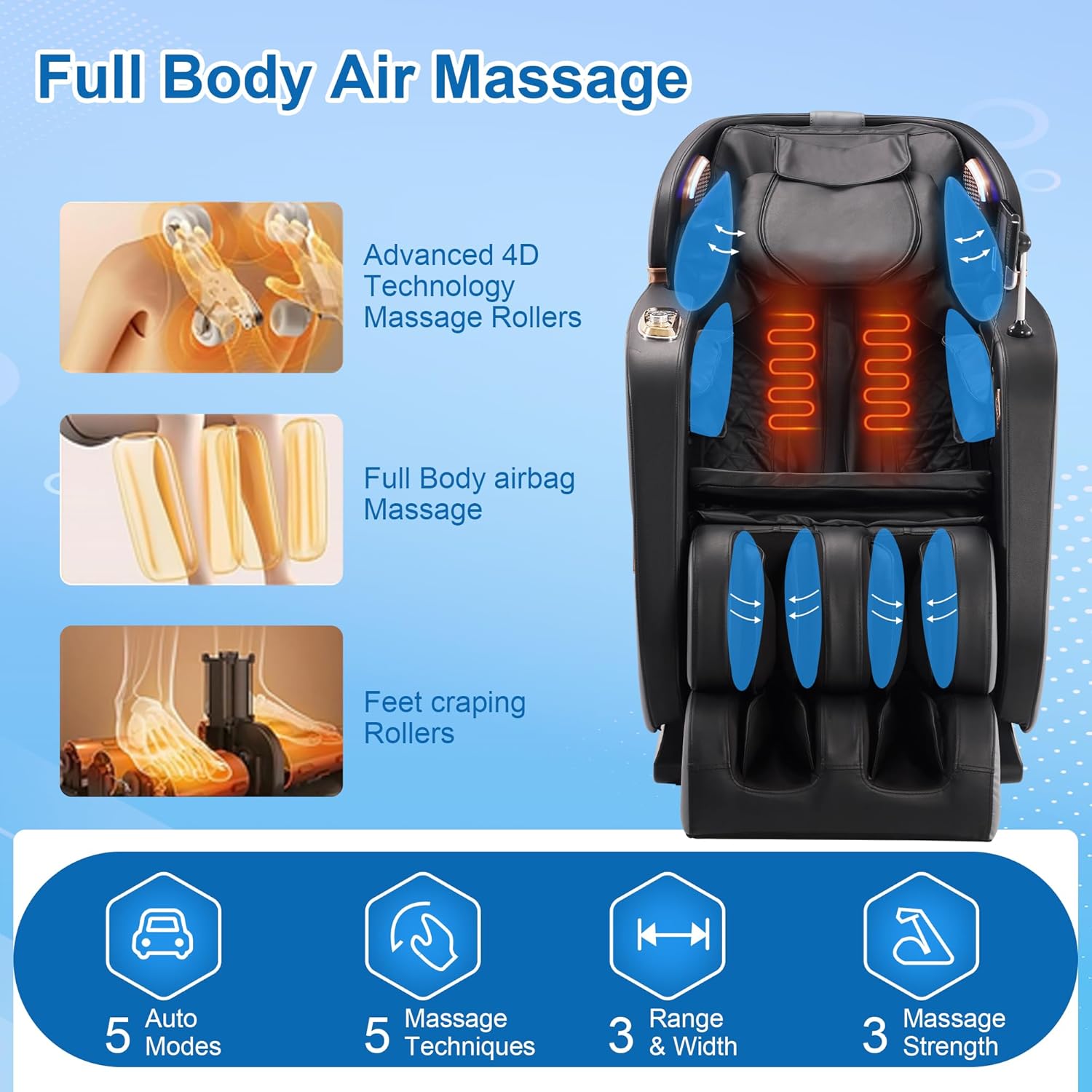
Image 4.7: Components of the full body air massage system.
4.9 Bluetooth Speaker
The massage chair is equipped with a Bluetooth speaker. Pair your device to enjoy audio during your massage session.
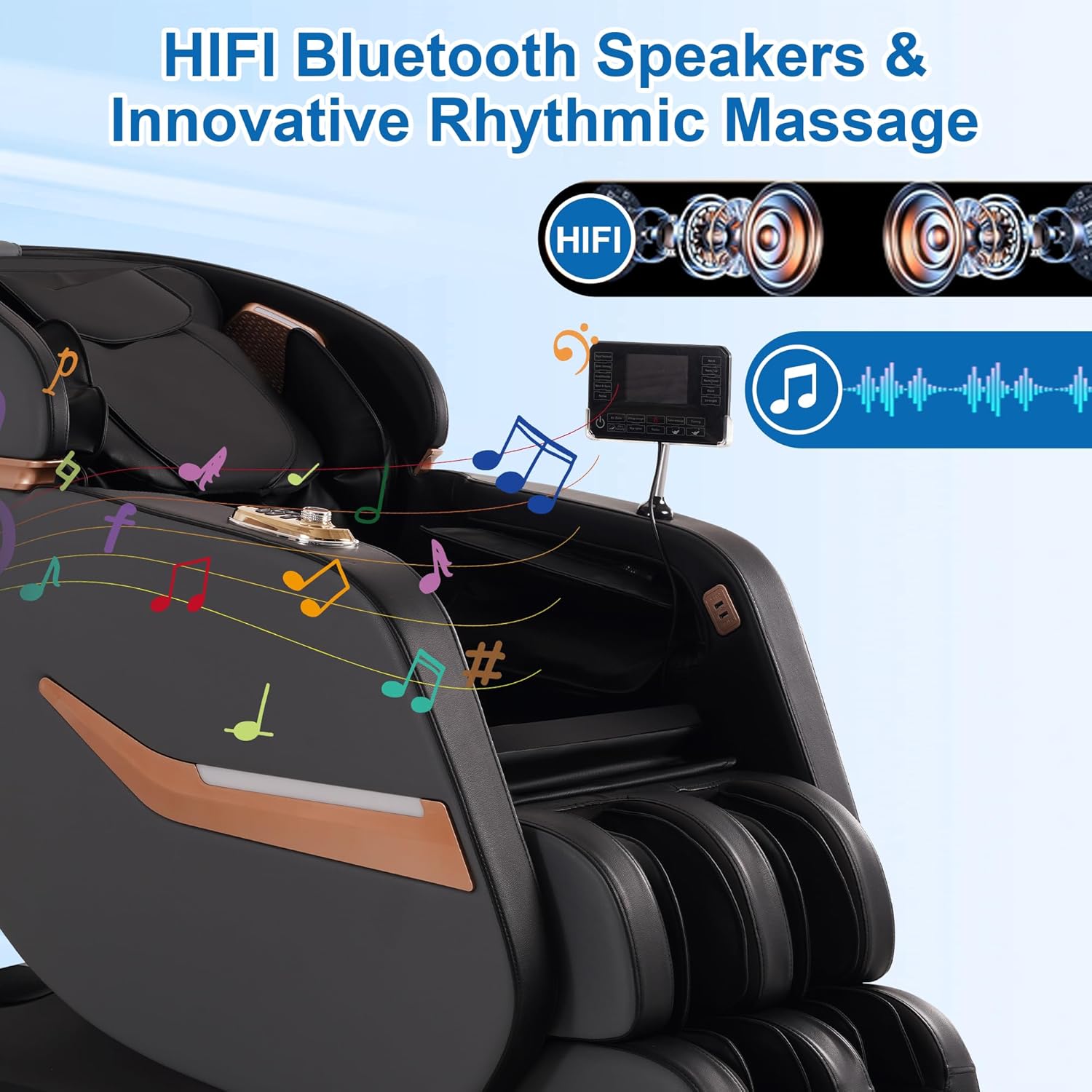
Image 4.8: HIFI Bluetooth speakers for an immersive experience.
5. Maintenance
Proper care ensures the longevity and performance of your massage chair.
- Cleaning: Wipe clean with a soft, damp cloth. Do not use abrasive cleaners or harsh chemicals.
- Storage: If storing for an extended period, unplug the chair and cover it to protect from dust.
- Inspection: Regularly check the power cord for any damage. Do not use the chair if the cord is damaged.
6. Troubleshooting
If you encounter issues with your massage chair, refer to the following common solutions:
- Chair does not power on:
- Ensure the power cord is securely plugged into both the chair and a working electrical outlet.
- Check if the power switch on the chair is in the 'ON' position.
- Verify the electrical outlet is functional by plugging in another appliance.
- Massage rollers are not moving or are weak:
- Ensure the chair is not in a paused state.
- Check the selected massage program and intensity settings on the control screen.
- Allow the automatic body scan to complete before starting a massage.
- Voice control is not responding:
- Ensure the voice control feature is enabled.
- Speak clearly and at a normal volume.
- Refer to the voice command list on the back of the LCD screen.
- Bluetooth speaker not connecting:
- Ensure Bluetooth is enabled on your mobile device.
- Search for the chair's Bluetooth name in your device's settings and attempt to pair.
- Ensure no other device is currently connected to the chair's Bluetooth.
- Unusual noises during operation:
- Some operational noise is normal. If the noise is excessive or unusual, discontinue use and contact customer support.
For issues not covered here, please contact MEROUS customer support.
7. Specifications
| Feature | Detail |
|---|---|
| Brand | MEROUS |
| Model Name | massage chair (YJ-V9Z) |
| Color | Grey |
| Product Dimensions | 66.9"D x 30.4"W x 42.1"H (170cm D x 77cm W x 107cm H) |
| Maximum Weight Recommendation | 350 Pounds (158 kg) |
| Item Weight | 145.1 pounds (65.8 kg) |
| SL-Track Length | 54.6 inches (138.7 cm) |
| Massage Techniques | Shiatsu, Kneading, Tapping, Knocking, Tapping & Kneading |
| Special Features | Adjustable Backrest, Ergonomic, Foot Rest, Heated, Reclining, Voice Control, Bluetooth, Body Scan |
| Fill Material | Memory Foam |
| Reclining Position Count | 3 (Zero Gravity) |
| Power Source | Corded Electric |
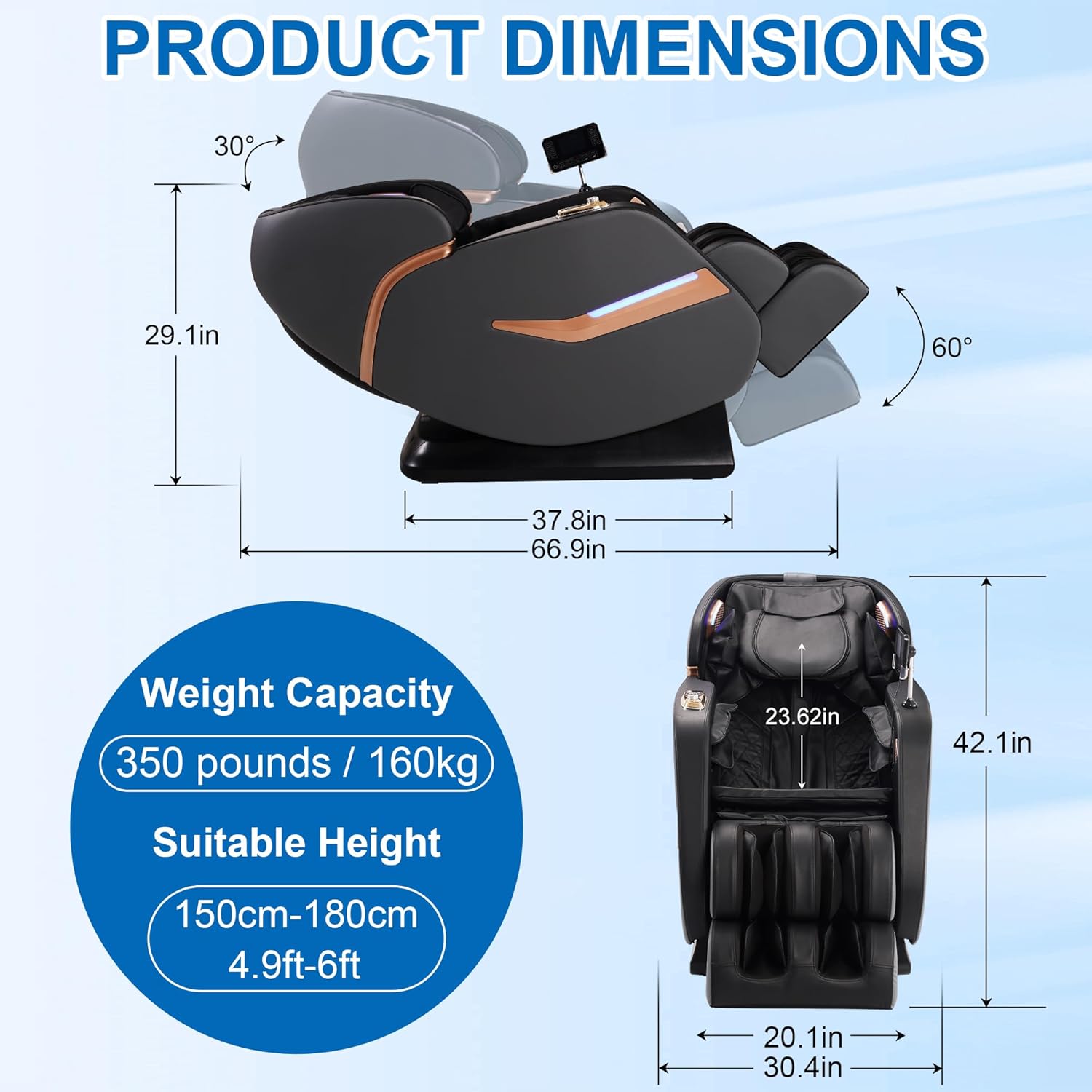
Image 7.1: Product dimensions and weight capacity.
8. Warranty and Support
MEROUS is committed to providing high-quality products. For any questions, concerns, or technical support regarding your massage chair, please contact MEROUS customer service. Refer to your purchase documentation for specific warranty details and contact information.


