
SCBRHMI STWC050WT-8881
SCBRHMI 7 Inch HMI TFT LCD Display User Manual
Model: STWC050WT-8881 (Note: Product title specifies 7-inch, while some product details may refer to 5-inch. This manual pertains to the 7-inch model.)
1. Introduction
This user manual provides comprehensive instructions for the SCBRHMI 7 Inch HMI TFT LCD Display. This advanced display module is designed for Human-Machine Interface (HMI) projects, offering powerful features and ease of programming for various applications, including industrial control, medical equipment, and IoT devices. It features a 1GHz Cortex A8 CPU, 128MB Flash memory, and versatile connectivity options.
2. Product Features
- Powerful Upgrades: Features a 1GHz Cortex A8 CPU and 128MB Flash memory, controllable by any MCU via RS232/TTL UART Interface and USB port. Ideal for Arduino and Raspberry Pi projects.
- Easy to Program: Includes complimentary GUI Software for rapid project development, reducing time and expense. Supports intuitive touch interface creation using image files (png/jpg/bmp/svg/gif) and component-defined functions.
- Clear, Detailed, Hi-Res HD: 800x480 high resolution with 4-wire resistance touch screen. Offers 262K (18bit) color, 16:9 aspect ratio, 70°/70°/50°/70° wide viewing angle, adjustable brightness (300 cd/m²), TTF Font, and 500:1 contrast.
- Versatile Applications: Model STWC070WT-01 is suitable for industrial and business applications, including medical, beauty, engineering, industrial control, electric power, civil electronics, automation, traffic, new energy, and IoT.
- Key Functions: Touch Control, Display Image, Play Video & Audio, Read & Write Data, Display Vector Font, Network Remote Control, Display Curve.
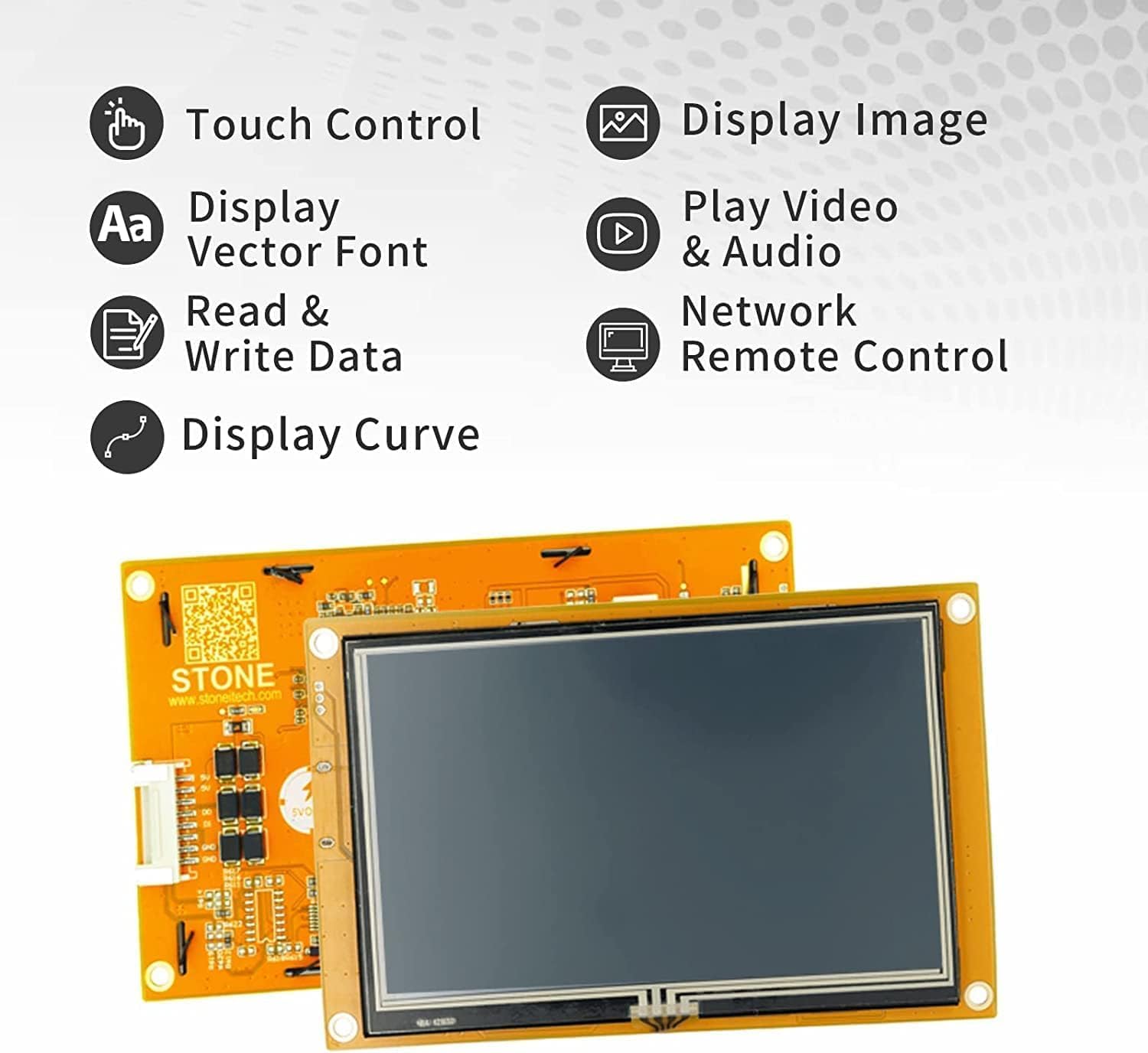
Figure 2.1: Key features of the SCBRHMI TFT LCD Display.
3. What's in the Box
The package includes the 7-inch TFT LCD Module and a selection of essential accessories to facilitate integration and development. Please verify all components upon unboxing:
- 7-inch TFT LCD Module
- STM Control Board
- Type A USB Cable
- Light Strip Dedicated Line
- 8-pin Socket
- U Storage Disk
- Converter
- LED Light Strip
- Double 8-pin Cable

Figure 3.1: Included accessories.
4. Setup
Setting up your SCBRHMI TFT LCD Module involves three primary steps:
- Build HMI Project: Utilize the STONE designer GUI editor to create your Human-Machine Interface project. This involves designing the visual layout and functionality using image files (PNG, JPG, BMP, SVG, GIF).
- Connect to MCU: Connect the TFT-LCD module to your Microcontroller Unit (MCU) via RS232 or TTL directly. This is a plug-and-play connection.
- Program MCU: Write a simple program for your MCU to control the TFT-LCD Module. This is achieved by sending JSON code to the TFT-LCD Module and HEX Code from your MCU.

Figure 4.1: Three steps to use the TFT-LCD Module.

Figure 4.2: Rear view of the display with port labels.

Figure 4.3: STONE designer GUI editor for HMI project development.
5. Operating Instructions
The SCBRHMI TFT LCD Display operates as a Human-Machine Interface, allowing users to interact with connected microcontrollers and systems through its touch screen. The specific operations will depend on the HMI project loaded onto the display.
General operation involves:
- Touch Interaction: Navigate menus, input data, and trigger actions by touching the resistive touch screen.
- Visual Feedback: The display provides visual information, graphics, and text as programmed in the HMI project.
- Data Exchange: The display communicates with the connected MCU to send commands and receive data, enabling real-time control and monitoring.
Video 5.1: Demonstration of an EV charging station interface using the SCBRHMI display, showcasing touch interaction and data display.

Figure 5.1: Example of touch interaction with the display.
6. Maintenance
To ensure the longevity and optimal performance of your SCBRHMI TFT LCD Display, follow these maintenance guidelines:
- Cleaning: Gently wipe the screen with a soft, lint-free cloth. For stubborn smudges, use a screen cleaner specifically designed for electronic displays. Avoid abrasive materials or harsh chemicals.
- Environment: Operate the display within its specified temperature and humidity ranges. Avoid exposure to direct sunlight, extreme temperatures, or high humidity.
- Handling: Handle the module by its edges to prevent damage to the screen or electronic components. Avoid applying excessive pressure to the screen.
- Power: Ensure stable power supply within the recommended voltage range. Disconnect power before performing any connections or disconnections.
7. Troubleshooting
If you encounter issues with your SCBRHMI TFT LCD Display, consider the following troubleshooting steps:
- Display Not Powering On:
- Check power connections to ensure they are secure and providing the correct voltage.
- Verify the power supply unit is functioning correctly.
- No Display/Blank Screen:
- Confirm that the HMI project has been successfully loaded onto the display.
- Check the data communication cables (RS232/TTL) between the display and the MCU for proper connection.
- Ensure the MCU is sending correct commands to initialize the display.
- Touch Screen Unresponsive:
- Recalibrate the touch screen if the option is available in your HMI project or GUI software.
- Ensure the screen surface is clean and free from obstructions.
- Verify that the touch screen FPC cable is securely connected.
- Communication Errors:
- Check baud rates and communication protocols (RS232/TTL) settings on both the display and the MCU.
- Inspect communication cables for damage or loose connections.
For further assistance, refer to the detailed documentation provided with the STONE designer GUI software or contact SCBRHMI technical support.
8. Specifications
| Feature | Specification |
|---|---|
| Display Size | 7.0 inches |
| Resolution | 800x480 pixels |
| Touch Screen Type | 4-wire Resistive Touch |
| Processor | 1 GHz Cortex A8 CPU |
| Flash Memory | 128 MB |
| RAM | DDR3 |
| Color Depth | 262K (18-bit) |
| Aspect Ratio | 16:9 |
| Viewing Angle | 70°/70°/50°/70° |
| Brightness | 300 cd/m² (adjustable) |
| Contrast Ratio | 500:1 |
| Interface | RS232/TTL UART, USB |
| Item Weight | 2.2 pounds |
| Package Dimensions | 10.24 x 8.66 x 3.15 inches |
| Model Number | STWC050WT-8881 |

Figure 8.1: Applications and Certifications.
9. Warranty & Support
SCBRHMI stands behind the quality and durability of its products. The 7 Inch HMI TFT LCD Display comes with a generous 3-Year Guarantee. In the event of a defect or malfunction, the product will be replaced at no additional cost.
All SCBRHMI displays undergo rigorous quality control, including CE/RoHS/FCC/ISO9001 International Certification and 24 hours Aging Testing, ensuring reliability and performance.
For technical assistance, software, examples, MCU support (on-demand), or any inquiries, professional technical support is available around the clock. Please refer to the contact information included in your product package to reach the support team promptly.
Ask a question about this manual
Ask about setup, troubleshooting, compatibility, parts, safety, or missing instructions. Manuals+ will review the question and use this page’s manual context to help answer it.