
1. Introduction
Thank you for choosing the LSLSL Tuya Smart Digital Thermostat. This device is designed to provide efficient and precise temperature control for your water heating system, enhancing comfort and energy savings. This manual provides essential information for installation, operation, and maintenance of your thermostat. Please read it thoroughly before use and retain it for future reference.
2. Safety Information
- Installation must be performed by a qualified electrician in accordance with local electrical codes.
- Always disconnect power at the circuit breaker before installing or servicing the thermostat.
- Do not expose the thermostat to water or excessive humidity.
- Ensure the power supply voltage (100-240V AC, 50/60HZ) matches the thermostat's requirements.
- Do not attempt to repair or modify the thermostat yourself. Contact customer support for assistance.
3. Package Contents
Please check the package for the following items:
- LSLSL Tuya Smart Digital Thermostat
- Mounting Screws
- User Manual (this document)
- External Sensor (if applicable to your model)
4. Product Overview
The LSLSL Tuya Smart Digital Thermostat features a modern design with a clear LED display and intuitive touch controls. It offers precise temperature management and smart connectivity for enhanced home comfort.

This image displays the LSLSL Tuya Smart Digital Thermostat, showcasing its clear digital display with current room temperature, set temperature, and time. Key features like temperature accuracy, programming capabilities, and control options via APP or the device panel are highlighted.
Key Features:
- Precise Temperature Control: Accurate to ±0.5°C, with adjustable temperature hysteresis (0.5°C to 10°C) and a minimum setting of 0.5°C.
- Programmable Schedules: Supports 5+2, 6+1, or 7-day programming with 6 time modes per day.
- Smart Control: APP/Panel control and voice control compatibility.
- Adjustable Backlight: Backlight brightness can be adjusted or turned off to avoid disturbing sleep.
- Child Lock: Prevents accidental operation by children.
- Group Control & Family Sharing: Manage multiple thermostats and share control with family members.
5. Setup
5.1 Installation
- Power Off: Ensure the main power supply to your heating system is turned off at the circuit breaker.
- Mounting: Carefully remove the front panel of the thermostat. Mount the backplate to the wall using the provided screws, ensuring it is level.
- Wiring: Connect the electrical wires from your heating system to the appropriate terminals on the thermostat's backplate. Refer to the wiring diagram provided with your specific heating system and the thermostat's internal labels. This model is designed for 3A WiFi Water Heating systems.
- Attach Front Panel: Once wiring is complete and secure, reattach the front panel to the backplate.
- Power On: Restore power at the circuit breaker. The thermostat display should light up.
5.2 App Pairing (Tuya Smart Life App)
To control your thermostat remotely, pair it with the Tuya Smart Life app:
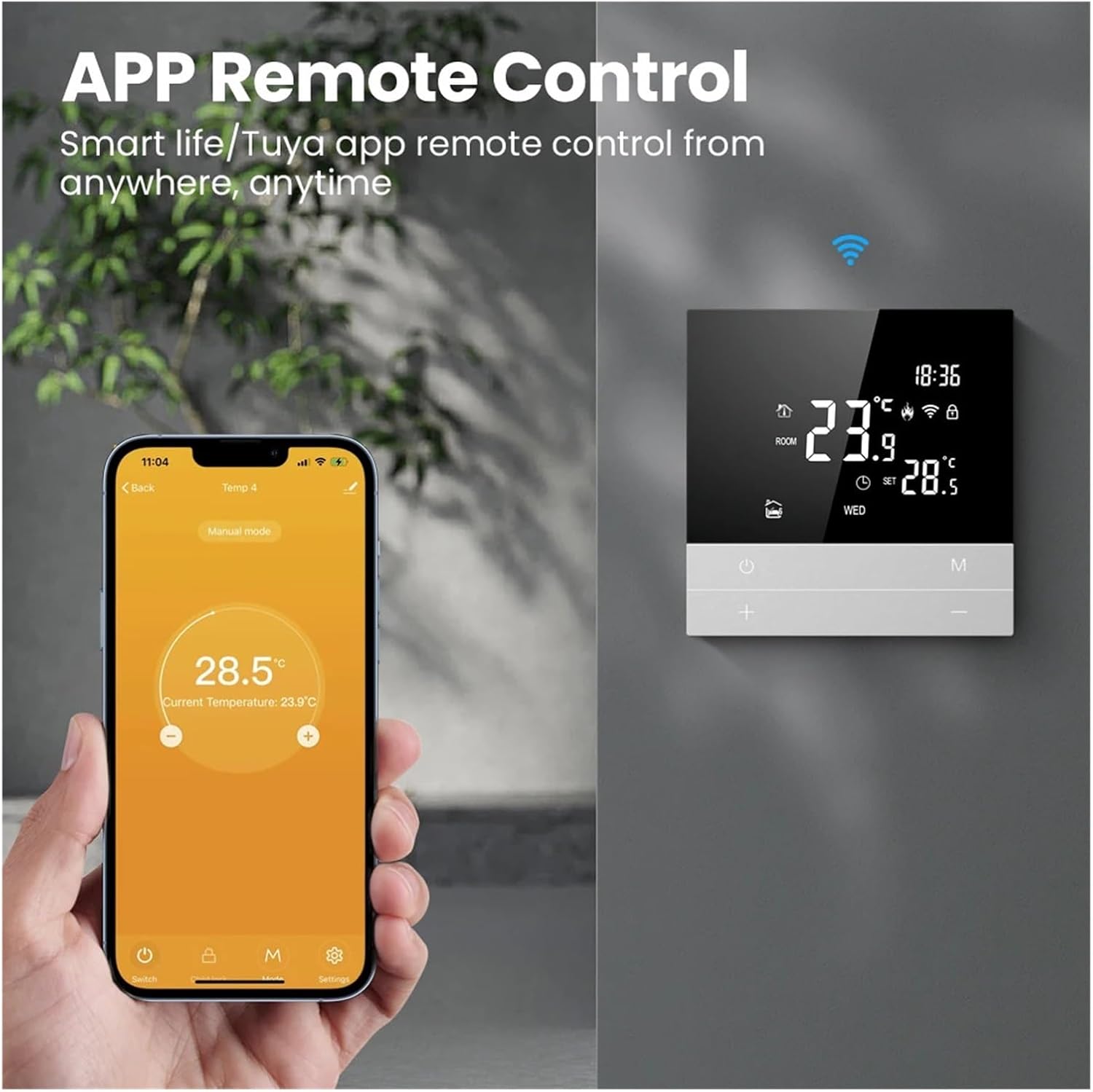
This image demonstrates the APP remote control functionality. It shows the thermostat alongside a smartphone running the Smart Life/Tuya application, indicating that users can manage their heating system from anywhere, anytime.
- Download App: Download the 'Tuya Smart' or 'Smart Life' app from your smartphone's app store (iOS or Android).
- Register/Login: Create an account or log in to your existing account.
- Add Device: In the app, tap the '+' icon to add a new device. Select 'Small Home Appliances' > 'Thermostat' or use the auto-scan feature.
- Enter Pairing Mode: On the thermostat, press and hold the 'M' button (or refer to specific instructions for your model to enter Wi-Fi pairing mode). The Wi-Fi icon on the display should blink rapidly.
- Connect: Follow the on-screen instructions in the app to connect the thermostat to your home Wi-Fi network (2.4GHz only).
- Rename Device: Once connected, you can rename your thermostat for easy identification.
6. Operating Instructions
6.1 Basic Operation
- Power On/Off: Press the power button (⏻) to turn the thermostat on or off.
- Temperature Adjustment: Use the '+' and '-' buttons to manually adjust the desired temperature.
- Mode Selection: Press the 'M' button to cycle through different operating modes (e.g., Manual, Program, Temporary Manual).

The thermostat is shown in a home setting, illustrating its precise temperature control. The image highlights technical specifications such as temperature hysteresis, which can be set between 0.5 to 10 degrees Celsius, and a minimum temperature setting of 0.5 degrees Celsius for enhanced comfort.
6.2 Programming Schedules
The thermostat supports flexible programming to match your lifestyle:

The image illustrates the thermostat's working day setting feature, allowing for flexible programming. It supports 5+2, 6+1, or 7-day schedules with up to 6 time modes per day, enabling users to set different temperatures according to their daily routines.
- Enter Program Mode: Press and hold the 'M' button until the programming interface appears.
- Set Days: Use the '+' and '-' buttons to select the programming period (e.g., 5+2 days for weekdays/weekend, 6+1 days, or 7 individual days).
- Set Time & Temperature: For each period, set up to 6 time modes (e.g., morning, day, evening, night) and their corresponding desired temperatures.
- Save Settings: Confirm your settings to save the program.
6.3 Advanced Features
- Child Lock: Activate the child lock feature through the thermostat settings or the app to prevent unauthorized changes to the settings.
- Group Control: If you have multiple LSLSL Tuya thermostats, you can group them together in the app for simultaneous control.
- Family Sharing: Share control of your thermostat with other family members through the Tuya Smart Life app.
- Voice Control: Integrate your thermostat with smart home assistants (e.g., Amazon Alexa, Google Assistant) for convenient voice commands.

This image highlights the voice control capability of the thermostat. It shows the device integrated with smart home assistants, allowing users to adjust the room temperature using voice commands, such as 'set the room temperature to 28.5°C'.
7. Maintenance
- Cleaning: Wipe the thermostat's display and casing with a soft, dry cloth. Do not use abrasive cleaners or solvents.
- Firmware Updates: Periodically check the Tuya Smart Life app for any available firmware updates to ensure optimal performance and security.
- Avoid Obstructions: Ensure no furniture or curtains block the thermostat, as this can affect its temperature readings.
8. Troubleshooting
| Problem | Possible Cause | Solution |
|---|---|---|
| Thermostat not powering on | No power supply; incorrect wiring | Check circuit breaker; verify wiring connections (consult electrician if unsure). |
| Cannot connect to Wi-Fi | Incorrect Wi-Fi password; 5GHz network; weak signal | Ensure correct password; connect to 2.4GHz network; move router closer or use Wi-Fi extender. |
| Inaccurate temperature reading | Thermostat location; calibration needed | Ensure thermostat is not near heat sources/drafts; adjust temperature calibration in settings (9.9 to -9.9). |
| Heating not turning on/off | Wiring issue; system fault; incorrect mode | Check wiring; ensure heating system is functional; verify thermostat is in the correct operating mode. |
9. Specifications

This image provides a detailed view of the thermostat's physical dimensions, including its front and side profiles. It shows the device measures 86mm in width and height, with a total depth of 26mm, of which 14mm is visible when mounted.
| Parameter | Value |
|---|---|
| Model | 1005005777528963 |
| Power Supply | 100-240V AC, 50/60HZ |
| Max. Load Current | 3A (Water Heating) |
| Temperature Sensor | NTC |
| Temperature Accuracy | ±0.5°C |
| Temperature Hysteresis | 0.5°C ~ 10°C |
| Minimum Temperature Setting | 0.5°C |
| Power Consumption | <1W |
| Display Temperature Range | 0°C - 51°C |
| Dimensions (L x W x D) | 86mm x 86mm x 26mm (14mm visible depth) |
| Item Weight | 50 Grams (1.76 ounces) |
| Connectivity | Wi-Fi (2.4GHz) |
10. Warranty and Support
LSLSL products are manufactured to high quality standards. For warranty information or technical support, please refer to the documentation provided with your purchase or contact your retailer. Keep your proof of purchase for warranty claims.