
1. Important Safety Information
WARNING: Adult supervision is required at all times when the vehicle is in use.
- Read all instructions before operating the vehicle.
- Keep children away from moving parts.
- Ensure all assembly steps are completed correctly before first use.
- Do not operate near roads, steep inclines, or swimming pools.
- Always wear appropriate safety gear, such as a helmet.
- Only one rider at a time.
- Maximum weight capacity: 60 lbs.
- Recommended age: 3 years and up.
2. Package Contents
Verify that all components are present before beginning assembly.
- 1x Audi 12V Kids Ride-On Car (main unit)
- 1x Remote Control
- 1x Charger
- 1x User Manual
- Assembly hardware (screws, washers, etc.)
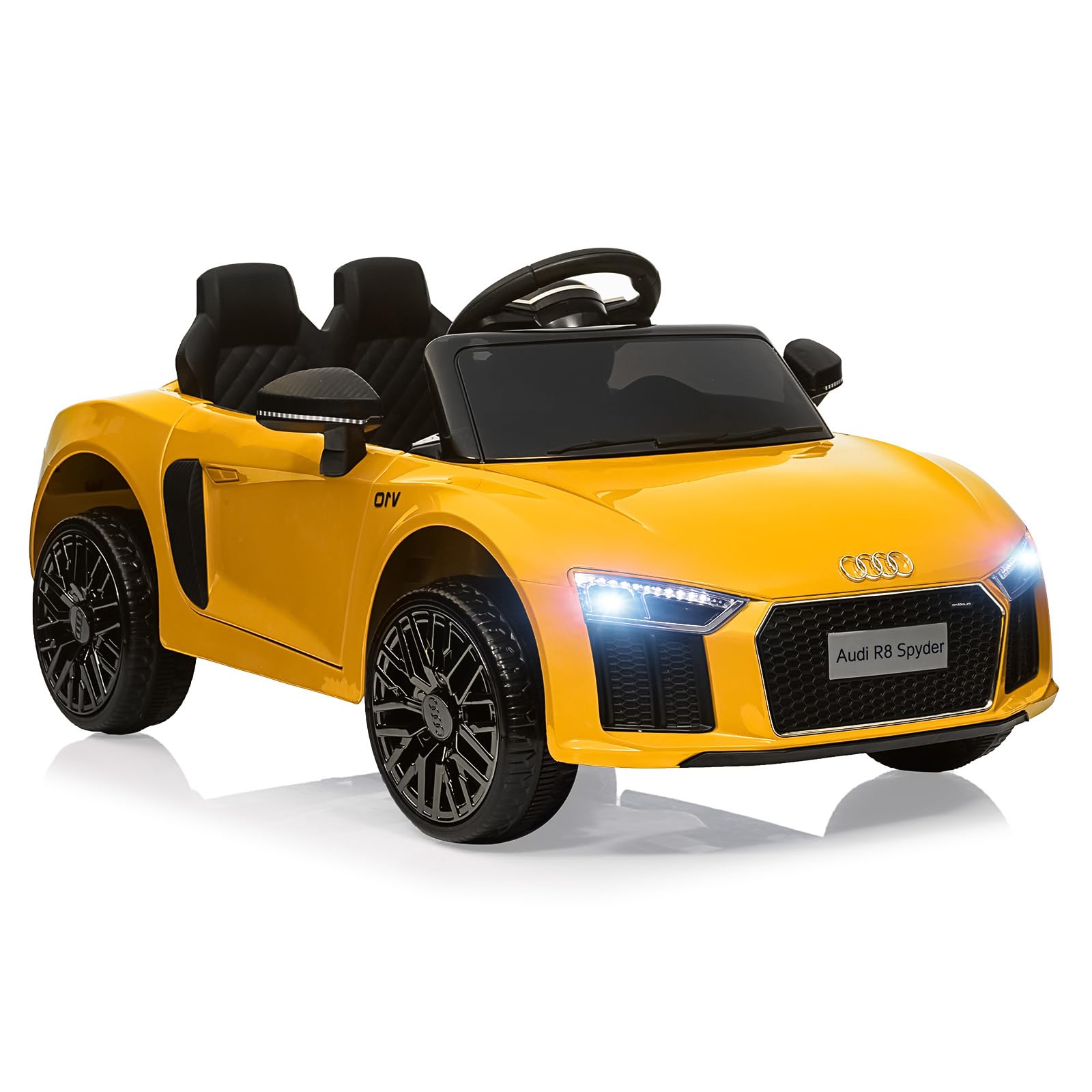
Image 1: The Hipicute Licensed Audi 12V Kids Ride-On Car.
3. Setup and Assembly
Follow these steps to assemble your ride-on car.
- Wheel Installation: Attach all four wheels securely using the provided hardware. Ensure they rotate freely.
- Steering Wheel Assembly: Connect the steering column to the vehicle body and secure the steering wheel. Ensure all electrical connections are properly seated.
- Seat Installation: Place the seat onto the vehicle and fasten it according to the instructions.
- Battery Connection: Connect the 12V battery. Refer to the battery compartment for specific connection points. Ensure a secure connection.
- Initial Charge: Before first use, fully charge the battery for 8-12 hours. Do not overcharge.

Image 2: Rear view of the ride-on car with doors open, illustrating assembly points.
4. Operating Instructions
4.1 Vehicle Controls
- Power Button: Press to turn the vehicle on/off.
- Forward/Reverse Switch: Select driving direction.
- Foot Pedal: Press to accelerate. Release to brake.
- Steering Wheel: Turn left or right to steer.
- Music/Horn Buttons: Located on the steering wheel for sound effects.
- LED Headlights: Automatically illuminate when the vehicle is on.

Image 3: Steering wheel and dashboard controls, including multimedia functions.
4.2 Remote Control Operation
The 2.4G Bluetooth remote control allows parents to safely guide the vehicle.
- Pairing: Turn on the vehicle. Hold the pairing button on the remote until the indicator light flashes, then release. The light will become solid when paired.
- Forward/Backward: Use the joystick or directional buttons to move the car.
- Left/Right: Use the joystick or directional buttons to steer.
- Speed Selection: Adjust speed settings (low, medium, high) using the dedicated button on the remote.
- Emergency Stop: Press the 'P' button on the remote to immediately stop the vehicle.
5. Maintenance
- Battery Care:
- Recharge the battery after each use.
- If storing for extended periods, charge the battery once a month to prolong its lifespan.
- Do not allow the battery to fully discharge.
- Only use the provided charger.
- Cleaning: Wipe the vehicle with a soft, damp cloth. Do not use abrasive cleaners or solvents. Avoid spraying water directly onto electrical components.
- Storage: Store the vehicle in a dry, cool place away from direct sunlight and moisture.
- Inspection: Regularly check for loose screws, damaged wires, or worn parts. Replace any damaged components immediately.
6. Troubleshooting
| Problem | Possible Cause | Solution |
|---|---|---|
| Vehicle does not move. | Battery is low or disconnected. Power switch is off. Loose wire connection. | Charge the battery. Ensure battery is connected. Turn on power switch. Check all wire connections. |
| Remote control not working. | Remote batteries are dead. Remote not paired. | Replace remote batteries. Re-pair the remote control (refer to section 4.2). |
| Vehicle moves slowly. | Low battery charge. Overloaded vehicle. Operating on rough terrain. | Recharge battery. Ensure weight is within limits (60 lbs). Operate on smooth surfaces. |
| No sound from music/horn. | Volume is too low. Speaker connection issue. | Increase volume. Check speaker wire connections. |
7. Specifications
- Model: WsEdQJAS_L3wsG5KElMJpA6d
- Brand: Hipicute
- Product Dimensions: 39.37 x 23.11 x 17.44 inches (L x W x H)
- Item Weight: 31.6 pounds
- Battery: 12V (included)
- Motor: 25W x 2 (inferred from product image)
- Speed: 3-4 KM/HR (inferred from product image)
- Load Capacity: 60 lbs
- Recommended Age: 3 years and up (37-96 months)
- Remote Control: 2.4G Bluetooth (inferred from product image)

Image 4: Detailed product specifications and dimensions.
8. Warranty and Support
For warranty information or technical support, please contact Hipicute customer service.
- Manufacturer: Hipicute
- Contact Information: Refer to the Hipicute official website or the contact details provided on the product packaging for the most up-to-date support information.
- Product Registration: Registering your product may provide additional warranty benefits and support.