
Lenyes S882
Lenyes S882 Wireless Bluetooth Party Speaker User Manual
Model: S882
Product Overview
The Lenyes S882 is a powerful wireless Bluetooth party speaker designed to deliver an immersive audio experience with its 200W output. It features dynamic RGB LED lights, IPX4 water resistance for outdoor use, and includes two wireless microphones for karaoke. Multiple connectivity options ensure versatile entertainment.

Image: The Lenyes S882 speaker, a tall, rectangular unit with two large speaker grilles and vibrant RGB lighting, accompanied by two wireless microphones.
Key Features:
- 200W Powerful Output: Delivers loud, clear sound with deep bass.
- Karaoke Function: Includes two wireless microphones for interactive singing.
- RGB LED Lights: Built-in dynamic RGB LED lights create a vibrant atmosphere.
- IPX4 Water-Resistant: Resistant to splashes and light rain, suitable for outdoor use.
- TWS (True Wireless Stereo) Function: Pair two S882 speakers for immersive stereo sound.
- Multiple Connectivity: Supports USB, TF card, AUX input, and FM radio.
What's in the Box
Upon unboxing your Lenyes S882 speaker, please ensure all the following components are present:
- Lenyes S882 Party Speaker
- 2 x Wireless Microphones
- Wireless Remote Control
- Charging Cable
Setup Guide
1. Initial Charging
Before first use, fully charge the speaker. Connect the provided charging cable to the speaker's charging port and a suitable power source. The charging indicator will show the charging status. A full charge takes approximately 8 hours.
2. Powering On/Off
Locate the power button on the speaker's control panel. Press and hold the button for a few seconds to power on or power off the speaker. You will hear an audible prompt indicating the power status.
3. Bluetooth Pairing
- Ensure the speaker is powered on and in Bluetooth pairing mode (usually indicated by a flashing Bluetooth LED).
- On your device (smartphone, tablet, laptop), enable Bluetooth and search for available devices.
- Select "Lenyes S882" from the list of devices.
- Once paired, the speaker will confirm the connection, and the Bluetooth LED will become solid.
The speaker has a maximum Bluetooth range of 10 meters.

Image: A visual representation of the Lenyes S882 speaker highlighting its key features: Bluetooth connectivity, multiple input modes, IPX4 water resistance, and automatic wireless microphone connection.
4. Connecting Wireless Microphones
The included wireless microphones automatically connect and pair with the speaker upon powering on the speaker. No manual pairing is required for the microphones.

Image: Two individuals enjoying karaoke, one playing a guitar, with the Lenyes S882 speaker and its wireless microphones in a home setting.
5. True Wireless Stereo (TWS) Pairing (Optional)
To achieve true wireless stereo sound, you can pair two Lenyes S882 speakers together:
- Ensure both S882 speakers are powered on and not connected to any other Bluetooth device.
- On one of the speakers, long press the 'M' (Mode) key.
- The speakers will automatically search and pair with each other. Once connected, one speaker will act as the left channel and the other as the right channel.
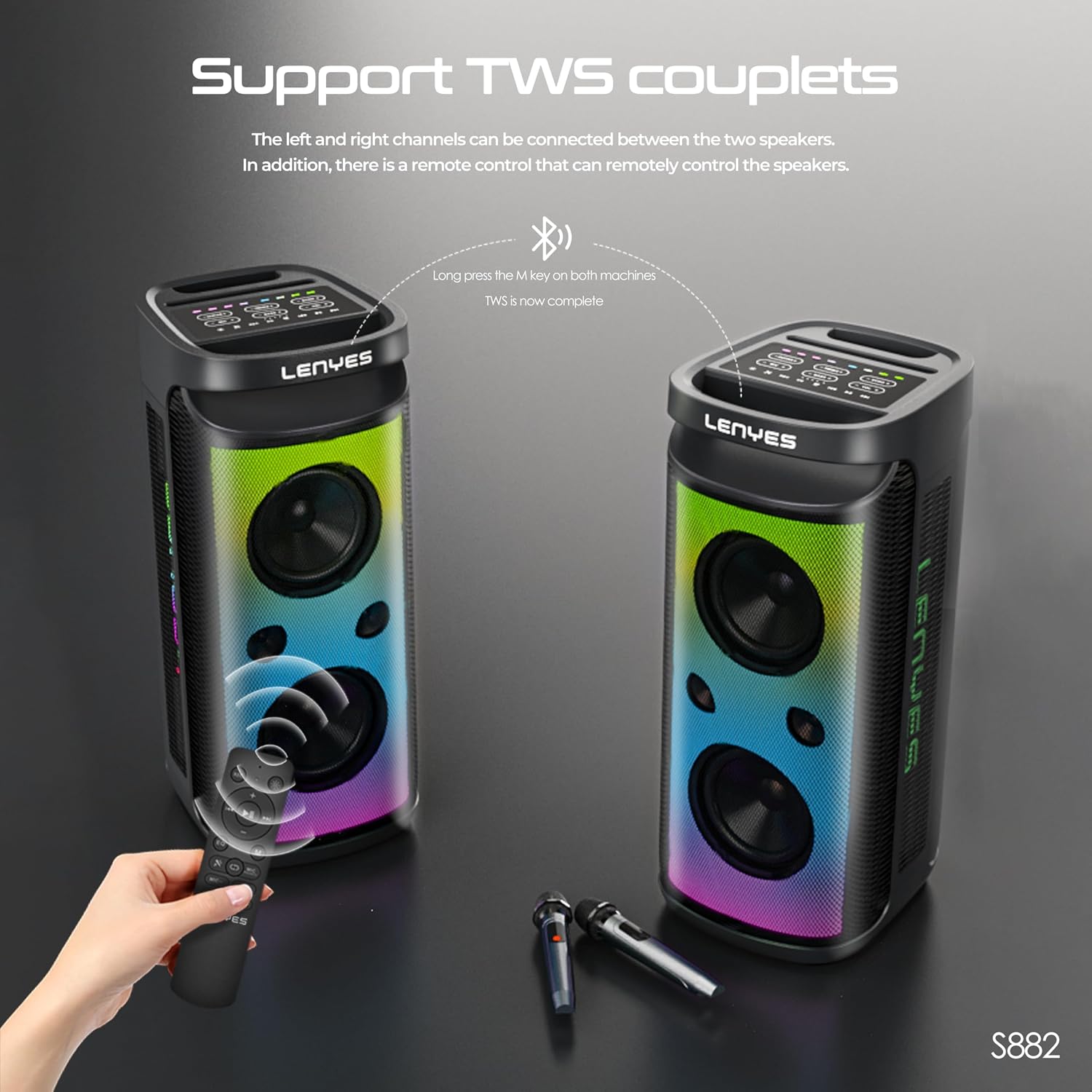
Image: Two Lenyes S882 speakers demonstrating the True Wireless Stereo (TWS) pairing feature, showing how they connect to form a stereo sound system, along with the remote control and microphones.
Operating Instructions
Control Panel Overview
The top panel of the Lenyes S882 speaker features various controls for audio playback, microphone adjustments, and lighting effects.

Image: A detailed view of the Lenyes S882 speaker's control panel, showcasing the various buttons for volume, bass, treble, echo, microphone, and guitar inputs, along with the cool RGB lighting that illuminates the controls.
Input Modes
The speaker supports multiple input sources:
- Bluetooth: For wireless audio streaming from compatible devices.
- USB: Insert a USB flash drive with audio files.
- TF Card: Insert a TF (microSD) card with audio files.
- AUX Input: Connect external audio devices using a 3.5mm audio cable.
- FM Radio: Tune into local FM radio stations.
Use the 'Mode' button on the speaker or remote control to switch between input sources.

Image: A close-up view of the Lenyes S882 speaker's rear input panel, revealing the USB, TF card, AUX, and FM antenna ports, protected by a rubber flap.
Audio Adjustments
- Volume Control: Adjust the master volume using the dedicated volume knob or buttons.
- Bass/Treble: Fine-tune the bass and treble levels for your preferred sound.
- Microphone Volume: Adjust the volume of the wireless microphones.
- Echo: Add an echo effect to the microphone output for karaoke.
RGB LED Lighting
The speaker features dynamic RGB LED lights that can be customized. Use the dedicated light mode button on the control panel to cycle through different lighting effects, including monochrome gradient, RGB mode, and flame lighting effect.

Image: Three Lenyes S882 speakers displayed side-by-side, showcasing various RGB lighting effects such as monochrome gradient, full RGB mode, and a flame lighting effect, illustrating the speaker's customizable visual features.
Maintenance
Cleaning
Wipe the speaker's exterior with a soft, dry cloth. Do not use abrasive cleaners, waxes, or solvents as they may damage the finish. Ensure all ports are dry before connecting cables, especially after exposure to splashes.
Storage
When not in use for extended periods, store the speaker in a cool, dry place away from direct sunlight and extreme temperatures. It is recommended to charge the battery periodically (e.g., every 3 months) to maintain battery health.
Water Resistance (IPX4)
The Lenyes S882 is IPX4 water-resistant, meaning it is protected against splashing water from any direction. It is not designed to be submerged in water. Do not expose it to heavy rain or immerse it in liquids.
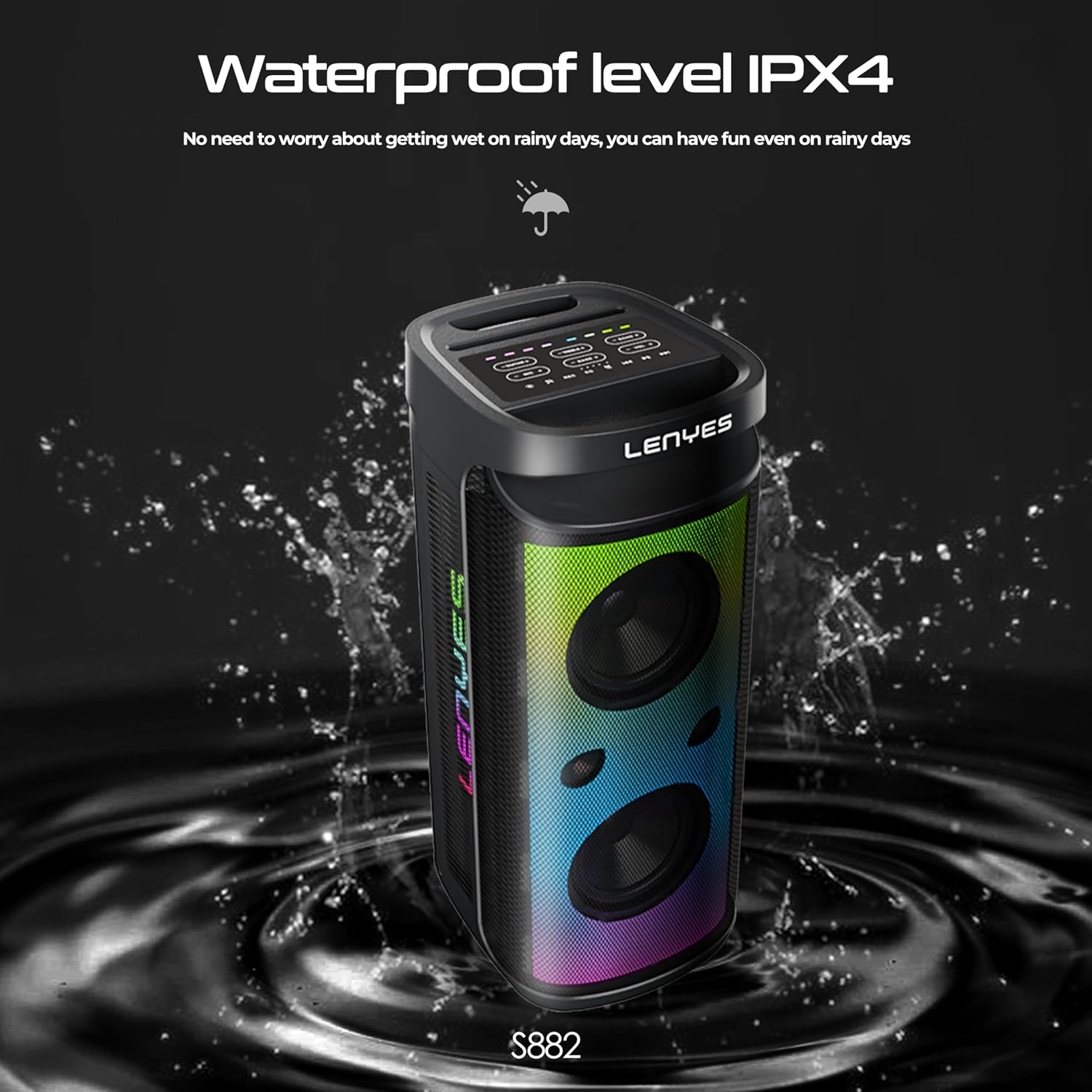
Image: The Lenyes S882 speaker with water splashing around it, visually representing its IPX4 water-resistant capability, suitable for use in environments where light splashes may occur.
Troubleshooting
| Problem | Possible Cause | Solution |
|---|---|---|
| Speaker does not power on. | Low battery; Power button not pressed correctly. | Charge the speaker fully. Press and hold the power button for 3-5 seconds. |
| No sound from speaker. | Volume too low; Incorrect input mode; Device not paired. | Increase volume. Switch to correct input mode (Bluetooth, USB, AUX). Re-pair Bluetooth device. |
| Microphones not working. | Microphone volume too low; Microphones not powered on (if applicable). | Increase microphone volume on the speaker. Ensure microphones are powered on. |
| Bluetooth connection unstable. | Device too far from speaker; Obstructions; Interference. | Move device closer to speaker (within 10m). Remove obstructions. Avoid strong electromagnetic interference. |
| TWS pairing failed. | Speakers already paired to another device; Incorrect pairing procedure. | Ensure both speakers are disconnected from other devices. Follow TWS pairing steps precisely. |
Specifications
| Feature | Detail |
|---|---|
| Model Name | S882 |
| Output Power | 200 Watts RMS |
| Connectivity Technology | Bluetooth V5.3 |
| Bluetooth Range | Up to 10 meters |
| Battery Capacity | 6000 mAh Lithium Ion |
| Battery Life | Approx. 4 hours |
| Charging Time | Approx. 8 hours |
| Water Resistance | IPX4 (Splash-resistant) |
| Input Options | USB, TF Card, AUX, FM Radio |
| Included Components | Speaker, 2 Wireless Mics, Remote, Charging Cable |
| Product Dimensions (D x W x H) | 30D x 63W x 26.5H Centimeters |
| Item Weight | 9.5 Kilograms |
| Material | Acrylonitrile Butadiene Styrene (ABS) |
| Frequency Response | 12 KHz |
| Audio Output Mode | Surround |
Warranty and Support
Warranty Information
The Lenyes S882 speaker comes with a Limited Warranty. Please refer to the warranty card included in your product packaging for specific terms, conditions, and duration of coverage. Keep your purchase receipt as proof of purchase for warranty claims.
Customer Support
For any technical assistance, troubleshooting not covered in this manual, or warranty inquiries, please contact Lenyes customer support. Contact details can typically be found on the product packaging, the official Lenyes website, or your purchase platform.
Manufacturer: Shenzhen Xinzhiyue Technology Co. Ltd., China
Importer: Westercom Private Limited, Lower Parel, Mumbai
Ask a question about this manual
Ask about setup, troubleshooting, compatibility, parts, safety, or missing instructions. Manuals+ will review the question and use this page’s manual context to help answer it.