
3256807357861001-83uE
Astronaut Rabbit Galaxy Projector Lamp User Manual
Model: 3256807357861001-83uE
Brand: GENERIC
Introduction
The Astronaut Rabbit Galaxy Projector Lamp is designed to transform any room into a captivating cosmic environment. This device projects stunning starry skies and dynamic nebula effects, creating a soothing and immersive atmosphere for relaxation, sleep, or entertainment.
Product Features
- Projects a stunning array of stars and nebulae.
- Creates a mesmerizing galaxy effect.
- Rotating projection for dynamic display.
- Chemical-free design for safety.
- Charming Astronaut-themed design.
- Adjustable arms and magnetic absorption for flexible positioning.
- Timer function (45/90 minutes).
Package Contents
- Astronaut Rabbit Galaxy Projector Lamp
- Remote Control
- USB Power Cable
- User Manual
Product Overview and Dimensions
Familiarize yourself with the components and size of your projector.

Image: Front and back view of the Astronaut Rabbit Projector, highlighting magnetic absorption for the head, adjustable arms, and easy assembly of the ears.

Image: Diagram showing the dimensions of the Astronaut Rabbit Projector: 18.6cm (7.32in) height, 14cm (5.51in) width, and 10cm (3.94in) depth. A remote control is also pictured.
Setup
- Unpack: Carefully remove all components from the packaging.
- Assemble Ears: Gently attach the rabbit ears to the designated slots on the astronaut's head.
- Positioning: Place the projector on a stable, flat surface. The head is magnetically attached and can be rotated 360 degrees to adjust the projection angle.
- Power Connection: Connect the USB power cable to the projector's power input port and plug the other end into a compatible USB power adapter (not included) or a USB port.
Operating Instructions
The projector is controlled via the included remote control. Ensure the remote has working batteries.
Image: Close-up of the remote control, showing buttons for power, nebula brightness (B+, B-), nebula color/mode (S+, S-), star brightness (S+, S-), star mode (S+, S-), timer (45/90 min), and reset.
Basic Operation
- Power On/Off: Press the "ON/OFF" button on the remote control to turn the projector on or off.
- Nebula Effect: Use the "NEBULA S+" and "NEBULA S-" buttons to cycle through different nebula colors and patterns. The "B+" and "B-" buttons adjust the brightness of the nebula.
- Star Effect: Use the "STAR S+" and "STAR S-" buttons to adjust the brightness or mode of the stars.
- Simultaneous/Separate Projection: Nebulas and stars can be used simultaneously or separately.
- Timer Function: Press the timer button to set the projector to automatically turn off after 45 or 90 minutes.
- Reset: Press the "RESET" button to return settings to default.
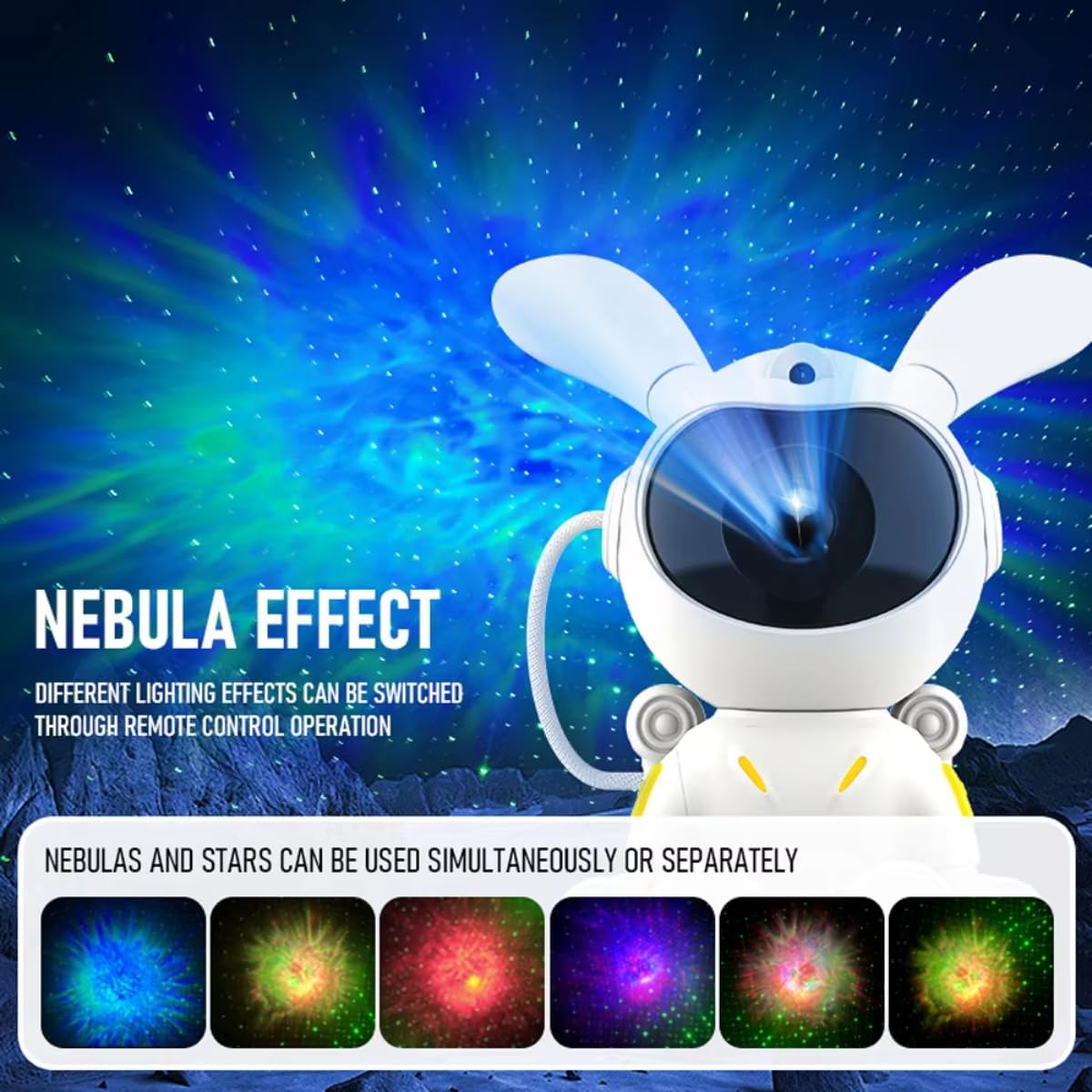
Image: The Astronaut Rabbit Projector displaying various colorful nebula effects, illustrating that different lighting effects can be switched via remote control.

Image: The Astronaut Rabbit Projector illuminating a child's room with a starry sky, emphasizing its ability to create a peaceful sleeping atmosphere and showing the 45/90 minute custom timer function.
Maintenance
- Cleaning: Use a soft, dry cloth to wipe the surface of the projector. Do not use abrasive cleaners or solvents.
- Storage: When not in use, store the projector in a cool, dry place away from direct sunlight.
- Lens Care: Avoid touching the projection lens directly. If cleaning is necessary, use a lens cleaning cloth.
Troubleshooting
| Problem | Possible Cause | Solution |
|---|---|---|
| Projector does not turn on | No power connection | Ensure USB cable is securely connected and power source is active. |
| Remote control not working | Batteries are dead or incorrectly inserted | Replace batteries or ensure they are inserted with correct polarity. |
| Projection is blurry | Lens is dirty or protective film not removed | Clean the lens with a soft cloth. Ensure any protective film on the lens is removed. |
| No stars/nebula | Feature turned off or brightness too low | Use remote to activate star/nebula mode and increase brightness. |
If the issue persists, please contact customer support.
Specifications
| Feature | Detail |
|---|---|
| Brand | GENERIC |
| Model Number | 3256807357861001-83uE |
| Color | as picture |
| Dimensions | Approx. 18.6cm (H) x 14cm (W) x 10cm (D) |
| Power Input | USB |
| Timer | 45/90 minutes |
Note: Specifications are subject to change without notice.
Safety Information
- Do not look directly into the projection lens.
- Keep out of reach of small children.
- Do not disassemble or modify the device.
- Use only the provided power cable or a compatible USB power source.
- Avoid exposing the device to water or excessive humidity.
- Do not use in environments with extreme temperatures.
Warranty and Support
For warranty information or technical support, please refer to the product packaging or contact the seller directly. Specific warranty details are not provided in this manual.
Ask a question about this manual
Ask about setup, troubleshooting, compatibility, parts, safety, or missing instructions. Manuals+ will review the question and use this page’s manual context to help answer it.