
1. Introduction
This manual provides comprehensive instructions for the Philips HomeRun 5000 Series Robot Vacuum Cleaner and Mop. It covers initial setup, daily operation, routine maintenance, and troubleshooting common issues to ensure optimal performance and spotless floors. Please read this manual thoroughly before using the appliance and retain it for future reference.

Image: The Philips HomeRun 5000 Series Robot Vacuum Cleaner and Mop, shown with its auto-empty station and a smartphone displaying the HomeRun app interface for controlling the device.
2. Safety Information
Before using the appliance, carefully read this important information and save it for future reference. Failure to follow these instructions may result in electric shock, fire, or serious injury.
- This appliance is intended for household use only.
- Do not use the appliance in wet environments or near water.
- Keep the appliance away from heat sources and open flames.
- Ensure the voltage indicated on the appliance corresponds to the local mains voltage before you connect the appliance.
- Do not allow children to play with the appliance.
- Always unplug the appliance before cleaning or performing maintenance.
- Use only original Philips accessories and replacement parts.
3. Package Contents
Verify that all items are present in the package:
- Philips HomeRun 5000 Series Robot Vacuum Cleaner
- Auto-Empty Station
- Rotating Mop Pads (2 pairs)
- Side Brush
- S-bag® Dust Bag (pre-installed in station, plus one spare)
- Floor Cleaning Solution
- Cleaning Tool for Rollers
- Power Cord
- User Manual and Quick Start Guide
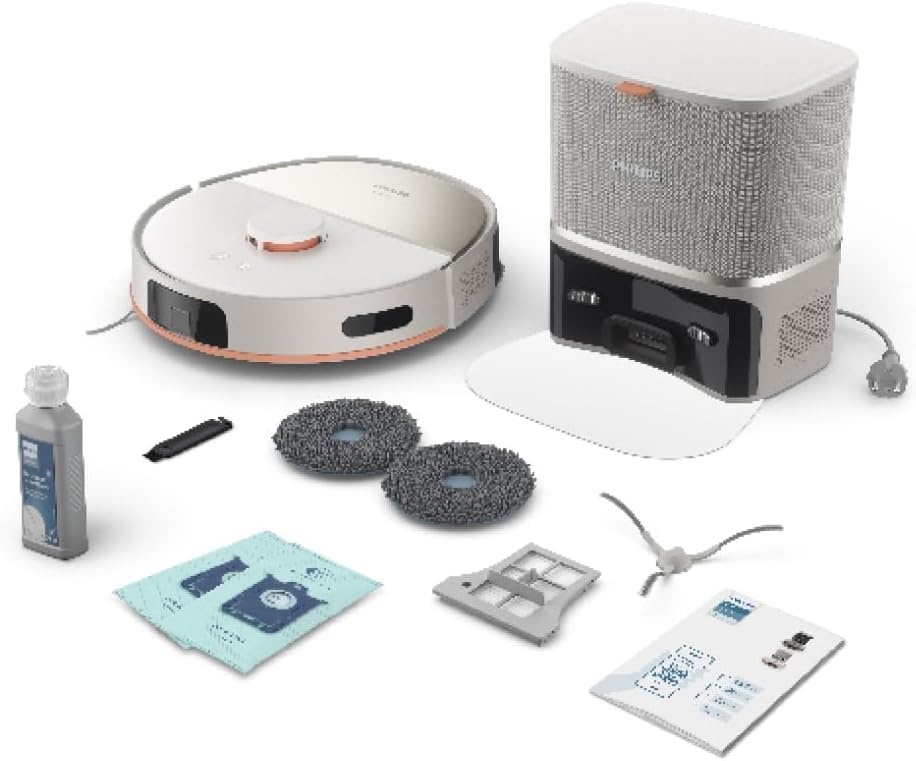
Image: All components included in the Philips HomeRun 5000 Series Robot Vacuum Cleaner package, laid out for inspection.
4. Product Overview
The Philips HomeRun 5000 Series Robot Vacuum Cleaner is designed for comprehensive floor cleaning, offering both powerful vacuuming and effective mopping capabilities. Key features include:
- Powerful Cleaning: Vacuums and mops simultaneously, effectively removing dust, mud, and stains. It is gentle on floors while being tough on dirt, utilizing a large water tank for efficient cleaning.
- High Suction Power: Delivers up to 10,000 Pa of suction, ideal for pet hair, crumbs, and ingrained dirt. It is designed to reach corners, carpets, and rugs for a thorough clean.
- Auto-Empty Station: Provides up to 70 days of hands-free cleaning. The 3.0L S-bag retains dust and dirt, minimizing the frequency of manual emptying and offering hygienic dust disposal, beneficial for allergy sufferers.
- Long-lasting Battery: Equipped with a 4800 mAh battery, allowing up to 200 minutes of continuous cleaning. The robot automatically recharges and resumes cleaning from where it left off, suitable for larger homes.
- Smart App Control: Connects to the Philips HomeRun app for personalized cleaning control. Users can track real-time progress, define no-go zones, schedule cleaning sessions, and customize settings for each room.

Image: The underside of the robot vacuum, highlighting its dual rotating mop pads for effective floor scrubbing.
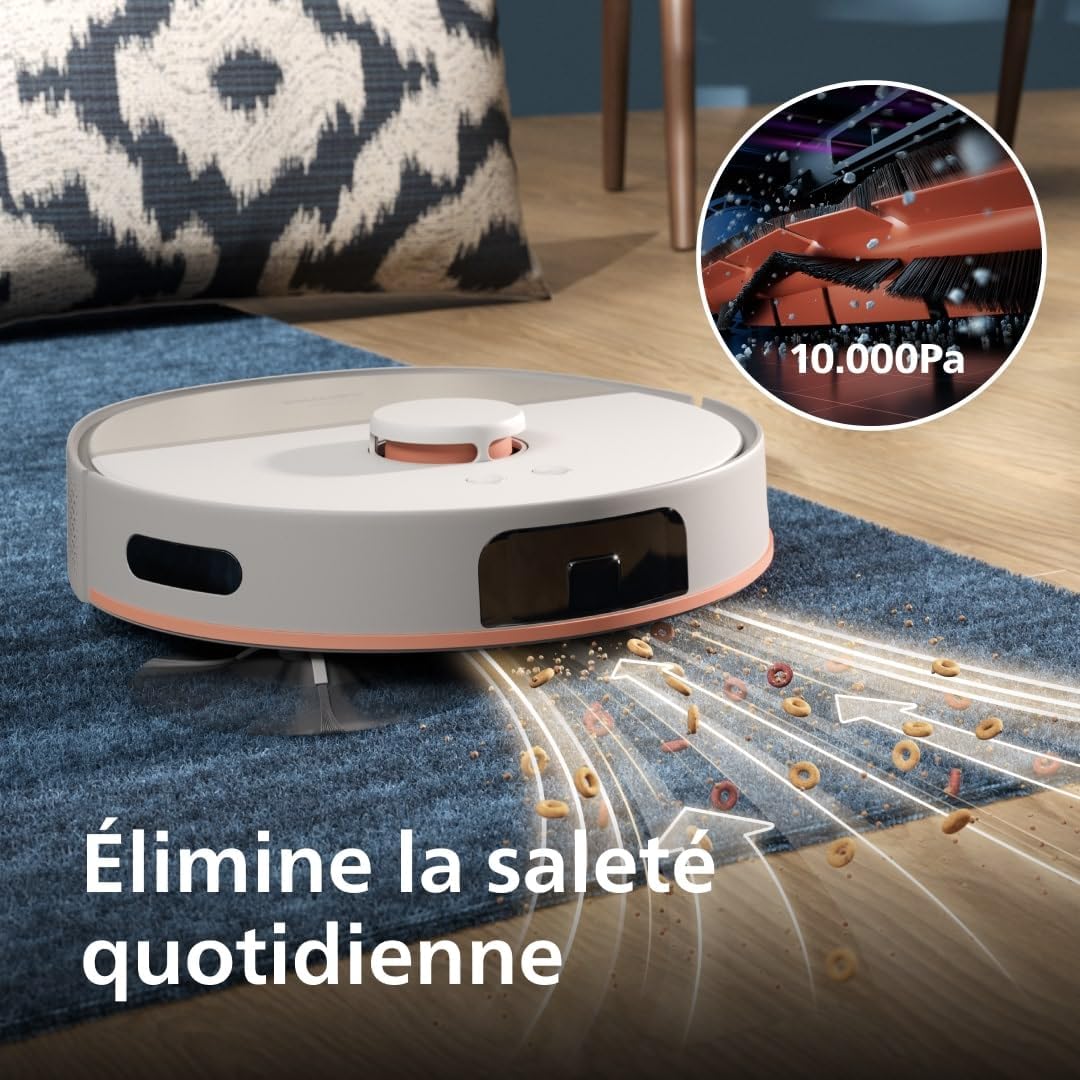
Image: The robot vacuum actively cleaning a carpet, demonstrating its 10,000 Pa suction power by collecting visible debris.

Image: The robot vacuum docked at its auto-empty station, illustrating the automatic dust disposal process into the S-bag.
5. Setup
5.1 Unpacking and Placement
- Remove all packaging materials and protective films from the robot and the auto-empty station.
- Place the auto-empty station against a wall in an open area, ensuring there is at least 0.5 meters of clear space on both sides and 1.5 meters in front.
- Connect the power cord to the auto-empty station and plug it into a power outlet.
5.2 Initial Charging
Place the robot onto the charging contacts of the auto-empty station. The robot will automatically begin charging. For optimal battery life, fully charge the robot before its first use.
5.3 App Installation and Connection
- Download the 'Philips HomeRun' app from your smartphone's app store.
- Open the app and follow the on-screen instructions to create an account or log in.
- Select 'Add Device' and follow the prompts to connect your robot vacuum cleaner to your home Wi-Fi network. This typically involves scanning a QR code on the robot.
5.4 Initial Mapping
Once connected, initiate a mapping run through the app. The robot will navigate your home to create a detailed map, which is essential for efficient cleaning and setting up customized cleaning zones.
6. Operating Instructions
6.1 Starting a Cleaning Cycle
You can start a cleaning cycle in several ways:
- Via the App: Open the Philips HomeRun app, select your robot, and tap 'Start Cleaning'. You can choose between vacuuming only, mopping only, or simultaneous vacuuming and mopping.
- On the Robot: Press the power button on the robot once to start a standard cleaning cycle.

Image: A user interacting with the Philips HomeRun app on a smartphone to manage cleaning routines for the robot vacuum.
6.2 Cleaning Modes and Customization
The HomeRun app allows for extensive customization:
- Area Cleaning: Select specific rooms or zones on the map for cleaning.
- No-Go Zones: Define areas the robot should avoid, such as pet bowls or delicate furniture.
- Virtual Walls: Create virtual barriers to restrict the robot's movement.
- Suction Power & Water Flow: Adjust these settings according to floor type and cleaning needs. The robot automatically boosts suction on carpets.

Image: The robot vacuum demonstrating its carpet boost feature, automatically increasing suction power when detecting a carpeted surface.
6.3 Scheduling
Set up recurring cleaning schedules for specific times and days through the app. You can also specify cleaning modes and areas for each scheduled task.
6.4 Laser Navigation
The robot uses precise laser navigation to map your home and detect obstacles, ensuring efficient and thorough cleaning without missing spots.
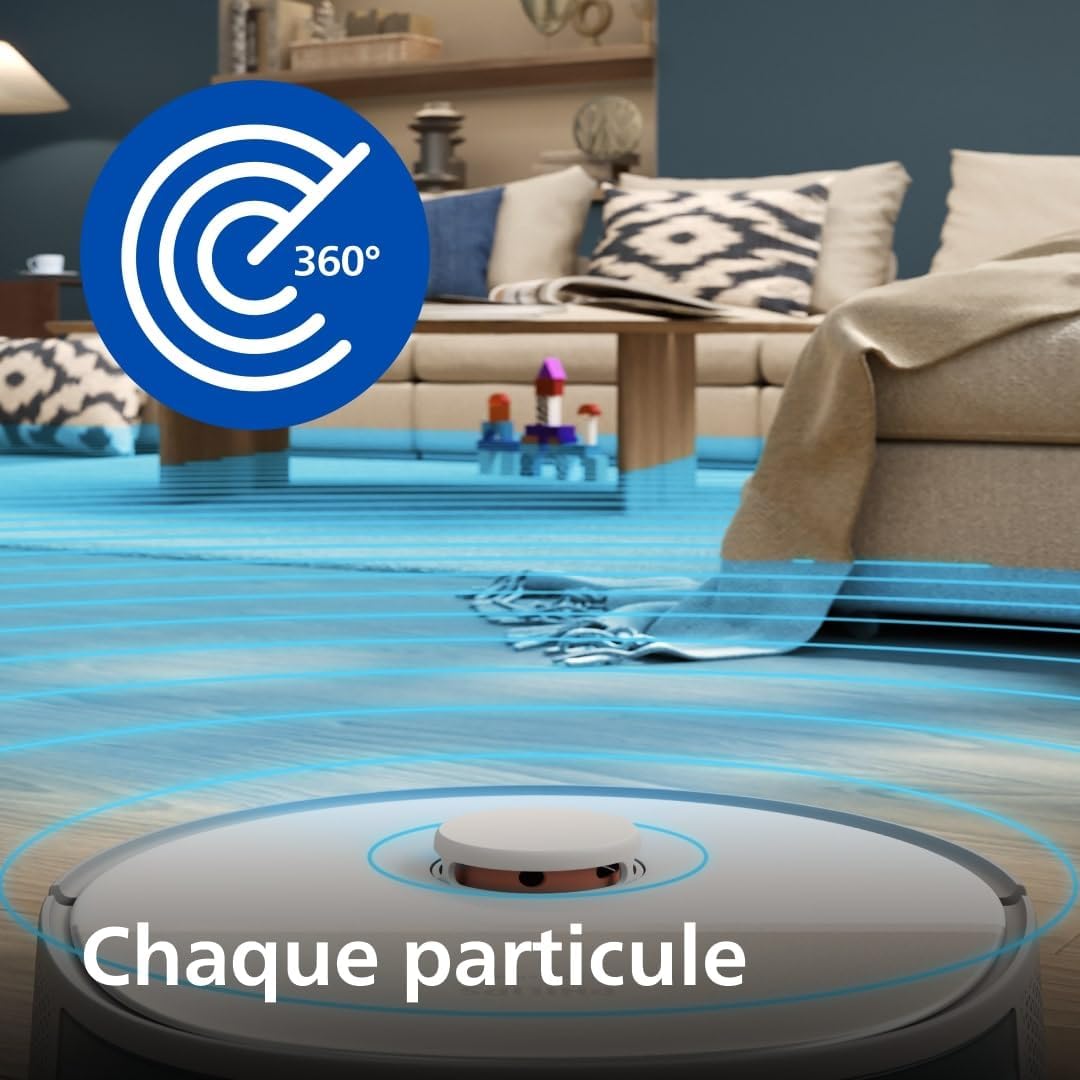
Image: The robot vacuum utilizing its 360-degree laser navigation system to accurately map its surroundings and plan its cleaning path.
7. Maintenance
Regular maintenance ensures optimal performance and extends the lifespan of your robot vacuum cleaner.
7.1 Auto-Empty Station Dust Bag
The auto-empty station uses a 3.0L S-bag that typically lasts up to 70 days. Replace the dust bag when the app indicates it is full or when you notice reduced suction power during auto-emptying. Follow the instructions on the station for hygienic bag replacement.
7.2 Mop Pads
The rotating mop pads should be cleaned after each mopping session. Remove them from the robot and rinse them under running water. For deeper cleaning, they can be machine washed according to the care instructions.

Image: The robot vacuum actively mopping a tiled floor, with a bottle of Philips cleaning solution visible, indicating its use for enhanced cleaning.
7.3 Filters
The robot is equipped with an EPA filter. Regularly check and clean the filter to maintain optimal suction. Tap out loose dirt or use the provided cleaning tool. Replace the filter every 3-6 months, or as indicated by the app, depending on usage.
7.4 Brushes
Inspect the main brush and side brush regularly for tangled hair or debris. Use the cleaning tool to cut and remove any tangled hair. Replace brushes if they become worn or damaged.
8. Troubleshooting
If you encounter issues with your Philips HomeRun 5000 Series Robot Vacuum Cleaner, refer to the following common solutions:
- Robot not charging: Ensure the auto-empty station is plugged in and the robot is correctly docked with its charging contacts aligned. Clean the charging contacts on both the robot and the station.
- Reduced suction power: Check if the dust bag in the auto-empty station is full and needs replacement. Clean the main brush, side brush, and filters. Ensure there are no blockages in the suction inlet.
- Robot gets stuck frequently: Clear obstacles from the cleaning path. Ensure no-go zones are correctly set in the app for areas the robot should avoid. Clean the robot's sensors.
- Mopping not effective: Ensure the water tank is filled and the mop pads are clean and properly attached. Check the water flow settings in the app.
- App connectivity issues: Ensure your robot is within Wi-Fi range and your router is functioning correctly. Restart both the robot and your smartphone, then try reconnecting via the app.
For more detailed troubleshooting or persistent issues, consult the 'Help' section within the Philips HomeRun app or contact Philips customer support.
9. Specifications
| Feature | Specification |
|---|---|
| Brand | Philips |
| Model Number | XU5100/20 |
| Color | Silk Beige |
| Product Dimensions (L x W x H) | 36.45 x 34.1 x 9.7 cm |
| Item Weight | 3.8 Kilograms |
| Voltage | 14.76 Volts |
| Battery Life | 200 minutes (3 hours and 20 minutes) |
| Battery Composition | Lithium-ion |
| Special Features | Dual Mop, 10,000 Pa Suction Power, Auto-Empty Station, 4800 mAh Battery, Laser Navigation, Carpet Boost, Simultaneous Vacuuming and Mopping |
| Surface Recommendation | Carpet, Wood, Tile |
| Filter Type | EPA Filter |
| Included Components | Dual Rotating Mop Pads, S-bag®, Auto-Empty Station, 4800 mAh Battery |
| Country of Origin | China |

Image: A diagram illustrating the dimensions of the Philips HomeRun 5000 Series Robot Vacuum Cleaner and its auto-empty station.
10. Warranty and Support
Philips offers a standard manufacturer's warranty for this product. Please refer to the warranty card included in your package for specific terms and conditions, including warranty period and coverage details.
For technical support, product registration, or to find replacement parts and accessories, please visit the official Philips website or contact Philips customer service in your region. Contact information can typically be found in the 'Help' section of the Philips HomeRun app or on the Philips support website.
Always use genuine Philips replacement parts and accessories to ensure optimal performance and to maintain your warranty.