
Introduction
Thank you for choosing the ZORIYOR Z1 PRO ANC Wireless Headphones. This manual provides detailed instructions to help you set up, operate, and maintain your headphones, ensuring optimal performance and longevity. Please read this manual thoroughly before using the product.
What's in the Box
Upon unboxing your ZORIYOR Z1 PRO headphones, you should find the following components:
- ZORIYOR Z1 PRO ANC Wireless Headphones
- USB-C Charging Cable
- 3.5mm Auxiliary Audio Cable
- Carrying Case
- Instruction Manual

Image: The ZORIYOR Z1 PRO ANC Wireless Headphones, showcasing their sleek black design.

Image: All components included in the ZORIYOR Z1 PRO package, neatly arranged.
Product Features
- Advanced Noise Cancellation: Experience uninterrupted audio with cutting-edge ANC technology, reducing ambient noise by up to -30dB for a pure sound environment.
- Superior Sound Quality: Equipped with 40mm large diaphragm drivers and HiFi-level sound, delivering deep bass and crystal-clear trebles.
- Long-Lasting Battery: Enjoy up to 70 hours of playtime on a full charge. A quick 10-minute charge provides 6 hours of listening.
- Wireless Freedom: Upgraded Bluetooth 5.3 ensures a seamless, low-latency connection with a reliable 10-meter range and automatic reconnection.
- Comfort & Durability: Crafted with protein leather ear cushions and memory foam for extended comfort. IPX4 rating provides protection against dust and water splashes.
- MEMS Microphones: Integrated ENC microphones enable clear communication without barriers.

Image: Overview of ZORIYOR Z1 PRO features, including ANC, high-quality sound, and long battery life.

Image: Visual representation of the active noise cancellation feature, showing a reduction of -30dB.

Image: Detailed view of the active noise canceling feature, highlighting the ENC microphone.

Image: Illustration of the 40mm Bio-Diaphragm Driver, emphasizing high-quality sound.

Image: Exploded view of the powerful 40mm dynamic drivers, designed for a full range of frequencies.

Image: The headphones highlighting their impressive 70-hour non-stop power energy.

Image: Emphasizing the longer battery life of 50 hours with ANC or 70 hours without ANC, and the included 3.5mm aux cable.
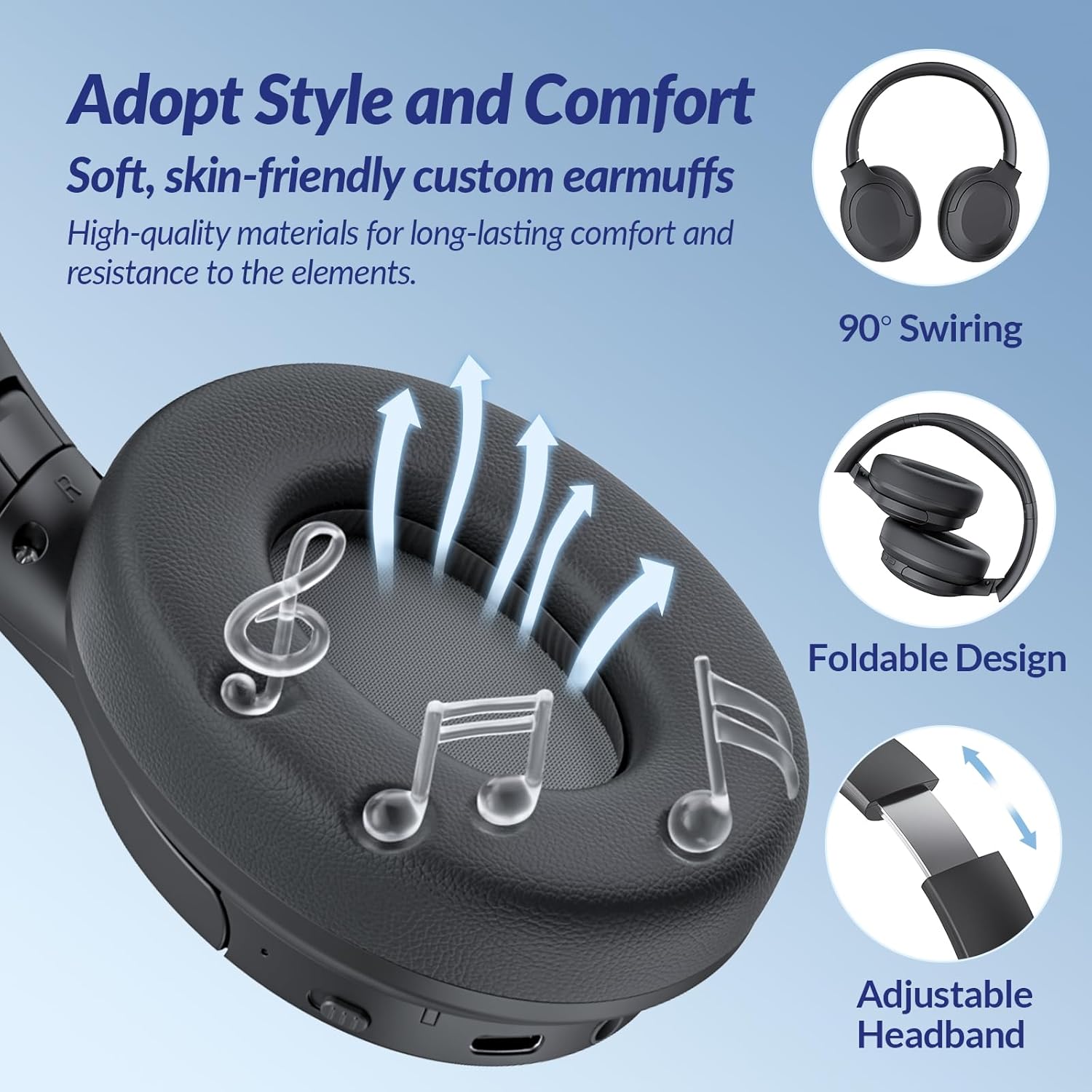
Image: Depiction of the Bluetooth 5.3 connectivity, ensuring seamless and low-latency audio.

Image: Close-up of the Bluetooth 5.3 chip, illustrating its role in delivering consistent transfer speeds and low latency.

Image: Details on the comfort and design, including soft ear cuffs, 90° swiveling, foldable design, and adjustable headband.

Image: Focus on the soft, skin-friendly custom earmuffs made from high-quality materials for long-lasting comfort.
Image: Demonstrating the MEMS microphones for clear communication during calls or online meetings.

Image: A user engaged in a video call, highlighting the headset's ENC microphones for clear communication.
Setup
Charging the Headphones
Before first use, fully charge your ZORIYOR Z1 PRO headphones. Connect the provided USB-C charging cable to the charging port on the headphone and the other end to a compatible USB power source (e.g., wall adapter, computer USB port). The LED indicator will show charging status and turn off when fully charged.
Bluetooth Pairing
- Ensure the headphones are powered off.
- Press and hold the Play/Power button on the headphone for approximately 5 seconds until the LED indicator flashes blue and red, indicating pairing mode.
- On your device (smartphone, tablet, laptop), enable Bluetooth and search for available devices.
- Select "Z1 PRO" from the list of found devices.
- Once connected, the LED indicator will turn solid blue or flash blue slowly.
Auxiliary Connection
For a wired connection, plug one end of the 3.5mm auxiliary audio cable into the headphone's audio input port and the other end into your audio device's 3.5mm jack. The headphones will automatically switch to wired mode.
Operating Instructions
Power On/Off
- Power On: Press and hold the Play/Power button for 2-3 seconds.
- Power Off: Press and hold the Play/Power button for 3-5 seconds.
Volume Control & Track Navigation
- Volume Up: Short press the '+' button.
- Volume Down: Short press the '-' button.
- Next Track: Long press the '+' button.
- Previous Track: Long press the '-' button.
Call Management
- Answer/End Call: Short press the Play/Power button once.
- Reject Call: Press and hold the Play/Power button for 2 seconds.
Active Noise Cancellation (ANC) Control
The ANC button is located on the side of the headphone. Press the ANC button to cycle through modes:
- Normal Mode: Default state without ANC.
- ANC On: Activates active noise cancellation.
- Transparency Mode: Allows ambient sounds to pass through for awareness (if supported by model).

Image: Detailed view of the ANC button, used to adjust noise canceling modes.
Maintenance
- Cleaning: Use a soft, dry cloth to clean the headphones. Do not use harsh chemicals or abrasive materials.
- Storage: Store the headphones in their carrying case when not in use to protect them from dust, scratches, and impacts.
- Water Resistance: The Z1 PRO headphones are IPX4 rated, meaning they are resistant to splashing water from any direction. Do not submerge them in water or expose them to heavy rain.
- Battery Care: To preserve battery life, avoid fully discharging the headphones frequently. Charge them regularly, even if not in constant use.
Troubleshooting
| Problem | Possible Cause | Solution |
|---|---|---|
| Headphones won't turn on | Low battery | Charge the headphones fully. |
| Cannot pair with device | Headphones not in pairing mode / Device Bluetooth off / Interference | Ensure headphones are in pairing mode (flashing red/blue). Turn device Bluetooth off/on. Move closer to the device. |
| No sound / Low volume | Volume too low / Incorrect audio source / Not connected | Increase headphone and device volume. Check if connected via Bluetooth or Aux. Re-pair if necessary. |
| Poor sound quality | Weak Bluetooth signal / Interference / Damaged audio file | Move closer to the device. Avoid obstacles. Try a different audio file. |
| ANC not working effectively | ANC not activated / Improper fit | Press the ANC button to activate. Adjust headphones for a snug fit. |
Factory Reset
If you experience persistent issues, you can reset the headphones to their original factory settings:
- With the headphones powered on, press and hold both the '+' (Volume Up) and '-' (Volume Down) buttons simultaneously for approximately 5-7 seconds until the LED indicator flashes rapidly, then turns off.
- The headphones are now reset. You will need to re-pair them with your devices.
Specifications
| Feature | Detail |
|---|---|
| Model Name | Z1 PRO |
| Brand | ZORIYOR |
| Noise Control | Active Noise Cancellation |
| Connectivity Technology | Wired, Bluetooth |
| Wireless Communication Technology | Bluetooth 5.3 |
| Audio Driver Type | Dynamic Driver (40mm) |
| Battery Life | Up to 70 Hours |
| Water Resistance Level | IPX4 (Water Resistant) |
| Ear Placement | Over Ear |
| Form Factor | Over Ear |
| Impedance | 20 Ohm |
| Item Weight | 13.7 ounces |
| UPC | 721820713238 |
Warranty and Support
Your ZORIYOR Z1 PRO ANC Wireless Headphones come with a standard manufacturer's warranty. For specific warranty details and duration, please refer to the warranty card included in your product packaging or visit the official ZORIYOR website.
For technical support, troubleshooting assistance, or inquiries regarding your product, please contact ZORIYOR customer service through the contact information provided on our official website or your purchase platform.
Additionally, consider purchasing an extended protection plan for added peace of mind. Options such as 2-Year or 3-Year Protection Plans may be available through your retailer.