1. Introduction
The ZOWEETEK ZW-H6 Wireless Voice Amplifier is a versatile and portable audio solution designed to amplify your voice clearly and effectively. It is ideal for various applications including teaching, public speaking, meetings, group outings, parties, and karaoke. This manual provides detailed instructions for setting up, operating, and maintaining your device to ensure optimal performance.
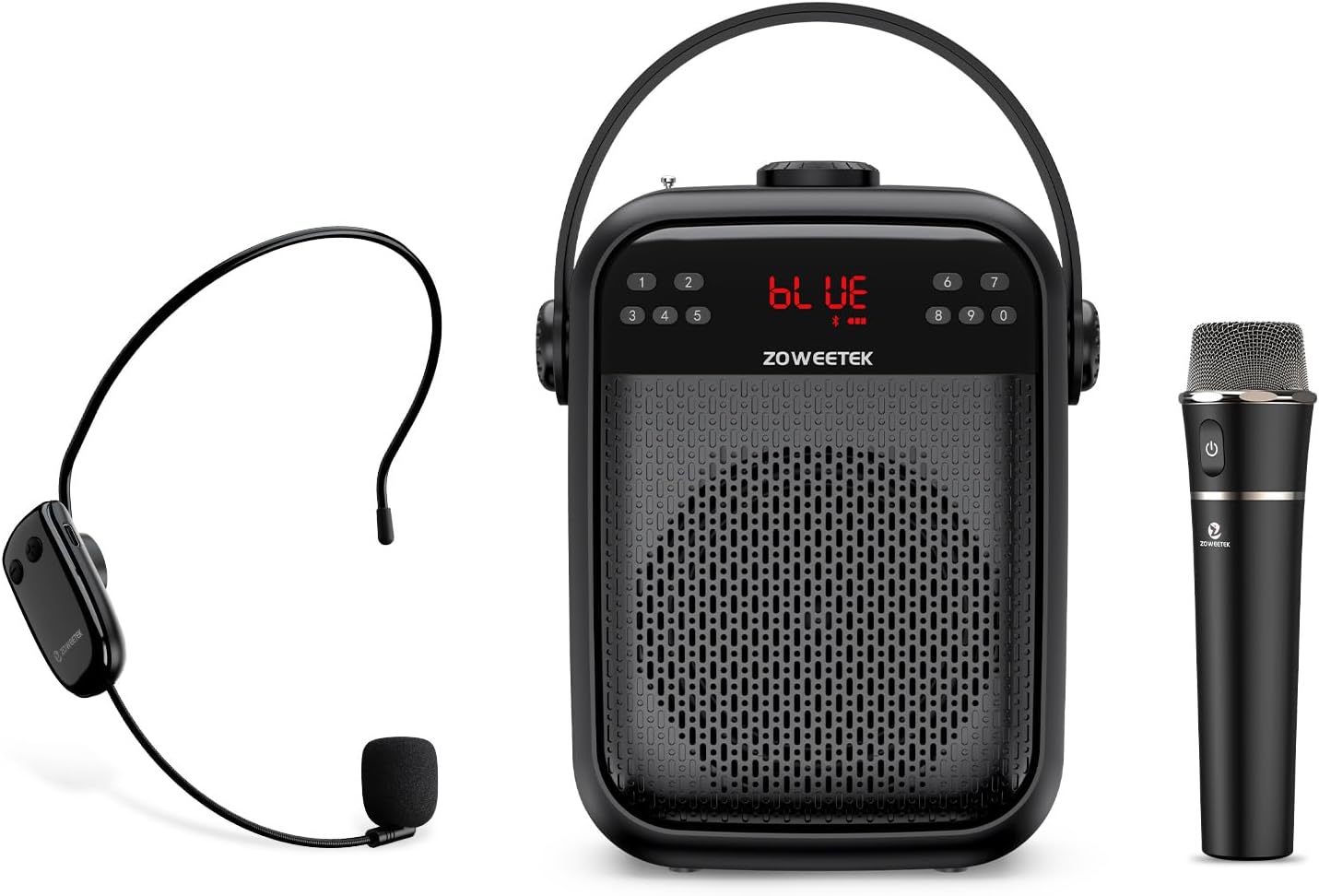
Image: The ZOWEETEK ZW-H6 Voice Amplifier unit, accompanied by its wireless headset microphone and wireless handheld microphone.
2. What's in the Box
Please check the package contents upon unboxing:
- 1 x Wireless Handheld Microphone
- 1 x Wireless Headset Microphone
- 1 x ZOWEETEK ZW-H6 Voice Amplifier Unit
- 1 x Adjustable Waistband
- 1 x Charging Plug and Charging Cable (Y-cable for simultaneous charging)
- 1 x User Manual
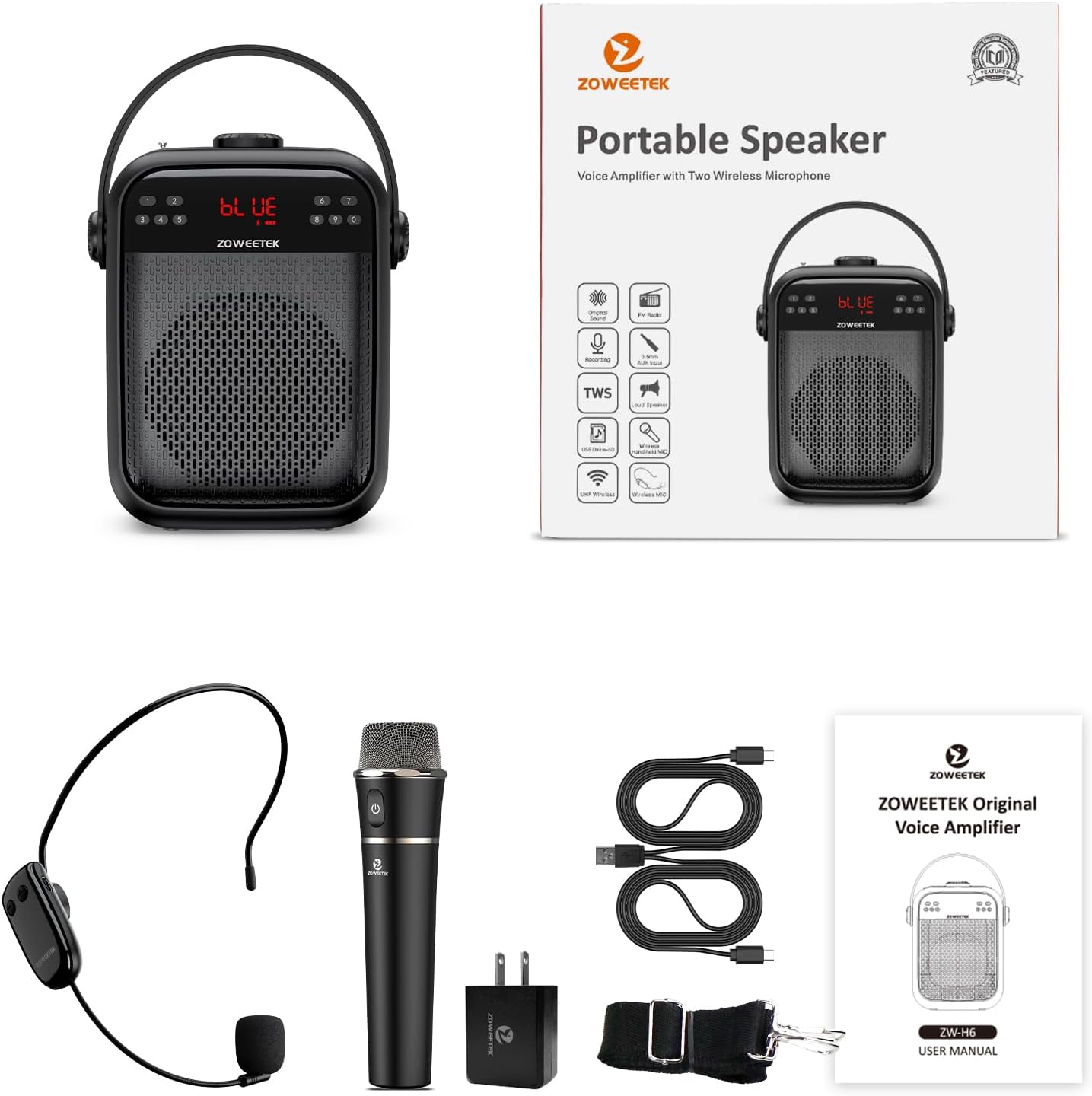
Image: All components included in the ZOWEETEK ZW-H6 package, neatly arranged.
3. Product Features
3.1. Powerful Voice Amplification
The ZW-H6 delivers a true original voice amplification experience, ensuring your voice is clear and natural without mechanical distortion. With 40W output power, it can cover an area of approximately 20,000 sq.ft (2000 ㎡), making it suitable for speaking to groups of 100+ individuals.

Image: Visual representation of the 40W output power, emphasizing clear, undistorted sound.
3.2. Dual Wireless Microphones
The system includes two types of wireless microphones for versatile use:
- Wireless Headset Microphone: Lightweight and portable, this omnidirectional microphone offers 360° sound pickup, allowing for hands-free operation during presentations or active movement.
- Wireless Handheld Microphone: Compact and exquisite, this microphone provides long battery life, stable signal, and clear sound, ideal for traditional speaking engagements.

Image: Detailed view of both the wireless headset and handheld microphones, highlighting their features.
3.3. Long-lasting Battery Life
The rechargeable speaker and microphones offer extended usage times:
- Voice Amplifier: Approximately 8-10 hours of continuous use.
- Wireless Headset: Approximately 4-6 hours of continuous use.
- Wireless Handheld Microphone: Approximately 8-10 hours of continuous use.
Charging time for all components is typically 3-5 hours.
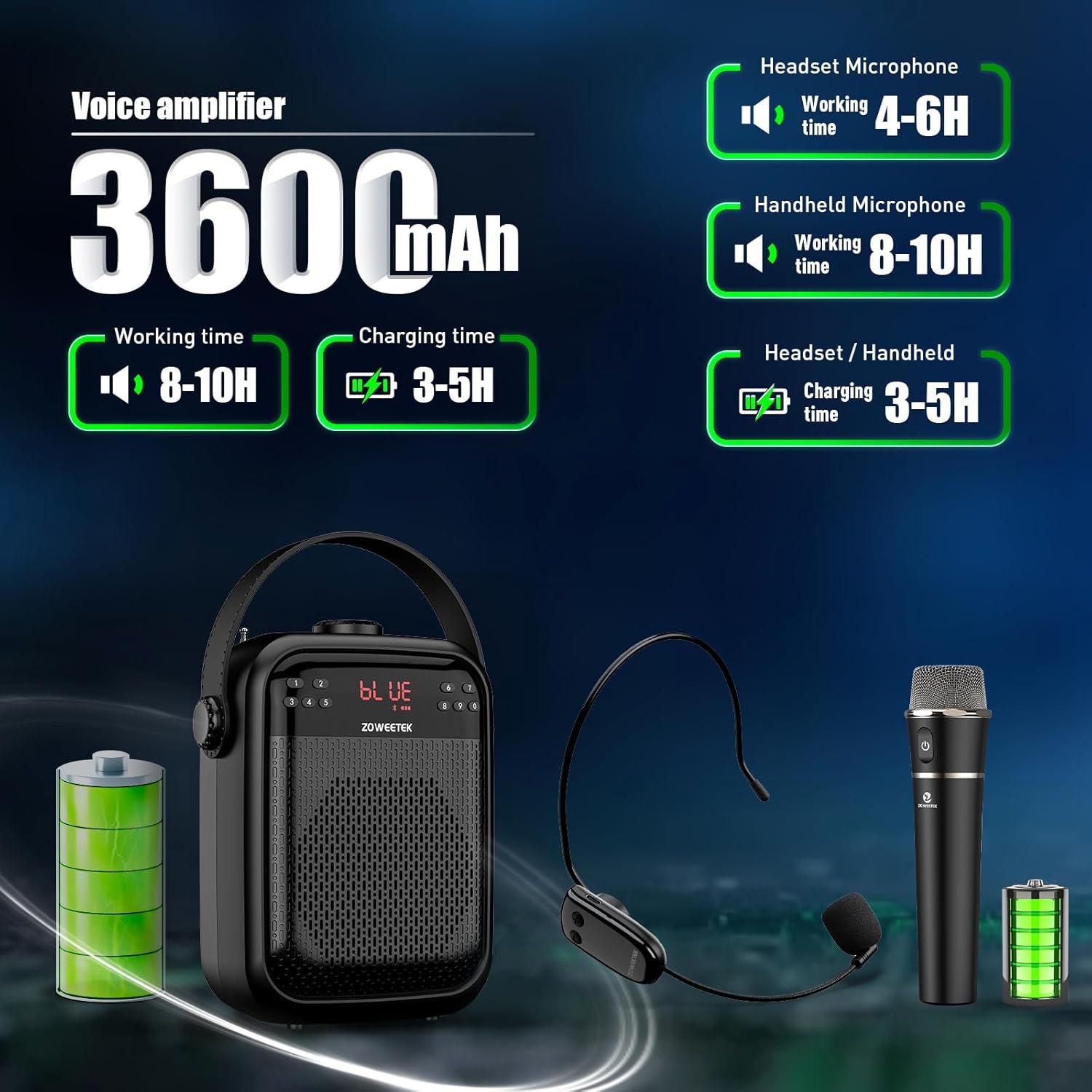
Image: Visual guide to the battery performance of the ZW-H6 system components.
3.4. Multi-functional Connectivity
The ZW-H6 supports various playback and connectivity options:
- Bluetooth 5.0: For seamless wireless connection to your devices.
- FM Radio: Enjoy your favorite radio stations.
- Recording Functions: Capture audio directly.
- TF (Micro SD) Card Playing: Play audio files from a memory card.
- USB Flash Drive Playing: Play audio files from a USB drive.
- True Wireless Stereo (TWS): Combine two ZW-H6 speakers for a total of 80W stereo sound (requires a second unit, sold separately).

Image: Overview of the ZW-H6's diverse features and connectivity options.
3.5. Portable Design
Constructed from durable ABS material, the ZW-H6 is robust and designed for portability. It includes a convenient handle and an adjustable, removable shoulder strap for easy transport.

Image: Detailed view of the amplifier's dimensions and port layout.
4. Setup
4.1. Initial Charging
Before first use, fully charge the voice amplifier and both microphones. Use the provided Y-charging cable to charge both microphones simultaneously. The headset and handheld microphones typically take 3-5 hours to fully charge. A red indicator light will show when charging is in progress.
4.2. Powering On/Off
To power on the voice amplifier, rotate the Power/Volume knob clockwise until the display lights up. To power off, rotate it counter-clockwise until it clicks off.
4.3. Microphone Pairing
The wireless microphones are designed for automatic pairing with the amplifier. Simply turn on the microphone and the speaker, and they should connect automatically without manual pairing steps.

Image: Illustration of the simple, automatic pairing process between the amplifier and microphones.
5. Operating Instructions
5.1. Volume Control
The main volume for the amplifier is controlled by the large rotary knob on the top. Additionally, the microphone volume can be adjusted by sliding the button on the back of the speaker unit.
5.2. Mode Selection
Press the 'M' (Mode) button on the amplifier to cycle through available modes: Bluetooth, FM Radio, TF Card, and USB Disk playback.
5.3. FM Radio Operation
In FM mode, extend the antenna for better reception. Press the Play/Pause button to initiate an automatic scan for available radio stations. Use the Previous/Next buttons to navigate between stations.
5.4. Audio Playback (TF Card / USB)
Insert a TF (Micro SD) card or USB flash drive into the respective slot. The amplifier will automatically detect and begin playing audio files. Use the Play/Pause, Previous, and Next buttons to control playback.
5.5. Recording Function
To use the recording function, ensure a TF card or USB drive is inserted. Press the 'REC' button to start recording. Press it again to stop recording.
5.6. True Wireless Stereo (TWS) Function
If you have two ZOWEETEK ZW-H6 units, you can pair them together for a True Wireless Stereo experience, providing a combined 80W output. Refer to the specific TWS pairing instructions in the full user manual for detailed steps.

Image: Explanation of the True Wireless Stereo (TWS) feature, showing two units paired.
6. Maintenance
- Keep the device away from water and excessive moisture.
- Clean the exterior with a soft, dry cloth. Do not use abrasive cleaners or solvents.
- Store in a cool, dry place when not in use for extended periods.
- Avoid dropping or subjecting the device to strong impacts.
7. Troubleshooting
7.1. No Sound / Low Volume
- Ensure the amplifier is powered on and charged.
- Check the main volume knob on the amplifier and the microphone volume slider on the back.
- Verify that the microphones are properly paired and charged.
7.2. Feedback / Squealing Noise
This typically occurs when the microphone is too close to or pointed directly at the amplifier. To prevent feedback:
- Do not place the microphone directly in front of the voice amplifier.
- Maintain a suitable distance between the microphone and the speaker.
- Adjust the volume levels to an appropriate setting.

Image: Visual guide on preventing audio feedback during use.
7.3. Connectivity Issues
- Ensure Bluetooth is enabled on your device and the amplifier is in Bluetooth mode.
- Move closer to the amplifier to ensure a stable connection.
- Restart both the amplifier and your connected device.
8. Specifications
| Feature | Specification |
|---|---|
| Brand | ZOWEETEK |
| Model Number | ZW-H6 |
| Output Wattage | 40 Watts |
| Power Source | Battery Powered |
| Battery Type | 1 Lithium Ion battery (included) |
| Speaker Working Time | 8-10 hours |
| Headset Working Time | 4-6 hours |
| Handheld Mic Working Time | 8-10 hours |
| Charging Time | 3-5 hours |
| Connectivity Technology | Bluetooth 5.0, TF Card, USB |
| Audio Input | Wireless Microphone |
| Coverage Area | Approx. 20,000 sq.ft (2000 ㎡) |
| Item Weight | 3.32 pounds |
| Package Dimensions | 9.09 x 8.82 x 3.9 inches |
9. Warranty and Support
For warranty information and customer support, please refer to the official ZOWEETEK website or contact their customer service directly. Keep your purchase receipt for warranty claims.