1. Introduction
Welcome to the Twesync Bird Feeder with Camera. This manual provides essential information for setting up, operating, and maintaining your device to ensure optimal performance and enjoyment of birdwatching. Please read this guide thoroughly before first use.
2. Product Overview
2.1. Components
The Twesync Bird Feeder with Camera G02-Big includes the following:
- Bird Feeder Unit with Integrated 2K HD Camera
- Solar Panel
- Fruit Forks
- Suet Ball Holder
- Honey Jar
- Jelly Box
- Mounting Kit (for pole, tree, or wall mounting)
2.2. Key Features
- 2K HD Camera: Captures high-resolution video with color night vision.
- Dual Charging Capability: Powered by a 5000mAh rechargeable battery and an integrated solar panel for continuous operation.
- Sturdy Waterproof Design: IP65 weatherproof rating ensures durability in various outdoor conditions.
- Instant Arrival Alerts: Receive real-time notifications on your app when birds visit.
- AI Species Identification: Advanced AI recognizes over 10,000 bird species.
- Unlimited Device Sharing: Share live views and recordings with family and friends.
- Bird-Friendly Design: Features a transparent seed window and ample capacity (1.25L).
2.3. Visual Overview

Figure 2.1: The Twesync Bird Feeder with Camera, showcasing its integrated camera, solar panel, and feeding tray.
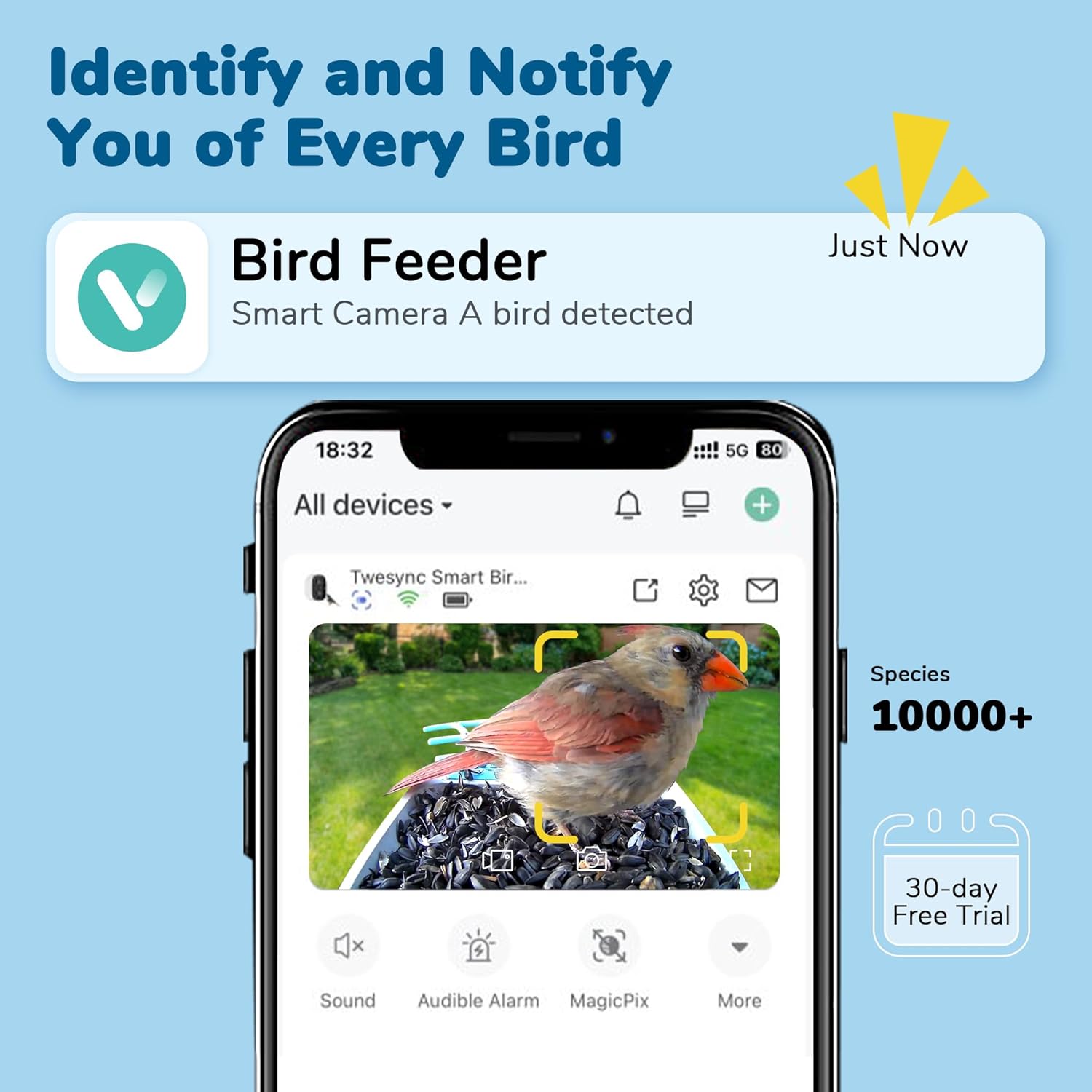
Figure 2.2: The accompanying mobile application provides instant notifications and live view of bird activity.

Figure 2.3: The feeder's robust IP65 weatherproof construction ensures reliable outdoor performance in various conditions.
Video 2.1: This video demonstrates the camera's ability to capture various bird species visiting the feeder, highlighting the clear video quality and diverse bird activity.
3. Setup Guide
3.1. Initial Charging
Before first use, fully charge the bird feeder's internal 5000mAh battery. You can do this via the included USB cable or by ensuring the solar panel is exposed to direct sunlight. The solar panel will provide continuous power, reducing the need for frequent manual charging.
3.2. Mounting the Feeder
The Twesync Bird Feeder offers versatile mounting options:
- Pole Mount: Attach to a standard 1-inch pole (not included) using the provided bracket.
- Tree Mount: Securely fasten to a tree trunk using the included straps or screws.
- Wall Mount: Install on a wall or fence using the appropriate hardware from the mounting kit.

Figure 3.1: The bird feeder can be securely mounted on a tree, pole, or wall to suit your outdoor space.
3.3. App Connection and Wi-Fi Setup
Download the dedicated Twesync app from your smartphone's app store. Follow the in-app instructions to connect the bird feeder to your 2.4GHz Wi-Fi network. Ensure your Wi-Fi signal is strong at the chosen installation location for optimal performance.
4. Operation
4.1. Live View and Notifications
Once connected, you can access a live video feed from the camera via the Twesync app. The camera features 2K HD resolution and color night vision, allowing you to observe birds clearly day and night. Enable real-time notifications in the app settings to receive alerts whenever a bird visits the feeder.
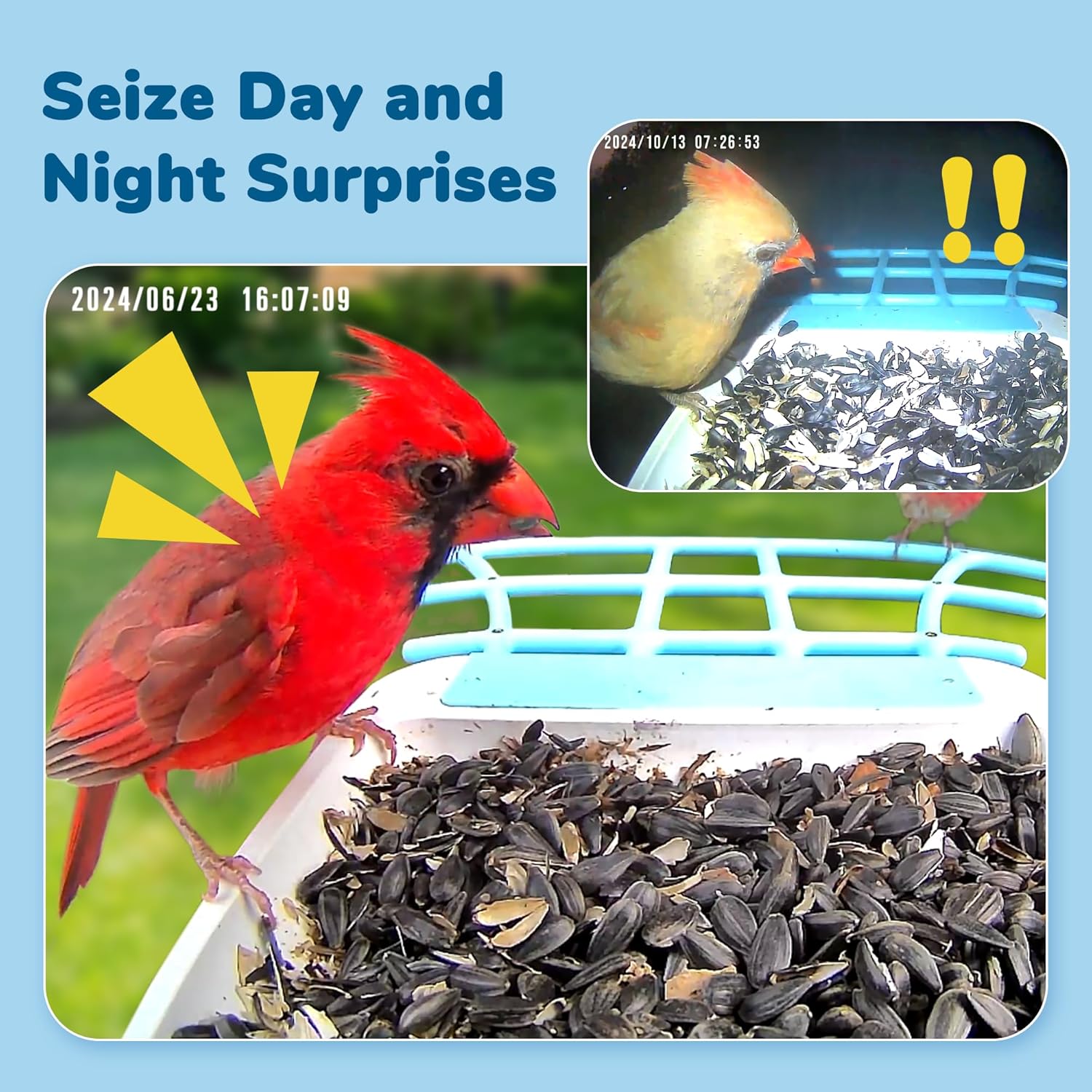
Figure 4.1: Capture clear images and videos of birds during both day and night with the camera's advanced vision capabilities.
4.2. AI Species Identification
The integrated AI technology can identify over 10,000 bird species, providing educational insights into your feathered visitors. This feature is accessible through the app and can help you learn more about the local wildlife.
4.3. Data Storage
The feeder supports both cloud storage (with a 30-day free trial) and local storage via a 128GB Max SD Card (not included). You can review captured videos and photos directly from the app.
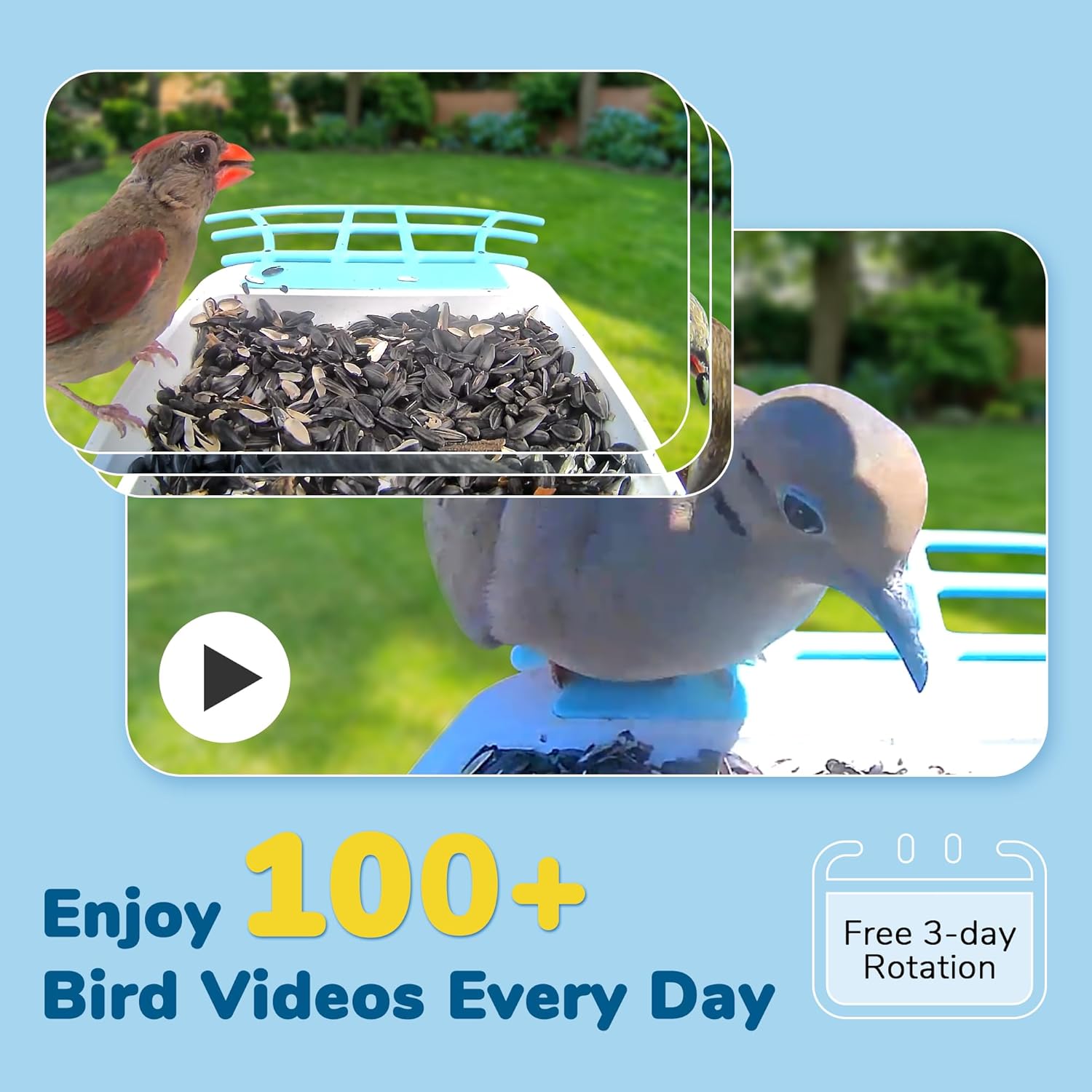
Figure 4.2: The feeder captures numerous video clips of visiting birds, which can be stored and reviewed.
5. Maintenance
5.1. Cleaning
Regular cleaning is essential to prevent mold and bacterial growth and ensure the health of visiting birds. To clean the feeder:
- Remove the seed tray and any remaining seeds.
- Use a soft brush or cloth with mild soap and water to clean all surfaces.
- Rinse thoroughly and allow to air dry completely before refilling.
- Wipe the camera lens gently with a microfiber cloth to maintain clear video quality.

Figure 5.1: The feeder is designed for easy cleaning to ensure hygiene for birds.
5.2. Refilling
The feeder has a 1.25L large-capacity container. To refill:
- Open the top lid of the feeder.
- Pour in your desired bird seed, ensuring not to overfill.
- Close the lid securely.

Figure 5.2: The feeder features an easy-to-fill design for convenient seed replenishment.
6. Troubleshooting
If you encounter issues with your Twesync Bird Feeder, please refer to the table below for common problems and solutions.
| Problem | Possible Cause | Solution |
|---|---|---|
| Device not powering on or charging. | Low battery; solar panel not receiving enough sunlight; charging cable issue. | Ensure solar panel is in direct sunlight. Connect to USB charger for a few hours. Check charging cable for damage. |
| Cannot connect to Wi-Fi or frequent disconnections. | Incorrect Wi-Fi password; 5GHz Wi-Fi network (only 2.4GHz supported); weak Wi-Fi signal; device too far from router. | Verify Wi-Fi password. Ensure you are connecting to a 2.4GHz network. Move the feeder closer to your router or use a Wi-Fi extender. Restart your router and the feeder. |
| Poor video quality or blurry images. | Dirty camera lens; low light conditions; network bandwidth issues. | Clean the camera lens gently with a microfiber cloth. Ensure adequate lighting. Check your internet speed and reduce other network usage if necessary. |
| No notifications received. | App notification settings disabled; phone's system notification settings disabled; poor network connection. | Check notification settings within the Twesync app. Verify your phone's system notification settings for the app. Ensure a stable internet connection. |
| QR code invalid during setup. | Damaged QR code; incorrect scanning procedure. | Ensure the QR code is clean and well-lit. Try scanning from a different distance or angle. If the QR code is physically damaged, contact customer support. |
7. Product Specifications
| Feature | Detail |
|---|---|
| Brand | Twesync |
| Model Number | G02 |
| Camera Resolution | 2K HD |
| Battery Capacity | 5000mAh Lithium Ion (included) |
| Power Source | Battery Powered, Solar Powered |
| Material | Acrylonitrile Butadiene Styrene (ABS), New and Post-Consumer Recycled Plastics |
| Weather Resistance | IP65 Weatherproof |
| Product Dimensions | 11"L x 7"W x 13"H |
| Item Weight | 6.49 pounds |
| Capacity | 1.25 Liters |
| Mounting Type | Pole mount, Tree mount, Wall mounted |
| Supported Wi-Fi | 2.4GHz only |
8. Warranty and Support
For warranty information or technical support, please refer to the product packaging or contact Twesync customer service directly through the contact details provided with your purchase or on the official Twesync website. Always follow proper installation and use instructions for outdoor environments. Keep the feeder clean and dry to prevent mold and bacterial growth. Do not use food that may harm or attract unwanted wildlife. Always supervise children when using the feeder.