
SMOCPROX GQ98132
Fitsenso Trackpro Smartwatch User Manual
Model: GQ98132 | Brand: SMOCPROX
1. Introduction and Overview
The Fitsenso Trackpro Smartwatch, also known as Outfany Trackpro 2.0, is a versatile 1.91-inch touch screen Bluetooth HD smartwatch designed for men and women. It offers a wide range of features to enhance your daily life, including fitness tracking, communication, and health monitoring. This manual provides detailed instructions to help you set up, operate, and maintain your smartwatch.
Key features include:
- One-touch seamless call answering and dialing with high-definition voice quality.
- 1.91-inch 240*284 high-definition full-touch screen for expanded view and smooth operation.
- Comprehensive health monitoring: Heart Rate, Blood Pressure, Blood Oxygen, Blood Sugar, and Sleep Quality.
- IP67 waterproof rating, suitable for daily use (not recommended for swimming).
- Multiple sports modes for various activities.
- Additional functions: voice assistant, music control, weather forecasts, phone finder, remote photo capture, notifications, calories, step gauge, stopwatch, distance, alarm clock.
2. What's in the Box
Upon opening your Fitsenso Trackpro Smartwatch package, you should find the following items:
- 1 x Fitsenso Trackpro 2.0 Smart Watch
- 1 x User Manual
- 1 x Magnetic Charging Cable

Image: Contents of the Fitsenso Trackpro Smartwatch package, including the pink smartwatch, user manual, charging cable, and product box.
3. Product Features

Image: The smartwatch screen showing icons for calories, sleep monitor, heart rate, step gauge, camera control, stopwatch, weather, distance, notification, and alarm clock, highlighting its multi-functional capabilities.
- Communication: Easily view call logs, use the voice assistant for hands-free assistance, listen to music, and manage notifications.
- Display: The 1.91-inch 240*284 high-definition full-touch screen provides a clear and expansive view, ensuring smooth navigation and interaction.
- Health Monitoring: Track your heart rate, blood pressure, blood oxygen, blood sugar, and monitor your sleep patterns for comprehensive health insights.
- Fitness Tracking: Features a pedometer to count steps, track calories burned, and monitor distance covered. Includes various sports modes for different activities.
- Water Resistance: IP67 waterproof rating makes it suitable for daily wear and resistant to splashes and brief immersion.
- Convenience Features: Includes camera control, stopwatch, weather updates, and an alarm clock.

Image: Close-up of the smartwatch screen displaying "IP67 Waterproof" along with icons for "Mass dial," "Notification," and "Sports mode," emphasizing its durability and core functionalities.
4. Setup Guide
4.1 Initial Charging
Before first use, fully charge your smartwatch. Use the provided magnetic charging cable. Align the magnetic pins on the cable with the charging contacts on the back of the watch. The watch screen will indicate charging status.

Image: The back of the smartwatch showing the magnetic charging contacts, illuminated with a green light, indicating active charging or data monitoring.
4.2 App Installation and Pairing
To unlock the full potential of your smartwatch, download and install the companion application on your smartphone (compatible with iPhone and Android devices). Refer to the quick start guide included in the packaging for the specific app name and QR code for easy download.
- Turn on Bluetooth on your smartphone.
- Open the companion app and follow the on-screen instructions to search for and pair with your Fitsenso Trackpro Smartwatch.
- Confirm the pairing request on both your phone and the smartwatch.
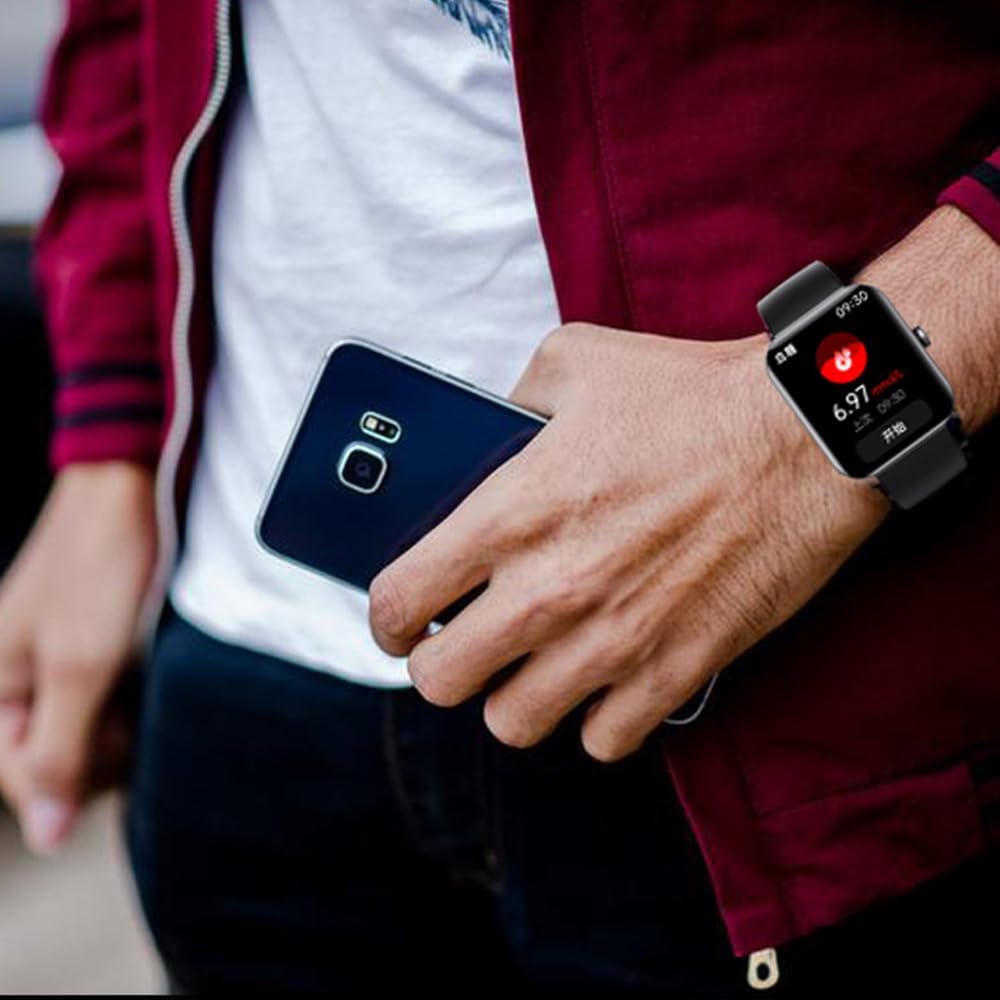
Image: A person wearing the smartwatch on their wrist while holding a smartphone, illustrating the connectivity between the two devices.
5. Operating Instructions
5.1 Basic Navigation
The smartwatch features a full-touch screen for intuitive navigation. Swipe left, right, up, or down to access different menus and functions. Tap to select an option.
Video: A demonstration of the smartwatch's touch screen interface, showing how to swipe through different menus and select options, including pedometer, heart rate, blood pressure, sleep tracking, and various sports modes. The video also shows how to change the language setting to Spanish.
5.2 Health Monitoring
Access health monitoring features directly from the watch interface or through the companion app. For accurate readings, ensure the watch is worn snugly on your wrist.
- Heart Rate: Tap the heart rate icon to initiate a measurement.
- Blood Pressure/Oxygen/Sugar: Select the respective icon and follow on-screen prompts. Note: These measurements are for reference only and should not replace professional medical advice.
- Sleep Monitoring: The watch automatically tracks your sleep patterns when worn during sleep. View detailed sleep data in the app.

Image: A graphic representation of sleep quality monitoring data from the smartwatch, showing sleep stages (deep sleep, light sleep, REM, awake) and their percentages, indicating comprehensive sleep analysis.
5.3 Sports Modes
The smartwatch supports over 50 sports modes. Select your desired activity from the sports menu to track your performance, including duration, calories burned, and distance.
5.4 Call and Notification Management
Once paired with your phone, you can receive call and message notifications directly on your watch. You can answer or reject calls from the watch. Ensure notification permissions are enabled in the companion app.
6. Maintenance and Care
- Cleaning: Wipe the watch and strap regularly with a soft, dry cloth. If necessary, use a slightly damp cloth and dry thoroughly.
- Water Resistance: The IP67 rating means the watch is resistant to splashes and brief immersion. Do not wear it while swimming, showering with hot water, or diving, as this can compromise the seal.
- Charging: Use only the provided magnetic charging cable. Avoid exposing the charging contacts to water or corrosive liquids.
- Storage: Store the watch in a cool, dry place when not in use.
7. Troubleshooting
| Problem | Possible Solution |
|---|---|
| Watch not turning on/charging. | Ensure the magnetic charging cable is properly connected to the watch and a power source. Check if the charging contacts are clean. Allow the watch to charge for at least 30 minutes before attempting to turn it on. |
| Cannot pair with smartphone. | Make sure Bluetooth is enabled on your phone and the watch is within range. Restart both the watch and your phone. Ensure the correct companion app is installed and updated. Forget the device in your phone's Bluetooth settings and try pairing again. |
| Inaccurate health readings. | Ensure the watch is worn snugly on your wrist, not too loose or too tight. Avoid excessive movement during measurements. Note that health readings are for reference and not medical-grade. |
| Notifications not appearing. | Check notification permissions in your phone's settings for the companion app. Ensure the app is running in the background and not being closed by battery optimization settings. Verify that notifications are enabled within the watch's app settings. |
| Short battery life. | Frequent use of features like calls, continuous heart rate monitoring, and screen brightness can drain the battery faster. Reduce screen brightness, disable unnecessary notifications, and limit continuous monitoring to extend battery life. |
8. Specifications
| Feature | Detail |
|---|---|
| Model Name | GQ98132 |
| Brand | SMOCPROX |
| Screen Size | 1.91 Inches |
| Display Resolution | 280 * 320 PX (from product description) |
| Connectivity Technology | Bluetooth |
| Water Resistance | IP67 |
| Charging Method | Magnetic charging cable |
| Battery Type | Lithium Metal (from specifications) |
| Compatible Devices | Smartphone (iPhone and Android) |
| Item Shape | Rectangular |
| Special Feature | Lightweight, Touchscreen |

Image: Diagram showing the product dimensions of the smartwatch: 11mm thickness, 220mm strap length, and 35mm width.
9. Warranty and Support
For warranty information and customer support, please refer to the contact details provided in the original product packaging or visit the official SMOCPROX website. Keep your purchase receipt as proof of purchase.
For additional assistance, you may also contact the seller directly through the platform where the product was purchased.