
Important Safety Information
Please read this manual thoroughly before operating the LIBODD TA8123 Digital Light Meter to ensure safe and correct usage. Keep this manual for future reference.
General Safety Precautions
- Do not attempt to repair or modify the device. Refer all servicing to qualified personnel.
- Avoid exposing the device to extreme temperatures, humidity, or direct sunlight.
- Keep the device away from strong electromagnetic fields.
- Clean the device with a soft, dry cloth. Do not use abrasive cleaners or solvents.
- Ensure the photodetector is clean and unobstructed for accurate readings.
Battery Safety
- Insert batteries with correct polarity as indicated in the battery compartment.
- Do not mix old and new batteries, or different types of batteries.
- Remove batteries if the device will not be used for an extended period to prevent leakage.
- Dispose of used batteries according to local regulations.
Product Overview
The LIBODD TA8123 is a portable digital light meter designed for accurate measurement of illuminance in various environments.
Components

A detailed diagram illustrating the various components of the LIBODD TA8123 Digital Light Meter, including the photodetector, display screen, control buttons (Range switching, Function setting, Data record, Maximum/Minimum, Power button, Data hold), and antishock protective sleeve. Dimensions are also shown: 185mm / 7.28in in length and 55mm / 2.16in in width.
- Photodetector: Sensor for detecting light intensity.
- Display Screen: Digital LCD for showing measurement readings and status.
- Control Buttons: For power, mode selection, range adjustment, data hold, and record functions.
- Antishock Protective Sleeve: Provides durability and protection against impacts.
- Back Bracket: Integrated stand for convenient placement on flat surfaces.
Key Features
- Portable and Durable: Lightweight design, easy to carry, suitable for use in different places, and able to withstand a variety of working conditions.
- Practical and Reliable: Achieves stable, safe, and reliable measurements, usable in most environments to meet daily measurement needs.
- Accurate Measurement: Precisely calibrated to provide accurate lighting measurements, helping to assess lighting conditions indoors or outdoors.
- Easy to Use: Simple design and intuitive operation make it easy for inexperienced users to get started, with a clear digital display for quick measurement results.
- Wide Range of Applications: Versatile and suitable for various situations, including home lighting design, office environment assessment, plant growth lighting, and industrial equipment maintenance.
Setup
Battery Installation
The LIBODD TA8123 requires batteries for operation. Follow these steps to install them:
- Locate the battery compartment cover on the back of the device. This is often near the back bracket.
- Carefully open or slide off the battery compartment cover.
- Insert the required batteries (e.g., AAA batteries, quantity as specified in the compartment) ensuring correct polarity (+ and -) as marked.
- Replace the battery compartment cover securely.

This image shows the rear of the LIBODD TA8123 Digital Light Meter, featuring its integrated back bracket which can be used to prop up the device. The battery compartment is typically located on the back, often beneath such a bracket or cover.
Operating Instructions
Familiarize yourself with the device's buttons and display before taking measurements.

The LIBODD TA8123 Digital Light Meter is shown from the front, displaying a reading of '12.3 LUX' on its digital screen. Below the screen are the control buttons: REC, RANGE, MAX, MODE, HOLD, and the Power button.
Power On/Off
- To power on the device, press the Power button (usually marked with a circle and vertical line symbol).
- To power off, press and hold the Power button for a few seconds until the display turns off.
Taking a Measurement
- Ensure the device is powered on.
- Point the photodetector towards the light source or area where you want to measure illuminance.
- The current light reading will be displayed on the LCD screen.
Unit Selection (Lux/Fc)
- Press the MODE button to switch between Lux and Foot-candle (Fc) units. The selected unit will be indicated on the display.
Data Hold Function
- To freeze the current reading on the display, press the HOLD button.
- Press the HOLD button again to release the reading and resume live measurements.
Maximum/Minimum Measurement
- Press the MAX button to display the maximum light intensity recorded since the function was activated.
- Press the MAX button repeatedly to cycle through MAX, MIN (minimum), and current readings.
Range Switching
- The device may have an auto-ranging feature. If manual range selection is available, press the RANGE button to cycle through different measurement ranges.
- Select a range appropriate for the light intensity being measured to ensure accuracy.
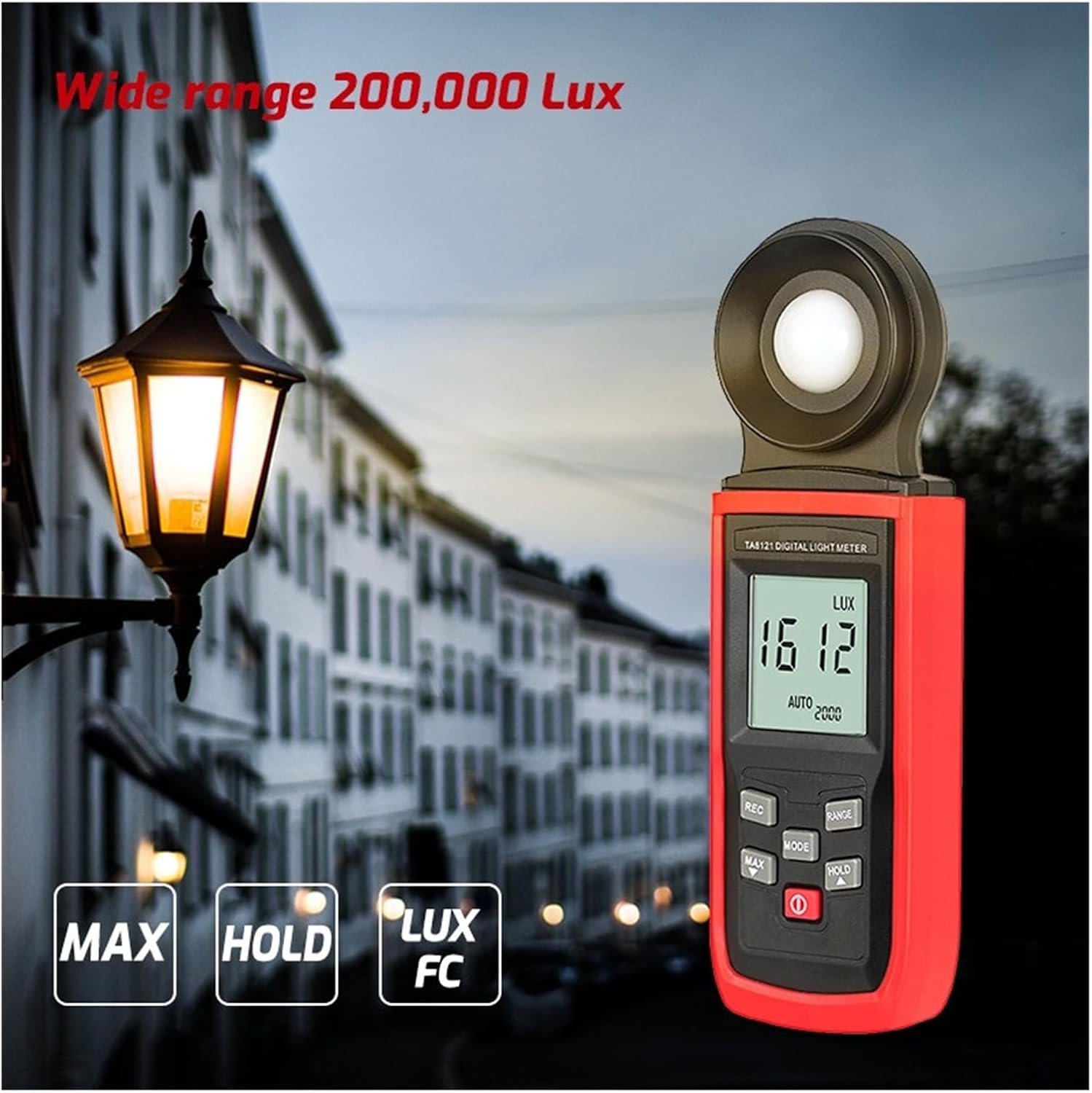
This image features the LIBODD TA8121 Digital Light Meter (similar to TA8123) in an outdoor setting, demonstrating its wide measurement range up to 200,000 Lux. The display shows '1612 LUX' with 'AUTO' range selected, and buttons for MAX, HOLD, LUX, and FC functions are visible.
Maintenance
Cleaning
- Wipe the device exterior with a soft, slightly damp cloth. Do not use harsh chemicals or abrasive materials.
- Ensure the photodetector lens is clean and free of dust or smudges for accurate readings. Use a lens cleaning cloth if necessary.
Storage
- Store the light meter in a cool, dry place, away from direct sunlight and extreme temperatures.
- If storing for an extended period, remove the batteries to prevent leakage.
- Keep the device in its protective sleeve or case when not in use to prevent damage.

This image displays the LIBODD TA8123 Digital Light Meter both with and without its protective red silicone sleeve, highlighting the main unit and its removable cover.
Troubleshooting
If you encounter issues with your LIBODD TA8123 Digital Light Meter, refer to the following common problems and solutions:
- Device does not power on:
- Check if batteries are installed correctly with the right polarity.
- Replace old or depleted batteries with new ones.
- Inaccurate readings:
- Ensure the photodetector is clean and unobstructed.
- Verify that the correct measurement unit (Lux/Fc) is selected.
- Ensure the device is within its specified operating temperature and humidity range.
- Display is blank or flickering:
- Check battery levels and replace if low.
- Try powering the device off and on again.
Specifications
| Specification | Value |
|---|---|
| Model Number | TA8123 |
| Item Model Number | 1005003943235701 |
| Brand | LIBODD |
| Package Dimensions | 1.18 x 0.79 x 0.39 inches |
| Item Weight | 0.353 ounces |
| Number of Pieces | 1 |
| Assembly Required | No |
Warranty and Customer Support
LIBODD products are manufactured to high-quality standards. For information regarding warranty coverage, please refer to the warranty card included with your product or contact the seller directly.
If you have any questions, require technical assistance, or need to report an issue with your LIBODD TA8123 Digital Light Meter, please contact the retailer or manufacturer's customer support. Please have your model number and purchase information ready when contacting support.