
Introduction
Thank you for choosing the Fanbulous 60-inch Classic Black Ceiling Fan. This manual provides essential information for the safe installation, operation, and maintenance of your new ceiling fan. Please read these instructions thoroughly before beginning installation and retain them for future reference.
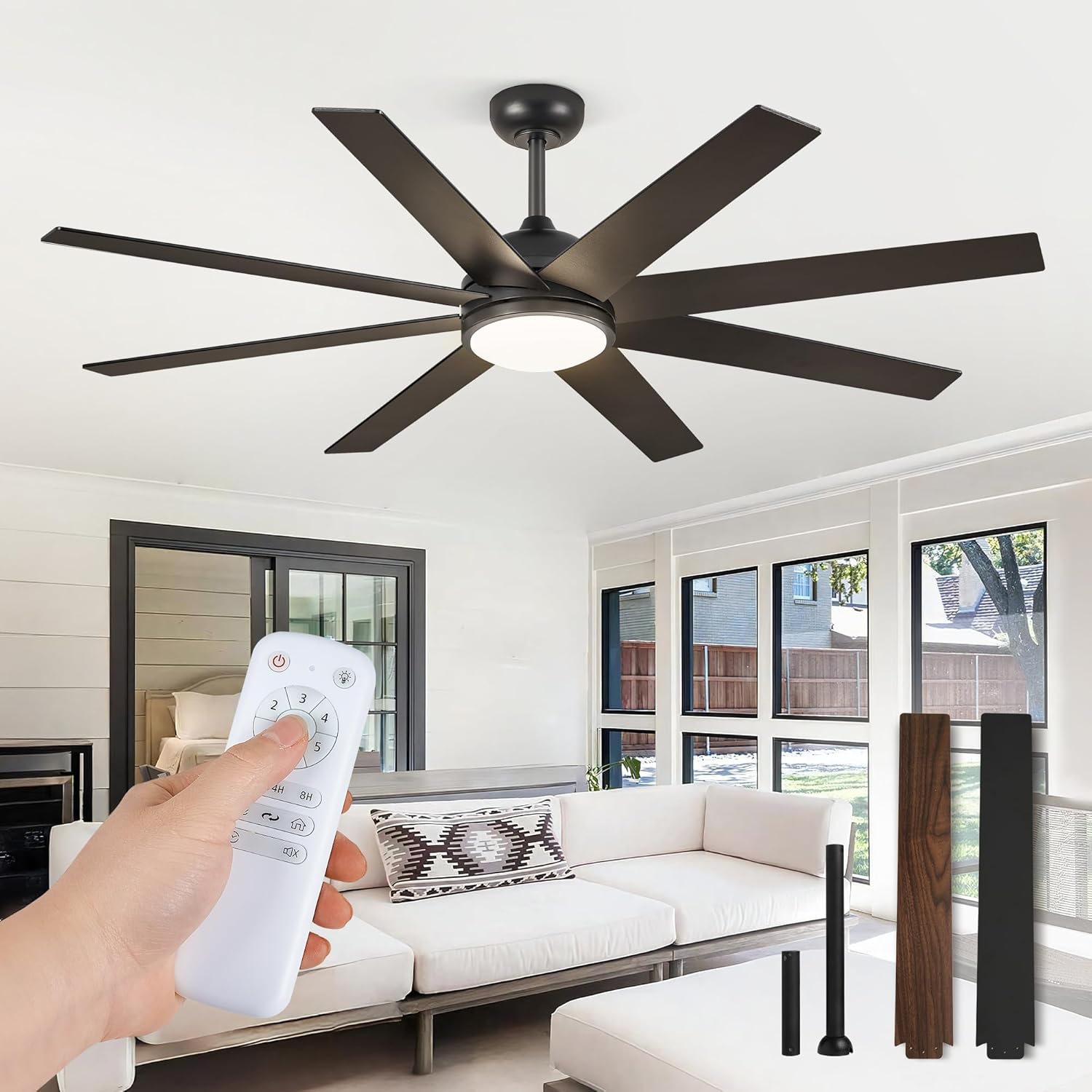
Image: The Fanbulous 60-inch Classic Black Ceiling Fan with its remote control, installed in a modern living space.
Important Safety Information
To reduce the risk of electric shock, fire, or personal injury, always follow these basic safety precautions:
- Electrical Safety: Always disconnect power at the main circuit breaker or fuse box before installation or servicing. Ensure all electrical connections comply with local codes and ordinances.
- Mounting: The fan must be mounted to a ceiling joist or support structure capable of supporting a minimum of 35 lbs (15.9 kg). Use only the hardware provided with the fan.
- Blade Clearance: Ensure there is adequate clearance between the fan blades and any obstacles, including walls and furniture. A minimum of 7 feet (2.13 meters) from the floor to the blade trailing edge is recommended.
- Fan Operation: Do not insert objects into the path of the fan blades while the fan is operating.
- Light Kit: The integrated LED light kit is not user-serviceable. Do not attempt to disassemble or replace LED components.
Package Contents
Verify that all components are present before beginning installation:
- Fan Motor Assembly
- 8 Fan Blades (Dual-color: Black and Wood Grain)
- Integrated LED Light Kit
- Remote Control with Wall-Mounted Holder
- Downrods (6-inch and 12-inch options)
- Mounting Bracket and Hardware
- Canopy and Canopy Ring
- Instruction Manual
Setup and Installation
Pre-Installation Checklist
- Turn off power at the circuit breaker.
- Ensure the mounting location can support the fan's weight.
- Gather necessary tools (screwdriver, wire strippers, ladder, etc.).
Mounting Options
The fan includes two downrod options (6-inch and 12-inch) to accommodate various ceiling heights. Choose the appropriate downrod for your installation. The fan is suitable for low ceilings, high ceilings, and slanted ceilings (up to 15 degrees).
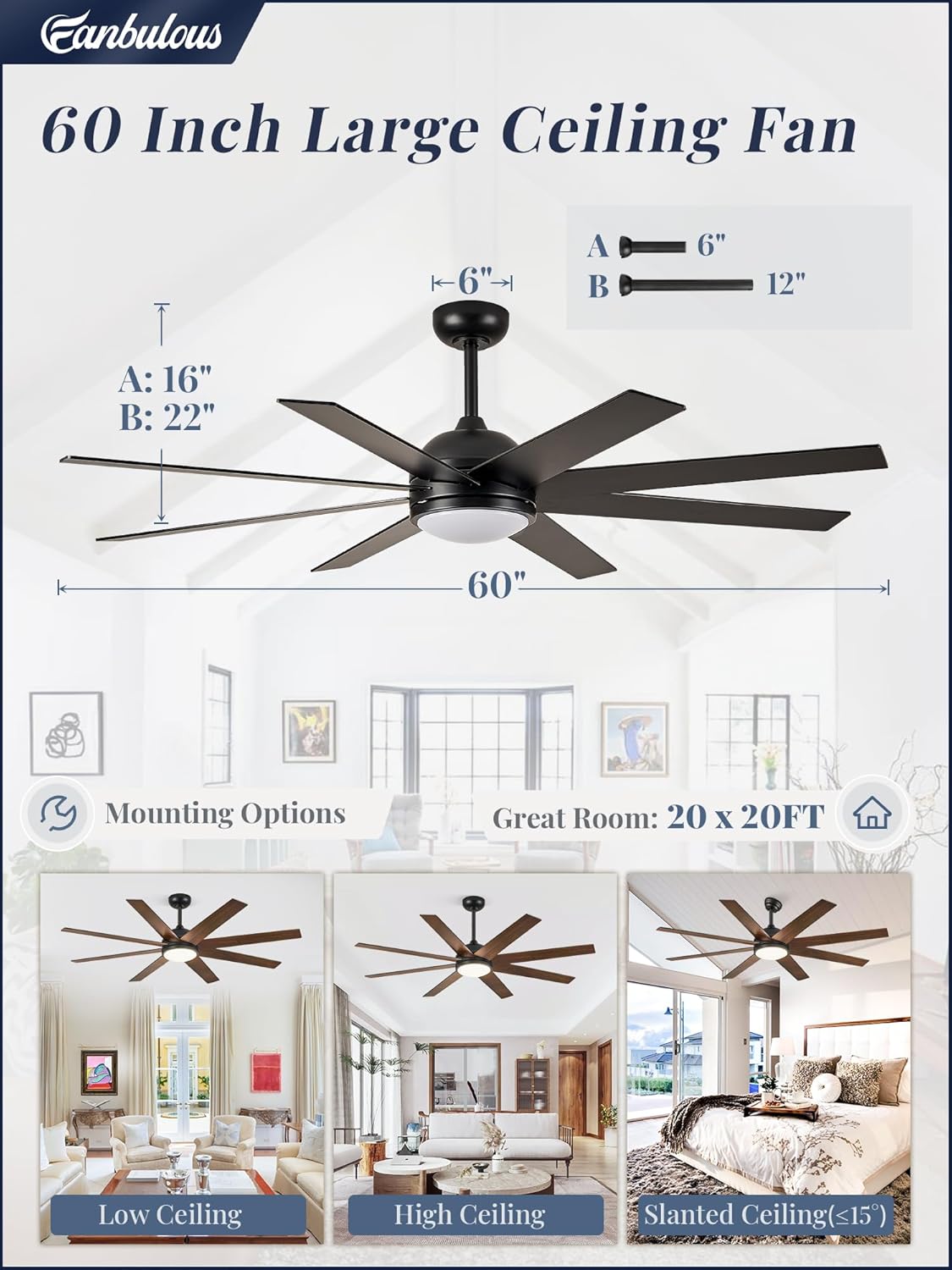
Image: A diagram illustrating the 60-inch fan's dimensions and how it can be mounted on low, high, or slanted ceilings using different downrod lengths.
Wiring Instructions
Connect the fan's electrical wires to your household wiring according to the provided wiring diagram in the full instruction manual. Ensure all connections are secure and properly insulated. Consult a qualified electrician if you are unsure about any wiring steps.
Blade Installation
Attach the eight fan blades to the motor housing using the screws provided. The blades are dual-colored, offering a choice between a classic black finish and a wood grain finish to match your decor. Ensure all blades are securely fastened.
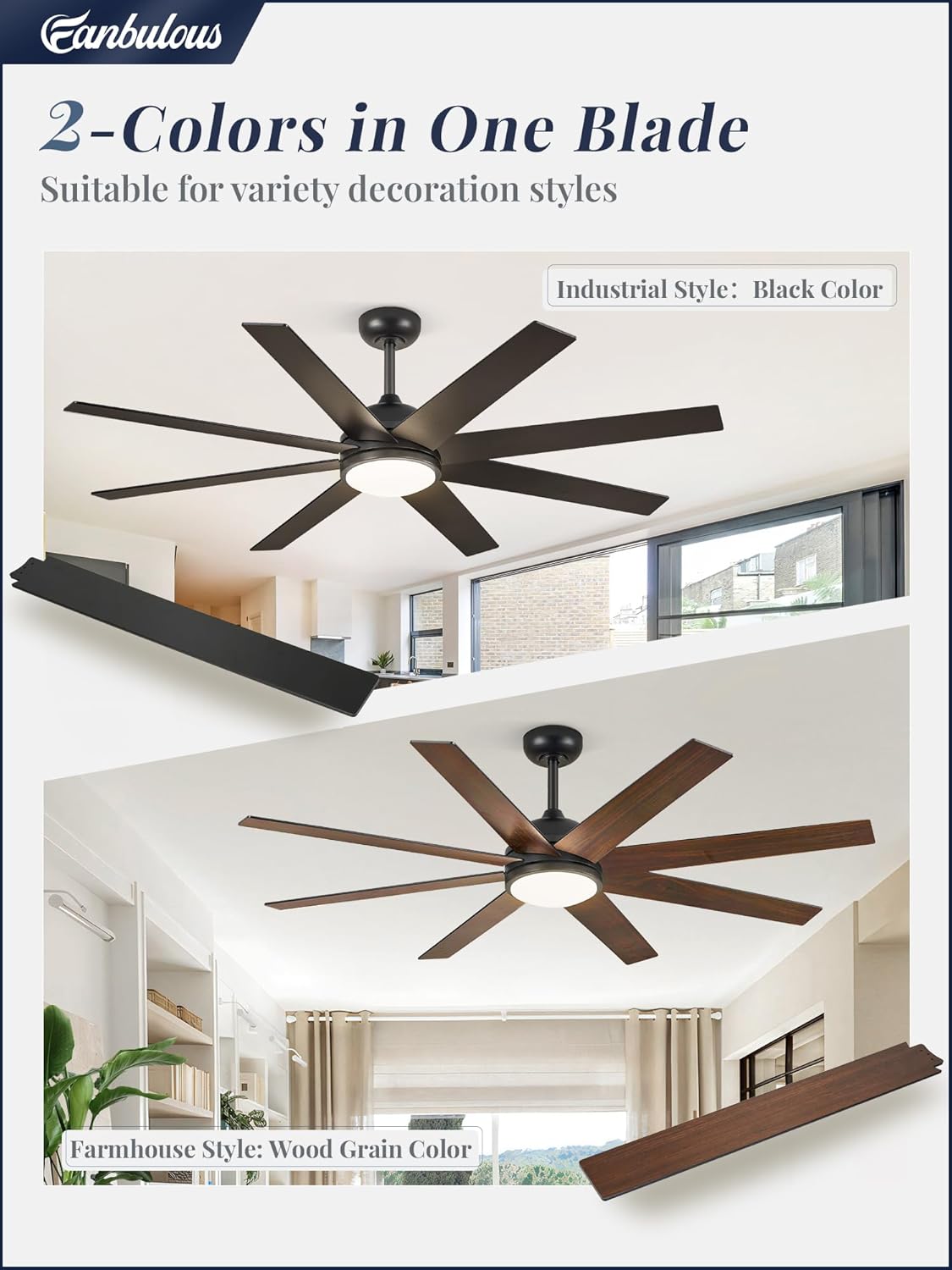
Image: Close-up view of the fan blades, highlighting the reversible design with one side in black and the other in wood grain, suitable for different decoration styles.
Operating Instructions
Remote Control Functions
Your Fanbulous ceiling fan is operated via the included remote control, which can be handheld or mounted to the wall using the provided holder. The remote allows for convenient adjustment of all fan and light settings.
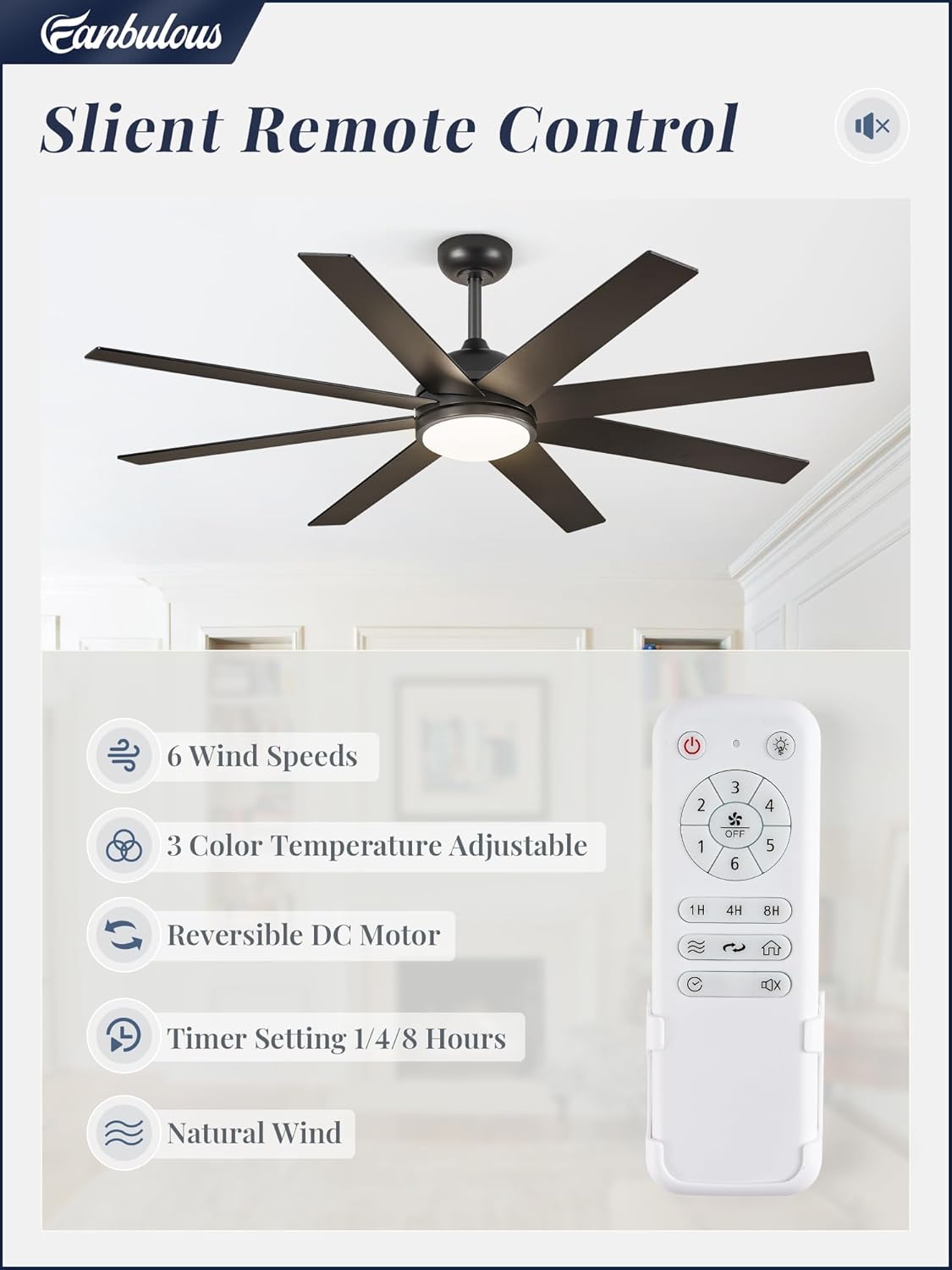
Image: The remote control for the Fanbulous ceiling fan, displaying buttons for fan speed, light control, timer, and direction.
- Power Button: Turns the fan and light on/off.
- Fan Speed (1-6): Adjusts the fan speed from gentle to powerful airflow.
- Light On/Off: Toggles the light kit.
- Color Temperature (CCT): Cycles through 3 color temperatures (3000K, 4000K, 6000K). The fan features a memory function that preserves your last light setting for 10 seconds after turning off.
- Reversible Fan Direction: Changes the blade rotation for summer or winter modes.
- Timer (1H/4H/8H): Sets the fan to turn off automatically after 1, 4, or 8 hours.
- Mute Key: Silences the fan's operational beeps.
Fan Speed Control
The advanced energy-saving DC motor offers 6 adjustable speeds, providing optimal airflow for various comfort levels. Select lower speeds for a gentle breeze or higher speeds for maximum air circulation.

Image: An illustration demonstrating the 6-speed settings and the reversible airflow feature for both summer and winter use.
Light Control (3CCT)
The integrated 24W LED light provides 2000 lumens of brightness. You can customize your ambiance by cycling through three color temperatures: 3000K (warm white), 4000K (neutral white), and 6000K (cool white).

Image: A visual representation of the fan's light output at 3000K, 4000K, and 6000K color temperatures in different room settings.
Reversible Airflow
The reversible DC motor allows you to change the direction of the fan blades. In summer, set the fan to rotate counter-clockwise to create a downward airflow, producing a cooling effect. In winter, set it to rotate clockwise to create an upward airflow, circulating warm air trapped near the ceiling.
Timer Function
Utilize the timer function to set the fan to operate for a specific duration (1, 4, or 8 hours) before automatically turning off. This feature is ideal for energy saving and convenience.

Image: An infographic showing the fan's timer settings (1H, 4H, 8H) and its quiet operation, comparing its noise level to common sounds.
Maintenance
Regular maintenance ensures optimal performance and longevity of your ceiling fan:
- Cleaning: Periodically clean the fan blades and motor housing with a soft, damp cloth. Do not use abrasive cleaners or solvents.
- Tighten Fasteners: Check all screws and fasteners annually to ensure they are secure. Loose connections can cause wobbling or noise.
- Light Kit: The LED light kit is designed for long-term use and does not require bulb replacement.
Troubleshooting Guide
Refer to this guide for common issues and their solutions:
| Problem | Possible Cause | Solution |
|---|---|---|
| Fan does not start | No power to fan; Loose wire connections; Remote control battery low | Check circuit breaker; Verify all wiring connections; Replace remote control batteries. |
| Light does not work | Loose wire connections; Light kit malfunction | Check wiring to light kit; Contact customer support if light kit is faulty. |
| Fan wobbles | Loose blade screws; Unbalanced blades; Loose mounting hardware | Tighten all blade screws; Ensure blades are balanced (balancing kit not included); Tighten mounting bracket screws. |
| Remote control not responding | Low battery; Remote not paired | Replace AAA batteries; Refer to the full manual for remote pairing instructions. |
Specifications
| Feature | Detail |
|---|---|
| Brand | Fanbulous |
| Model Name | F-TY60BK-1D01 |
| Color | Classic Black (Matte Black finish) |
| Size | 60 Inch |
| Number of Blades | 8 |
| Power Source | DC Motor |
| Number of Power Levels | 6 Speeds |
| Light Kit | Integrated 24W LED, 2000 Lumens, 3 CCT (3000K, 4000K, 6000K) |
| Control Method | Remote Control |
| Special Features | Reversible Airflow, Timer (1/4/8H), Memory Function for Light, Quiet Operation (35 Decibels) |
| Product Dimensions | 60"D x 60"W x 10"H |
| Item Weight | 18.81 pounds |
| Voltage | 120 Volts |
| Indoor/Outdoor Usage | Indoor |
| Batteries | 2 AAA batteries required (included) |
Warranty and Customer Support
Fanbulous offers a 2-year customer support period for this product, ensuring quality and customer satisfaction. For any questions, technical assistance, or warranty claims, please contact Fanbulous customer service through the retailer's platform or visit the official Fanbulous website for contact information.
Please have your model number (F-TY60BK-1D01) and purchase date available when contacting support.