
1. Introduction
This manual provides comprehensive instructions for the installation, operation, and maintenance of your BELVA BASB26v2 26-inch Amplified Weatherproof Bluetooth Soundbar. Designed for UTVs, ATVs, SxSs, and Golf Carts, this soundbar delivers powerful, clear audio in various outdoor conditions. Please read this manual thoroughly before use to ensure proper functionality and longevity of your device.
2. What's in the Box
Verify that all components are present before beginning installation:
- BELVA BASB26v2 Soundbar
- Remote Control
- RED Power Wire
- BLACK Ground Wire
- Blue Remote Input Wire
- Adjustable Mounting Clamps (for 1.5" - 2" roll bars)
- Mounting Hardware (bolts, nuts, washers, Allen wrenches)
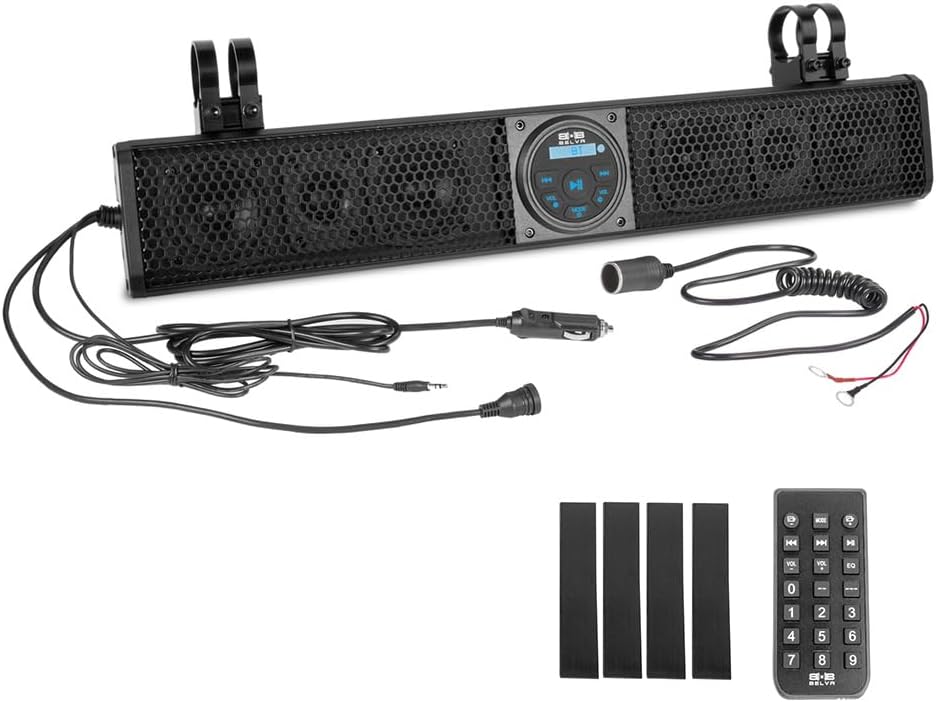
Image: BELVA BASB26v2 soundbar and its complete set of accessories.
3. Features
- 500W Amplified Sound: Equipped with a built-in Class A/B amplifier delivering up to 500 watts max of peak power for powerful, high-quality audio.
- 6-Speaker System: Features four 3.5" full-range speakers and two 1" horn-loaded tweeters for clear, balanced audio across a wide frequency range.
- Weatherproof IPX5 Design: Built to endure harsh outdoor conditions, ensuring reliable performance in all weather.
- Bluetooth Streaming: Built-in Bluetooth for wireless music streaming from smartphones or other Bluetooth-enabled devices.
- Multiple Input Options: Includes a USB port for playback and charging, and a 3.5mm AUX input for versatile connectivity.
- Easy Installation: Compatible with 1.5" - 2" roll cages, offering quick and hassle-free setup.
- Remote Control: Included for convenient volume and track control.
- Preset Equalizer: Customize your sound with built-in preset equalizer modes.
4. Setup & Installation
4.1 Mounting the Soundbar
- Identify a suitable location on your UTV, ATV, SxS, or Golf Cart roll bar. The soundbar is compatible with roll bars ranging from 1.5 inches to 2 inches in diameter.
- Select the appropriate size of mounting clamps from the included hardware.
- Attach the mounting clamps to the soundbar's integrated mounting rail using the provided bolts and Allen wrenches.
- Securely fasten the soundbar to the roll bar, ensuring a tight and stable fit. Avoid over-tightening to prevent damage.

Image: BELVA BASB26v2 soundbar installed on an off-road vehicle's roll bar.
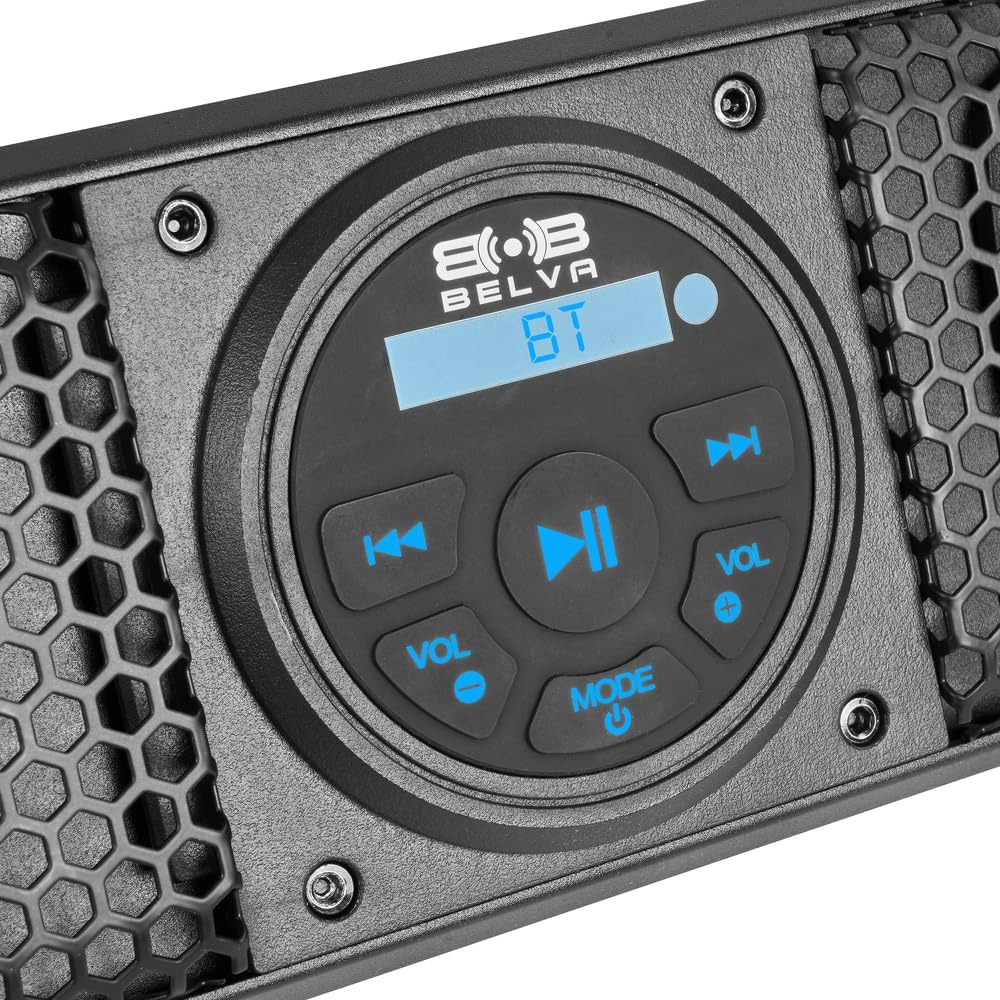
Image: Close-up of the adjustable mounting clamps.
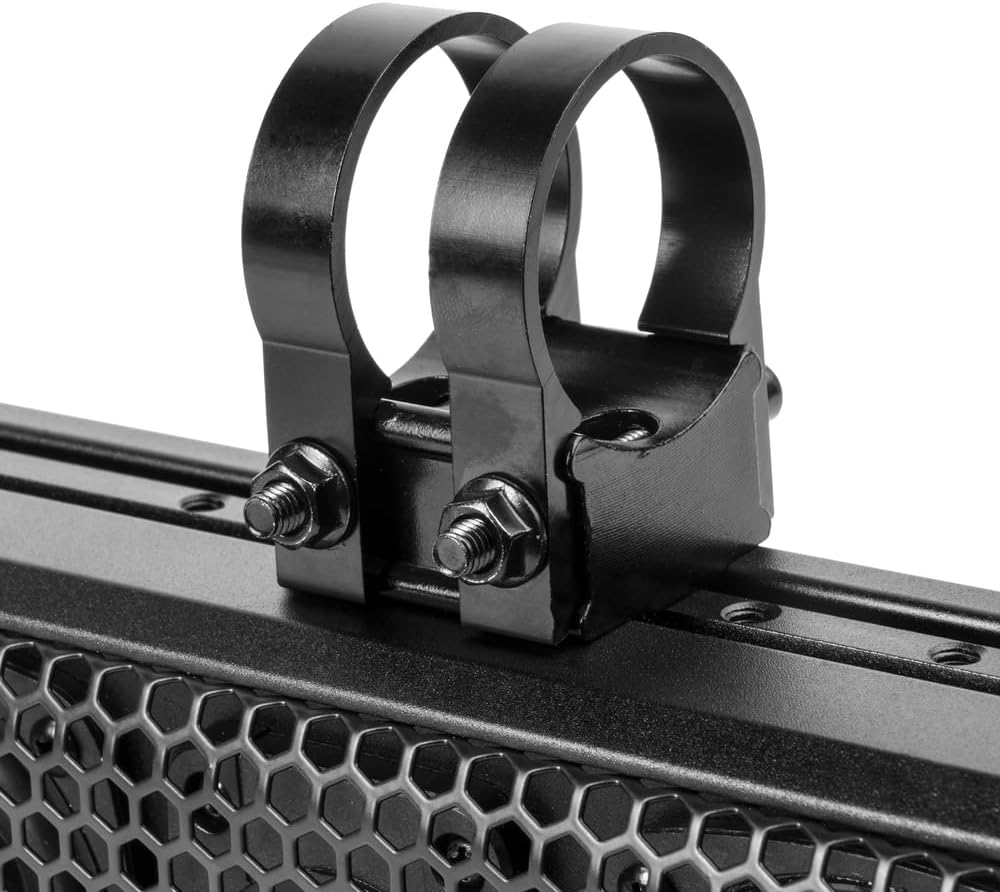
Image: Various clamp sizes for different roll bar diameters.
4.2 Wiring Connections
The soundbar features a plug-and-play design for simplified wiring. Connect the included wires as follows:
- RED Power Wire: Connect to a +12V constant power source.
- BLACK Ground Wire: Connect to a reliable chassis ground.
- Blue Remote Input Wire: Connect to a +12V switched ignition source. This will turn the soundbar on/off with your vehicle's ignition.
Ensure all connections are secure and properly insulated to prevent short circuits and water damage.
Video: Demonstration of the BELVA BASB26v2 soundbar installation and operation on a golf cart.
5. Operating Instructions
5.1 Power On/Off
The soundbar will power on automatically when the vehicle's ignition is turned on (if connected to a switched source). Alternatively, press the MODE/Power button on the control panel or remote control to manually turn the unit on or off.
5.2 Bluetooth Pairing
- Ensure the soundbar is powered on and in Bluetooth mode. The display will show "BT". If not, press the MODE button to cycle through input sources until "BT" is displayed.
- On your mobile device, enable Bluetooth and search for available devices.
- Select "BELVA BASB26v2" from the list.
- Once paired, the soundbar will confirm the connection, and you can begin streaming audio.

Image: Soundbar control panel showing the Bluetooth mode display.
5.3 USB Playback and Charging
Insert a USB drive containing audio files into the USB port. The soundbar will automatically switch to USB mode and begin playback. The USB port also provides charging capabilities for compatible devices.
5.4 AUX Input
Connect an external audio device (e.g., MP3 player) to the 3.5mm AUX input using a standard audio cable. Press the MODE button to select AUX input.
5.5 Remote Control Functions
The included remote control allows for convenient operation:
- Power: Turn the soundbar on/off.
- Volume +/-: Adjust the master volume level.
- Play/Pause: Control media playback.
- Previous/Next Track: Skip between tracks.
- MODE: Cycle through input sources (Bluetooth, USB, AUX).
- EQ: Select from preset equalizer modes to optimize audio for different music genres.

Image: The remote control for the BELVA BASB26v2 soundbar.
6. Maintenance
To ensure optimal performance and longevity of your weatherproof soundbar:
- Cleaning: Regularly wipe the soundbar with a soft, damp cloth. For stubborn dirt, use a mild soap solution. Avoid harsh chemicals or abrasive cleaners.
- Connection Check: Periodically inspect all wiring connections to ensure they remain secure and free from corrosion.
- Storage: If storing the vehicle for extended periods, consider covering the soundbar to protect it from extreme elements.
7. Troubleshooting
| Problem | Possible Cause | Solution |
|---|---|---|
| No power | Loose power/ground connection; Blown fuse; Ignition off | Check all wiring connections; Inspect and replace fuse if necessary; Ensure vehicle ignition is on. |
| No sound | Volume too low; Incorrect input source; Device not playing | Increase volume; Press MODE to select correct source (BT, USB, AUX); Ensure connected device is playing audio. |
| Bluetooth not connecting | Soundbar not in BT mode; Device too far; Previous device connected | Press MODE to enter BT mode; Move device closer to soundbar; Disconnect from previously paired device. |
| Distorted sound | Volume too high; Poor source quality; Loose connections | Reduce volume; Try a different audio source; Check wiring connections. |
8. Specifications
| Model Name | BASB26v2 |
| Speaker Type | Soundbar |
| Speaker Size | 26 Inches |
| Speaker Maximum Output Power | 500 Watts |
| Frequency Response | 45 - 22,000 Hz |
| Surround Sound Channel Configuration | 2.1 |
| Woofer Diameter | 3.5 Inches (Full-range speakers) |
| Wireless Communication Technology | Bluetooth |
| Connectivity Technology | Auxiliary, Bluetooth, USB |
| Control Method | Remote |
| Mounting Type | Roll Cage Mount (1.5" - 2" compatible) |
| Is Waterproof | Yes (IPX5 Rated) |
| Material | Metal, Plastic |
| Product Dimensions | 3.66"D x 26"W x 4.33"H |
| Item Weight | 9.7 Pounds |
9. Warranty and Support
The BELVA BASB26v2 Soundbar comes with a Limited Warranty. For specific warranty terms and conditions, please refer to the documentation included with your purchase or visit the official BELVA website.
For technical support, troubleshooting assistance, or any questions regarding your product, please contact BELVA customer service. Contact information can typically be found on the product packaging or the BELVA brand website.