
Introduction
This manual provides instructions for the safe and effective use of your aqxreight AKS Metal Detector 1000M Underground Scanner. This device is designed for detecting various metallic materials including gold, silver, and copper, with a depth penetration of up to 15 meters. It features intelligent modular design and a remote search system for precise targeting.
Product Components
The aqxreight AKS Metal Detector system consists of a main detector unit and a receiver unit. Familiarize yourself with these components before operation.
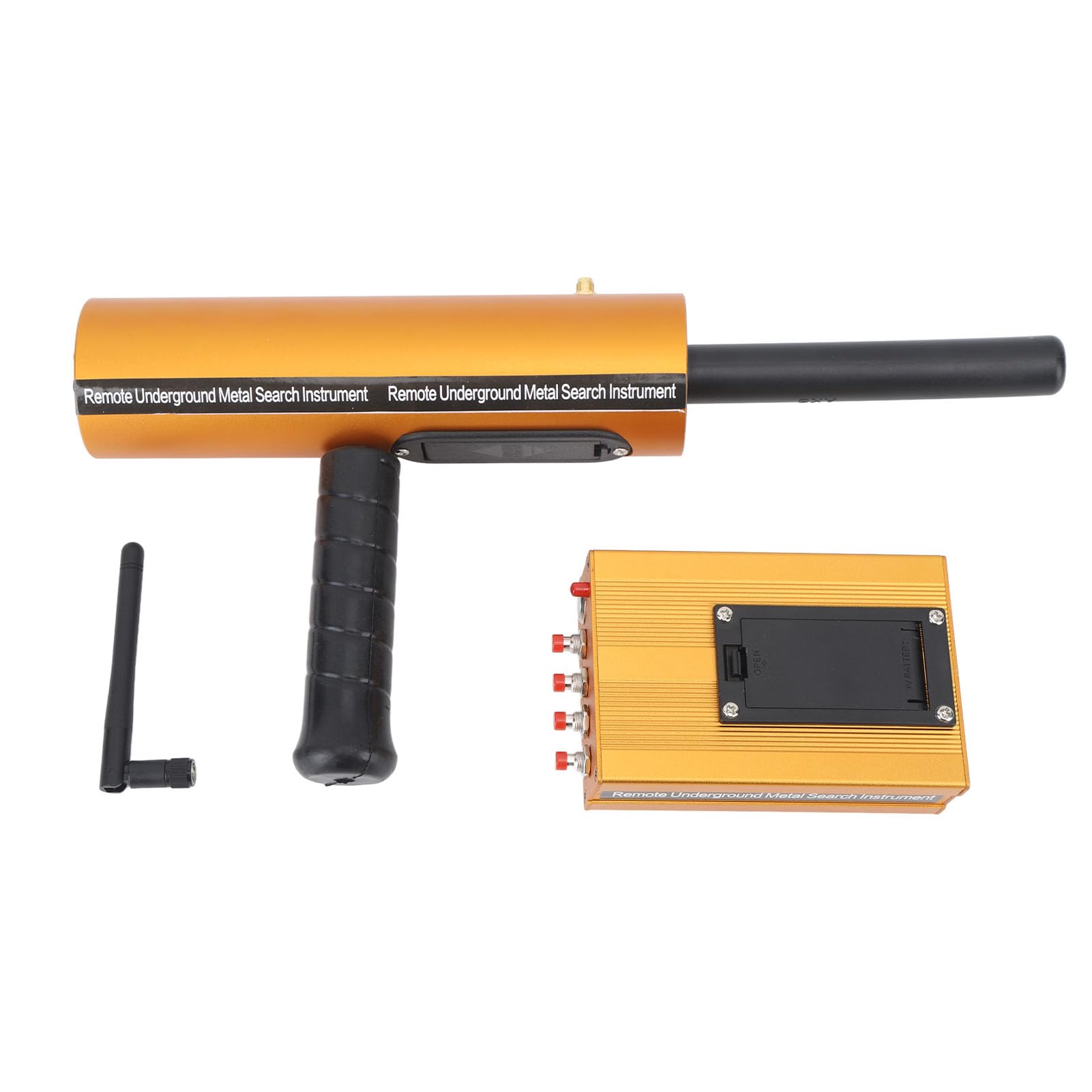
Image: The main detector unit (top) with antenna and the receiver unit (bottom) with control buttons.

Image: A user demonstrating the handheld operation of the main detector unit.
Setup
Unpacking
Carefully unpack all components. Verify that the package contains the main detector unit, receiver unit, antenna, and any included accessories. Inspect for any visible damage.
Battery Installation (Receiver)
Locate the battery compartment on the underside of the receiver unit. Open the compartment, insert the required batteries (typically 9V, as indicated on the device), ensuring correct polarity. Close the compartment securely.

Image: The battery compartment on the receiver unit, showing where to insert the 9V battery.
Connecting Components
Attach the antenna to the designated port on the main detector unit. Ensure all connections are firm and secure before proceeding.
Operating Instructions
Powering On
- Ensure the device has sufficient power (fully charged or fresh batteries).
- Turn on the main detector unit using its power switch.
- Turn on the receiver unit using its power switch.
Target Selection
On the receiver unit, press the button corresponding to the specific metal you intend to detect (e.g., Copper, Silver, Gold, Diam). This sets the device to search for that particular material.

Image: The receiver unit's control panel, showing the power button and target selection buttons for Copper, Silver, Gold, and Diam.
Adjusting Depth and Range
Utilize the adjustment functions on the main detector unit to set the desired depth and range for your search area. This allows for focused detection based on your requirements.
Detection Process
Hold the main detector unit steadily and smoothly, avoiding unnecessary interference. When a specified metal object is detected, the unit will exhibit a swaying motion, either left or right. The amplitude of this swaying action will increase proportionally with the size of the detected item, providing an indication of the target's presence and approximate size.
Intelligent Filtering
The device incorporates intelligent filtering technology to minimize interference from non-target materials. This feature helps to reduce false alarms and ensures more accurate detection of valuable finds.
Maintenance
Cleaning
After each use, gently wipe the device with a soft, dry cloth to remove any dirt or debris. Avoid using abrasive cleaners, solvents, or harsh chemicals, as these can damage the unit's finish or internal components.
Storage
Store the metal detector in a cool, dry place, away from direct sunlight, extreme temperatures, and high humidity. If storing for an extended period, it is recommended to remove the batteries from the receiver unit to prevent leakage and potential damage.
Battery Care
For rechargeable batteries, ensure they are charged regularly according to manufacturer guidelines. For disposable batteries, replace them promptly when depleted to maintain optimal performance.
Troubleshooting
No Power
- Check if batteries are correctly installed and have sufficient charge.
- Ensure all power switches on both the main unit and receiver are in the 'ON' position.
Inaccurate Detection / False Alarms
- Verify that the correct target metal is selected on the receiver unit.
- Ensure the device is calibrated correctly before use.
- Avoid operating in areas with high electromagnetic interference, which can affect detection accuracy.
Limited Depth/Range
- Check the battery level of both units; low power can reduce performance.
- Ensure the depth and range settings are adjusted appropriately for the specific search conditions and target size.
Specifications
- Brand: aqxreight
- Model Number: aqxreightroxzc1etdn
- Detection Range: Up to 1000 meters (3280.8 ft)
- Detection Depth: Up to 15 meters (49.2 ft)
- Compatible Metals: Gold, Silver, Copper, and other metallic materials
- Host Size: Approx. 32.5 x 16.5 cm (12.8 x 6.5 in)
- Transmitter Size (without Rod): Approx. 11.5 x 7.5 x 3.5 cm (4.5 x 3.0 x 1.4 in)
- Power: DC9V+/-1V (as indicated on the device)
Warranty Information
For detailed warranty information, please refer to the specific documentation included with your product purchase. Typically, aqxreight products come with a limited warranty covering manufacturing defects for a specified period from the date of purchase. Keep your proof of purchase for any warranty claims.
Support
Should you require technical assistance, have questions about operation, or need to report an issue, please contact aqxreight customer support. Contact details can usually be found on the product packaging, the official aqxreight website, or through your retailer.