1. Introduction
Welcome to the GravaStar Sirius Plus True Wireless Earbuds. These earbuds combine a unique, futuristic design with advanced audio technology, including Active Noise Cancellation (ANC) and Bluetooth 5.3 connectivity. This manual provides detailed instructions to help you get the most out of your device.

Image: The GravaStar Sirius Plus earbuds and their distinctive charging case, showcasing the product's unique aesthetic.
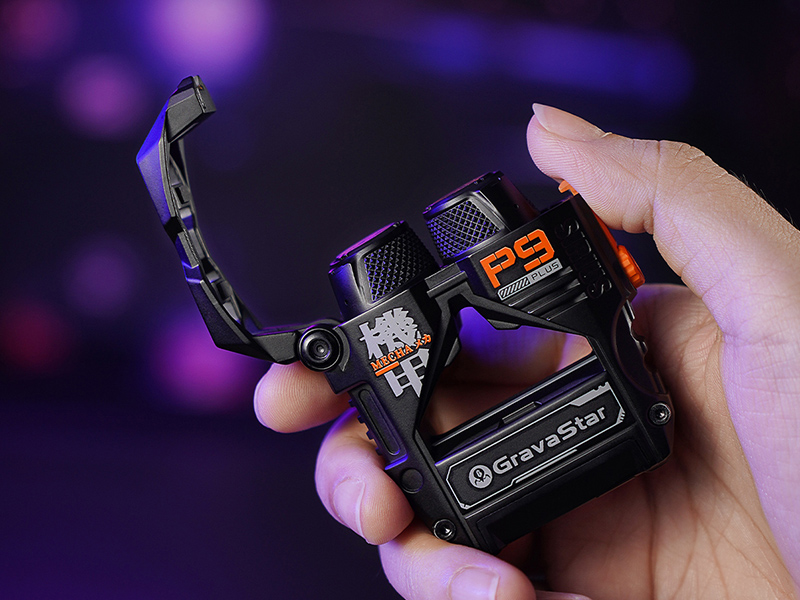
Image: A hand holding the GravaStar Sirius Plus charging case, highlighting its compact and ergonomic design.
2. Setup
2.1. What's in the Box
- GravaStar Sirius Plus Earbuds
- Wireless Charging Case
- USB Charging Cable
- User Manual (this document)
2.2. Charging the Earbuds and Case
Before first use, fully charge the earbuds and charging case. Connect the provided USB cable to the charging port on the case and a power source. The charging time is approximately 1.5 hours for a full charge. The case provides up to 28 hours of total playtime with the earbuds.

Image: The GravaStar Sirius Plus charging case illustrating its 28-hour playtime and fast charging capabilities.

Image: The GravaStar Sirius Plus charging case positioned next to a smartphone, demonstrating its compact size and charging convenience.
2.3. Bluetooth Pairing
- Open the charging case. The earbuds will automatically enter pairing mode.
- On your device (smartphone, laptop, tablet), enable Bluetooth.
- Search for 'GravaStar Sirius Plus' in the list of available devices.
- Select it to connect. A voice prompt will confirm successful pairing.
The earbuds utilize Bluetooth 5.3 for efficient and stable transmission.

Image: The GravaStar Sirius Plus earbuds positioned near a smartphone, emphasizing seamless audio streaming via Bluetooth 5.3.
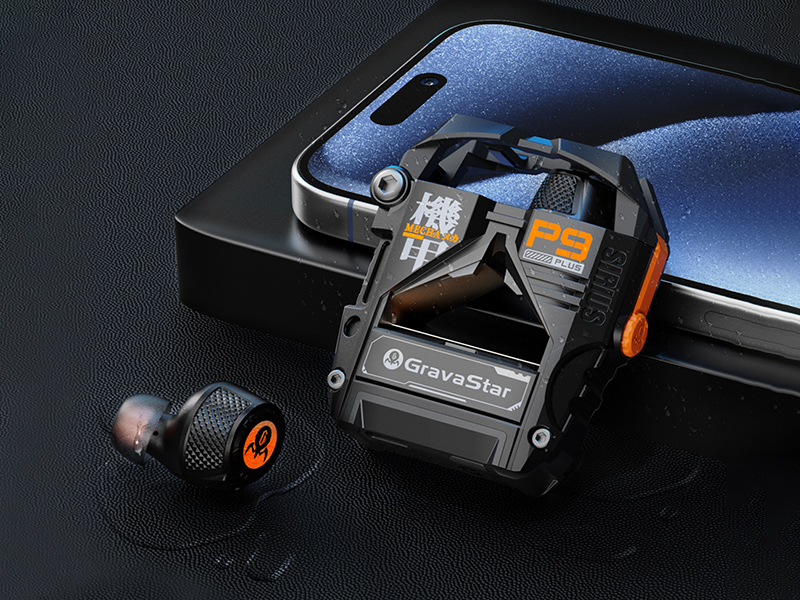
Image: The GravaStar Sirius Plus earbuds and their charging case placed beside a smartphone, illustrating their connectivity.
2.4. App Installation
For full customization and control, download the official GravaStar app. The app allows for adjustable EQ settings and customizable button functions.

Image: A smartphone screen showing the dedicated GravaStar app interface, highlighting options for customization and control, including EQ adjustments.
3. Operating the Earbuds
3.1. Active Noise Cancellation (ANC) and Transparent Mode
The GravaStar Sirius Plus features Hybrid Dual-Feed ANC for an undisturbed listening experience. It also includes a Transparent Mode to allow ambient sounds to pass through, keeping you aware of your surroundings.

Image: A visual representation of the Active Noise Cancellation (ANC) feature of the GravaStar Sirius Plus earbud, showing its effectiveness in reducing ambient noise.

Image: A detailed graph illustrating the noise reduction capabilities of the GravaStar Sirius Plus earbuds' Active Noise Cancellation (ANC).
3.2. Audio Quality
Experience superior sound with the 10mm Composite Diaphragm Dynamic Driver, delivering crisp highs, rich mids, and powerful bass. The streamlined 6-Color RGB Ambient Light creates an enchanting music atmosphere.

Image: An exploded view of the GravaStar Sirius Plus earbud, showcasing its internal components and the 10mm Composite Diaphragm Dynamic Driver for an immersive listening experience.
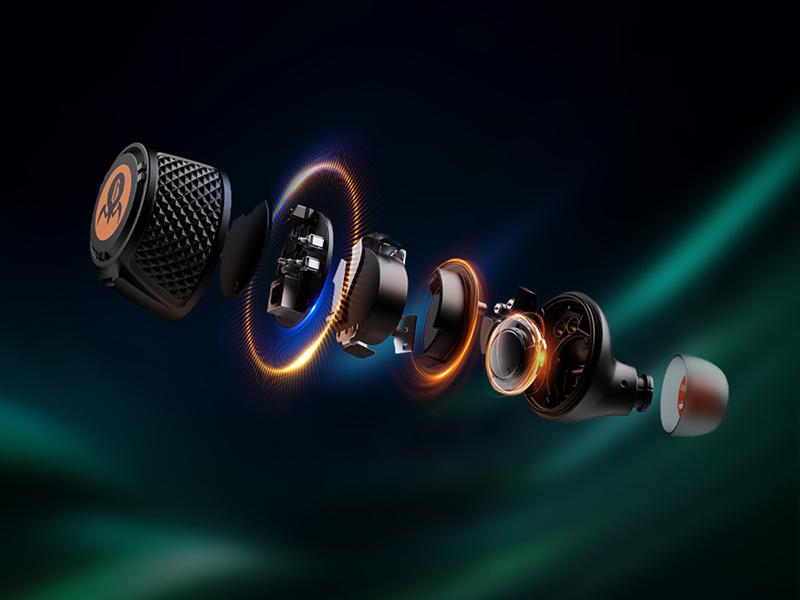
Image: A detailed exploded diagram of the GravaStar Sirius Plus earbud, illustrating its internal acoustic structure and components.
3.3. Call Features
ENC Noise Reduction ensures clear calls, providing worry-free communication even in noisy environments.
3.4. Ergonomic Design
The earbuds are designed for all-day comfort and a secure fit, making them suitable for various activities.

Image: A person wearing the GravaStar Sirius Plus earbuds, demonstrating their ergonomic design for comfortable all-day use.

Image: A woman wearing GravaStar Sirius Plus earbuds, highlighting their secure and comfortable fit during physical activity.
3.5. Unique Features
- Aluminium Alloy Design: Stylish and sturdy construction.
- Trendy Accessory: Includes a fun bottle opener feature on the charging case.
- One-Touch Lid Pop-Up: A convenient and satisfying stress-relief tool.
4. Maintenance
4.1. Cleaning
The earbuds are IPX4 water resistant, meaning they are protected against splashing water from any direction. To clean, gently wipe the earbuds and charging case with a soft, dry, lint-free cloth. Do not use harsh chemicals or abrasive materials.
4.2. Storage
When not in use, store the earbuds in their charging case to protect them and ensure they remain charged. Store in a cool, dry place away from extreme temperatures.
4.3. Battery Care
To prolong battery life, avoid fully discharging the earbuds and case frequently. Charge them regularly, even if not in constant use.
5. Troubleshooting
5.1. Common Issues and Solutions
- No Sound/Connection Issues:
- Ensure earbuds are charged.
- Turn off and on your device's Bluetooth.
- Forget the device in your Bluetooth settings and re-pair.
- Ensure earbuds are properly seated in the charging case for connection.
- Occasional Disconnection:
- This can occasionally occur. Try moving closer to your connected device.
- Ensure no strong interference sources are nearby.
- Latency in Gaming (PC):
- While gaming mode is available, some latency may still be present depending on the PC setup and game.
- Ensure gaming mode is activated via the app.
- Uncomfortable Fit:
- Experiment with different ear tip sizes to find the best fit for comfort and sound isolation.
- Sound Quality Issues (e.g., after EQ adjustment):
- If sound quality degrades after EQ adjustments, try resetting the EQ to default settings in the GravaStar app.
5.2. Resetting the Earbuds
If issues persist, refer to the GravaStar app or official support resources for specific reset procedures.
6. Specifications
| Feature | Detail |
|---|---|
| Model Name | P9 PLUS |
| Connectivity Technology | Wireless (Bluetooth 5.3) |
| Audio Driver Type | 10mm Composite Diaphragm Dynamic Driver |
| Noise Control | Active Noise Cancellation (ANC) |
| Call Feature | ENC Noise Reduction |
| Playtime | Up to 28 hours (with charging case) |
| Charging Time | 1.5 Hours |
| Water Resistance Level | IPX4 (Water Resistant) |
| Control Method | App |
| Frequency Range | 20 Hz to 20,000 Hz |
| Item Weight | 7 ounces |
| Manufacturer | ZhuoYe ChuangYi Co., Ltd. |
7. Official Product Video
Video: An official product video from GravaStar Flagship showcasing the features and design of the Sirius Plus Wireless Earbuds. This video highlights the aluminum alloy build, futuristic design, 10mm dynamic drivers, 28-hour playtime, and Active Noise Cancellation.
8. Warranty and Support
For warranty information and customer support, please refer to the official GravaStar website or contact the seller, GravaStar Flagship, directly through the Amazon platform. Keep your purchase receipt for any warranty claims.
Manufacturer: ZhuoYe ChuangYi Co., Ltd.
For further assistance, visit the GravaStar Store on Amazon.


