
Introduction
The SONDTUO PartyFree S2 is a versatile and portable Bluetooth speaker designed to deliver powerful audio with enhanced bass and dynamic LED lighting. Featuring multiple connectivity options and a built-in power bank, it is suitable for various indoor and outdoor environments, including home use, parties, and beach gatherings. This manual provides detailed instructions for setup, operation, and maintenance of your speaker.
What's in the Box

The package for your SONDTUO PartyFree S2 Bluetooth Speaker includes the following items:
- PartyFree Bluetooth Speaker X1
- Auxiliary Cable X1
- USB C Charging Cable X1
- User Manual
Product Overview and Controls
Familiarize yourself with the various parts and controls of your PartyFree S2 speaker for optimal use.

Image: Top and rear panel controls and ports of the PartyFree S2 speaker.
Top Panel Controls:
- Volume Knob: Rotate to adjust volume.
- Lighting Mode Control: Button to cycle through 6 different LED lighting modes.
- FM Radio Button: Switch to FM radio mode.
- EQ Modes Switch: Button to select between different sound equalization modes (e.g., Bass, Treble).
- Bluetooth Mode Button: Switch to Bluetooth pairing mode.
- TWS Mode Button: Initiate True Wireless Stereo pairing with another PartyFree S2 speaker.
- Power On/Off Button: Press and hold to power the speaker on or off.
- Connection Mode Switch: Button to cycle through input modes (Bluetooth, AUX, USB, FM).
- Previous Track / FM Channel Down: Skip to the previous track or tune down FM frequency.
- Play/Pause Button: Play or pause audio playback.
- Next Track / FM Channel Up: Skip to the next track or tune up FM frequency.
- Battery Indicator: LEDs indicating current battery level.
Rear Panel Ports:
- USB C Charging Port: For charging the speaker.
- USB Disk Port: For playing audio from a USB flash drive or using as a power bank.
- 6.35mm Jack: Input for wired microphone or guitar.
- 3.5mm Headphone Jack: Audio output for headphones.
- 3.5mm Auxiliary Input: For connecting external audio devices via AUX cable.
Setup
Charging the Speaker:
Before first use, fully charge the speaker. Connect the provided USB-C charging cable to the USB C Charging Port on the rear panel and the other end to a compatible USB power adapter (not included). The battery indicator lights will show charging progress and turn solid when fully charged. A full charge takes approximately 4 hours.
Powering On/Off:
Press and hold the Power On/Off button on the top panel for a few seconds until you hear an audible prompt and the LED lights activate. To power off, press and hold the same button again.
Operating Instructions
Bluetooth Pairing:

1. Power on the speaker. It will automatically enter Bluetooth pairing mode, indicated by a flashing blue LED light and an audible "Bluetooth" prompt.2. On your device (smartphone, tablet, etc.), enable Bluetooth and search for "PartyFree S2" in the list of available devices.3. Select "PartyFree S2" to connect. Once connected, the LED light will turn solid blue, and you will hear a confirmation sound.4. If prompted for a password, enter "0000".
True Wireless Stereo (TWS) Pairing:

TWS allows you to pair two PartyFree S2 speakers for a true stereo sound experience.1. Ensure both speakers are powered on and not connected to any Bluetooth device.2. On one speaker (this will be the primary speaker), press the TWS Mode button. You will hear a prompt indicating TWS pairing mode.3. The two speakers will automatically connect to each other. Once connected, you will hear a confirmation sound.4. Now, connect your device to the primary speaker via Bluetooth as described in the "Bluetooth Pairing" section. Audio will play through both speakers in stereo.
Auxiliary (AUX) Input:
1. Connect one end of the provided 3.5mm auxiliary cable to the 3.5mm Auxiliary Input port on the rear of the speaker.2. Connect the other end to the headphone jack or audio output of your external audio device (e.g., MP3 player, computer).3. The speaker will automatically switch to AUX mode, or you can manually select it using the Connection Mode Switch button.
USB Playback:
1. Insert a USB flash drive containing MP3 audio files into the USB Disk Port on the rear panel.2. The speaker will automatically detect the USB drive and begin playing the audio files.3. Use the Previous/Next Track buttons to navigate through tracks.
FM Radio:
1. Press the FM Radio button on the top panel to switch to FM mode.2. To auto-scan and save available stations, press and hold the Play/Pause button. The speaker will scan and store stations automatically.3. Use the Previous/Next Track buttons to switch between saved FM stations.4. For improved reception, connect the USB-C charging cable to the charging port and use it as an external antenna (do not connect the other end to a power source during FM use).
LED Lighting Modes:
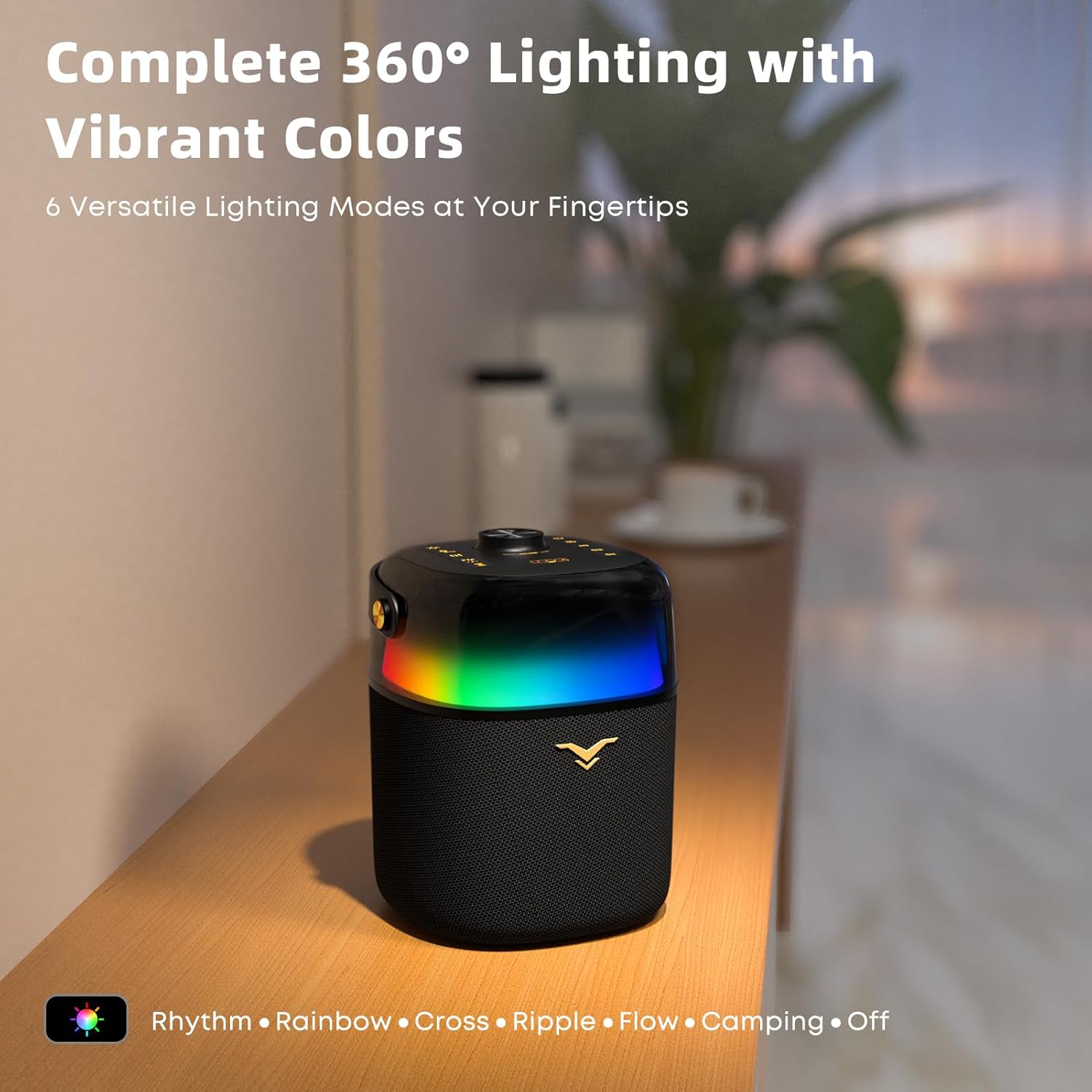
The PartyFree S2 features 360-degree LED lighting with six different modes to enhance your listening experience.Press the Lighting Mode Control button on the top panel to cycle through the following modes:
- Rhythm (beat-synced)
- Rainbow
- Cross
- Ripple
- Flow
- Camping (static warm light)
- Off
Power Bank Functionality:

The PartyFree S2 can double as an emergency power bank for your mobile devices. Connect your device's USB charging cable to the USB Disk Port on the rear panel of the speaker. The speaker's internal battery (8000 mAh) will provide power to charge your device. Note that using the power bank feature will reduce the speaker's playback time.
6.35mm Jack Input (Microphone/Guitar):

Connect a wired microphone or guitar to the 6.35mm Jack on the rear panel. This input works in tandem with other audio sources, allowing you to sing or play along with music. Adjust the volume of the connected instrument/microphone using its own controls, if available.
Maintenance
Cleaning:
Wipe the speaker with a soft, dry cloth. Do not use abrasive cleaners, alcohol, or other chemical substances, as they may damage the surface. Ensure all ports are dry before charging or connecting devices.
Storage:
When not in use for extended periods, store the speaker in a cool, dry place away from direct sunlight and extreme temperatures. It is recommended to charge the speaker at least once every three months to maintain battery health.
Water Resistance:

The PartyFree S2 has an IPX5 waterproof rating, meaning it is protected against low-pressure water jets from any direction. It is suitable for use near water, such as by a pool or at the beach, but should not be submerged in water. Ensure all port covers are securely closed before exposure to water.
Troubleshooting
| Problem | Possible Cause | Solution |
|---|---|---|
| Speaker does not power on. | Low battery; Power button not pressed correctly. | Charge the speaker fully. Press and hold the Power button for 3-5 seconds. |
| Cannot pair via Bluetooth. | Speaker not in pairing mode; Device Bluetooth is off; Speaker already connected to another device. | Ensure speaker is in Bluetooth pairing mode (flashing blue LED). Turn off and on your device's Bluetooth. Disconnect from other devices. |
| No sound or low volume. | Volume too low on speaker or connected device; Incorrect input mode selected; Cable not fully inserted. | Increase volume on both speaker and device. Ensure correct input mode (Bluetooth, AUX, USB, FM) is selected. Check cable connections. |
| FM radio reception is poor. | Weak signal; No antenna connected. | Extend the USB-C charging cable and connect it to the charging port to act as an antenna. Move to an area with better signal. |
| TWS pairing fails. | Speakers too far apart; One speaker already connected to a device. | Ensure both speakers are within close proximity (within 1 meter). Disconnect both speakers from any Bluetooth devices before initiating TWS pairing. |
Specifications
| Feature | Detail |
|---|---|
| Model Name | PartyFree S2 |
| Brand | SONDTUO |
| Speaker Type | Portable Speaker |
| Connectivity Technology | Bluetooth, USB, Auxiliary, FM Radio |
| Bluetooth Version | 5.2 |
| Wireless Range | Up to 33 Feet (10 meters) |
| Speaker Maximum Output Power | 80 Watts (Peak) |
| Battery Life | Up to 12 Hours |
| Battery Capacity | 8000 mAh |
| Charging Time | Approximately 4 Hours |
| Water Resistance Level | IPX5 (Waterproof) |
| Product Dimensions | 5.9"D x 6.3"W x 8.49"H |
| Item Weight | 4.56 Pounds |
| Included Components | Speaker, Auxiliary Cable, USB C Charging Cable, User Manual |
Warranty and Support
The SONDTUO PartyFree S2 Bluetooth Speaker comes with a limited warranty. For detailed warranty information, product support, or technical assistance, please refer to the contact information provided on the product packaging or visit the official SONDTUO website. Please retain your proof of purchase for warranty claims.