
Introduction
Thank you for choosing the Grandder 47-inch Computer Desk. This desk is designed to provide a stylish, functional, and high-quality workspace for various settings, including home offices, study areas, and gaming setups. Its modern, simple style complements any decor, offering practicality and comfort. The desk features a durable surface, a stable metal frame, and adjustable feet for enhanced stability and floor protection.
Key features include:
- Modern Simple Style: Designed to complement any decor, offering practicality, comfort, and timeless elegance.
- Durable Surface: The wood surface resists scratches, stains, and daily wear for lasting quality.
- Stable Structure: A sturdy metal frame ensures stability and adds a modern industrial look.
- Adjustable Feet: Ensures stability and protects your floors from scratches.
Safety Information
- Ensure the desk is properly anchored to the wall to prevent tipping, especially if heavy items are placed on it.
- Avoid placing excessively heavy objects on the desk to maintain stability and prevent damage.
- Handle the wood surface with care to prevent scratches and stains.
- Keep small parts and assembly tools out of reach of children.
Package Contents
Please verify that all components are present before beginning assembly:
- Desktop Surface (Engineered Wood)
- Metal Frame Components (Alloy Steel)
- Adjustable Footpads
- Assembly Hardware (Screws, Allen Wrench)
- Instruction Manual
Setup and Assembly
Assembly of the Grandder Computer Desk is designed to be straightforward and can typically be completed by one person in approximately 15 minutes with the included tools and clear instructions.
Step 1: Unpack and Identify Components
Carefully unpack all items from the box. Lay out all metal frame components, the desktop surface, adjustable footpads, and hardware. Refer to the included instruction manual for a visual guide to each part.
Step 2: Assemble the Metal Frame
Connect the metal frame pieces using the provided screws and Allen wrench. Ensure all connections are secure but do not overtighten at this stage.
Video: Assembly overview of the Grandder Computer Desk, demonstrating the simple steps to construct the frame and attach the desktop.
Step 3: Attach the Desktop Surface
Carefully place the desktop surface onto the assembled metal frame. Align the pre-drilled holes on the desktop with the frame. Insert and tighten the screws to secure the desktop to the frame. Ensure all screws are fully tightened for maximum stability.

Image: The Grandder 47-inch computer desk fully assembled and set up in a home office environment, showcasing its modern design and ample workspace.
Step 4: Install Adjustable Footpads
Screw the adjustable footpads into the bottom of each leg of the metal frame. These footpads help to level the desk on uneven surfaces and protect your floor from scratches.

Image: Detailed view of the desk's structural design, highlighting the reinforced triangle brackets for stability and the adjustable footpads for leveling and floor protection.
Operating Instructions
The Grandder Computer Desk is designed for immediate use upon assembly. Its spacious 47-inch surface provides ample room for monitors, keyboards, mice, and other office or study essentials. The durable matte desktop is suitable for various activities, from computer work to creative projects.
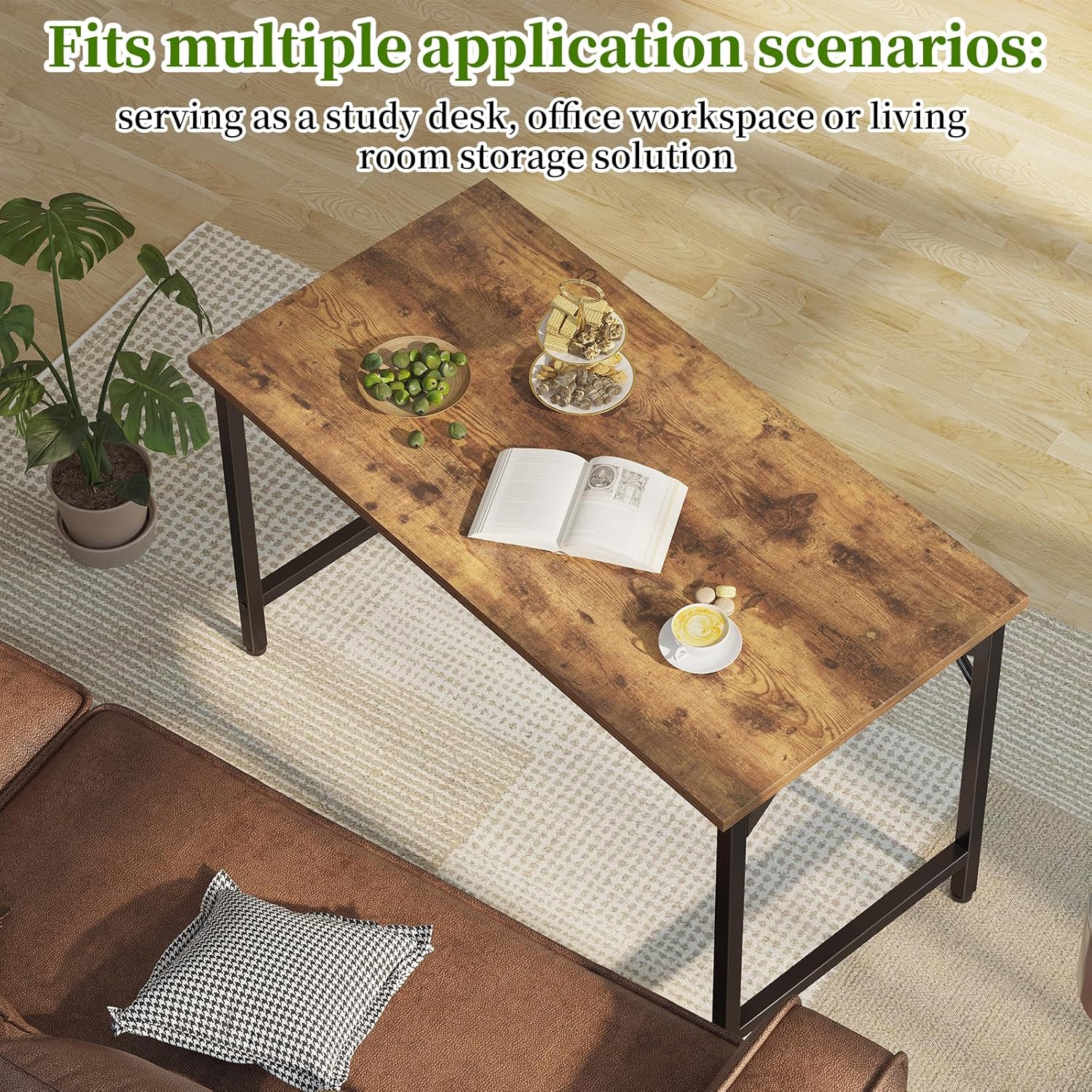
Image: An overhead perspective of the desk, illustrating its versatility for multiple application scenarios such as a study desk, office workspace, or living room storage solution.
Maintenance
To ensure the longevity and appearance of your Grandder Computer Desk, follow these simple maintenance guidelines:
- Cleaning: The durable surface is easy to clean. Wipe spills immediately with a soft, damp cloth. For general cleaning, use a mild soap solution and dry thoroughly. Avoid harsh chemicals or abrasive cleaners.
- Protection: While the surface is scratch and stain-resistant, using coasters for drinks and placemats for hot items is recommended to further protect the desktop.
- Regular Checks: Periodically check all screws and connections to ensure they remain tight. Retighten if necessary to maintain stability.

Image: A detailed view of the desk's matte desktop, emphasizing its construction from MDF board and its waterproof and anti-scratch features, which contribute to its durability and ease of maintenance.
Troubleshooting
If you encounter any issues with your Grandder Computer Desk, please refer to the following common solutions:
- Desk Wobbles: If the desk feels wobbly, ensure all assembly screws are fully tightened. Adjust the footpads on each leg to compensate for uneven flooring.
- Scratches/Stains: While the surface is resistant, minor scratches or stubborn stains can occur. For light scratches, furniture polish may help. For stains, try a gentle cleaner.
- Missing Parts: If any parts were missing upon delivery, please contact customer service for assistance.
Specifications
| Brand | Grandder |
| Model Number | B0DPG3WRMQ |
| Shape | Rectangular |
| Desk Design | Computer Desk |
| Product Dimensions (D x W x H) | 19.7"D x 47"W x 29.5"H (19.69 x 47.24 x 29.13 inches) |
| Color | Rustic Brown |
| Style | Modern |
| Base Material | Alloy Steel |
| Top Material Type | Engineered Wood |
| Finish Type | Wood |
| Special Feature | Cordless, Adjustable Feet |
| Required Assembly | Yes |
| Includes All Assembly Tools | Yes |
| Maximum Weight Capacity | 176 lbs |

Image: A clear diagram illustrating the product dimensions, including width, depth, and height, to assist with space planning and setup.
Warranty and Support
The Grandder 47-inch Computer Desk comes with a Limited Warranty. For specific details regarding the warranty period and coverage, please refer to the warranty card included in your package or contact Grandder customer service.
Helpful Customer Service: Your satisfaction is our priority. If you have any questions, require assistance with assembly, or need replacements for any parts, please do not hesitate to contact Grandder customer service for quick and efficient support.