
1. Introduction
This manual provides detailed instructions for the setup, operation, and maintenance of your SIKVIO Mini WiFi Camera UP1. Designed for both indoor and outdoor use, this compact camera offers 2K HD video, 360-degree rotation, night vision, and motion detection capabilities to enhance your security and monitoring needs.

Image: The SIKVIO Mini WiFi Camera UP1, a compact black camera with a rotating base, shown with a mobile phone displaying a live feed in the top right corner.
2. Product Features
- Real Full HD 2K Video: Equipped with an advanced 2.0MP image sensor for capturing clear 2K REAL Full HD videos with accurate color reproduction.
- 360 Multi-function Rotating Camera: The camera base allows for stable placement and the camera's rotation angle can be controlled via the mobile application, offering a full 360-degree horizontal view.
- Long Battery Life & Motion Detection: Features a built-in 2000mAh battery, providing up to 8 hours of continuous recording. When motion detection is activated, the camera can last up to 3 months in standby mode and sends alarm messages to your mobile phone upon detection.
- Upgraded Night Vision: Incorporates a 145° wide-angle lens to cover more areas and reduce blind spots. Automatic induction night vision ensures clear visibility in dark environments without sound or light.
- Storage: Supports up to a 128GB MicroSD card (not included). Older files are automatically overwritten when the card is full.
- Super Wireless Camera: Supports remote viewing through a dedicated mobile application, allowing live mobile display without distance limitation. Share access with other users. (Only supports 2.4G Wi-Fi).
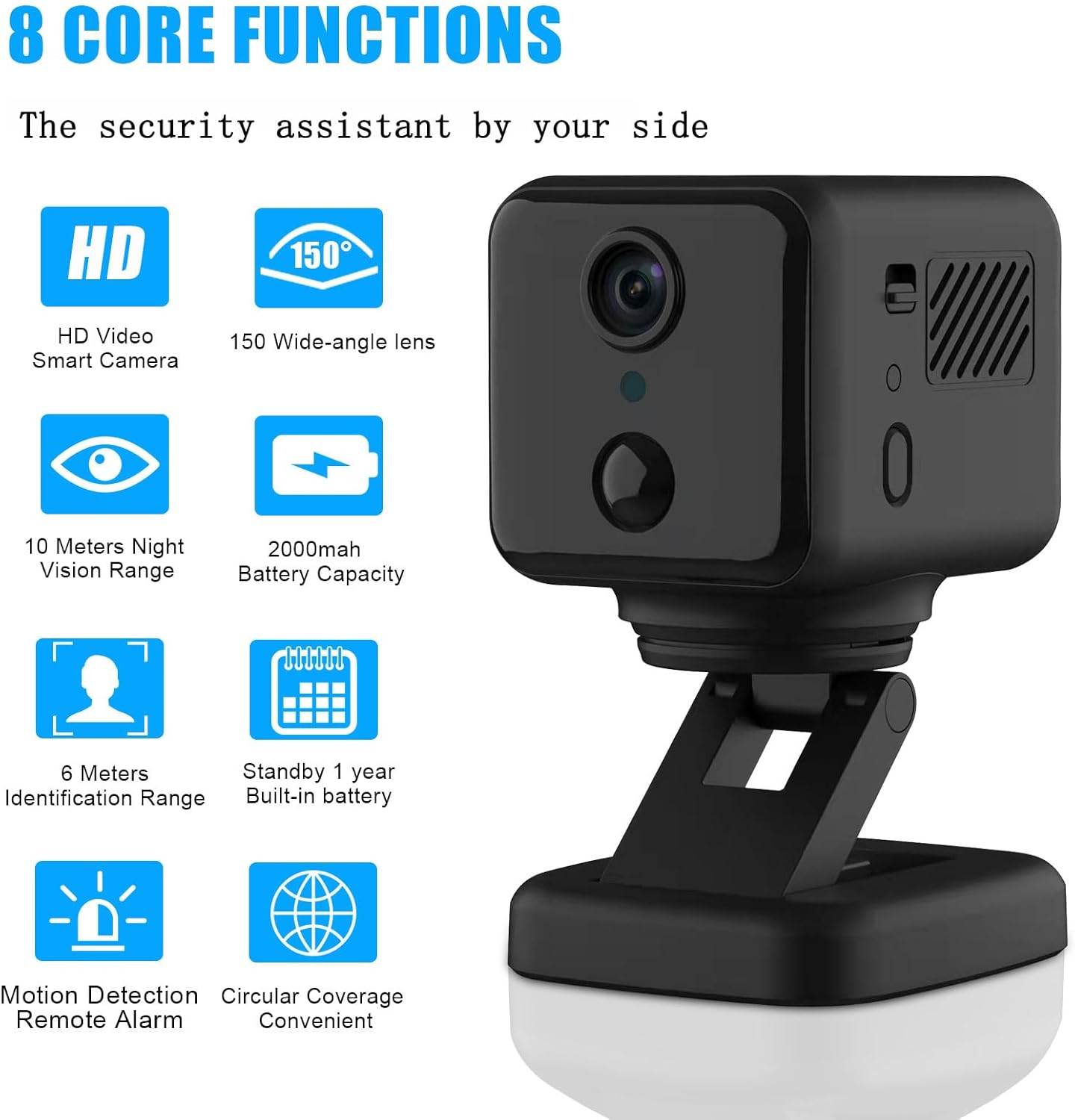
Image: An infographic highlighting the 8 core functions of the SIKVIO Mini WiFi Camera, including HD video, 150-degree wide-angle lens, 10 meters night vision, 2000mAh battery, 6 meters identification range, 1-year standby, motion detection, and circular coverage.
3. What's in the Box
Upon opening the package, please ensure all the following items are present:
- SIKVIO Mini WiFi Camera Body
- USB Charging Cable
- User Manual (this document)
- Mounting Accessories (if applicable, not specified in input but common for cameras)
4. Setup Guide
4.1 Charging the Camera
Before initial use, fully charge the camera. Connect the provided USB charging cable to the camera's charging port and a standard USB power adapter (not included). The charging indicator light will show the charging status.
4.2 Downloading the Mobile Application
Search for the official SIKVIO camera application in your device's app store (e.g., Apple App Store for iOS, Google Play Store for Android). Install the application on your smartphone or tablet.
4.3 Powering On and Initial Setup
- Press and hold the power button on the camera until the indicator light turns on.
- Open the SIKVIO application on your mobile device.
- Follow the in-app instructions to add a new device. This typically involves scanning a QR code on the camera or manually selecting the camera model.
- Connect the camera to your 2.4G Wi-Fi network. Ensure your Wi-Fi password is correct. The camera does not support 5G Wi-Fi.
- Once connected, the camera's indicator light will change, and you should see the live feed in the app.
4.4 Camera Placement
Place the camera on a stable surface or use the included mounting accessories to secure it in your desired location. Consider the 145° wide-angle lens and 360° rotation capability to maximize coverage. Ensure the camera is within range of your 2.4G Wi-Fi network for optimal performance.

Image: The SIKVIO Mini WiFi Camera on its rotating base, with blue arrows indicating its 360-degree horizontal rotation capability.
5. Operating Instructions
5.1 Live Viewing and Remote Control
Open the SIKVIO app to access the live video feed from your camera. You can remotely control the camera's 360-degree rotation by sliding your finger on the screen within the app to adjust the viewing angle.
Video: A short demonstration of the SIKVIO Mini WiFi Camera's motion detection and remote viewing capabilities, showing a dog on a couch and a user controlling the camera's view via a smartphone app.

Image: A split image showing the SIKVIO Mini WiFi Camera and a hand holding a smartphone displaying a live feed of a baby sleeping, illustrating the remote viewing feature.
5.2 Motion Detection and Alerts
Enable the motion detection feature in the app settings. When motion is detected, the camera will automatically send an alarm message to your linked mobile device. This feature helps conserve battery life by activating recording only when necessary.
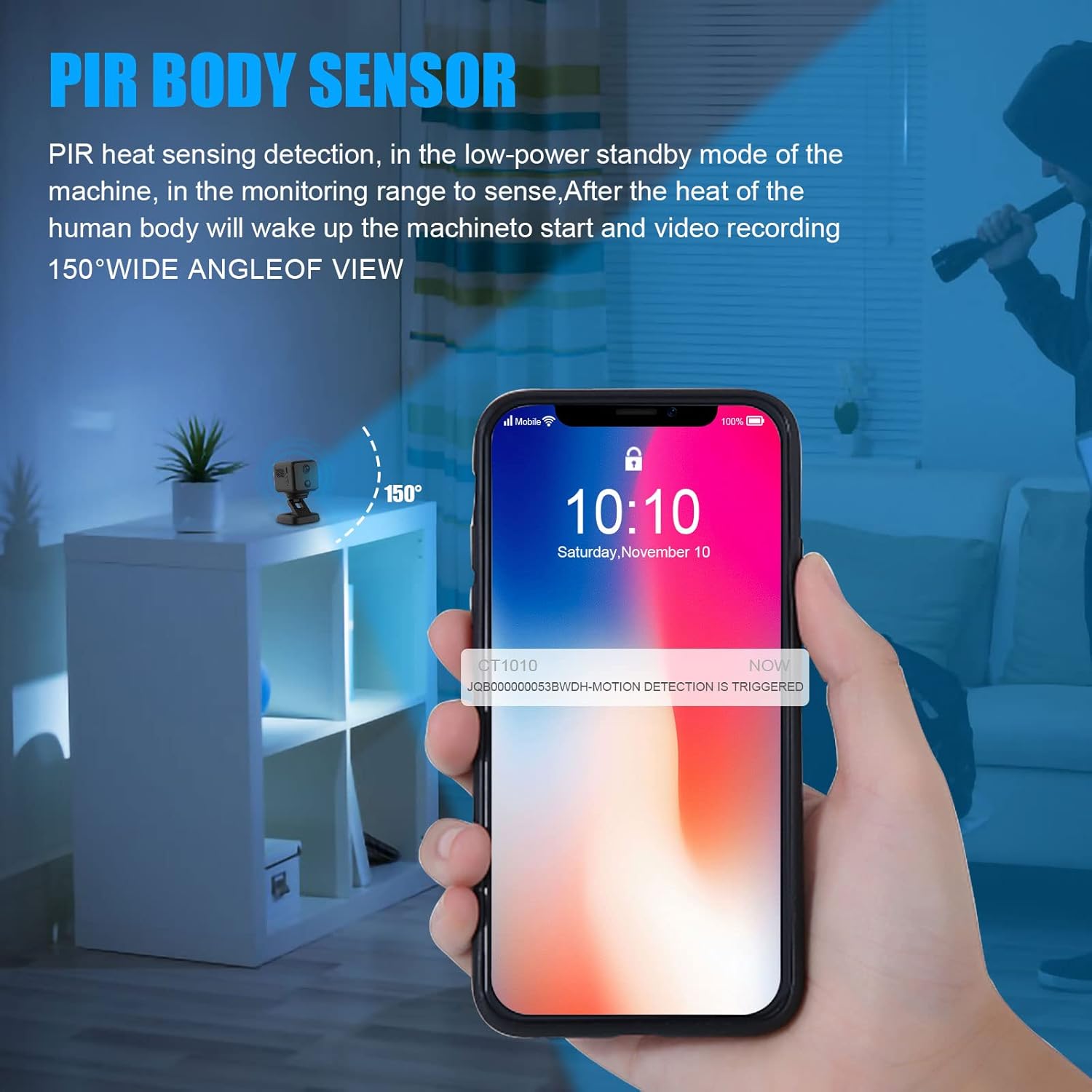
Image: An illustration of the PIR body sensor feature, showing a smartphone receiving a motion detection alert from the camera, with a person in the background triggering the sensor.
5.3 Night Vision
The camera automatically switches to night vision mode in low-light conditions. This ensures continuous monitoring even in complete darkness, providing clear black and white images without emitting visible light.

Image: A split image demonstrating the camera's HD night vision, showing a living room scene in daylight on the left and the same scene in darkness with clear night vision on the right.
5.4 Recording and Storage
Insert a MicroSD card (up to 128GB, not included) into the camera's designated slot for local video storage. The camera supports continuous recording or event-triggered recording (e.g., motion detection). When the card is full, the oldest recordings will be automatically overwritten.
6. Maintenance
- Cleaning: Use a soft, dry cloth to clean the camera lens and body. Avoid using liquid cleaners or abrasive materials that could damage the device.
- Battery Care: To prolong battery life, avoid extreme temperatures. If storing the camera for an extended period, charge it to about 50% and recharge every few months.
- Firmware Updates: Regularly check the SIKVIO app for available firmware updates. Keeping your camera's firmware updated ensures optimal performance and access to new features.
- Storage: Store the camera in a cool, dry place away from direct sunlight and moisture when not in use.
7. Troubleshooting
| Problem | Possible Cause | Solution |
|---|---|---|
| Camera won't power on. | Low battery; faulty charging cable/adapter. | Charge the camera fully. Try a different USB cable and power adapter. |
| Cannot connect to Wi-Fi. | Incorrect Wi-Fi password; 5G Wi-Fi network; camera too far from router. | Ensure correct 2.4G Wi-Fi password. Move camera closer to router. Confirm router is broadcasting 2.4G Wi-Fi. |
| No live feed in app. | Camera offline; app issue; network problem. | Check camera's power and Wi-Fi connection. Restart the app. Restart your router. |
| Motion detection not working. | Feature disabled; sensitivity too low; environmental interference. | Enable motion detection in app settings. Adjust sensitivity. Ensure clear line of sight. |
| SD card not recording. | SD card full/corrupted; incorrect format; card not inserted properly. | Check SD card status in app. Format the card (backup data first). Reinsert the card. Try a different compatible SD card. |
8. Specifications
| Feature | Detail |
|---|---|
| Brand | SIKVIO |
| Model Number | UP1 |
| Item Weight | 9.9 ounces |
| Product Dimensions | 3.74 x 2.56 x 5.24 inches |
| Batteries | 1 AAA batteries required (included) - Note: Product description states 2000mAh built-in battery, this might be for remote or internal clock. User should rely on built-in battery for main power. |
| Video Capture Resolution | 2K HD (as per title/description), 1080p (as per specifications list) - Note: Discrepancy in source data. Sticking to 2K HD as primary feature. |
| Photo Sensor Technology | CMOS |
| Maximum Focal Length | 30 Millimeters |
| Maximum Aperture | 2.8 Millimeters |
| Video Capture Format | MOV |
| Supported Audio Format | AAC, MP3 |
| Connectivity Technology | Wireless (2.4G Wi-Fi only) |
| Special Feature | Portable, 360° Rotation, Night Vision, Motion Detection |
| Battery Capacity | 2000mAh (built-in) |
| Wide Angle Lens | 145° |
| Max SD Card Support | 128GB (MicroSD, not included) |
9. Warranty and Support
For detailed warranty information and customer support, please refer to the official SIKVIO website or contact the retailer from whom you purchased the product. Keep your proof of purchase for warranty claims.
For technical assistance or further inquiries, please visit the SIKVIO support page or contact their customer service team directly.
Note: Specific warranty terms and support contact details may vary by region and purchase location.