
1. Introduction
Thank you for choosing the Coleshome 100 x 70 cm L-Shape Corner Desk. This desk is designed to maximize your workspace efficiency, offering a reversible configuration, integrated storage, and a durable surface. This manual provides essential information for assembly, operation, maintenance, and troubleshooting to ensure optimal use and longevity of your product.
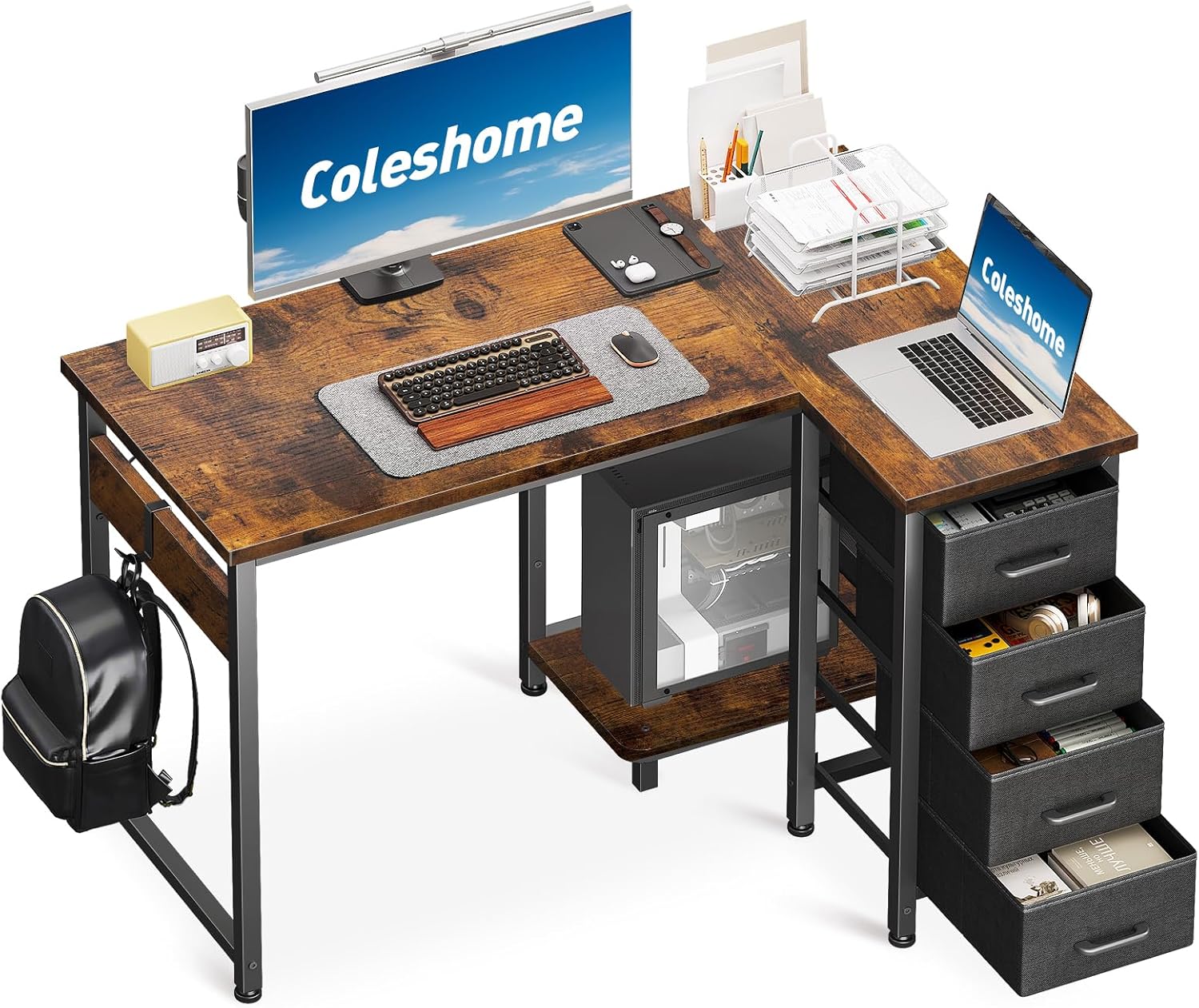
Image 1.1: Coleshome L-Shape Corner Desk, fully assembled and in use.
2. Safety Precautions
Please read and adhere to the following safety guidelines to prevent injury or damage to the product.
- Keep away from heat: Avoid placing the desk near heat sources to prevent material damage.
- Keep away from sharp objects: Do not use sharp objects on the desk surface to prevent scratches.
- Keep away from corrosive substances: Avoid contact with corrosive chemicals that may damage the finish.
- Avoid long-term direct sunlight exposure: Prolonged exposure to direct sunlight may cause discoloration or material degradation.
- Keep children/infants away from assembly parts: Small parts can pose a choking hazard. Ensure all components are kept out of reach during assembly.
- Avoid over-tightening fasteners: Tighten screws and bolts firmly but do not overtighten, as this may cause cracking or stripping of the material.

Image 2.1: Visual representation of safety precautions.
3. Package Contents
Before beginning assembly, verify that all components listed below are present and undamaged. If any parts are missing or damaged, please contact customer support.
- Desktop panels (L-shaped sections)
- Metal frame components (legs, support bars)
- Integrated PC tray
- 4 Fabric drawers
- Headset/bag hook
- Assembly hardware (screws, bolts, Allen wrench)
- Instruction manual
4. Assembly Instructions
The Coleshome L-Shape Corner Desk is designed for easy assembly. All parts are clearly marked, and detailed instructions are provided in the included manual. It is recommended to assemble the desk in the room where it will be used.
4.1 Reversible Design
This versatile computer desk can be set up as either a left-hand or right-hand configuration to perfectly adapt to your room layout. Before starting, decide which orientation best suits your space.
4.2 Step-by-Step Assembly
- Unpack and Identify: Carefully unpack all components and lay them out on a clean, soft surface to prevent scratches. Identify each part using the provided labels and the parts list in the separate assembly guide.
- Assemble the Frame: Begin by connecting the main metal frame components according to the diagrams in the assembly guide. Ensure all screws are finger-tightened initially.
- Attach Desktop Panels: Secure the L-shaped desktop panels to the assembled frame. Align the pre-drilled holes and fasten them securely with the provided hardware.
- Install PC Tray and Hook: Attach the integrated PC tray and the headset/bag hook to the designated locations on the frame.
- Insert Fabric Drawers: Assemble the fabric drawers as per their individual instructions and slide them into their respective compartments.
- Final Tightening: Once all components are in place and aligned, systematically tighten all screws and bolts using the Allen wrench. Ensure the desk is stable and level.

Image 4.1: Detailed view of desk features including drawers and PC tray.
5. Usage and Operation
The Coleshome L-Shape Corner Desk is designed for versatile use in home offices, studies, or bedrooms.
- Space Optimization: Position the L-shaped desk in a corner to efficiently utilize space and transform blind spots into productive work areas.
- Organized Storage: Utilize the four fabric drawers to store documents, office supplies, and personal items. The drawers help keep your workspace tidy and protect contents from dust.
- Integrated PC Tray: The dedicated PC tray provides a convenient and secure location for your computer tower, keeping it off the main desktop surface.
- Headset/Bag Hook: Use the integrated hook to hang your headset, backpack, or other items, keeping them easily accessible and off the floor.
6. Maintenance
Regular maintenance will help preserve the appearance and functionality of your desk.
- Cleaning: Wipe the desk surface with a soft, damp cloth. Avoid abrasive cleaners or harsh chemicals. The durable surface resists scratches and stains, but gentle cleaning is recommended.
- Fastener Check: Periodically check all screws and bolts to ensure they remain tight. Re-tighten if necessary to maintain stability.
- Drawer Care: The fabric drawers can be spot cleaned with a mild detergent if needed. Ensure they are completely dry before reinserting.
7. Troubleshooting
If you encounter any issues with your desk, refer to the following common solutions:
- Desk is Wobbly: Ensure all assembly screws and bolts are securely tightened. Check that the desk is on a level surface.
- Drawers Not Sliding Smoothly: Verify that the fabric drawers are assembled correctly and inserted properly into their compartments. Ensure no obstructions are present.
- Missing or Damaged Parts: If your desk arrives with damaged parts or if any components are missing, please contact our customer support team immediately for assistance.
8. Specifications
| Brand | Coleshome |
| Model | 100 x 70 cm L Shape Desk with 4 Drawers |
| Product Dimensions | 70D x 100W x 75.5H centimetres |
| Item Weight | 10.1 Kilograms |
| Number of Drawers | 4 |
| Special Features | Reversible, L-Shape, Integrated PC Tray, Fabric Drawers, Headset Hook |
| Finish Type | Wood Grain |
| Assembly Required | Yes |
9. Warranty and Support
Coleshome is committed to providing high-quality products and customer satisfaction. While specific warranty details are not provided in this manual, our professional customer support team is available to assist you with any issues.
If you experience any problems such as damaged parts, missing components, or scratches upon arrival, please do not hesitate to contact us. Our team aims to help resolve your concerns within 24 hours.
For support, please refer to the contact information provided with your purchase or visit the official Coleshome website.