
1. Product Overview
The IVEOPPE Keyboard Case is specifically designed for the Xiaomi Pad 7 and Xiaomi Pad 7 Pro 11.2 inch 2024 models. This accessory transforms your tablet into a versatile workstation, offering enhanced typing comfort and navigation with its integrated trackpad. The case provides comprehensive protection for your device while maintaining a slim and lightweight profile for portability.

Figure 1.1: IVEOPPE Keyboard Case with Xiaomi Pad 7/Pad 7 Pro.
2. Compatibility and Package Contents
2.1 Compatibility
This keyboard case is exclusively designed for the Xiaomi Pad 7 and Xiaomi Pad 7 Pro 11.2 inch 2024 models. Please verify your tablet model before use to ensure proper fit and functionality. The keyboard itself is compatible with iOS, Android, and Windows operating systems, allowing for versatile use with other devices.

Figure 2.1: Device Compatibility for the Keyboard Case.
2.2 What's in the Box
- 1 x Xiaomi Pad 7/7 Pro Case
- 1 x Wireless Bluetooth Keyboard
- 1 x Type-C Charging Cable
- 1 x User Manual
Note: iPad and stylus are not included.
3. Setup and Connection
3.1 Initial Charging
Before first use, fully charge the keyboard for 3-4 hours using the provided Type-C charging cable. The keyboard features a long-life battery, capable of continuous operation for over 75 hours without backlight and 5 hours with backlight activated. An automatic sleep mode helps conserve battery power.

Figure 3.1: Charging the Keyboard.
3.2 Bluetooth Pairing
- Ensure the keyboard is charged and powered on.
- Enable Bluetooth on your Xiaomi Pad 7/Pad 7 Pro.
- Search for available Bluetooth devices and select the keyboard (usually named 'Bluetooth Keyboard' or similar).
- Follow any on-screen prompts to complete the pairing process.
4. Operating the Keyboard Case
4.1 Detachable Keyboard and Trackpad
The keyboard is magnetically detachable, allowing you to easily remove or reposition it as needed. The built-in high-sensitive trackpad supports multi-finger gesture control (tap, swipe, scroll, switch apps), enhancing productivity for work or study.
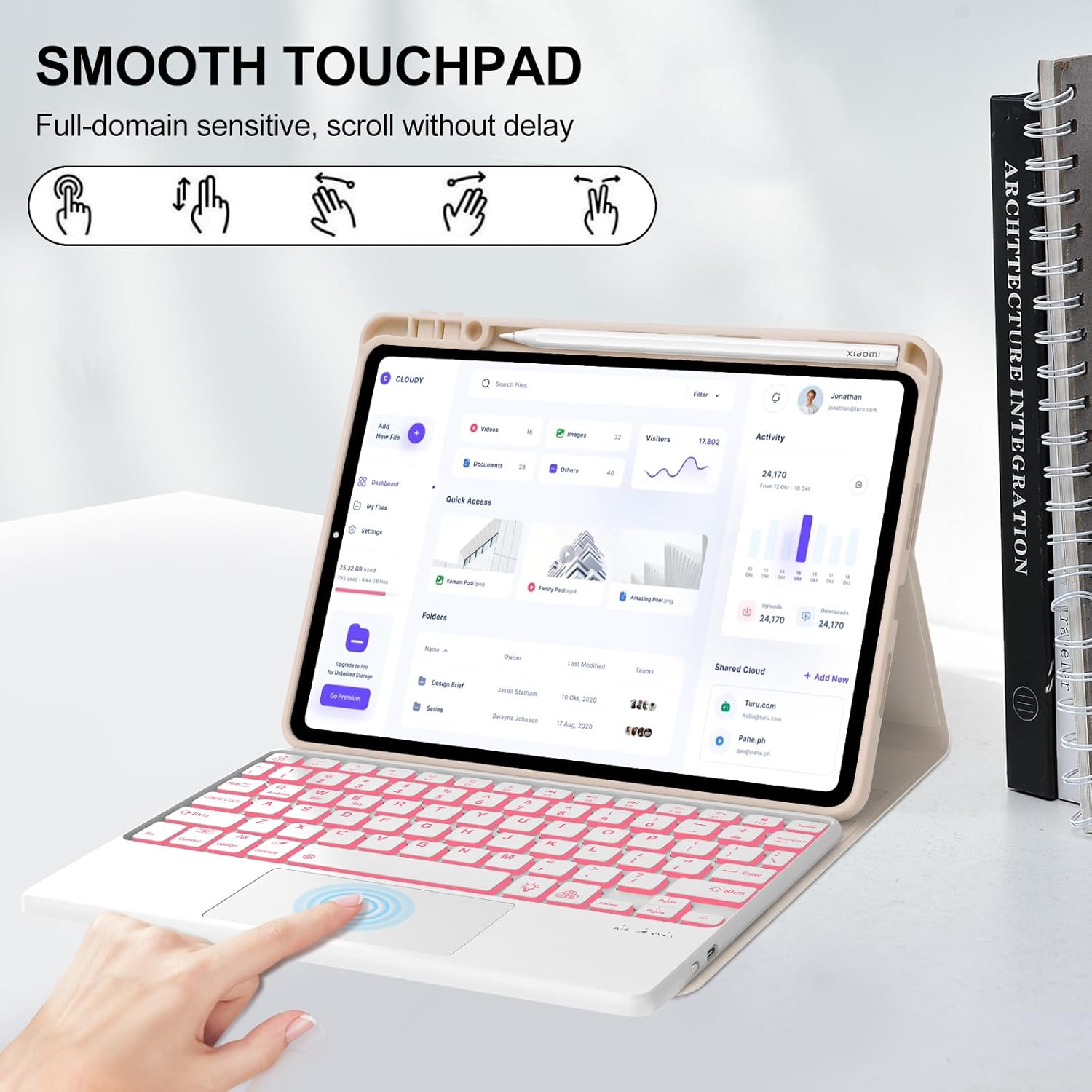
Figure 4.1: Using the Multi-Touch Trackpad.
4.2 Backlit Keyboard and System Switching
The keyboard features 7 colors of backlighting with 3 adjustable brightness settings to suit your preferences and environment. You can switch between operating systems (Android, Windows, iOS) by pressing the 'Fn' key combined with 'Q', 'W', or 'E' respectively.

Figure 4.2: Backlit Keyboard and System Switching.
4.3 Multiple Viewing Angles
The case offers unrestricted viewing angles, adjustable from 110° to 130°. Three anti-slip grooves inside the case provide stable support, allowing you to find the perfect angle for typing, drawing, or viewing content.
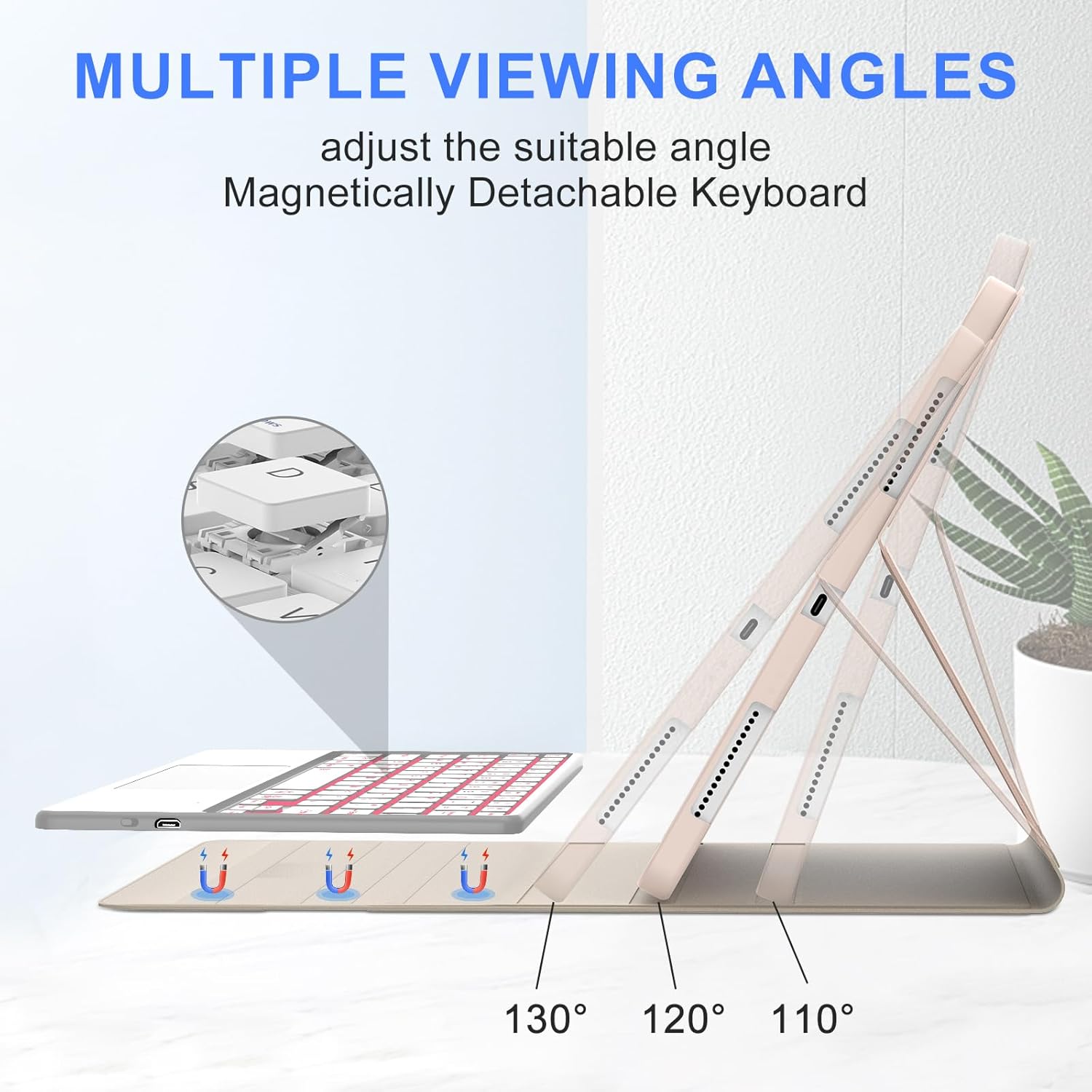
Figure 4.3: Adjustable Viewing Angles.
5. Maintenance
The case is made of durable PU material, designed to be solid, drop-proof, and stain-resistant. For minor spills or dirt, simply wipe the cover with a soft, damp cloth. Avoid using harsh chemicals or abrasive materials that could damage the surface.

Figure 5.1: Stain-Resistant Feature.
6. Troubleshooting
6.1 Keyboard Not Connecting
- Ensure the keyboard is fully charged.
- Verify Bluetooth is enabled on your tablet and the keyboard is in pairing mode.
- Forget the device from your tablet's Bluetooth settings and attempt to re-pair.
- Restart both the tablet and the keyboard.
6.2 Backlight Issues
- Check if the keyboard battery is low. Backlight consumes more power.
- Ensure the backlight feature is enabled and brightness is adjusted.
6.3 Trackpad Unresponsive
- Ensure the trackpad is not accidentally disabled (check keyboard shortcuts).
- Clean the trackpad surface to remove any debris.
- Re-pair the keyboard with your tablet.
7. Specifications
| Feature | Specification |
|---|---|
| Product Dimensions | 9.8 x 5.9 x 0.98 inches |
| Item Weight | 1.1 pounds |
| Manufacturer | IVEOPPE |
| Item Model Number | Xiaomi Pad 7 11.2 inch 2024 |
| Batteries | 1 9V batteries required (included) |
| Compatible Devices | Xiaomi Pad 7 11.2 Inch, Xiaomi Pad 7 Pro 11.2 Inch |
| Connectivity Technology | Bluetooth, USB-C, Wi-Fi |
| Keyboard Description | Multi Functional |
| Special Feature | Backlit, Foldable, Portable, Rechargeable, Trackpad |
| Color | Pink (Backlit Keyboard) |
| Number of Keys | 78 |
| Keyboard Backlighting Color Support | RGB |
8. Warranty and Support
IVEOPPE offers 365 days of friendly customer service. If you have any questions or encounter issues with your product, please feel free to contact us via message. Your satisfaction is our priority, and we are committed to providing timely assistance.