
Introduction
Thank you for choosing the QXQ J55 Wireless Earbuds. This manual provides detailed instructions on how to set up, operate, and maintain your earbuds to ensure optimal performance and longevity. Please read this manual thoroughly before use.
Package Contents
- 2 x Wireless Earbuds
- 1 x Charging Case
- 1 x Type-C Charging Cable
- 1 x User Manual
Product Overview
The QXQ J55 Wireless Earbuds feature Bluetooth 5.4 technology, Environmental Noise Cancelling (ENC) microphones, and a compact design for comfortable use. The charging case includes an LED display to show battery status.

Image: QXQ J55 Wireless Earbuds securely placed in their charging case, which features a digital LED display indicating a 100% charge level. The earbuds themselves show a blue light, suggesting they are charging or fully charged.
Setup
1. Charging the Earbuds and Case
Before first use, ensure both the earbuds and the charging case are fully charged.
- Charging the Case: Connect the provided Type-C charging cable to the charging port on the case and to a USB power source. The LED display on the case will show the current battery percentage.
- Charging the Earbuds: Place the earbuds into the charging slots inside the case. They will automatically begin charging. The LED display will show individual battery levels for each earbud (L and R) and the case's battery status.
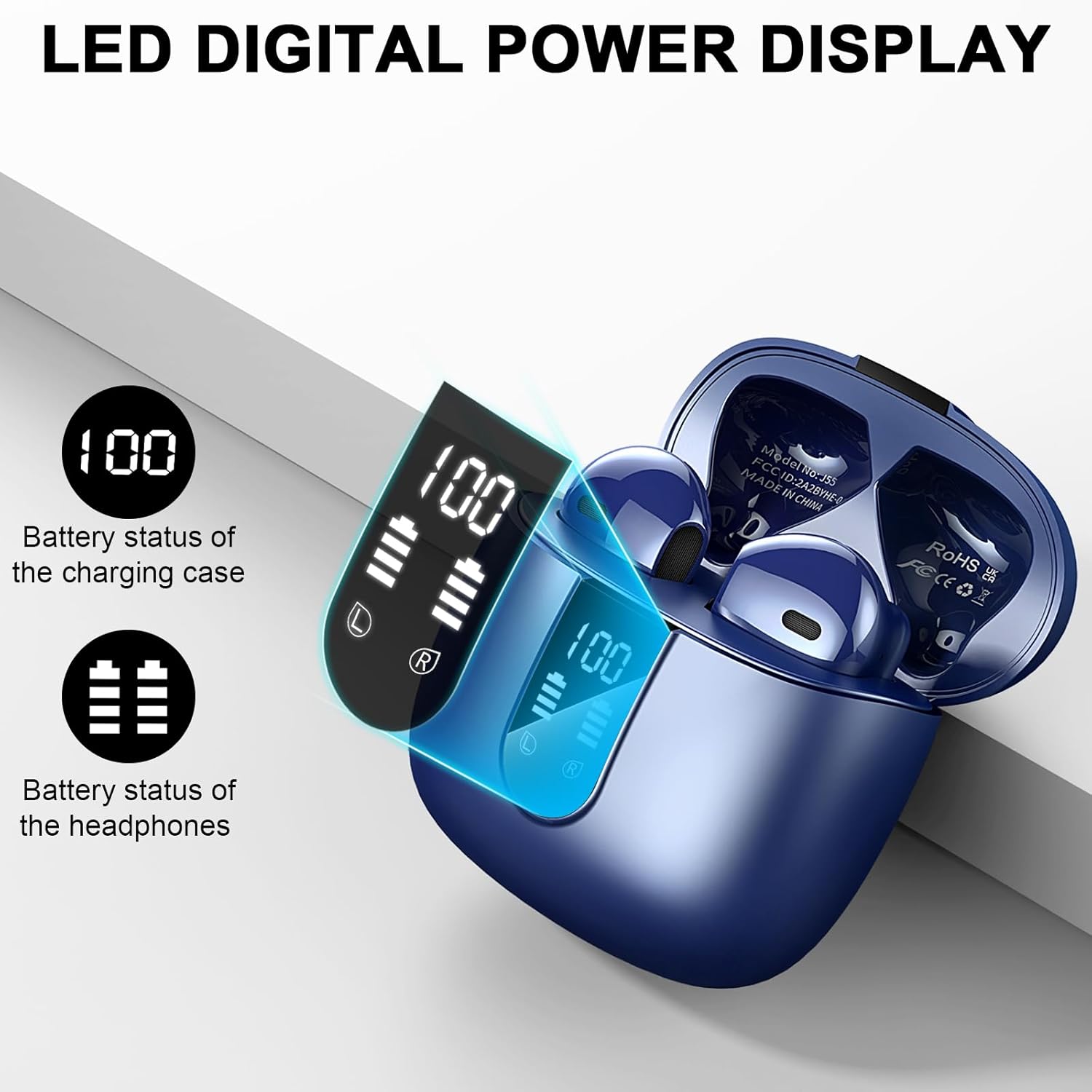
Image: Close-up of the QXQ J55 charging case's LED digital display, clearly showing the battery percentage for the charging case (100) and separate battery indicators for the left (L) and right (R) earbuds.
A full charge provides approximately 8 hours of playback for the earbuds, with the charging case extending total playtime up to 40 hours.

Image: An infographic illustrating the QXQ J55 earbuds' battery life, highlighting 8 hours of playback from a single charge and an additional 32 hours provided by the charging case, totaling 40 hours of use.
2. Pairing with Your Device
The QXQ J55 earbuds utilize Bluetooth 5.4 for a stable and efficient connection.
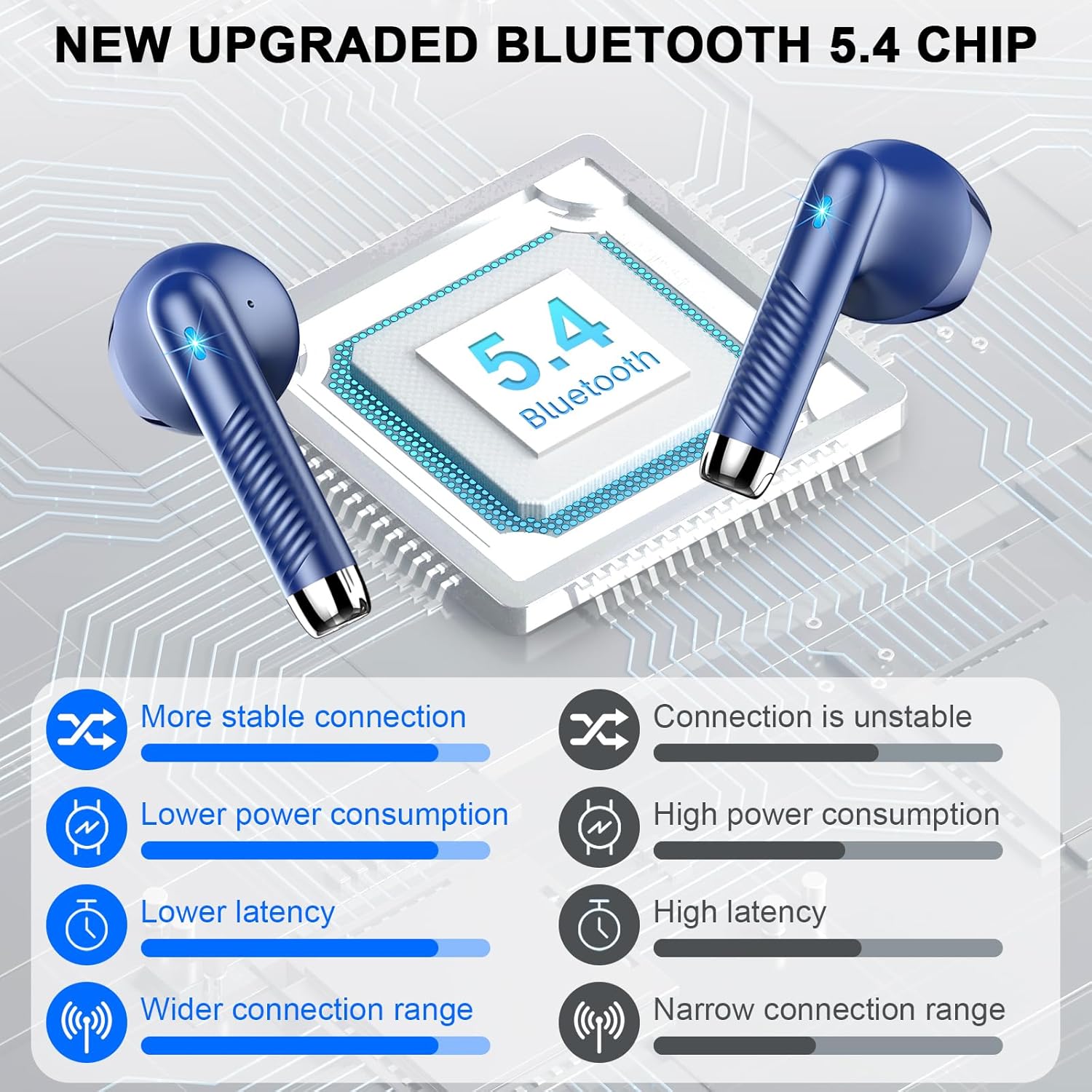
Image: A visual representation of the benefits of the new upgraded Bluetooth 5.4 chip in the QXQ J55 earbuds, showing improvements in connection stability, power consumption, latency, and connection range compared to older versions.
- First-Time Pairing:
- Open the charging case. The earbuds will automatically power on and enter pairing mode.
- On your device (smartphone, tablet, computer), enable Bluetooth and search for available devices.
- Select "J55" from the list of found devices.
- Once connected, you will hear a confirmation tone, and the earbuds will be ready for use.
- Automatic Reconnection: After the initial pairing, the earbuds will automatically connect to the last paired device when taken out of the charging case, provided Bluetooth is enabled on the device.

Image: A graphic demonstrating the one-step pairing process for the QXQ J55 earbuds. It shows the earbuds being taken out of their case, and a smartphone screen displaying "J55" as a discoverable Bluetooth device, ready for connection.
Operating Instructions
1. Wearing the Earbuds
The QXQ J55 earbuds are designed for comfort and a secure fit. Gently insert each earbud into your ear canal and rotate slightly until it feels snug and comfortable. The ergonomic design ensures they stay in place during various activities.

Image: A person wearing the QXQ J55 earbuds, illustrating their comfortable and lightweight design. Text overlays emphasize "ULTRA-LIGHT AND COMFORTABLE" and "Ergonomic design," with a graphic showing an earbud fitting into an ear.
2. Touch Controls
The earbuds feature intuitive touch controls on their outer surface. Refer to the following table for common functions:
| Function | Action |
|---|---|
| Play/Pause Music | Single tap on either earbud |
| Next Song | Double tap on the Right earbud |
| Previous Song | Double tap on the Left earbud |
| Answer/End Call | Single tap on either earbud |
| Reject Call | Long press on either earbud |
| Activate Voice Assistant (Siri/Google Assistant) | Triple tap on either earbud |
| Volume Up | Long press on the Right earbud |
| Volume Down | Long press on the Left earbud |
3. Environmental Noise Cancelling (ENC)
The QXQ J55 earbuds are equipped with ENC microphones, which effectively reduce ambient noise during calls. This ensures your voice is transmitted clearly, even in noisy environments.

Image: A visual representation of the ENC Noise Cancelling technology in action. A person is shown wearing an earbud, with sound waves indicating environmental noise being blocked, ensuring clear communication during calls.
4. IP7 Waterproof Rating
The earbuds have an IP7 waterproof rating, making them resistant to sweat, rain, and dust. This allows for worry-free use during workouts or in light rain conditions. Note: The charging case is not waterproof.
Maintenance
- Cleaning: Regularly clean the earbuds and charging case with a soft, dry, lint-free cloth. Avoid using abrasive materials or harsh chemicals.
- Storage: When not in use, store the earbuds in their charging case to protect them from dust and damage. Store in a cool, dry place.
- Battery Care: To preserve battery life, avoid fully discharging the earbuds and charging case frequently. Charge them regularly, even if not in constant use.
- Avoid Extreme Temperatures: Do not expose the earbuds or charging case to extreme temperatures (hot or cold), as this can damage the battery and internal components.
Troubleshooting
If you encounter any issues with your QXQ J55 Wireless Earbuds, please refer to the following common solutions:
- Earbuds not pairing:
- Ensure both earbuds are charged.
- Turn off Bluetooth on your device, then turn it back on.
- Delete "J55" from your device's Bluetooth list and attempt to re-pair.
- Place earbuds back in the case, close the lid, wait a few seconds, then open to re-initiate pairing mode.
- Only one earbud working:
- Ensure both earbuds are charged.
- Place both earbuds back into the charging case, close the lid, and then take them out again simultaneously.
- Try resetting the earbuds (refer to the "Resetting Earbuds" section if available in the full manual, otherwise, this is a general tip).
- Earbuds not charging:
- Ensure the charging cable is securely connected to both the case and the power source.
- Check if the charging case has power (LED display should be active).
- Clean the charging contacts on both the earbuds and inside the case with a dry cotton swab.
- Poor sound quality:
- Ensure the earbuds are properly seated in your ears.
- Clean any debris from the earbud speaker mesh.
- Move closer to your connected device to avoid interference.
Specifications
| Feature | Detail |
|---|---|
| Model Name | J55 |
| Brand | QXQ |
| Connectivity Technology | Wireless (Bluetooth 5.4) |
| Bluetooth Version | 5.4 |
| Bluetooth Range | Up to 15 meters |
| Noise Control | Environmental Noise Cancellation (ENC) |
| Water Resistance Level | IP7 Waterproof (Earbuds only) |
| Battery Life (Earbuds) | Up to 8 hours per charge |
| Total Playtime (with Charging Case) | Up to 40 hours |
| Charging Port | Type-C |
| Control Method | Touch |
| Ear Placement | In Ear |
| Item Weight | 0.09 Kilograms (approx. 3.2 ounces) |
| Product Dimensions | 1.18 x 0.79 x 1.18 inches |
| Included Components | Wireless Earbuds (x2), Charging Case (x1), Type-C Charging Cable (x1), User Manual (x1) |
Warranty and Support
For warranty information or technical support, please refer to the contact details provided on the product packaging or the official QXQ website. Keep your purchase receipt as proof of purchase for warranty claims.